

Table of Contents
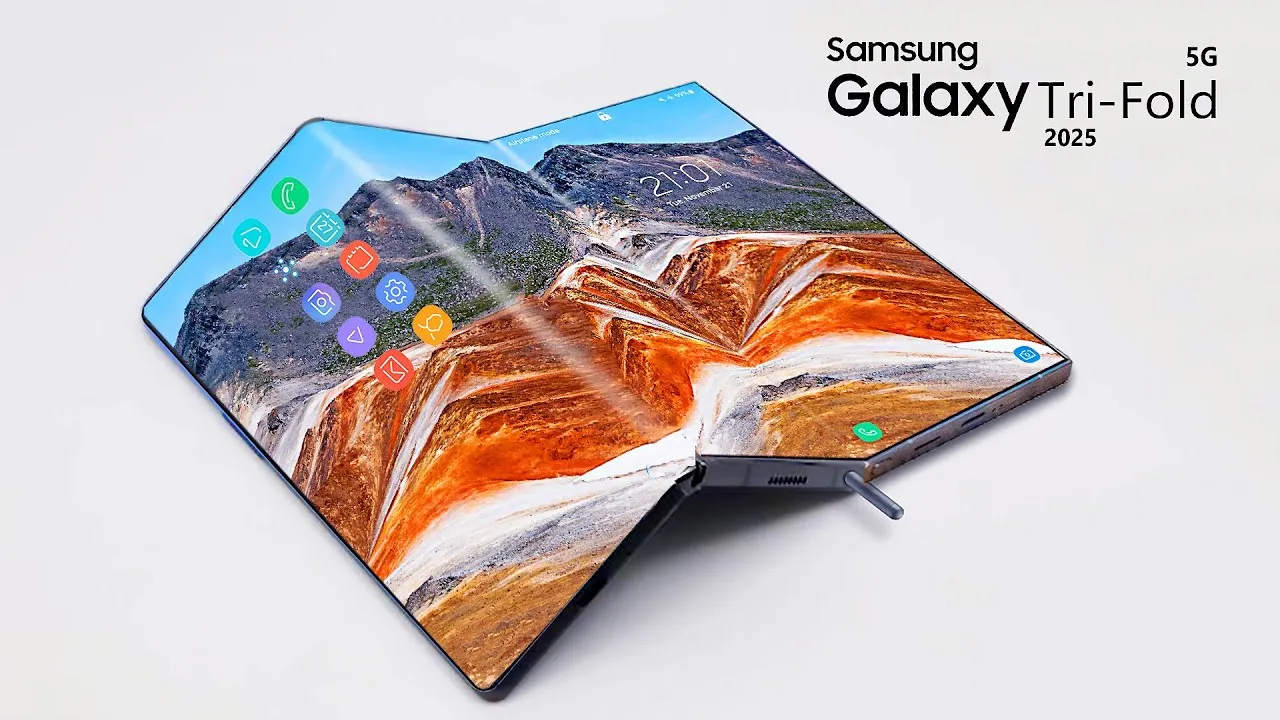
The Samsung Galaxy Z TriFold has created one of the most surprising changes in recent mobile trends. It now supports a feature called Second Screen that allows the Galaxy Z TriFold to work as a full wireless monitor for a Windows PC. This feature produces a long list of benefits for students, workers, travelers, and power users who want practical productivity from a mobile device. The Galaxy Z TriFold now stands out because it behaves like a phone, a tablet, and a monitor in one product.
This article explains how the Second Screen feature works on the Samsung Galaxy Z TriFold, why this upgrade matters for everyday users, and how this device moves mobile computing forward. The goal at SquaredTech is to offer clear insight rather than surface level highlights, so this breakdown expands every idea for clarity.
Samsung Galaxy Z TriFold Second Screen Support Unlocks A New Way To Use Mobile Displays
The Galaxy Z TriFold supports Second Screen in the same way premium Samsung tablets support it. This feature allows the Samsung Galaxy Z TriFold to act like a wireless monitor for a Windows PC. The process relies on Miracast, which is a standard wireless method for streaming a display from one device to another. Miracast sends visual information through a direct wireless link, so the user does not need cables or adapters.
The Galaxy Z TriFold has a ten inch inner display. This size makes it suitable for extended desktop work. Many devices offer screen casting, but the Galaxy Z TriFold goes much further. It accepts a wireless desktop feed and shows it as part of the PC workspace. This means the PC treats the Galaxy Z TriFold as another display, similar to how it treats a small monitor.
A user interacts with the Samsung Galaxy Z TriFold by opening the Second Screen page. Once this page is active, the Windows PC can detect the device. On the Windows PC, the user presses the Windows key together with the letter K to open the Cast menu. The Galaxy Z TriFold then appears on the list of available devices. Selecting it completes the connection. The PC extends the desktop across the Galaxy Z TriFold display.
This easy connection matters because it helps people multitask anywhere. A traveler can use the Galaxy Z TriFold to view documents while the main laptop screen shows a video call. A student can place notes on the Samsung Galaxy Z TriFold while writing an essay on the main screen. A worker can position a reference page or email thread on the Galaxy Z TriFold during a meeting. The display becomes more than a phone screen. It becomes part of a multi display workflow.
The linking process serves creative users as well. Someone editing photos can place toolbars on the Samsung Galaxy Z TriFold while using the main computer for full resolution previews. Someone managing music production can place sound controls on the Galaxy Z TriFold. The size of the inner screen provides enough space to show detailed content without feeling cramped.
This step places the Galaxy Z TriFold in a rare category. It is still a phone with a six point five inch cover screen when folded, but once opened, it takes on the role of a functional workspace.
Samsung Galaxy Z TriFold Gains New Productivity Power By Acting As A Wireless Display
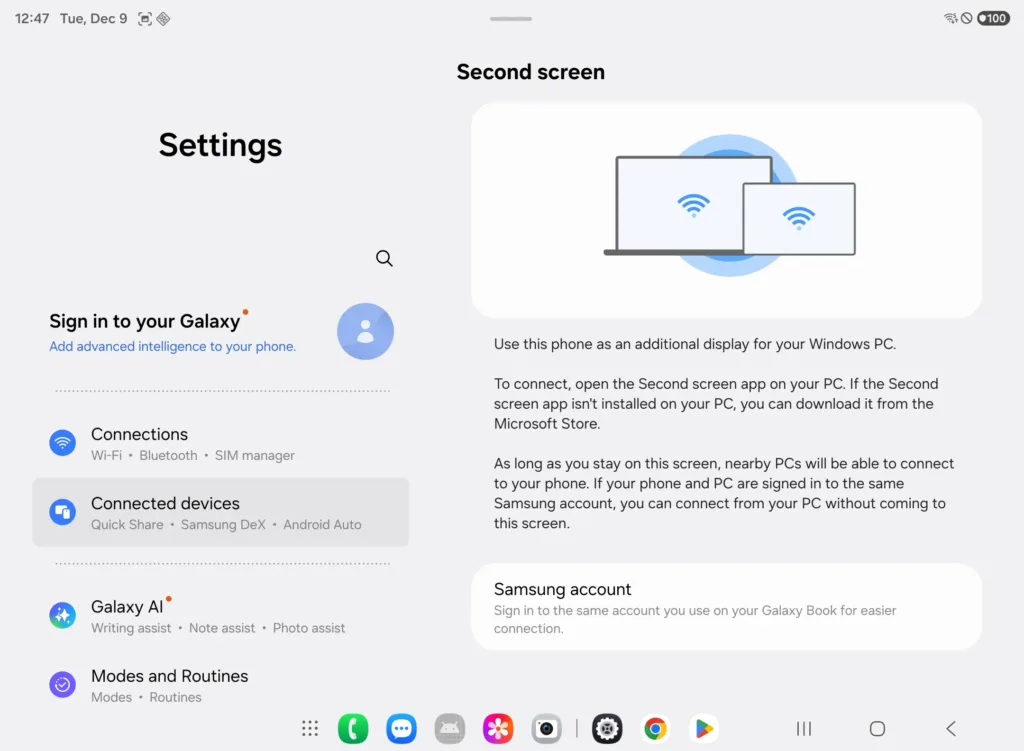
Samsung promoted the Galaxy Z TriFold as the first phone to support standalone DeX. DeX allows the device to use a desktop style interface without connecting to another system. Samsung also highlighted the Extended Mode feature, which projects the phone screen to an external monitor. These features were clear during the launch, but Samsung did not mention an important detail. Users can also extend their PC desktop to the Galaxy Z TriFold. The Galaxy Z TriFold becomes part of the PC workflow rather than just a device that outputs its own screen.
Second Screen on the Samsung Galaxy Z TriFold provides a practical option for anyone who needs extra display space. The ten inch screen is large for a phone and almost equal to the size of a small tablet. This makes it useful as a popup monitor during travel. People often carry large laptops that include one display. Bringing a second physical monitor is unrealistic for travel. The Galaxy Z TriFold becomes a compact alternative that fits in a pocket and offers immediate productivity benefits.
This function does not require accessories. It only requires both devices to stay on the same wireless network. Miracast moves the display content without visible delay during normal tasks like reading, writing, email, and research. Miracast does not demand complicated setup steps. This allows more people to use the Galaxy Z TriFold as a practical productivity tool.
People who use their devices for remote work often face space limits. Many hotel rooms, classrooms, and shared work areas do not allow large setups. The Samsung Galaxy Z TriFold fits wherever the user sits. The Galaxy Z TriFold is easy to stand on a table, and its display orientation gives the user more freedom to show vertical or horizontal content.
The Samsung Galaxy Z TriFold uses software that treats the unfolded display as a tablet interface. This gives the device a layout that is more suited for multitasking. Apps can run side by side. The device can open several windows at once. Combined with Second Screen, the Galaxy Z TriFold becomes something more than a phone and more than a tablet. It becomes a hybrid productivity device.
The user experience improves further with the optional Second Screen PC software. This PC tool gives access to extra settings. These include power sync, auto connect behavior, and changes to the aspect ratio. These controls help users who connect often and want to avoid repeated setup steps. The optional software is not required, but it makes the Galaxy Z TriFold more efficient as a wireless monitor.
The feature also gives a clear value statement for a premium product. The Galaxy Z TriFold has a high price, and many people question the value of expensive foldable phones. The ability to serve as a wireless monitor answers that question by offering new convenience. The device becomes a tool for work, study, creative tasks, and travel support.
Samsung Galaxy Z TriFold Shows How Foldable Phones Move Forward
The Samsung Galaxy Z TriFold presents a major change in how manufacturers use mobile hardware. For many years, people expected foldable phones to behave like flexible screens with cool shapes but limited advantages. The Galaxy Z TriFold changes this idea by becoming a phone that shifts into a functional ten inch interface. The ability to run DeX directly on the device shows that it can handle core computing tasks. The ability to receive a PC desktop signal shows that it can extend computing tasks as well.
Our team notes that this combination gives the Samsung Galaxy Z TriFold a unique place in current trends. It moves past the idea of a foldable phone as a novelty and shows how it can deliver daily value. By giving users a second monitor in their pocket, the Galaxy Z TriFold improves practical productivity.
Samsung places the Galaxy Z TriFold next to premium tablets because the device behaves like a tablet once unfolded. The hardware has enough strength to handle work tasks, media tasks, and multitasking. The Second Screen feature also shows that Samsung intends to merge the experiences of phones and tablets. Users can move between roles quickly. This reduces the need to carry extra devices.
The Samsung Galaxy Z TriFold gives a hint about the future. People may begin to expect phones to replace external accessories. When a phone can replace a portable monitor, the device becomes more than a communication tool. It becomes part of a broader computing environment.
The change is not only technical. It also affects daily habits. People often work on laptops in environments with limited space. They often juggle multiple windows on one screen. The Galaxy Z TriFold helps break that habit by offering more display area without extra weight.
At the end of this analysis, SquaredTech sees the Samsung Galaxy Z TriFold as an important step for mobile progress. The Second Screen feature proves that a phone can support real productivity. It shows that mobile devices can expand PC power in practical ways. This feature could become a standard expectation for future foldable models.
Stay Updated: Mobile

