

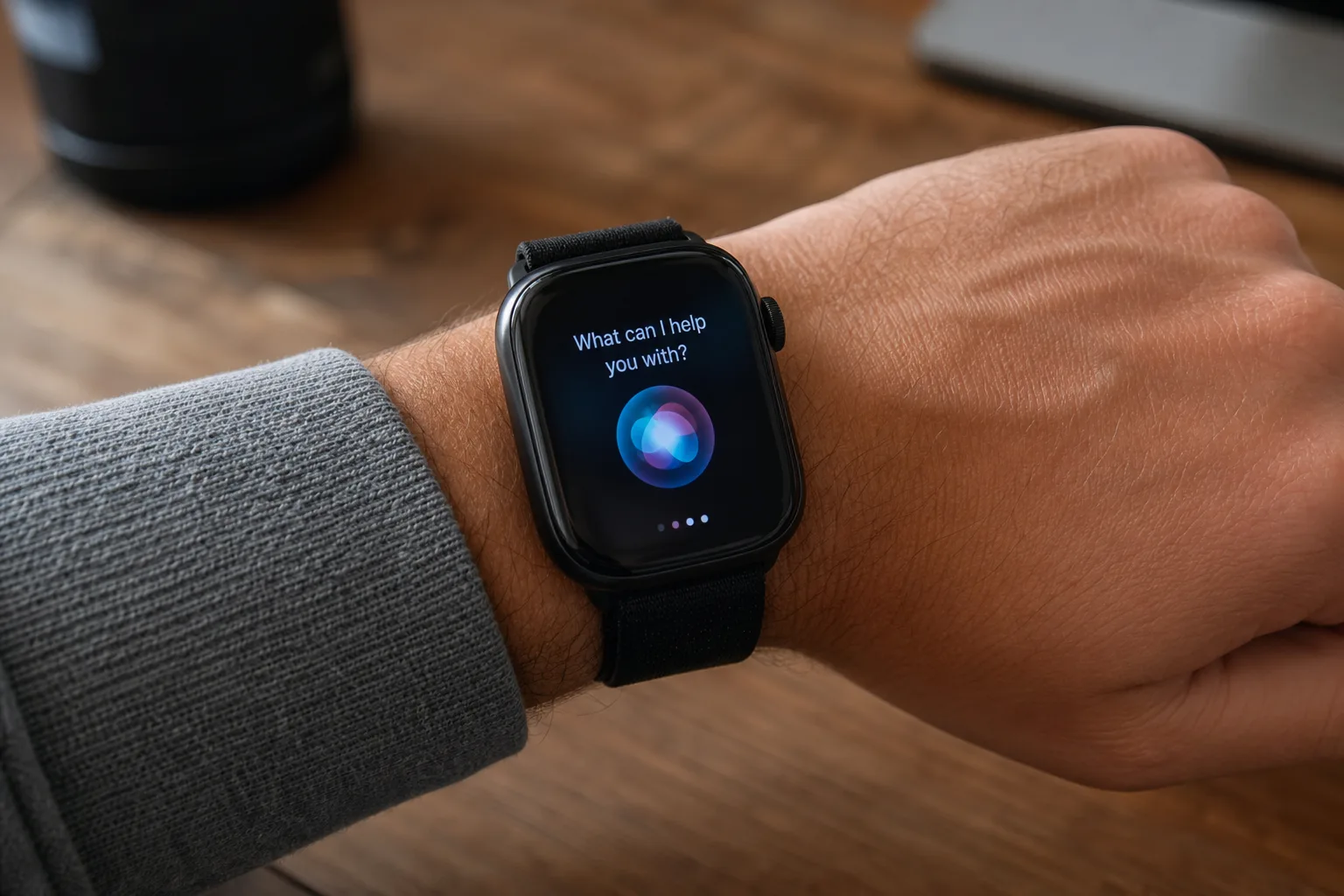
After months of waiting since its initial announcement, Siri AI on Apple Watch is finally here — and it arrived quietly tucked inside watchOS 27 Beta 3. It’s a meaningful moment for the platform, even if the headline doesn’t carry the drama of a full launch event. For Apple Watch users who’ve been watching Apple Intelligence roll out across iPhone, iPad, and Mac, the wrist has always felt like the obvious missing piece.
- Siri AI on Apple Watch officially arrives with watchOS 27 Beta 3, months after Apple first announced the feature.
- Siri AI on Apple Watch requires a nearby Apple Intelligence-compatible iPhone to handle the heavy processing workload.
- The Siri app now occupies the center slot of the Dynamic App Grid, triggered by pressing the Digital Crown.
- Conversations started through Siri AI on Apple Watch sync automatically to iPhone, iPad, and Mac.
Table of Contents
What’s Actually New in watchOS 27 Beta 3
The headline addition is straightforward: Siri AI on Apple Watch is now active, and the Siri app has been woven directly into the watch’s core interface. Press the Digital Crown and you’ll see the Dynamic App Grid — the radial layout Apple introduced to give quick access to apps from the watch face. In Beta 3, the Siri app sits at the very centre of that grid. It’s a deliberate design choice. Apple isn’t burying this feature three taps deep; it’s positioning the smarter Siri as a primary interaction point for the watch.
Once you’re in, the experience mirrors what Apple Intelligence users already know from iPhone. You can ask follow-up questions in a conversational way, get more contextual answers, and make requests that previously would have been brushed off with a generic response or punted to your phone. The gap between what Siri could do on the watch versus what it could do everywhere else has been a persistent frustration — Beta 3 starts closing it.
The iPhone Dependency — and Why It Makes Sense
Here’s the catch, and it’s worth being clear about: Siri AI on Apple Watch doesn’t run independently. All the heavy processing is offloaded to a nearby Apple Intelligence-compatible iPhone. If your iPhone isn’t within Bluetooth or Wi-Fi range, you’re not getting the AI-enhanced version of Siri — you’re back to the more limited assistant that Apple Watch has always had.
That dependency will frustrate some people, but it’s actually the pragmatic call given where wearable hardware sits today. Apple Watch chips — even the S9 in the Series 9 — aren’t built to run large language models locally. The neural engine headroom simply isn’t there yet. By tethering the AI workload to the iPhone, Apple gets to ship the feature now rather than wait for silicon that may be years away from fitting inside a watch casing without destroying battery life. It’s the same philosophical trade-off Apple made with Continuity Camera and other features that treat the iPhone as a processing hub for surrounding devices.
The compatible iPhone requirement also means the feature is gated to the Apple Intelligence device line — practically speaking, iPhone 15 Pro, iPhone 15 Pro Max, and anything in the iPhone 16 family or newer. If you’re pairing an Apple Watch with an older iPhone that doesn’t support Apple Intelligence, you won’t see the upgraded Siri experience regardless of which watchOS beta you’re running.
Siri AI on Apple Watch and the Bigger Continuity Push
One detail in Apple’s implementation that deserves more attention than it’s getting: conversation sync. Any exchange you start with Siri AI on Apple Watch shows up in the Siri app on your iPhone, iPad, and Mac. That’s a meaningful change in how Apple is framing Siri’s role across devices.
Previously, Siri interactions were largely ephemeral and device-specific. You asked something, got an answer, and that was it — there was no thread, no history to return to, no shared context across devices. The sync feature signals Apple treating Siri less like a voice command shortcut and more like a persistent AI assistant that knows what you’ve asked, regardless of which screen you happen to be looking at. That’s directly competitive with how Google Assistant and Amazon Alexa have positioned cross-device continuity for years, and it’s something Apple Intelligence has been building toward across the entire ecosystem.
For the Apple Watch specifically, this changes the calculus around when it makes sense to ask Siri something from your wrist. Right now, most people default to their phone for anything beyond a timer or a quick weather check. If your watch-based queries feed into a coherent, searchable history that carries over to your Mac, the wrist starts to feel like a genuinely useful input point rather than a convenience shortcut with serious limitations.
Apple Promised This — Beta 3 Finally Delivered
Apple first flagged that Siri AI on Apple Watch was coming when watchOS 27 was introduced. That was the plan. But the feature wasn’t flipped on in Beta 1 or Beta 2, and the wait was long enough that it started to feel like a soft delay rather than a staged rollout. Beta 3 puts that speculation to rest.
Staged feature rollouts in beta software aren’t unusual — Apple routinely introduces capability shells in early seeds before enabling them later in the cycle. But the absence of Siri AI across the first two betas did raise questions about whether the watch integration needed more work than anticipated. Now that it’s live, developers and public beta testers will have a proper window to stress-test it before the stable release.
It’s also worth remembering the broader context. Apple Intelligence itself launched later than originally suggested, and the on-device AI features have been rolling out in stages since iOS 18.1. The Apple Watch has been the last major Apple platform without AI-enhanced Siri. That gap is now being filled — in beta, at least.
What This Means for the Apple Watch Platform
The arrival of Siri AI on Apple Watch matters beyond the feature itself. It’s a signal that Apple sees the watch as a full participant in the Apple Intelligence ecosystem, not a peripheral that gets watered-down versions of whatever the iPhone does. The centre placement in the Dynamic App Grid reinforces that — Apple is making an editorial statement about how central AI-powered Siri is meant to be to the watch experience going forward.
Whether the execution lives up to that framing will depend on how reliably the iPhone processing handoff works in real-world conditions, how quickly responses come back over the wireless link, and whether the conversation sync actually proves useful in practice rather than just being a bullet point on a features list. Beta 3 is the starting line, not the finish line.
As watchOS 27 moves through its remaining beta cycles toward a likely autumn release alongside new Apple Watch hardware, expect the feature to be refined. Apple tends to use the later beta builds to tighten latency and smooth rough edges on features that land mid-cycle. By the time watchOS 27 ships to the general public, the version of Siri AI most users experience on their wrist should be materially better than what developers are testing today. That’s usually how it goes — and it’s a reasonable bet here too.
Frequently Asked Questions
Does Siri AI on Apple Watch work without an iPhone nearby?
No. Siri AI on Apple Watch relies on a nearby Apple Intelligence-compatible iPhone for processing. Without that iPhone in range, the smarter AI-powered features won’t function.
Which Apple Watch models support the new Siri AI features in watchOS 27?
Apple hasn’t published a definitive compatibility list beyond requiring an Apple Intelligence-capable iPhone nearby. The source does not specify which Apple Watch or iPhone models are required.
Do Siri AI conversations on Apple Watch carry over to other devices?
Yes. Conversations initiated through the Siri app on Apple Watch sync across all your Apple devices — iPhone, iPad, and Mac — so you can continue them on any of those devices.

