

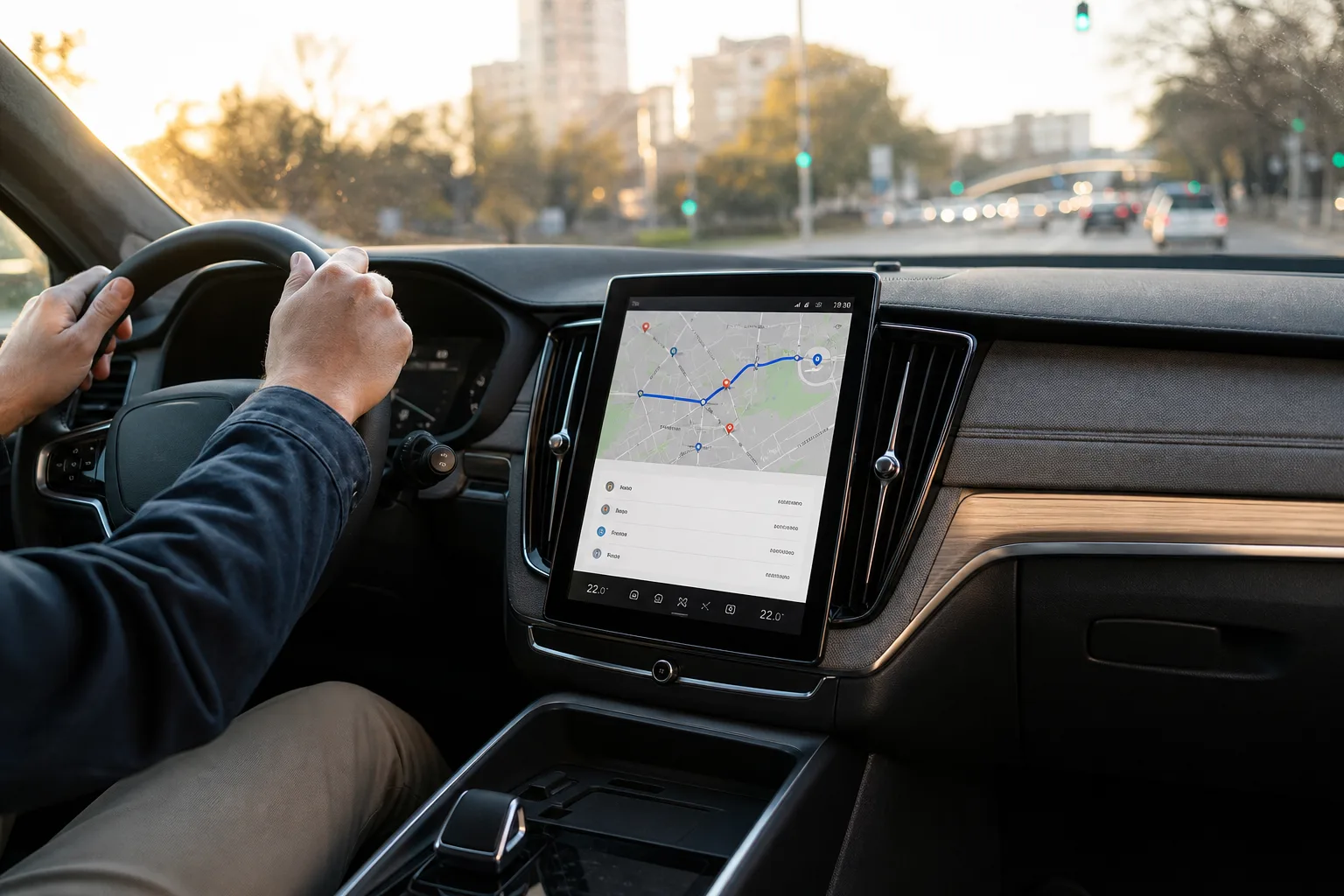
- Google Maps Android Auto makes voice-led destination searches and route changes less distracting than they are in CarPlay.
- Google Maps Android Auto puts nearby stops, saved destinations and route details where drivers can scan them quickly.
- Google’s battery-aware EV planning can add charging stops and predict arrival charge on supported Android Auto vehicles in the US.
- CarPlay still has a few practical touches, including easy-to-reach day and night map color controls from the dashboard interface.
Table of Contents
Google Maps Android Auto feels built for the road
The most revealing thing about Google Maps Android Auto is not that it can get you home. CarPlay can do that too, and both platforms cover the fundamentals most drivers expect: traffic incidents, speed limits, lane guidance, detours and settings to avoid tolls, ferries or highways. The gap shows up in the irritating little moments between destinations — when you need fuel, want to compare two coffee shops, or suddenly remember you need a pharmacy before dinner.
Google Maps has always been more than a digital road atlas; it is Google’s vast local-search machine strapped to a dashboard. On Android Auto, that machinery feels closer to the surface. The interface puts useful choices in front of the driver sooner, while Apple CarPlay often makes the same information available only after a few extra taps. That may sound petty from a sofa. In a moving car, it is the difference between a quick glance and fiddling with a screen at a red light.
CarPlay is not broken, or even bad. Apple’s system is clean, stable and familiar to millions of iPhone owners. But if Google Maps is your primary navigation app, Google’s own in-car platform currently offers the more complete experience.
Gemini is the clearest Google Maps Android Auto advantage
Voice interaction is where the divide gets serious. Google Maps Android Auto can bring Gemini into the conversation hands-free, allowing a driver to ask for a fuel stop, narrow the search, then request another kind of stop without rebuilding the whole query from scratch. That is how an in-car assistant ought to work: more like asking a passenger for help than operating a touchscreen with your eyes half on the road.
Google Maps on CarPlay has begun showing a Gemini button for some users, and it can deal with follow-up requests after it is opened. But needing to tap that button first is not a trivial limitation. Carmakers have spent years adding physical controls and voice buttons because reaching toward a center display is inherently distracting. Keeping attention on the road makes the case for hands-free access far more convincing.
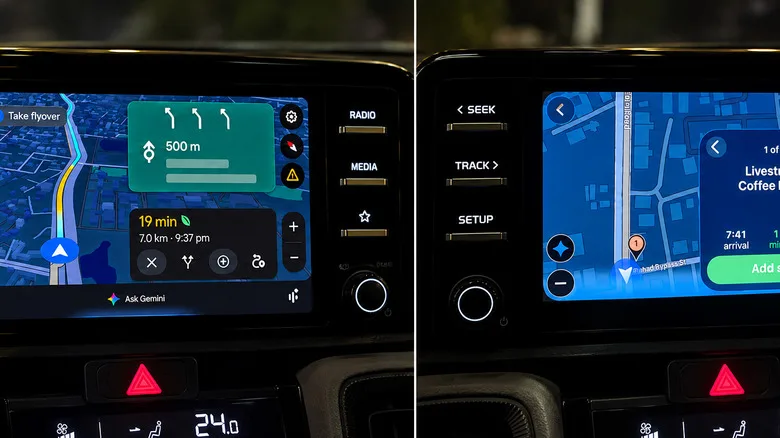
There are caveats. Gemini is still a cloud service, which means it can hesitate, stall or fail when connectivity is poor. Anyone who has watched a voice assistant confidently misunderstand a simple destination knows the routine. I would not hand it total control over a cross-country plan yet. Still, for basic requests such as finding a gas station along the current route, it is a genuinely useful layer rather than AI garnish.
The split reflects a broader difference between the platforms. Apple has traditionally treated CarPlay as an extension of the iPhone, with Siri at the center of voice control. Google is positioning Gemini as an active travel companion. Whether that is appealing or exhausting may depend on how much conversational AI you want in your commute.
Better stop comparisons matter more than fancy map graphics
When searching along a route, Google Maps Android Auto is better at showing the trade-offs that actually matter. It can display several options with ratings and the extra time each stop will add. If one gas station is a minute off the highway and another adds six minutes, you can see the decision rather than page through a one-at-a-time carousel.
CarPlay can still show useful details, including detour time and fuel pricing, but its result cards are more serial. You move backward and forward through choices instead of comparing them at a glance. It is a small interface decision with an outsized impact. Navigation is full of micro-decisions, and nobody wants to perform a product-comparison exercise while merging onto an unfamiliar interchange.
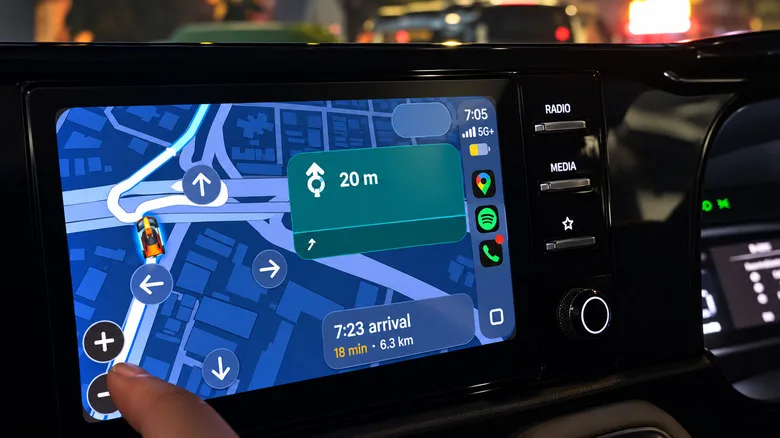
Map exploration follows the same pattern. Android Auto keeps zoom controls accessible and generally supports direct pinch gestures in Google Maps. CarPlay may push drivers into a separate map-control view, with arrows and zoom buttons taking over the display. Apple’s approach is defensible from a consistency standpoint, but it is less fluid when you simply need to look farther down the route. A map should behave like a map, not like a menu you have to enter.
There is one area where CarPlay deserves credit: its map appearance controls are easy to reach. Drivers can quickly choose automatic, day or night color schemes. That is a modest but thoughtful bit of usability, especially in cars whose ambient-light sensors make questionable decisions at dusk.
Google Maps Android Auto gets you moving faster
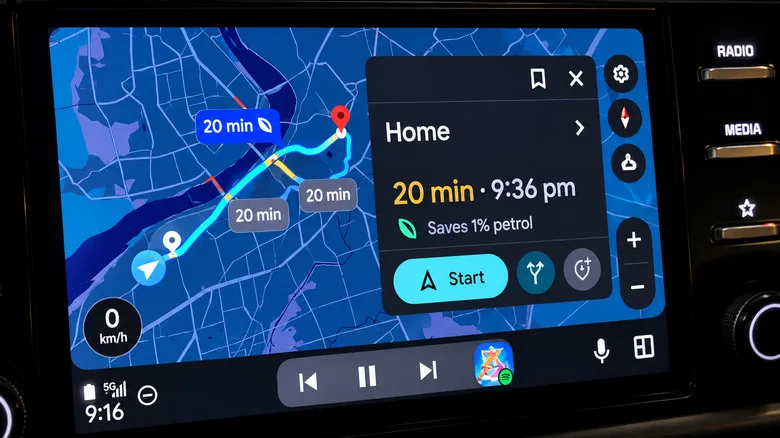
Before a destination is even entered, Google Maps Android Auto tends to be more proactive. It can surface a Home shortcut with live travel time and distance, plus saved locations, recent trips and suggestions based on recent Maps searches. For a regular commuter, that is exactly the right amount of anticipation. You get the likely answer without feeling as though the dashboard is trying to become your life coach.
CarPlay’s opening Google Maps screen is comparatively sparse, often requiring a search before it reveals the same depth of context. Apple’s own Maps app may be the better fit for users deeply committed to Apple’s ecosystem, but this comparison is specifically about Google Maps. And Google Maps works most naturally when Google can connect its search history, location data and routing engine without the extra layer of iOS constraints.
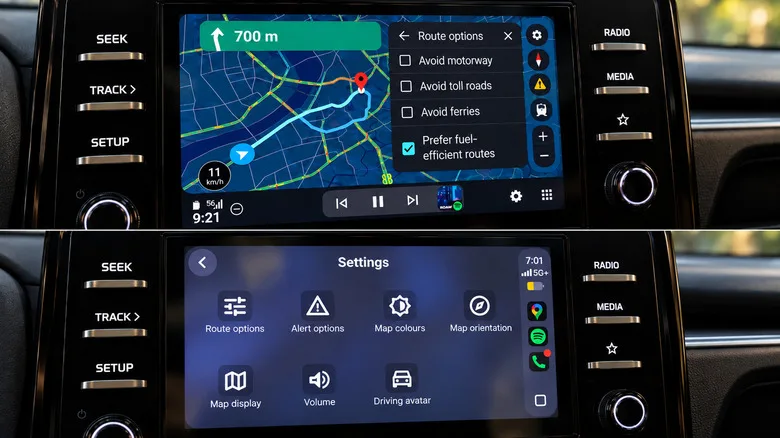
Fuel-efficient routing is also clearer on Android Auto. Google can identify the route it regards as the most fuel-saving option and show the estimated benefit. The preference exists on CarPlay as well, but Google Maps Android Auto does a better job explaining why a particular route has been recommended. Clarity matters when an app is asking you to take a slower road to save fuel.
EV route planning is the feature to watch
The biggest functional gap is electric-vehicle planning. On supported US vehicles, Google Maps Android Auto can use vehicle characteristics, traffic, elevation and weather to estimate battery use. Drivers can enter their current charge, receive an estimated battery percentage on arrival and have charging stops incorporated into the route and ETA.
That is the right model. Finding a nearby charger is useful, but it is not trip planning. An EV driver needs the navigation system to account for the charger, the charge time and the likely battery state at every major point in the journey. Google says the feature reaches more than 350 EV models from over 15 brands in the US. The company has outlined the rollout in its Google Maps EV charging update.
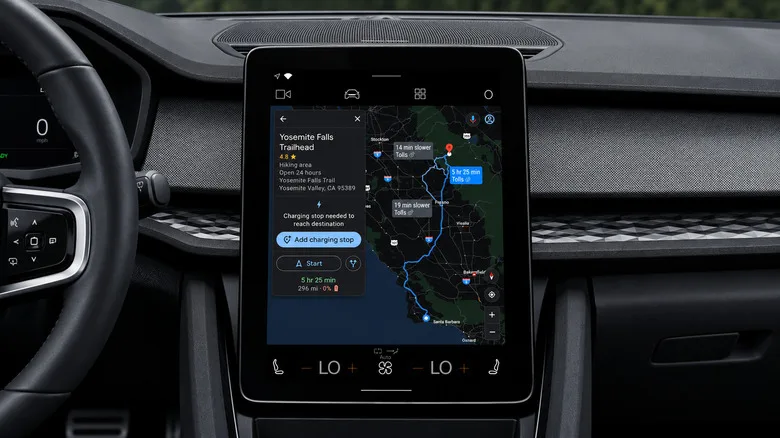
Google Maps on iPhone can help find charging stations, but its energy-efficient EV routes do not currently fold charging stops into the route calculation in the same way. That leaves Google Maps Android Auto ahead for compatible EV owners, and not by a cosmetic margin. Range planning is where bad navigation can turn a pleasant road trip into an anxious spreadsheet.
My read is that Google has a durable advantage here because Android Auto can form deeper links with vehicle data. Apple is working to expand CarPlay’s role in the car, but automaker adoption has been uneven, and many brands remain wary of handing too much of the dashboard to Cupertino. If Android Auto keeps getting battery-aware routing, conversational search and richer vehicle integration, Google Maps may become one of the strongest reasons to choose it — even for drivers who otherwise prefer an iPhone.
Frequently Asked Questions
Does Google Maps Android Auto work better than CarPlay?
For several everyday tasks, it appears to. Android Auto makes Gemini easier to invoke hands-free, presents multiple stop options more clearly, and offers more direct map controls. CarPlay still handles core navigation well, including lane guidance, incident reporting, alternative routes and avoidance preferences.
Can Gemini change my route while I am driving?
Gemini can handle conversational requests such as finding fuel along a route, adding a pharmacy stop, or showing alternate ways home. On Android Auto, it can be called without touching the display. CarPlay can support similar requests when Gemini is opened, though the interaction may require tapping the screen.
Which cars support Google Maps battery-aware EV routing?
Google says its battery-aware trip planning is available for more than 350 EV models across over 15 brands in the US.