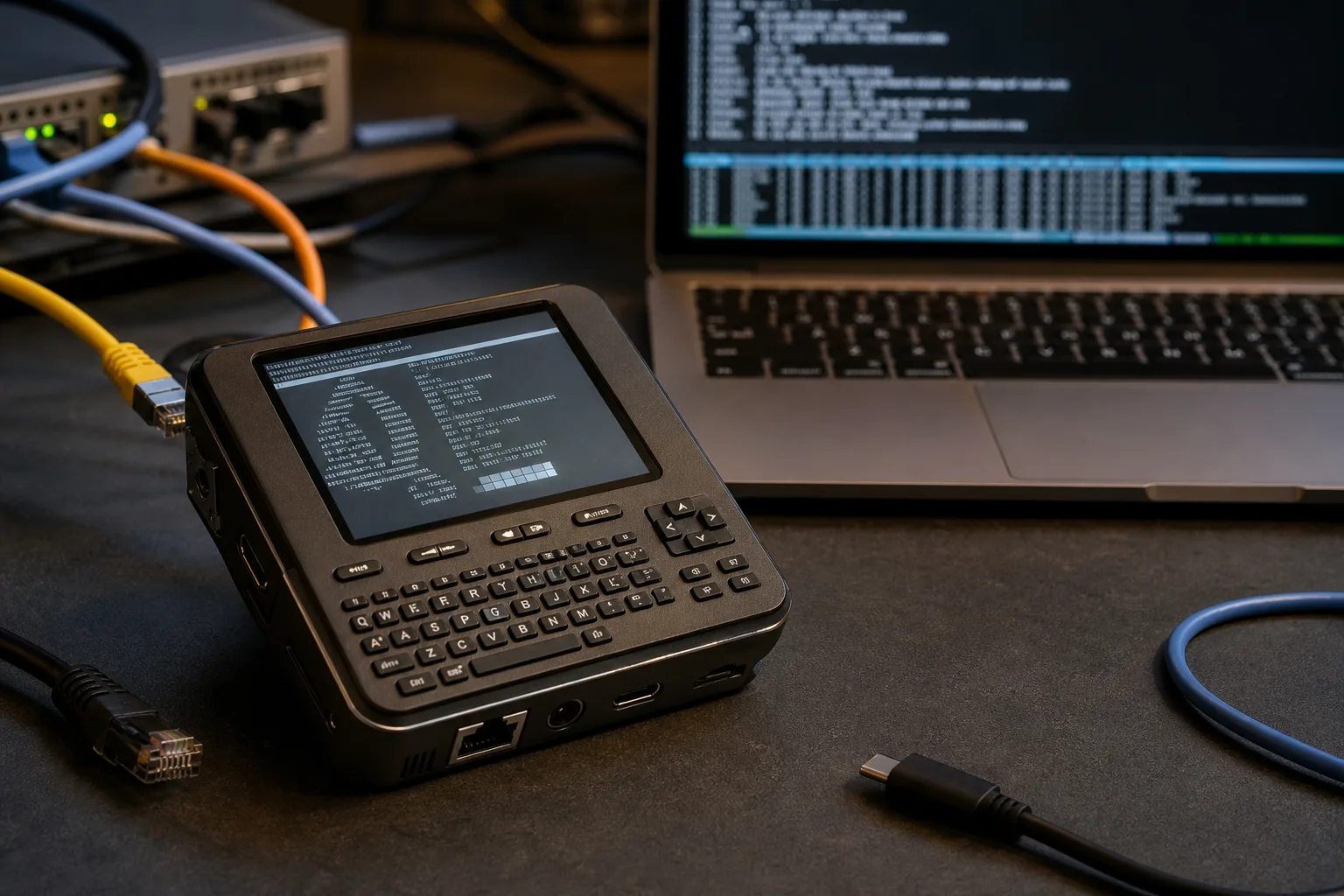
- The Flipper One specs confirm an eight-core Rockchild RK3576 CPU paired with a Raspberry Pi RP2350B microcontroller for low-level hardware access.
- Flipper One specs include dual Gigabit Ethernet ports, HDMI 2.1 output at 4K/120Hz, and two USB-C ports — far beyond its predecessor’s reach.
- A rear M.2 expansion slot supports PCIe, SATA, and USB 3.1 interfaces, making this device genuinely extensible for serious hardware tinkering.
- Final weight and battery capacity are still unconfirmed, signalling the hardware is still in active development despite the detailed spec release.
Flipper One Specs Land — and They’re a Serious Statement
The Flipper One specs have been published in full on Flipper’s official documentation site, and if you were expecting a modest upgrade from the Flipper Zero, you’re going to need a moment. This isn’t a tweak. It’s a completely different class of device — one that borrows the Flipper brand’s hacker-friendly DNA and wraps it around hardware that punches well above the handheld gadget category.
At 155mm × 67mm × 40mm, the Flipper One is meaningfully larger than its predecessor. That extra volume needs to exist — because what’s packed inside demands it. The Flipper One specs describe a device with an octa-core application processor, a dedicated neural processing unit, dual Gigabit Ethernet ports, full-size HDMI 2.1, a 7000 mAh battery, and an M.2 expansion slot. That’s not a multi-tool anymore. That’s a pocket-sized Linux computer built for people who actually want to do things with hardware.
The CPU Story: RK3576 Meets the RP2350B
The main processor is the Rockchip RK3576, a chip that’s been gaining traction in single-board computer circles over the past year. It’s an asymmetric eight-core design — four ARM Cortex-A72 performance cores and four Cortex-A53 efficiency cores, clocked up to 2.2 GHz. For context, the A72 architecture is the same one powering the Raspberry Pi 4. Pairing that with the efficiency cores means the Flipper One specs are designed with battery life in mind, not just raw throughput.
The GPU is an ARM Mali-G52 MC3, supporting Vulkan 1.2 and OpenCL 2.1 — meaning this thing can handle light compute workloads beyond just graphics. More interesting still is the NPU: a 6 TOPS neural processing unit supporting INT4, INT8, INT16, FP16, BF16, and TF32 formats. That’s a meaningful amount of on-device AI inference capability for a device this size, and it opens up possibilities that go well beyond what the original Flipper Zero community ever imagined.
Alongside the RK3576 sits the Raspberry Pi RP2350B as a low-power microcontroller. Running dual ARM Cortex-M33 cores and dual RISC-V Hazard3 cores at 150 MHz, with 520KB of SRAM and 16MB of flash, the RP2350B handles the kind of real-time, low-level tasks that an application processor running Linux simply isn’t suited for — GPIO control, hardware protocol sniffing, that sort of thing. It’s a smart split. Flipper clearly learned from the Zero’s architecture and decided that the two-processor approach scales well. The Flipper One specs make clear that this dual-processor division of labour is intentional and central to the design.
Connectivity That Would Embarrass Most Laptops
Here’s where the Flipper One specs genuinely surprise. Two USB-C ports, both USB 3.1 at 5 Gbps. The first supports DisplayPort alt mode and USB Power Delivery for charging. The second is host-only with power output. There’s also a USB-A port running at USB 3.1 speeds. That’s three high-speed USB ports on a handheld. Most ultrabooks don’t do that.
The dual RJ45 Gigabit Ethernet ports — driven by Realtek RTL8211F-CG PHY chips — are arguably the most telling detail in the Flipper One specs. Two wired network ports on a device this size signals a very specific use case: network security testing, traffic analysis, or acting as an inline device between two network segments. Penetration testers will immediately understand the value. Everyone else will wonder why a portable gadget needs two Ethernet jacks. Both groups are right to have that reaction.
Wireless connectivity comes via the WXT2AM2101 module, built around a MediaTek MT7921AUN chip. That means Wi-Fi 6 across 2.4, 5, and 6 GHz bands with 2×2 MIMO, plus Bluetooth 5.2. The 6 GHz band support is notable — it’s the newest slice of Wi-Fi spectrum, and having it on a handheld security tool matters.
Video output rounds things out: HDMI 2.1 with full CEC support at up to 4K/120Hz, and DisplayPort 1.4 via the first USB-C port, also at 4K/120Hz. Hook this up to a monitor and you’ve got a functional desktop environment running off something that fits in a jacket pocket. Taken together, the connectivity side of the Flipper One specs positions it closer to a field operations platform than a hobbyist gadget.
The M.2 Expansion Port Changes the Game
Underneath the back plate sits the detail that will matter most to the hardware hacking community: a Key B M.2 expansion port. It supports 2242, 3042, and 3052 form factor modules at up to D3 double-sided thickness. The interface list is extensive — PCIe 2.1 ×1, USB 2.0, USB 3.1, SATA3, serial audio, UART, I2C, and SIM card passthrough.
That SIM passthrough to the M.2 slot is worth pausing on. The Flipper One already has a nano-SIM card slot, but routing it through M.2 means you could theoretically slot in an LTE or 5G modem module and get cellular connectivity without any additional hardware dangling off the device. For a field-use security tool, that’s not a nice-to-have — it’s potentially critical. The Flipper One specs treat the M.2 slot as a genuine expansion ecosystem rather than an afterthought.
The exposed GPIO header adds another layer. It brings out CPU and MCU pins with I2C, SPI, UART, CAN bus, SAI audio interfaces, PWM channels, and ADC lines — all accessible from the RK3576 and RP2350B. There’s also a dedicated debug port covering MCU SWD, UART lines, CPU UART, and GPIO. Firmware developers will appreciate that the debug infrastructure is built in rather than bolted on.
Display, Controls, and the Hardware You’ll Actually Touch
The screen is a monochrome LCD at 256×144 pixels with 64 levels of grayscale — 6-bit depth — driven over QSPI. That’s a deliberate choice. A high-resolution colour display would chew through the battery and add cost. The Flipper Zero community never complained about the monochrome display, and the One doesn’t change that philosophy. It’s a status and interaction surface, not a media viewer.
Controls include a touchpad with haptic feedback, five app buttons below the screen, a five-way directional pad, a back button that doubles as an app switcher, a push-to-talk button controllable from Linux userspace, and a power button that also handles Ctrl+Alt+Del and kill-app functions. That PTT button being software-definable from Linux is a small but interesting touch — it suggests the Flipper team is thinking about custom builds and specialised deployments, not just the default firmware experience.
The body uses a PC/ABS plastic chassis with Gorilla Glass over the display. Heat management comes via an anodized aluminum heat sink and bracket — sensible given the RK3576 will generate real heat under load. Bumpers are TPU. It’s a thoughtful materials list for something that’s going to get thrown in a bag and used in the field. On the physical side, the Flipper One specs reflect a device designed to survive real-world use rather than sit on a desk.
Battery and Power Management
The battery sits at a nominal 7000 mAh / 24,000 mWh — though Flipper’s own docs flag the capacity as not final. Charging is handled by a Texas Instruments BQ25792 charger IC capable of up to 3.32A input, with a TI BQ28Z610 fuel gauge for accurate state-of-charge reporting. USB Power Delivery charging supports up to 26V input, meaning a good USB-C PD charger will top this up at a meaningful rate.
Whether 7000 mAh is enough depends entirely on workload. Running the RK3576 hard with both Ethernet ports active, Wi-Fi 6 scanning, and HDMI output? Probably a few hours. In a low-power monitoring mode with the RP2350B doing most of the work? Potentially a full day. The two-processor architecture exists precisely to enable that kind of power-mode flexibility. The Flipper One specs suggest Flipper has thought carefully about real-world runtime, not just peak performance.
What These Specs Actually Mean
The Flipper Zero shipped in 2022 after a wildly successful Kickstarter and became a cultural moment in the security community — and then a political one, after various governments attempted to ban it over exaggerated fears about what it could do. The Flipper One is a different proposition entirely. It’s not a toy for curious hobbyists. It’s a professional-grade portable Linux computer with purpose-built hardware for network and radio work.
The Flipper One specs suggest a device priced well above the Zero’s $169 launch price — this is not budget hardware. The RK3576, the Wi-Fi 6 module, the dual Ethernet, the M.2 slot, the Gorilla Glass, the aluminum heat infrastructure — none of that comes cheap. If Flipper prices this aggressively, it could genuinely compete with dedicated field hardware from companies like Hak5 or GL.iNet. If they don’t, they risk positioning it as aspirational gear that enthusiasts lust after but rarely buy.
With specs still marked as subject to change and a final weight listed as TBD, the Flipper One is clearly not shipping tomorrow. But publishing this level of technical detail — including full M.2 pinouts, GPIO mappings, and debug port layouts — signals that the hardware design is maturing fast. The Flipper One specs at this level of granularity tell the community everything it needs to start building before the device even ships. That’s exactly how Flipper would want it.