

Table of Contents
At Squaredtech, we see the Razer Laptop Sleeve 16″ with wireless charging as more than a simple cover for your notebook. This accessory tries to solve a real pain point for mobile users who juggle a laptop, phone, earbuds, and chargers every day. In this article, we break down how the Razer Laptop Sleeve 16″ with wireless charging fits into modern mobile setups, why MagSafe compatibility matters, and whether the high price makes sense for power users.
We focus on the Razer Laptop Sleeve 16″ with wireless charging from a practical, editorial perspective, so you can decide if this accessory deserves a place in your bag.
Razer Laptop Sleeve 16″ With Wireless Charging: What This Sleeve Actually Does
The Razer Laptop Sleeve 16″ with wireless charging combines a protective laptop sleeve with a built‑in wireless charging system. Razer positions the Razer Laptop Sleeve 16″ with wireless charging for users who move between offices, coworking spaces, classrooms, and gaming setups while carrying several devices.
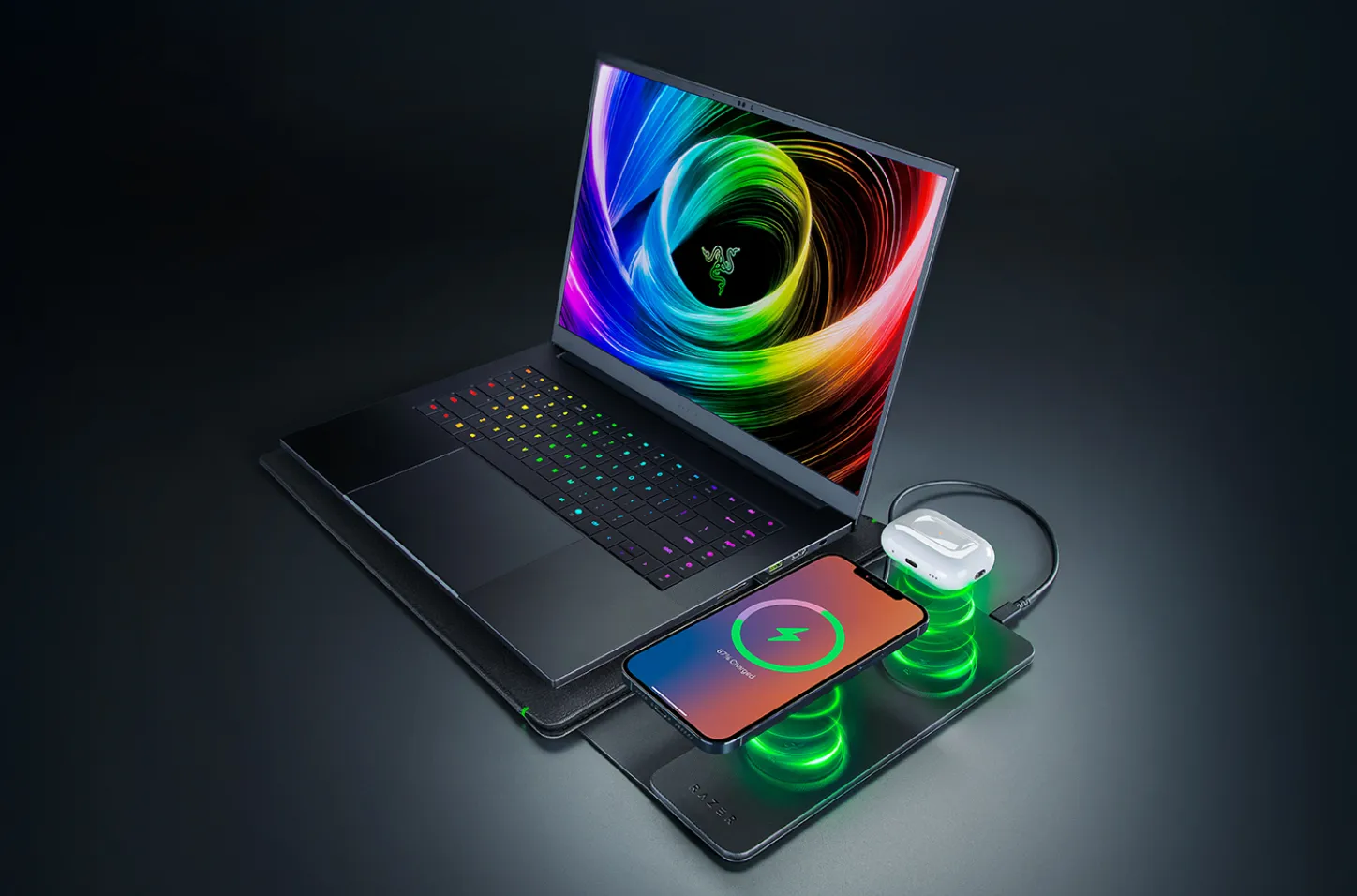
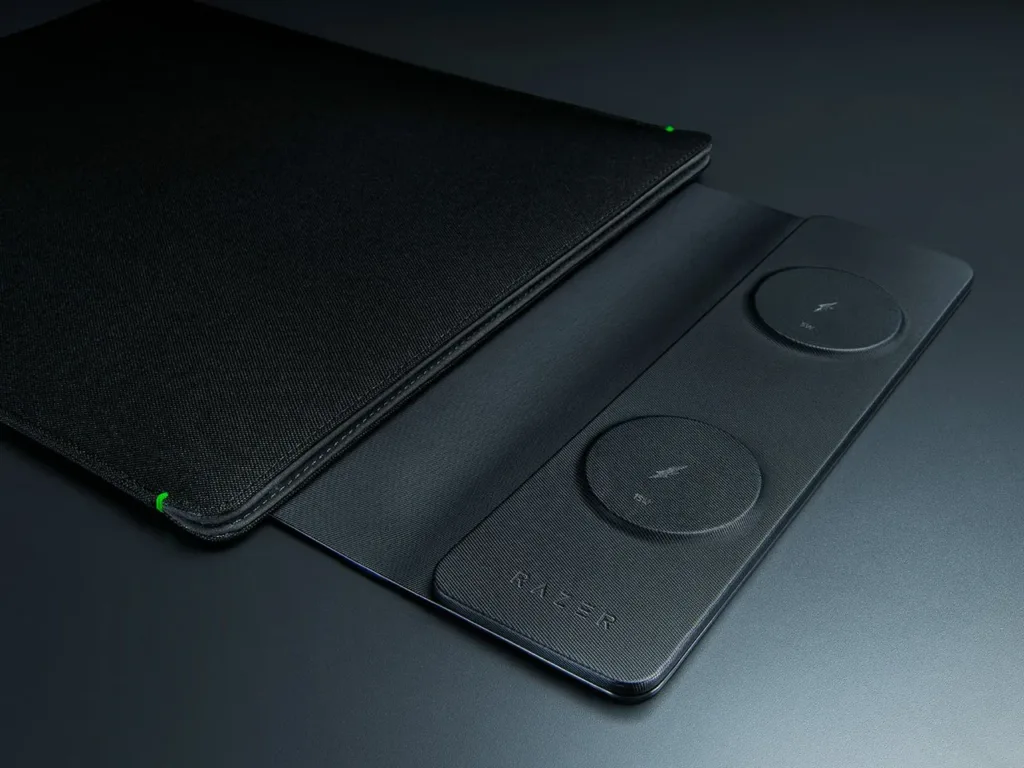
The Razer Laptop Sleeve 16″ with wireless charging places two MagSafe‑compatible charging zones inside the flap of the sleeve. One zone delivers up to 15W, and the second zone delivers up to 5W. In practice, that means you can place a MagSafe‑compatible smartphone on the 15W pad and wireless earbuds or another low‑power device on the 5W pad at the same time.
The Razer Laptop Sleeve 16″ with wireless charging connects to an external power source through a USB‑C port on the sleeve. You hook the sleeve to a power bank, wall adapter, or USB‑C hub, and the two pads inside the flap start delivering wireless power. The laptop itself sits inside the padded compartment, while your phone and earbuds rest on the flap during charging.
We see a clear use case here: the Razer Laptop Sleeve 16″ with wireless charging targets mobile setups where users want less cable clutter on desks, in meeting rooms, or on café tables.
How The Razer Laptop Sleeve 16″ With Wireless Charging Fits Modern Mobile Setups
The Razer Laptop Sleeve 16″ with wireless charging tries to respond to a trend we track often: users carry more devices, but they want lighter bags and cleaner desks. Laptops, phones, earbuds, handheld consoles, and smart accessories all demand regular charging. At the same time, users dislike carrying multiple chargers, loose cables, and bulky power bricks.
The Razer Laptop Sleeve 16″ with wireless charging addresses this problem by moving part of the charging setup into an object you already carry: your sleeve. Instead of adding a separate wireless charger, the Razer Laptop Sleeve 16″ with wireless charging turns the sleeve flap into a charging surface.
A few key aspects stand out:
- Two MagSafe‑compatible zones: The Razer Laptop Sleeve 16″ with wireless charging supports a high‑priority device at 15W and a secondary device at 5W. This combination fits a typical pattern: phone plus earbuds.
- Magnetic alignment: The Razer Laptop Sleeve 16″ with wireless charging uses magnets to keep devices aligned with the coils. This helps reduce misaligned charging and improves reliability during short sessions, such as breaks between meetings or quick gaming sessions.
- Single cable input: The Razer Laptop Sleeve 16″ with wireless charging draws power through one USB‑C connector, so you add only one extra cable to your mobile setup instead of multiple ones for different devices.
We see the Razer Laptop Sleeve 16″ with wireless charging as part of a wider shift where accessories blend functions. Laptop sleeves now protect hardware and feed power, similar to how desks now hide wireless chargers in their surfaces.
Protection Features Of The Razer Laptop Sleeve 16″ With Wireless Charging
While the charging feature draws attention, the Razer Laptop Sleeve 16″ with wireless charging still needs to work as a serious protective accessory. Razer claims support for laptops up to 16 inches, including the current Razer Blade 16, and uses a snug internal layout to hold the device firmly.
The Razer Laptop Sleeve 16″ with wireless charging uses padded microfiber lining and reinforced edges. The inner surface feels soft and aims to protect aluminum laptop housings against scratches, pressure marks, and minor bumps that happen in daily travel. Reinforced edges help absorb impacts near corners, which often suffer the most damage during accidental drops.
The Razer Laptop Sleeve 16″ with wireless charging includes a magnetic closure that secures the laptop inside. This closure style supports quick open‑and‑close use on the move. You can access your device quickly in a meeting or on a plane tray table without wrestling with zippers.
From our lens, the Razer Laptop Sleeve 16″ with wireless charging appears to focus on everyday wear rather than heavy‑duty shock resistance. It suits commuters, students, and office staff who place laptops in backpacks or messenger bags, but it does not replace a hard case for extreme environments.
Materials, Design, And Everyday Handling
The Razer Laptop Sleeve 16″ with wireless charging uses an outer shell made of polyester fabric. The company positions this fabric as durable and relatively light, so the Razer Laptop Sleeve 16″ with wireless charging adds minimal weight even though it contains electronic components and coils.
A key design goal for the Razer Laptop Sleeve 16″ with wireless charging lies in keeping the sleeve slim and easy to slide into backpacks or briefcases. Despite the charging hardware, Razer wants the silhouette to stay close to that of a regular laptop sleeve. For hybrid workers who split time between offices and homes, this matters more than it first appears: a bulky sleeve can make a bag feel crowded and harder to pack.
In visual terms, the Razer Laptop Sleeve 16″ with wireless charging follows a clean, minimalist language with subtle branding. This allows the Razer Laptop Sleeve 16″ with wireless charging to fit mixed use cases: a gaming laptop during off‑hours, a productivity notebook in meetings, or a creator laptop in studios.
As editors, we view this choice as a deliberate step by Razer to widen appeal beyond pure gaming aesthetics. The Razer Laptop Sleeve 16″ with wireless charging seems designed for users who accept Razer’s logo on the table but still prefer a more neutral look in professional spaces.
Classic Variant vs Razer Laptop Sleeve 16″ With Wireless Charging
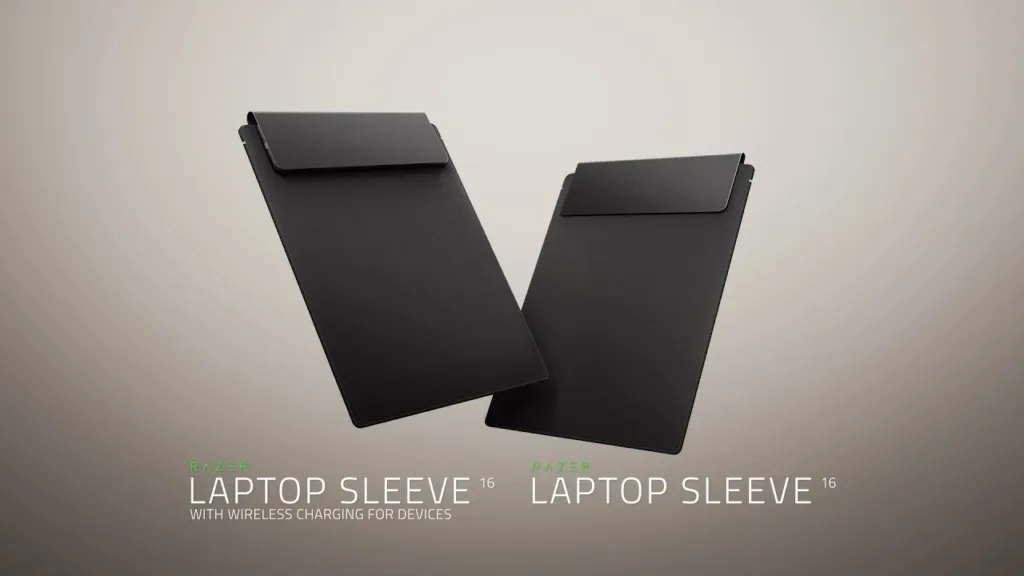
Razer also offers a classic Razer Laptop Sleeve 16″ without charging pads. The classic sleeve keeps key protective elements: snug interior, microfiber lining, sturdy outer material, and magnetic closure. However, it removes the wireless charging system.
The comparison between the classic model and the Razer Laptop Sleeve 16″ with wireless charging highlights Razer’s product strategy:
- The Razer Laptop Sleeve 16″ with wireless charging targets users with multiple mobile devices who value integrated wireless power and accept a higher price.
- The classic Razer Laptop Sleeve 16″ targets users who want simple protection and prefer a minimalist accessory with no embedded electronics.
For users who already own MagSafe chargers at home and at the office, the classic sleeve may feel sufficient. For users who move through multiple locations daily and rely on a single bag, the Razer Laptop Sleeve 16″ with wireless charging may reduce the need to pack spare charging pads.
We see this split as a way for Razer to test demand. If the Razer Laptop Sleeve 16″ with wireless charging gains traction, similar charging features may appear in backpacks, messenger bags, and other accessories in Razer’s range.
Pricing, Value, And Who Should Consider It
The Razer Laptop Sleeve 16″ with wireless charging launches at euros, while the standard sleeve variant arrives at euros. That price gap highlights the cost of integrating wireless charging coils, magnets, and USB‑C electronics into the Razer Laptop Sleeve 16″ with wireless charging.
From a pure cost‑benefit view, the Razer Laptop Sleeve 16″ with wireless charging asks a direct question: do you gain enough convenience from MagSafe‑compatible charging inside your sleeve to justify roughly euros of extra spend?
We see several user profiles who may answer yes:
- Mobile professionals who move between client offices and prefer a single cable plus the Razer Laptop Sleeve 16″ with wireless charging.
- Students who spend full days on campus and charge phone and earbuds repeatedly during breaks.
- Gamers and creators who travel with a Razer Blade 16 and want an accessory that matches the device while adding useful power features.
On the other hand, users who mostly work at a single desk with existing docks and stands may see less value in the Razer Laptop Sleeve 16″ with wireless charging. For them, the charging pads may remain unused, and the classic sleeve at euros may offer better value.
Verdict On The Razer Laptop Sleeve 16″ With Wireless Charging
The Razer Laptop Sleeve 16″ with wireless charging represents an interesting step in accessory design. Instead of selling another stand‑alone charger, Razer merges two common items into one: a laptop sleeve and a dual wireless charger.
The Razer Laptop Sleeve 16″ with wireless charging aligns with broader trends in mobile setups, where users want fewer separate gadgets and prefer multipurpose gear. The integration of two MagSafe‑compatible charging zones, a USB‑C power input, and a protective interior creates a product that tries to justify its higher price through convenience and space saving.
We see the Razer Laptop Sleeve 16″ with wireless charging as a strong option for users with:
- A ‑inch laptop, especially a Razer Blade 16.
- A MagSafe‑compatible phone that benefits from 15W wireless charging.
- Wireless earbuds or another small device that can use the 5W pad.
- A mobile lifestyle where bags stay as light and clean as possible.
If you match this profile, the Razer Laptop Sleeve 16″ with wireless charging may streamline your daily carry and reduce your dependence on extra charging bricks. If you focus mainly on basic laptop protection at a lower price, the standard sleeve remains the more logical pick.
Stay Updated: Gadgets

