

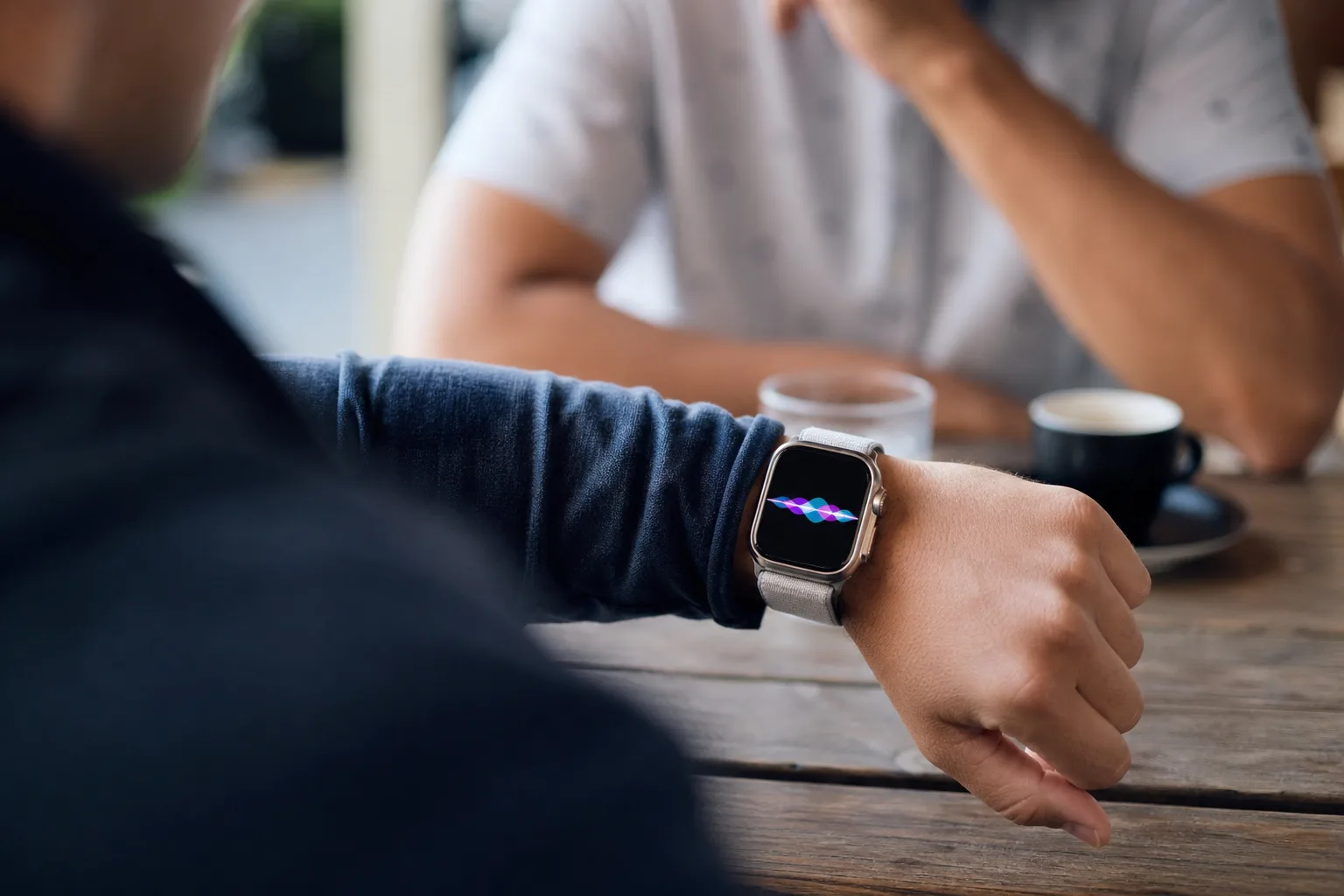
- Audio Intelligence enters developer beta with Apple Watch tools that rewind speech, summarize conversations, identify songs, and detect urgent sounds.
- Apple’s Audio Intelligence privacy design avoids permanent raw-audio storage, but ambient conversation features will still test social trust.
- Live Rewind offers a 15-second text snapshot, while Siri Recaps creates temporary notes users must review and save.
- The features require Apple Watch Series 12 or Ultra 4 hardware, a paired iPhone, and Apple’s cloud processing system.
Table of Contents
Audio Intelligence turns the Apple Watch into a selective listener
The Apple Watch has spent a decade measuring bodies. With Audio Intelligence, Apple is asking it to pay closer attention to the world around its wearer, too — including, in limited circumstances, what other people are saying. The company has begun developer beta testing for the feature suite in iOS 27.3, following its September reveal at Apple’s Surprise and Shine hardware event.
That framing matters. A watch that catches a siren for a deaf wearer is easy to understand. A watch that can retrieve the last thing a waiter said, or generate notes from a meeting, lands in far more complicated territory. Apple is trying to make both ideas fit under the same privacy-first umbrella. My read is that the useful parts are genuinely useful, but the conversation tools will live or die on whether people nearby feel they have been given fair warning.
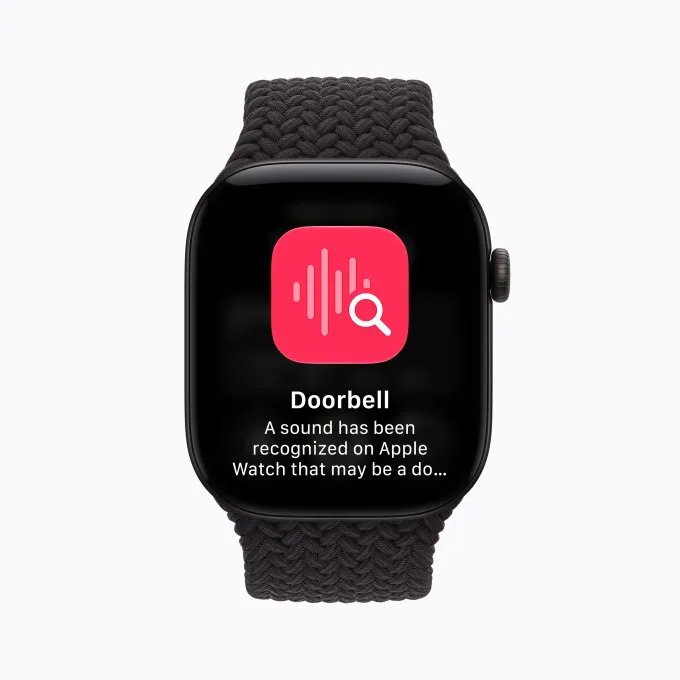
At launch, Audio Intelligence is limited to the Apple Watch Series 12 and Apple Watch Ultra 4. The suite includes sound recognition for alarms, sirens and doorbells; Shazam-powered music identification; a quick speech lookup feature called Live Rewind; and Siri Recaps, which creates high-level notes from conversations.
The accessibility case is the cleanest one. Apple Watch already has a meaningful foothold as a health and safety device, from fall detection to irregular-heart-rhythm alerts. Expanding its awareness of environmental sounds could be genuinely practical for deaf and hard-of-hearing users. Music recognition, meanwhile, is familiar territory for Shazam. Neither feature asks users to rethink the basic social contract of wearing a smartwatch in public.
Live Rewind may be the feature people actually use
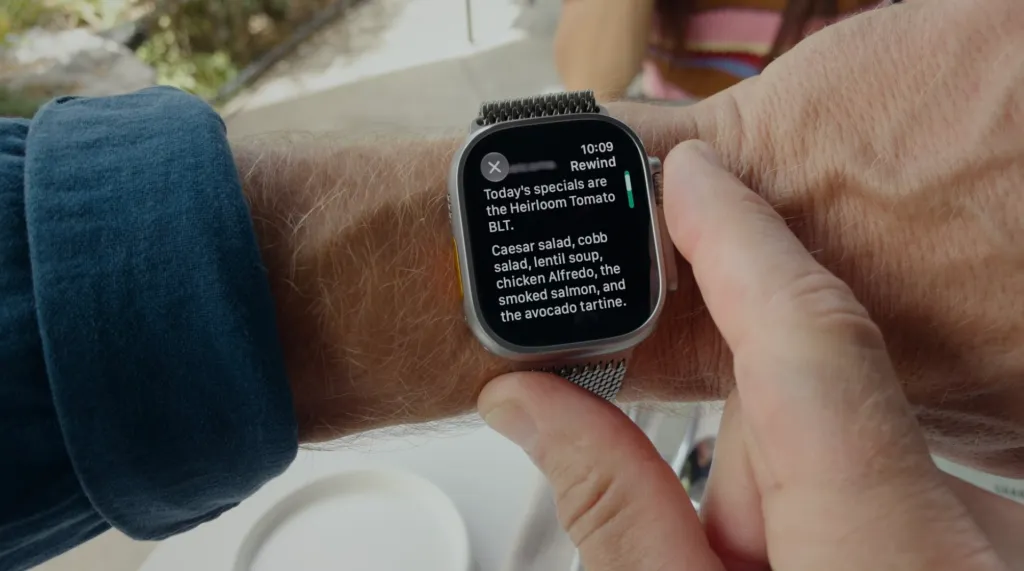
Live Rewind is the more immediately relatable part of Audio Intelligence. Missed a person’s name at an event? Didn’t catch the third item in a restaurant’s rapid-fire specials list? A double press of the Digital Crown can pull up a text snippet representing roughly the previous 15 seconds of speech.
Apple says the interaction produces an audible chime and a visible animation on the watch, intended to make it clear that something has been captured. That is a sensible start. Recording indicators have become a baseline expectation in products with microphones, and they matter even more on a device as inconspicuous as a watch. The snippet vanishes after 30 seconds unless the wearer saves it into the standalone Siri app, where it can be kept as a reference or note.
There is also an Ask Siri option beneath the snippet. In practice, that could mean asking about a technical term mentioned during a presentation or clarifying a food ingredient you have never heard of. It sounds small, but small is often where smartwatch software shines. Nobody wants to type a paragraph on their wrist. Asking a quick follow-up after missing one detail? That fits the form factor.
Still, Apple will need to be very clear about the boundary between an ephemeral assistive memory aid and a stealth recorder. Double-press gestures, chimes and animations are better than silent capture, yet they are not magic. In a noisy bar, a packed classroom or a tense office conversation, plenty of people will not notice them. We have already seen the pushback around AI-equipped glasses from Meta and others. The hardware may differ, but the discomfort is familiar: people dislike discovering after the fact that a device was listening.
Siri Recaps raises the harder questions
If Live Rewind is a rewind button for human memory, Siri Recaps is an attempt to automate note-taking. When enabled, Audio Intelligence can turn a conversation into a brief summary with bullet points highlighting details such as dates, deadlines, prices or assigned tasks. Apple suggests work meetings, parent-teacher conferences and training sessions as likely use cases.
Apple says Siri Recaps does not retain raw audio, label speakers or create a word-for-word transcript. That is an important distinction. A recap is still derived from what people said, of course, and summaries can be wrong in ways that are hard to spot. Anyone who has used an AI meeting-notes product knows the experience: it catches the broad outline, then confidently mangles one key action item. For a casual chat, no big deal. For a payment arrangement or school discussion, that can be consequential.
The company has added some guardrails. Recaps do not run while the wearer is using headphones for music or noise cancellation. Users can switch them on manually, schedule them for places or times such as work hours, and shut them off through Control Center. Apple prompts the wearer to review saved recaps at the end of the day and again after the first morning unlock. Unreviewed recaps disappear after seven days.
Apple also says the system is designed to exclude government identifiers, financial and authentication information, certain personal identifiers, and language promoting self-harm. Those exclusions are sensible, although they also expose the inherent problem: software has to infer what is sensitive before it can omit it. No filter is perfect, particularly across accents, languages, jargon and messy real-world conversations.
Apple’s technical answer is a layered privacy pipeline
Behind the scenes, Audio Intelligence relies on the S11 chip in the watch, the paired iPhone and Apple’s Private Cloud Compute service. Lightweight models on the watch look for conversations involving the wearer. Audio then moves through a secure pairing link to the iPhone, where on-device processing strips away filler words and produces condensed text. Apple says its secure enclave keeps the raw audio in a protected memory region that the operating system — and Apple itself — cannot access.
The condensed text is encrypted before heading to Private Cloud Compute, where the recap is generated. Apple says the cloud-side summary data is deleted immediately after the request is complete. Readers who want the company’s broader explanation of that architecture can review Apple’s Apple Intelligence privacy overview.
This is a more defensible technical approach than simply uploading continuous recordings to a vendor’s servers. Frankly, it is what Apple has to do if it wants any chance of normalizing ambient AI features without wrecking its privacy brand. But architecture alone cannot settle the issue. Privacy is also about consent, expectations and whether an ordinary person can tell what a device is doing.
The real beta test is social, not technical
Apple has been cautious with Audio Intelligence in ways that feel deliberate: short retention windows, review prompts, on-device processing, no speaker labels, no permanent audio library. Those choices distinguish it from the always-recording anxieties attached to some AI gadgets. They also make the product less capable than a full transcript machine, which is probably the point.
The question is whether that restraint holds once users ask for more. They will want longer rewind windows. They will want searchable archives. They will want speaker names and automatic calendar tasks. Every extra convenience turns a discreet assistant a little closer to an ambient surveillance product.
For now, Apple’s bet is that Audio Intelligence can be useful precisely because it remembers less. That is the right instinct. The company now has to prove that a chime on a wrist is enough to make everyone else in the room comfortable with it.