

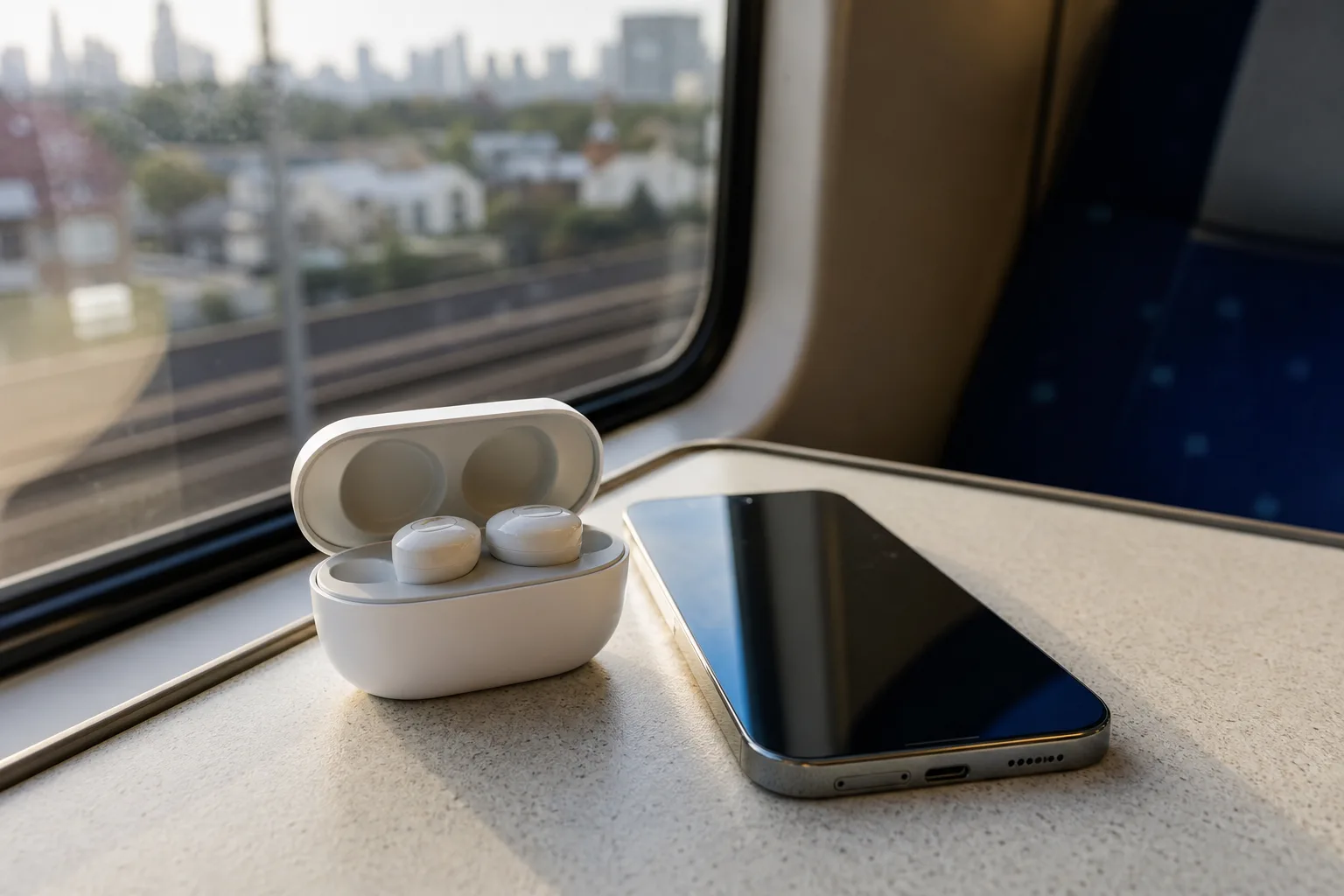
- AirPods on Android performance remains strong for music and noise cancellation, but Apple’s best software features stay locked behind iOS.
- The AirPods 5 Android experience works through standard Bluetooth, though settings, updates, and device switching are substantially less convenient.
- Third-party Android companion apps can expose battery information and basic controls, but they cannot recreate Apple’s full ecosystem integration.
- Android buyers should compare similarly priced earbuds from Sony, Bose, Samsung, and Google before accepting Apple’s platform compromises.
Table of Contents
AirPods on Android use is better than the usual warning label suggests
The AirPods 5 Android experience has a familiar Apple problem: the hardware can be genuinely excellent, while the company makes using it outside its own garden feel needlessly half-finished. Pair the earbuds with an Android phone and they play music, handle calls, and deliver their headline trick: remarkably capable active noise cancellation. That part is real. The catch is that Android owners are buying a product whose best controls and creature comforts live somewhere they cannot go.
Earbuds are no longer passive accessories, and that is where the trouble starts. We expect to adjust sound modes in an app, check a case battery before leaving the house, find a misplaced bud, update firmware, and move between laptop and phone without turning Bluetooth settings into a small administrative task. Apple understands all of this perfectly well. It simply reserves much of the polished version for people carrying an iPhone.
I would not dismiss these earbuds as unusable on Android. That’s too glib. If fit, sound signature, call quality, and noise cancellation are your priorities, AirPods can remain a strong everyday pair. The question is whether the missing software is an annoyance you can live with or an absurd tax to pay for a competing platform. For many buyers, the AirPods 5 Android trade-off comes down to whether great hardware outweighs incomplete software support.
AirPods 5 Android pairing gets the fundamentals right
At their core, AirPods are Bluetooth earbuds. Put them into pairing mode, select them from an Android phone’s Bluetooth menu, and the basics work as expected. Music plays. Calls route correctly. The microphones are available. Physical presses or squeezes on the stems can handle playback and, depending on the configured default behavior, listening-mode changes.
The noise cancellation is the persuasive part. Good ANC changes the daily experience more than another codec badge or a flashy equalizer. It lowers the droning background of trains, offices, aircraft cabins, and air-conditioning units, making podcasts easier to hear without pushing volume too high. For commuters, that is not a spec-sheet luxury. It’s the difference between arriving home relaxed and arriving home feeling like the train has followed you indoors.
The AirPods product pages show how closely the line is tied to Apple’s broader device ecosystem, including personalized settings and cross-device behavior. Android does not stop the earbuds from doing their acoustic job. It stops you from accessing the tidy dashboard Apple built around that job.
And frankly, that distinction is why the AirPods 5 Android proposition is both defensible and irritating. The parts you hear can be excellent; the parts you manage can feel strangely primitive. That split defines the broader AirPods 5 Android experience more than Bluetooth compatibility ever could.
The compromises appear after the first listen
iPhone owners get a dedicated AirPods settings screen. That is where Apple surfaces device information, lets users alter press-and-hold actions, tune accessibility features, view battery data, and deal with options that have accumulated over years of AirPods updates. Android users get Bluetooth settings and whatever behavior was last saved to the earbuds.
There is no official Apple companion app for Android. There is no Siri. There is no native Find My support on an Android handset. Automatic handoff between Apple devices is also out of reach, although that one is less relevant if your life is built around Android and Windows in the first place.
Firmware updates are another awkward wrinkle. Apple typically distributes AirPods firmware through its own ecosystem, largely in the background when the earbuds are charging and near an eligible Apple device. If you use only Android hardware, you have little visibility into when updates arrive, what version you are running, or how to trigger an update. That is a poor ownership experience for a premium product, especially when updates can affect connectivity, battery management, or audio behavior.
The AirPods 5 Android limitation is not that Bluetooth fails. It is that ownership becomes dependent on borrowed access to an iPhone, iPad, or Mac whenever Apple decides something needs changing. Imagine buying a car whose dashboard settings can only be adjusted at a friend’s house. The car still drives, but you would rightly ask why the manufacturer designed it that way.
Third-party apps help, but they are a patch rather than a solution
Android’s app ecosystem has produced workarounds for this gap. Third-party AirPods companion apps can often display approximate battery levels for the earbuds and case, create a battery notification, and expose limited shortcuts. For users who simply want to know whether the case has enough charge for the trip home, that can be useful.
Keep expectations in check. These apps are reverse-engineering behavior that Apple has not formally opened to Android developers. Their reliability can change after an Android update or an AirPods firmware release. They may request notification or accessibility permissions that deserve scrutiny. And they cannot turn an Android phone into an iPhone: Apple’s device-finding network, firmware pipeline, and deep system settings remain Apple-controlled.
My read is that a companion app makes AirPods 5 Android use less frustrating, not fully supported. That is an important difference. Downloading an extra utility to see a battery percentage is a reasonable hack for earbuds you already own. It is a weak reason to choose them over competitors when spending fresh money. In other words, AirPods 5 Android support still relies on compromises that competing earbuds avoid.
Android buyers have unusually strong alternatives
Apple’s strategy looks less persuasive than it did a few years ago. Android users are not short of capable premium earbuds. Sony’s WF line is a regular contender on noise cancellation and app-level sound customization. Bose has built much of its reputation around quieting noisy places. Samsung’s Galaxy Buds are tightly integrated with Galaxy phones, while Google’s Pixel Buds make more sense for Pixel owners. Nothing, Jabra, Sennheiser, and others have all made credible bids for people who want choice without ecosystem penalties.
None of those products is automatically better for every ear. Fit is deeply personal, and somebody who finds AirPods exceptionally comfortable may value that over a more complete Android app. But Android-first earbuds usually give buyers an equalizer, firmware updates, battery data, control remapping, and support through software that is actually meant for the phone in their pocket. That should be the baseline, not a premium upgrade.
If you already have AirPods and use Android, do not panic-sell them. Pair them, use the built-in controls, and consider a reputable companion app if battery visibility matters. The AirPods 5 Android experience is perfectly workable for listening. If you are shopping from scratch, though, I would compare the alternatives before being seduced by Apple’s hardware polish.
Apple’s ecosystem advantage is also its biggest warning sign
Apple has always treated integration as a selling point. When you own an iPhone, iPad, Mac, and AirPods, the smoothness can feel almost magical. Audio jumps where you expect it to. Settings are where you expect them to be. A missing earbud is easier to track down. That cohesion is part of what Apple customers are paying for.
For everyone else, it can look like a locked door attached to a very nice room. The AirPods 5 Android story is a reminder that excellent hardware does not erase platform incentives. Apple wants the earbuds to be attractive enough to pull people toward the iPhone, but not so fully supported that Android ownership becomes equally satisfying. The AirPods 5 Android appeal therefore depends on how much inconvenience a buyer will accept for Apple’s audio hardware.
Will that calculation change? I would not bet on it soon. Apple has little commercial reason to build a rich Android companion experience, and competitors are happy to fill the gap. The real pressure will come when buyers decide that great noise cancellation alone is no longer enough to justify living with someone else’s ecosystem rules.
Frequently Asked Questions
Do AirPods 5 work with Android phones?
The source does not specify Android compatibility details, but it mentions a useful workaround.
Can Android users control AirPods 5 noise cancellation?
The source describes the noise cancellation as excellent, but does not explain which controls are available to Android users.
Is there an AirPods 5 Android app?
The source does not mention an Android app or its features.
Should Android users buy AirPods or Android-focused earbuds?
The source highlights excellent noise cancellation alongside frustrating compromises and a useful workaround, but does not compare AirPods with Android-focused earbuds.