

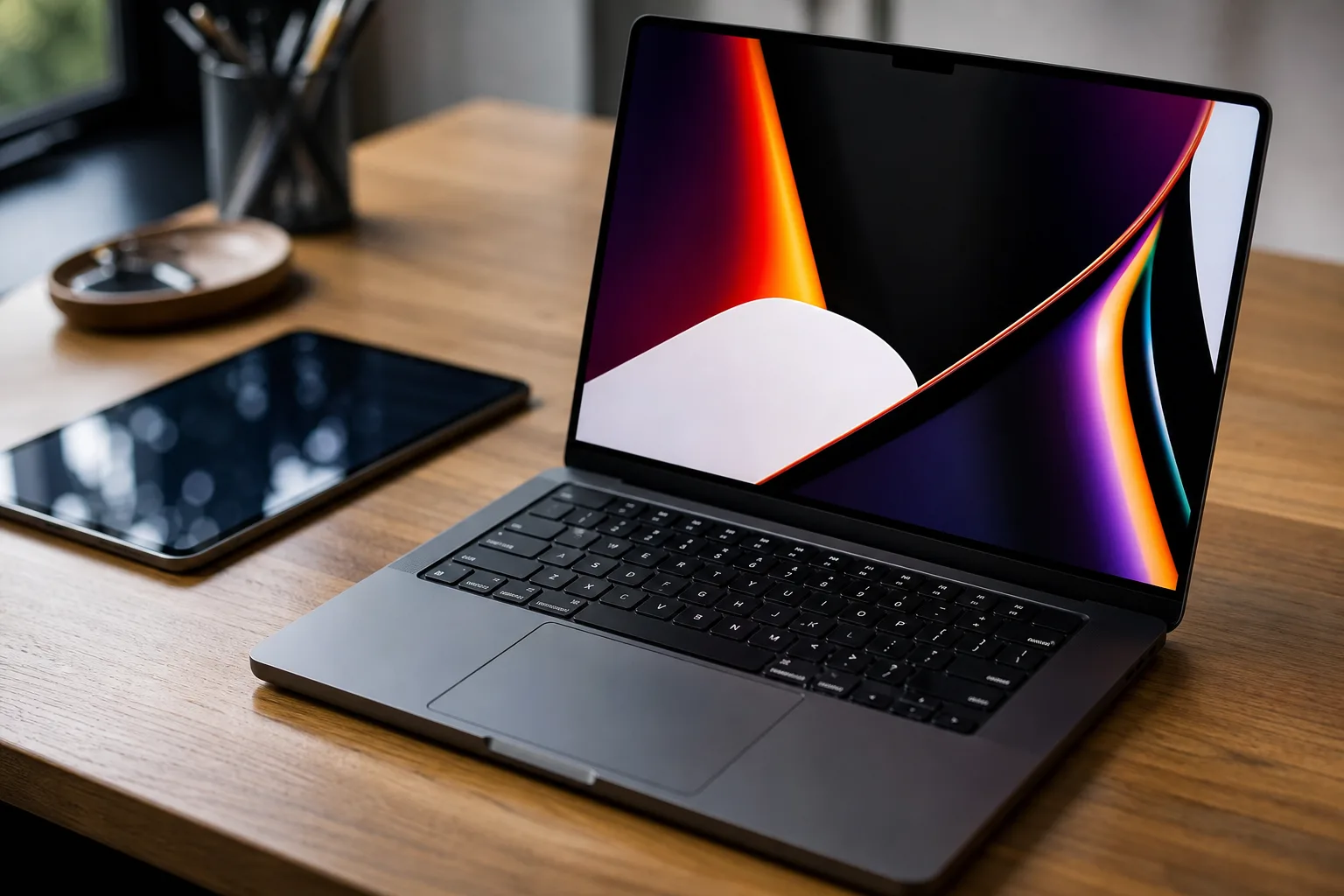
- The MacBook Pro OLED display makes Apple’s professional laptop feel meaningfully more modern, especially when the work involves photos, video, or design.
- Discussion around a MacBook Pro OLED touchscreen suggests Apple is still testing where direct touch belongs alongside macOS and trackpads.
- iOS 27.3 brings Apple Intelligence-adjacent improvements to Safari, Siri, StandBy, and Apple Watch audio recaps.
- John Ternus hosting Apple’s earnings call has put fresh focus on the company’s likely post-Cook leadership bench.
Table of Contents
MacBook Pro OLED finally fixes the part users stare at all day
The MacBook Pro OLED may be the most consequential part of Apple’s latest hardware wave, not because a display specification sells laptops on its own, but because the screen is the component professionals touch with their eyes for eight or ten hours at a stretch. Reported hands-on impressions point to the kind of jump OLED is known for: inkier blacks, more convincing contrast, and the sense that photos, video, and interface elements have been printed directly onto glass.
Apple has taken an unusually patient route here. The company helped make high-density laptop screens ordinary with Retina, yet it stuck with mini-LED on high-end MacBook Pro models while OLED arrived on iPhones, Apple Watches, iPads, and competing Windows machines. Mini-LED remains excellent in many situations, especially sustained bright work, but OLED handles individual pixel illumination in a way that makes dark scenes and fine contrast feel less engineered. You notice it immediately when editing a night shot or watching a film with actual shadows rather than gray soup.
The practical question is whether the MacBook Pro OLED can retain Apple’s traditional strengths around brightness, color consistency, battery life, and long-term panel behavior. OLED has baggage: burn-in anxiety, variable text rendering on some panels, and brightness constraints that become very real outside a café or studio. Apple rarely moves this slowly without trying to remove the rough edges first. If the company has done that, the display could be a more persuasive upgrade than another modest CPU bump.
For many professionals, the MacBook Pro OLED would make that upgrade case through daily use rather than benchmark charts. That matters because Apple’s laptop strategy has become almost suspiciously reliable. Apple silicon made performance-per-watt the headline story for several years. Now the company has to make people feel the physical product has moved forward again. A better screen is less glamorous than a benchmark chart, but it’s also something every owner will appreciate before their first coffee.
Why a MacBook Pro OLED touchscreen remains a tricky proposition
Hands-on discussion around the new laptop also raises the old, stubborn question: does macOS finally make room for touch? Apple has resisted putting a touchscreen on the Mac for years, arguing through its product decisions that a desktop operating system works best with a pointer, keyboard, and trackpad. Meanwhile, Microsoft has spent over a decade selling touch-enabled Windows laptops, with mixed results. The hardware works; the software experience has often felt like a house built with two front doors.
My read is that Apple has more to lose than gain by bolting a touch layer onto macOS without reconsidering its interface. Mac controls can be small. Menus live at the top edge of the screen. Reaching across a 14-inch or 16-inch laptop panel soon becomes tiring, like using a wall-mounted light switch to type an email. The iPad’s direct manipulation model is better suited to fingers, while the Mac’s trackpad remains genuinely excellent.
Still, the MacBook Pro OLED conversation won’t go away because Apple itself has blurred the lines. iPad Pro hardware increasingly resembles a laptop, Stage Manager brings desktop ideas to tablets, and macOS apps now share more design DNA with their iPad counterparts. A touch-capable Mac could make sense for selective tasks such as marking up a document, scrubbing a timeline, or zooming through a map. But it needs a clear purpose. Nobody needs a MacBook that behaves like a large iPad only when it’s convenient for a keynote slide.
For the MacBook Pro OLED, that restraint may be more valuable than a feature added simply to match rival hardware.
The new iPad mini remains Apple’s most specific tablet
The new iPad mini has also drawn hands-on attention, and that’s welcome. It is easy to dismiss the mini as an odd-sized leftover between the iPhone Pro Max and the iPad Air. In reality, it may be Apple’s most honest tablet: small enough to hold like a book, large enough for reading, note-taking, cockpit-style reference apps, and travel. It does not pretend to replace every laptop.
That focused role is its advantage. The mini’s compact format is useful for nurses, pilots, field technicians, students, and people who simply don’t want an 11-inch slab balanced on one knee. It also exposes a weakness in Apple’s broader iPad story: the company keeps trying to push larger models toward professional computing while its smallest tablet succeeds by doing less, comfortably.
Viewed beside the MacBook Pro OLED, the iPad mini is a reminder that Apple’s hardware portfolio works best when each device has a crisp job. The Mac is for sustained work. The mini is for carrying information and interacting in short, tactile bursts. Trying to erase that distinction would make both products worse.
iOS 27.3 puts the attention back on daily software
Hardware may grab the photographs, but iOS 27.3 sounds like the more immediate update for the millions of people who aren’t shopping for a new computer. The release brings changes across Safari, Siri, StandBy, and other parts of the system, according to the reported feature rundown. That spread is telling. Apple is no longer treating operating-system updates as a yearly bundle of marquee tricks; it is steadily patching the friction points people hit every day.
Safari improvements matter because the browser has become a battleground over privacy, AI summaries, search distribution, and how much of the web reaches users unchanged. Siri changes matter even more, though Apple has earned skepticism here. The company has repeatedly promised a more context-aware assistant, while competitors such as Google and OpenAI have reset expectations for conversational tools. Until Siri can reliably complete useful tasks without requiring users to translate their intent into machine-friendly commands, Apple’s AI story remains unfinished.
StandBy also deserves more attention than it gets. When an iPhone is charging on its side, it can become a clock, home dashboard, glanceable media controller, or bedside companion. That may sound minor, but successful consumer software often lives in those idle moments. Apple Watch audio recap features becoming available for testing point in the same direction: the company is looking for ways to make its devices more informative without forcing users to stare at another screen.
For readers tracking the official release cycle, Apple maintains its current software information through its iOS product page. The bigger test for iOS 27.3 will be whether these additions feel coherent in use, rather than like a collection of small fixes shipped under one version number.
John Ternus gets a more public Apple role
One final detail deserves attention: John Ternus hosting Apple’s quarterly earnings call. Ternus, Apple’s senior vice president of Hardware Engineering, has long been important inside the company. But earnings calls are public theater as much as investor relations. The person speaking is judged for command of the numbers, confidence under analyst questioning, and their ability to explain Apple’s direction without revealing very much at all.
It would be premature to treat one appearance as a succession announcement. Tim Cook remains Apple’s chief executive, and Apple does not advertise its internal plans. Still, Ternus appearing in that role puts a hardware executive in a brighter public spotlight at a moment when the company’s product choices—from the MacBook Pro OLED to iPad positioning and AI-infused software—are becoming inseparable from its financial narrative.
Frankly, that is the real Apple story here. A better laptop panel and a clever iOS update are useful on their own. For the MacBook Pro OLED, the broader challenge is proving that mature hardware can still feel newly essential. Together, they show a company trying to refresh its most mature products without breaking the habits that made them indispensable. Whether Apple can make Siri feel as polished as its screens is the question that will linger long after this hardware cycle ends.