

Table of Contents
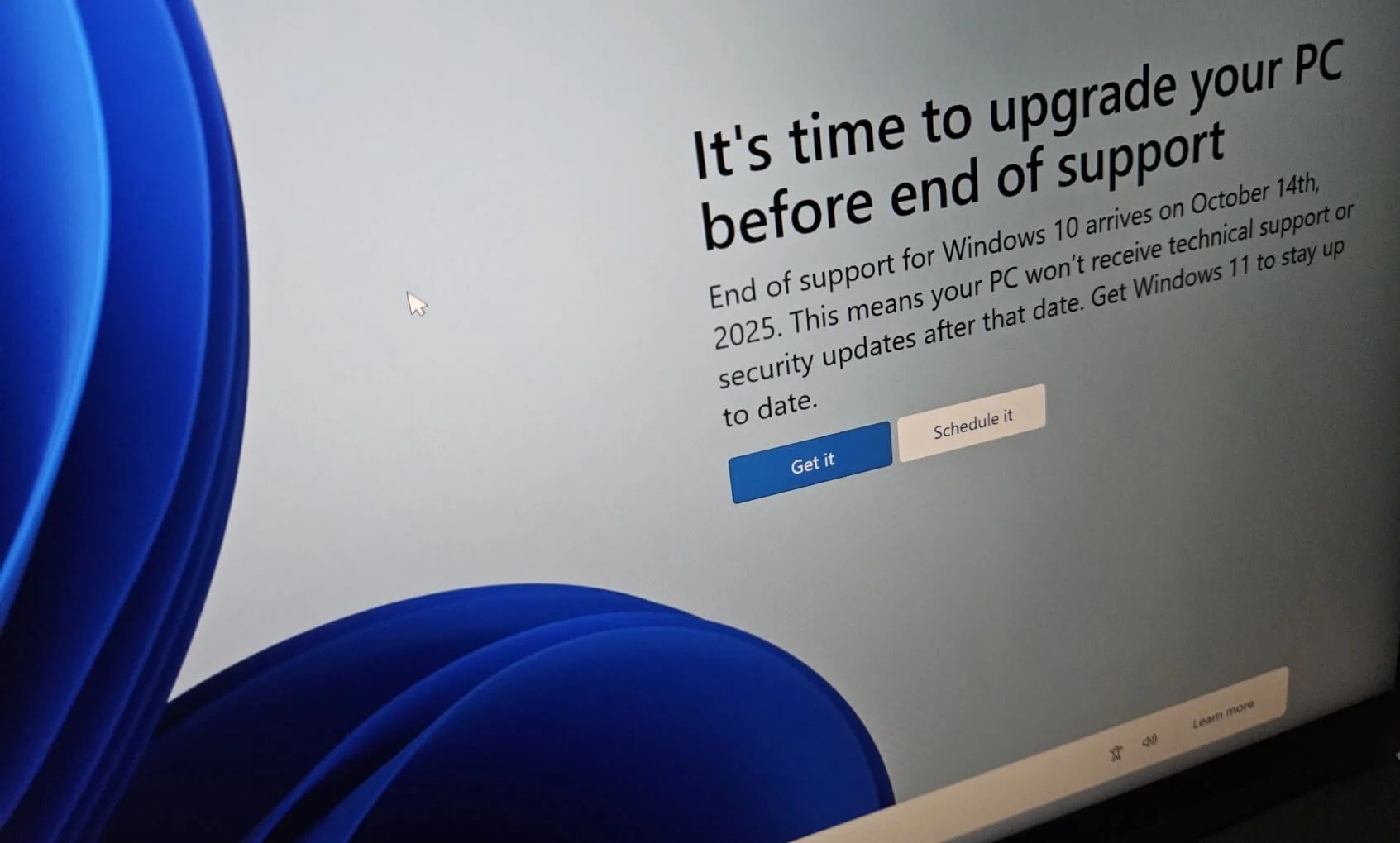
The Windows 10 end of support does not cause computers to stop working. Systems still boot. Apps still launch. Files still open. The real change happens behind the scenes. The safety net that quietly fixed security holes for years is gone. That shift makes Windows 10 a more attractive target for malware developers and cybercriminal groups.
Many users cannot upgrade to Windows 11. Hardware limits block older systems. Rising memory prices and import costs make new computers harder to justify. SquaredTech sees this situation as a real world problem that requires practical guidance, not pressure to replace working machines.
Why the Windows 10 End of Support Changes Security Risk
The Windows 10 end of support removed Microsoft responsibility for fixing newly discovered security flaws. Before October 14, 2025, Windows Update delivered monthly patches that closed weaknesses in the operating system. Those patches blocked many attacks before users even noticed a problem.
After the Windows 10 end of support, Windows Update displays a warning that the device no longer receives security updates. Microsoft support also ends. If a serious issue appears, users cannot request help or expect a fix unless Microsoft decides the threat is extreme enough to justify emergency action.
Hackers track these timelines closely. Once an operating system stops receiving patches, vulnerabilities remain open forever. Malware authors can study Windows 10 without worrying that Microsoft will close the holes they exploit. This changes the balance between attackers and defenders.
Security software companies still work to detect malicious programs, but they now defend a system that no longer evolves. Over time, attackers gain the advantage.We compare this to a locked door that never gets repaired after damage. It may hold for a while, but repeated pressure eventually breaks it.
Another issue appears as software vendors move on. New applications increasingly require Windows 11. Development tools, collaboration platforms, and hardware drivers follow Microsoft support policies. Users may find that new devices or apps refuse to run on Windows 10. This limits options and forces compromises that further affect security.
Extended Security Updates and What They Really Provide
Microsoft did not completely abandon Windows 10 on day one. The company introduced Extended Security Updates as a temporary option. This program allows eligible users to receive limited security patches after the Windows 10 end of support.
For consumers, Extended Security Updates last one additional year until October 13, 2026. These updates include security fixes only. They do not add features. They do not improve performance. They do not include technical support.
To qualify, users must meet several conditions. The system must run a consumer edition of Windows 10. The operating system must be fully updated. The account used for enrollment must have administrator rights. Windows Backup must sync account settings to online storage.
Microsoft also offers alternative enrollment paths. Users can exchange one thousand Microsoft Rewards points for access. Others can pay a one time fee of thirty dollars. Businesses face higher costs and separate rules, with fees starting at sixty one dollars per PC and rising each year.
Extended Security Updates delay risk rather than remove it. They provide time to plan, but they do not restore full protection. Microsoft documentation clearly states that the program does not address all security issues. It only reduces exposure for a limited period.
Microsoft Defender Antivirus continues to receive updates on Windows 10 through October 2028. This helps with malware detection but does not fix flaws in the operating system itself. Attackers can still target weaknesses that antivirus tools cannot fully block.
How to Stay Safer After the Windows 10 End of Support
Windows 10 After End of Support: Do’s and Don’ts
| Do’s | Don’ts |
|---|---|
| Install a trusted third party antivirus and keep it updated | Do not rely on Windows Update for security fixes |
| Enable real time protection and behavior monitoring | Do not disable antivirus alerts or background services |
| Use a full security suite with firewall protection | Do not assume basic antivirus alone blocks every exploit |
| Keep Microsoft Defender Antivirus updated | Do not ignore malware warnings or quarantine notices |
| Apply Extended Security Updates if eligible | Do not believe ESU fully restores Windows 10 security |
| Use a VPN to reduce exposure to harmful websites | Do not connect to unknown public Wi Fi without protection |
| Download software only from verified sources | Do not install cracked apps or unverified downloads |
| Check device driver compatibility before buying hardware | Do not purchase new hardware without Windows 10 support |
| Back up important data regularly | Do not store critical files on a single local drive |
| Monitor system behavior for unusual activity | Do not ignore slowdowns or unexpected pop ups |
The Windows 10 end of support does not force immediate abandonment of existing PCs. Many systems can continue to operate safely with added care. SquaredTech believes the most important action users can take is strengthening layered security.
Third party antivirus software becomes essential. A strong antivirus program can detect malicious files before they run. Modern antivirus tools use signature matching and behavior analysis. If malware tries to exploit a Windows flaw, the antivirus can often stop it before damage occurs.
Users should verify that antivirus protection stays active and updated. Periodic checks ensure the software still functions correctly. Expired licenses or disabled services leave systems exposed.
Upgrading from basic antivirus to a full security suite adds more protection. Many suites include advanced firewalls that monitor network traffic. These firewalls can block exploit attempts that target system weaknesses. Since Windows no longer receives security patches, exploit protection becomes critical.
A virtual private network can add another layer. A VPN routes traffic through a remote server. This hides the user real location and blocks direct contact with harmful websites. While a VPN does not fix operating system flaws, it reduces exposure to some attack paths.
User behavior also matters more after the Windows 10 end of support. Avoid downloading unknown software. Be cautious with email attachments. Disable macros unless absolutely required. These steps reduce the chance that malware reaches the system.
Hardware and software choices require attention. New devices may lack Windows 10 drivers. Users should confirm compatibility before purchase. Older trusted tools may remain safer than unsupported new ones.
StatCounter data shows that Windows 11 surpassed Windows 10 usage in mid 2025, but more than forty percent of systems still run Windows 10. This means attackers have a large target pool. At the same time, defenders have fewer tools.
We see this period as a transition phase. Users must balance cost, compatibility, and security. For some, upgrading hardware makes sense. For others, careful maintenance and strong third party protection can extend useful life.
The Windows 10 end of support shifts responsibility from Microsoft to the user. This change requires awareness and action, but it does not require panic. With the right tools and habits, many users can continue to work safely for a limited time.
Stay Updated: Tech News

