

- OpenClaw is a local AI agent that installs in 60 seconds as a Chrome extension — ideal for low-friction browser tasks.
- CraftBot is a local AI agent with full desktop power, open-source code, and support for nine LLM providers including Ollama.
- CraftBot’s Living UI feature lets the agent build and install its own custom tools at runtime — a capability no browser extension can match.
- Setup time favours OpenClaw, but CraftBot’s one-time 15-minute install unlocks a dramatically deeper feature set.
Table of Contents
The Local AI Agent Movement Is Real — and the Tools Are Catching Up
The best local AI agent for your workflow depends heavily on what you actually need from it. That question matters more than ever right now, because the entire premise of running AI locally — keeping your data off someone else’s servers, cutting API costs, owning your own stack — has shifted from a niche developer preference to a mainstream concern. Cloud-based assistants are convenient, but they come with a quiet price: your prompts, your code snippets, your documents, all travelling to infrastructure you don’t control. Developers are pushing back, and the tooling is catching up fast.
Two tools embody this shift in very different ways. OpenClaw is a Chrome extension that promises a working local AI agent in under 60 seconds. CraftBot, built by the team at CraftOS, is a full desktop agent — Python-based, fully open source, and capable of things a browser extension simply can’t touch. Neither is sponsored here. Both were tested hands-on, and they’re aimed at genuinely different kinds of users.
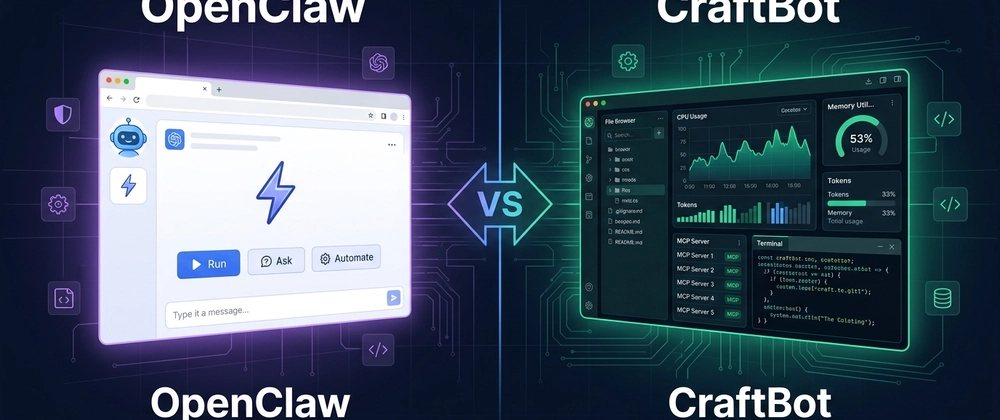
Two Tools, Two Philosophies
OpenClaw lives in your browser. It installs from the Chrome Web Store, requires no terminal, no package manager, no configuration beyond clicking a few buttons. Its Cooper agent comes pre-loaded with a Skills Library for common tasks. If you need a local AI agent running before your next coffee goes cold, OpenClaw delivers exactly that.
CraftBot is a different proposition entirely. It’s a Python-based desktop application you clone from GitHub, set up with a handful of dependencies, and run locally on port 7925. It connects to external services through MCP (Model Context Protocol), supports nine LLM providers — including OpenAI, Anthropic, Google Gemini, DeepSeek, and Ollama for fully offline local models — and has a feature called Living UI that allows the agent to construct and deploy its own custom tools on the fly. At the time of writing, the CraftBot repo sits at 276+ stars on GitHub and is growing steadily.
These aren’t two versions of the same idea. They’re two different answers to the question of what a local AI agent should be.
Setup: Speed vs Capability
OpenClaw’s install story is genuinely impressive. One click from the Chrome Web Store, roughly 60 seconds, and you have a working local AI agent in your browser toolbar. No terminal. No Python version to worry about. That’s a real advantage for developers who want to move fast or who work in environments where they can’t easily install system-level software.
CraftBot asks more of you upfront. You’ll need Python 3.10+, Git, and Node.js before you start. Then it’s a standard clone-and-run:
- Clone the repo from GitHub
- Navigate into the CraftBot directory
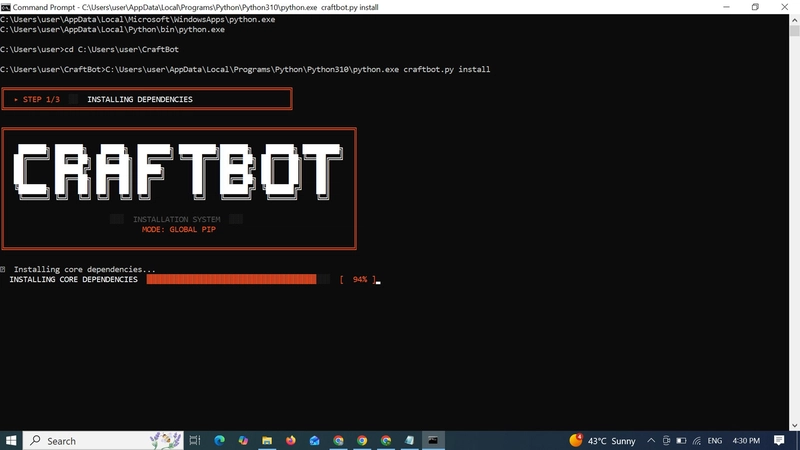
- Run python craftbot.py install
- Let the installer handle the rest automatically
And it does handle the rest. The installer pulls dependencies, launches in TUI mode, and downloads the all-MiniLM-L6-v2 embedding model automatically. There’s even retro ASCII art during the process — a small touch, but it signals that the developers actually thought about the experience.
After installation, a six-step onboarding wizard walks you through configuration. Step one asks you to pick your LLM provider from nine options. Step five lets you choose which MCP servers to activate — Gmail, Slack, GitHub, Notion, Google Calendar, Todoist, Obsidian, Brave Search, Playwright, and Filesystem are all on the list. Each enabled server becomes a set of tools your agent can call during tasks.
Total time: around 15 to 20 minutes. That’s longer than OpenClaw, obviously. But it’s a one-time cost, and what you get on the other side isn’t comparable.
What CraftBot Can Actually Do as a Local AI Agent
Once CraftBot is running at localhost:7925, it launches with seven of eight systems initialised — frontend server, agent backend, MCP servers, skills, integrations, scheduler. The interface is clean: Chat, Tasks, Dashboard, and Workspace, each serving a distinct function without clutter.
Ask CraftBot what it can do and it returns seven capability categories: Research and Analysis, File Management, Coding and Automation, Scheduling and Monitoring, System Operations, Third-party Integrations, and — the one worth stopping on — Self-improvement.
That last category means CraftBot can install new tools and skills while it’s running. Not through a manual update process. At runtime, during a session, in response to a task. That’s the Living UI feature in action, and it’s a meaningful distinction from anything a browser extension can offer. OpenClaw is reactive — prompt in, response out. CraftBot is designed to be proactive: background tasks, scheduled actions, persistent context across sessions.
Observability: Seeing Inside Your Local AI Agent
One of the strongest arguments for running a local AI agent is transparency — knowing exactly what model is running, what it’s consuming, and what it’s doing. CraftBot takes this seriously in a way that most tools don’t.
The Dashboard gives you a full picture in real time: task completion rates, token consumption broken down by input, output, and cached, live CPU and memory and disk usage, request history with peak-hour analytics, MCP server call counts, the full list of active skills, and — critically — the exact model identifier and provider.
During testing, the Model Information panel showed deepseek/deepseek-v4-flash via OpenRouter. The exact model. The exact provider. No abstraction, no “powered by proprietary AI” vagueness. Compare that to the black-box experience of most cloud assistants, and the value of that transparency becomes obvious quickly.
No browser extension can surface this level of insight into what your agent is actually doing. That’s not a criticism of OpenClaw — it’s simply a different product category.
File Management and the Workspace
CraftBot includes a built-in file browser at localhost:7925/workspace. You can create folders, create files, and upload documents directly through the interface. The agent reads and writes to this workspace without requiring you to manually share files or copy paths. There’s also a living_ui/ directory where any custom applications the agent builds for itself during a session get stored.
This kind of integrated file access is the difference between an AI assistant and an AI agent. An assistant responds. An agent acts on your filesystem, your calendar, your codebase — and leaves a traceable record of what it touched.
OpenClaw vs CraftBot: Which One Is Right for You?
If you want a local AI agent that’s running in under a minute, lives in your browser, and handles quick tasks without any system-level setup, OpenClaw is the right call. It’s genuinely fast, low-friction, and well-suited to developers who want AI assistance without committing to a full local stack.
If you need a local AI agent that supports local models via Ollama, connects to your real workflow tools through MCP, gives you full observability over what it’s doing, and can operate autonomously on scheduled tasks — CraftBot is in a different league. The setup investment is real, but it’s a one-time thing, and the capability ceiling is dramatically higher.
The broader trend here is worth watching. The push toward local model support and open-source agentic tooling isn’t slowing down. Projects like CraftBot — open source, highly observable, extensible by design — represent where serious developers are heading. The question of which local AI agent to run is increasingly less about whether to run one locally at all, and more about how much of your workflow you’re ready to hand over to it.

