


The build is green. TypeScript is happy. Your CI pipeline shows nothing but checkmarks. You deploy, make a coffee, and come back to a staging environment where things are quietly, mysteriously wrong. That’s the particular cruelty of a Next.js 16 upgrade — several of its most significant breaking changes produce zero errors, zero warnings, and zero indication that anything is amiss until real traffic hits real routes.
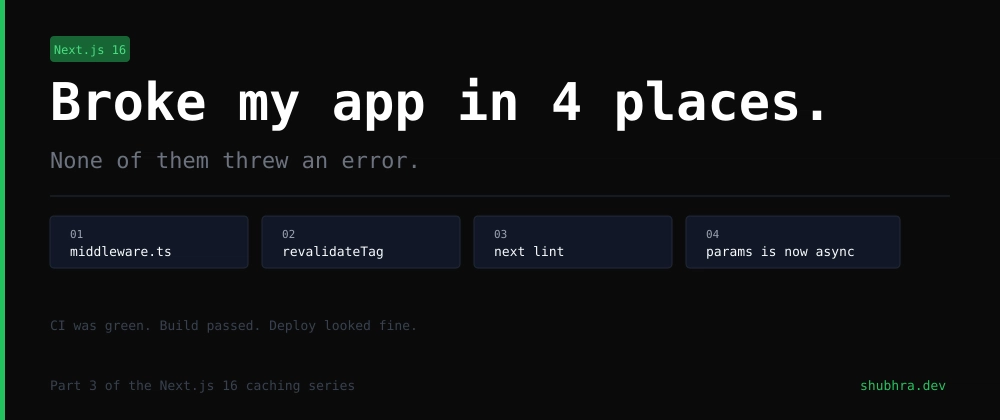
Developer Shubhra documented exactly this experience after a Next.js 16 upgrade on a production application, cataloguing four separate failure points that all slipped past the build step undetected. The issues span middleware routing, cache invalidation, linting infrastructure, and async parameter handling. None of them are obscure edge cases. All of them are the kind of thing you’d expect a framework to shout about loudly. Next.js 16 does not.
- A Next.js 16 upgrade can silently break middleware, caching, and linting without a single build error appearing.
- The Next.js 16 upgrade replaces middleware.ts with proxy.ts — miss this rename and your redirects simply stop working.
- next lint has been completely removed, meaning CI pipelines can report green while shipping un-linted code.
- Enabling strict TypeScript mode before upgrading catches several silent issues the codemod can miss.
Table of Contents
Why the Next.js 16 Upgrade Is Trickier Than It Looks
Major version bumps in popular frameworks always carry risk, but the Next.js 16 upgrade is particularly sneaky because the official codemod — run via npx @next/codemod@canary upgrade latest — handles most of the mechanical changes correctly. The problem isn’t what the codemod does. It’s what it doesn’t do, can’t do, or simply misses on files that were added or modified at an inconvenient time during the migration window.
The Next.js official upgrade documentation covers the headline changes, but the distance between reading docs and having confidence your specific codebase is clean is where developers keep getting burned. Four areas in particular deserve manual verification after any automated migration.
middleware.ts Is Dead — Long Live proxy.ts
This one is perhaps the most disorienting change in the Next.js 16 upgrade because the old file doesn’t complain about being ignored. Prior to version 16, request interception lived in middleware.ts at the root of your project, exporting a function called middleware. In Next.js 16, that convention is replaced by proxy.ts, exporting a function called proxy. Same location, different filename, different export name.
If you manually bumped the package version without running the codemod, your old middleware.ts file still sits there, compiles without issue, passes TypeScript checks, and does absolutely nothing at runtime. Routes that should be intercepted aren’t. Redirects that should fire don’t. There’s no deprecation warning in the terminal — the file is simply bypassed.
It’s worth clarifying: middleware.ts still exists in Next.js 16, but it’s now reserved specifically for edge runtime use cases. If your middleware logic doesn’t explicitly require edge runtime, it belongs in proxy.ts. The rename is the entire fix — but you have to know to look for it.
Before shipping any Next.js 16 upgrade, verify this manually. Rename the file, rename the exported function, then test at least one route that actually depends on interception. Don’t trust the build to catch it for you.
revalidateTag Now Needs a Second Argument — Mostly
Cache invalidation in Next.js has always been a source of subtle bugs, and the Next.js 16 upgrade introduces a new one. The single-argument form of revalidateTag(‘products’) is deprecated in Next.js 16. The replacement requires a second argument specifying invalidation strategy: either ‘max’ for the new SWR-based approach (the recommended default), or an object like { expire: 0 } for immediate expiry, which is more appropriate for webhook-triggered invalidation.
Here’s the catch: this deprecation only produces a TypeScript error when your tsconfig has strict mode enabled. Most projects started years ago don’t. The old call compiles cleanly, deploys without issue, runs at runtime — and then silently falls back to legacy invalidation behavior. Pages serve stale data after mutations. Nothing throws. The bug looks like a caching configuration problem rather than an upgrade problem, which means developers spend time hunting in the wrong place.
The fix has two parts. First, add the second argument wherever you’re calling revalidateTag. Second — and more importantly — enable “strict”: true in your tsconfig.json right now, before doing anything else. That single change converts a silent runtime problem into a visible compile-time error across your entire codebase. It’s the kind of configuration debt that seems harmless until it hides a production bug for days.
next lint Has Been Removed Entirely
Not deprecated. Not restructured. Removed. The next lint command no longer exists in Next.js 16, the eslint option in next.config.ts is gone, and the build step no longer runs linting automatically. This is a deliberate architectural decision — the Next.js team has decoupled linting from the framework entirely, leaving it to developers to run ESLint directly.
The migration itself is straightforward: replace next lint in your scripts with eslint . and run eslint . –fix for autofix. The codemod generates a fresh eslint.config.mjs and updates package.json scripts accordingly.
But here’s the problem the codemod cannot solve: your CI configuration file is a separate artifact that the tool doesn’t touch. If your pipeline has a step that calls next lint, what happens next depends entirely on how your CI platform handles commands that don’t exist. Some fail loudly and block the pipeline. Others — as happened in this documented case — succeed silently and move on. The build stays green. Linting never runs. Code with obvious issues ships to production and clears review undetected.
After any Next.js 16 upgrade, open your CI config manually and audit every step that references next lint. This is one of those changes where automation gives you false confidence.
async params: The Bug That Only Hits in Production
The fourth failure mode is arguably the most dangerous because of when it surfaces. In Next.js 15, route parameters were passed as plain objects to layouts, pages, and route handlers. In Next.js 16, params is now a Promise, meaning any component that accesses params.id directly — without awaiting — is technically broken, even though it compiles cleanly and the build passes without complaint.
The codemod updates most files correctly. But it can miss files. In the documented case, a layout file was left untouched, and the problem only appeared on the first real request to that route in staging — not during the build, not during any automated check. The same applies to searchParams, cookies(), headers(), and draftMode(), all of which are now async and all of which need awaiting.
The practical fix after running the codemod is a manual grep across the entire codebase for params. with a dot — looking for direct property access patterns. It takes five minutes and catches what automation leaves behind. Same search for searchParams, cookies, headers, and draftMode. If any of these are accessed synchronously anywhere, they need to become async components with an await.
The Pattern That Makes This Upgrade Dangerous
What ties these four issues together isn’t the specific technical changes — it’s the failure mode they share. None of them produce errors at build time. All of them behave correctly in terms of TypeScript compilation. All of them pass CI. The wrong behavior only appears under a specific runtime condition: an actual redirect being triggered, a mutation needing to reflect in the UI, a linting issue escaping review, a particular route receiving its first request.
This is a broader problem with how modern JavaScript frameworks handle deprecation. The pressure to avoid breaking changes that block builds has created a category of change where the old code is technically valid but behaviorally wrong. Developers trust green builds. When green builds lie, the bugs that escape are the hardest kind to diagnose.
The Next.js team’s reliance on the codemod as the primary migration tool is reasonable — it handles the mechanical bulk of the work well. But codemod tools can’t update CI configurations, can’t know which files were modified after you started the migration, and can’t enforce TypeScript strictness settings that were never turned on. The four checks that matter most after any Next.js 16 upgrade: rename middleware.ts to proxy.ts and verify it’s running, add the second argument to every revalidateTag call, audit your CI config for next lint references, and grep for synchronous params access. None of these take long. All of them can save you from a production incident that looks nothing like an upgrade problem.
As Next.js continues its trajectory toward more async-first, Promise-based APIs — a direction that mirrors what’s happening across the broader React ecosystem with React 19’s concurrent features — expect this category of silent migration bug to become more common, not less. The tooling will improve, but the gap between what a codemod automates and what a developer actually needs to verify manually isn’t closing as fast as framework complexity is growing. Treating the Next.js 16 upgrade as a process rather than a single command is the only reliable way to come out the other side with a codebase that behaves the way you expect.

