


Local image generation has long been the province of beefy desktop GPUs and cloud APIs with per-request billing. A startup called PrismML thinks that’s about to change. The company has just released Bonsai Image 4B, a family of compressed diffusion models that can run directly on iPhones, iPads, and MacBooks — and, critically, produce output that holds up against much larger, cloud-hosted alternatives.
- Bonsai Image 4B brings local image generation to iPhones for the first time in this model class, running on under 2 GB of active memory.
- The 1-bit variant compresses the diffusion transformer to just 0.93 GB, making local image generation viable on devices with tight memory budgets.
- PrismML’s ternary model retains 95% of full-precision FLUX.2 Klein 4B benchmark accuracy at a 6.4x reduction in transformer size.
- On an iPhone 17 Pro Max, Bonsai Image 4B generates a 512×512 image in around 9.4 seconds — something the full model can’t do at all.
Table of Contents
What Bonsai Image 4B Actually Is
The model comes in two flavours. The 1-bit variant represents transformer weights as binary values — either −1 or +1 — with a 16-bit floating-point group-wise scaling factor applied on top, landing at 1.125 effective bits per weight. The ternary variant adds a third state, zero, pushing to 1.71 effective bits per weight. That extra state sounds minor, but it gives the model meaningfully more flexibility in how it encodes visual information, which shows up in output quality and how faithfully it follows text prompts.
Both are built on top of FLUX.2 Klein 4B, Black Forest Labs’ 4-billion-parameter diffusion transformer. PrismML hasn’t changed the architecture — the transformer structure is identical. What they’ve changed is the numerical representation of the weights themselves, which is where the storage and compute savings actually come from.
The Memory Problem — and Why Local Image Generation Is Hard
To understand why this matters, you need to understand what makes local image generation so memory-hungry. Diffusion models don’t generate an image in one pass. They run a denoising loop — typically dozens of steps — where the transformer is invoked repeatedly. That means the transformer has to sit in active memory for the entire generation process, not just be loaded once and discarded.
For a 4B-class model at full precision, the diffusion transformer alone weighs in at 7.75 GB. That’s before you add the text encoder or the VAE decoder. The full FLUX.2 Klein 4B deployment payload on Apple Silicon comes to 15.97 GB — more than most iPhones can spare for a single app, let alone a single inference run.
Bonsai’s binary layers deliver roughly a 14x reduction in those transformer weights, taking the 1-bit model’s diffusion transformer down to 0.93 GB. A small slice of precision-sensitive tensors — around 5% of the model, the projection layers — stays in FP16, so the compression isn’t absolute, but the net result is an 8.3x reduction from full precision. The ternary variant’s transformer comes in at 1.21 GB, a 6.4x reduction.
Include the compressed text encoder and FP16 VAE and the total Apple Silicon deployment payload is 3.42 GB for the 1-bit model and 3.88 GB for the ternary. That’s less than a quarter of what FLUX.2 Klein 4B needs. At runtime — since the text encoder is offloaded after it’s done processing the prompt — active memory during a 512×512 generation sits at just 1.5 GB and 1.96 GB respectively, versus 11.74 GB for the full-precision original.
Local Image Generation on iPhone: A First
PrismML claims Bonsai Image 4B is the first model in the 4B parameter class to run directly on an iPhone. That’s a specific claim, and it’s worth holding them to it — but the memory numbers back it up. The full FLUX.2 Klein 4B pipeline simply won’t fit within iPhone’s memory budget. Both Bonsai variants do, with room to spare.
On an iPhone 17 Pro Max, Bonsai Image 4B generates a 512×512 image in 9.4 seconds. On a Mac M4 Pro, that drops to around 6 seconds — and PrismML says it’s up to 5.6x faster than running the stock full-precision MFLUX pipeline on the same machine. The inference stack uses MLX low-bit paths on Apple hardware and Gemlite low-bit GEMM kernels for CUDA GPUs, so there’s PC and workstation support as well.

Nine seconds per image isn’t going to compete with a cloud API backed by a rack of H100s. But that comparison misses the point. Cloud APIs require a network round-trip for every single prompt iteration. Image generation is an inherently iterative process — users tweak prompts, adjust styles, generate variants. At marginal cost per generation and non-zero latency on every request, that adds up. Local generation flips that equation: the model cost is a one-time download, latency is determined by your device, and there’s no usage meter running in the background.
How the Quality Holds Up
Compression is worthless if the output degrades into mush. PrismML tested Bonsai Image 4B across three standard benchmarks: GenEval, which evaluates object composition and attribute binding; HPSv3, which measures human aesthetic preference; and DPG-Bench, which tests how faithfully a model follows detailed, dense prompts.
The ternary model — which PrismML positions as the quality-first option — retains 95% of FLUX.2 Klein 4B’s aggregate benchmark score across all three evaluations. The 1-bit model, optimised for minimum footprint, scores 88% of the original. Those aren’t perfect numbers, but they’re genuinely impressive given that the transformer is 8x smaller.
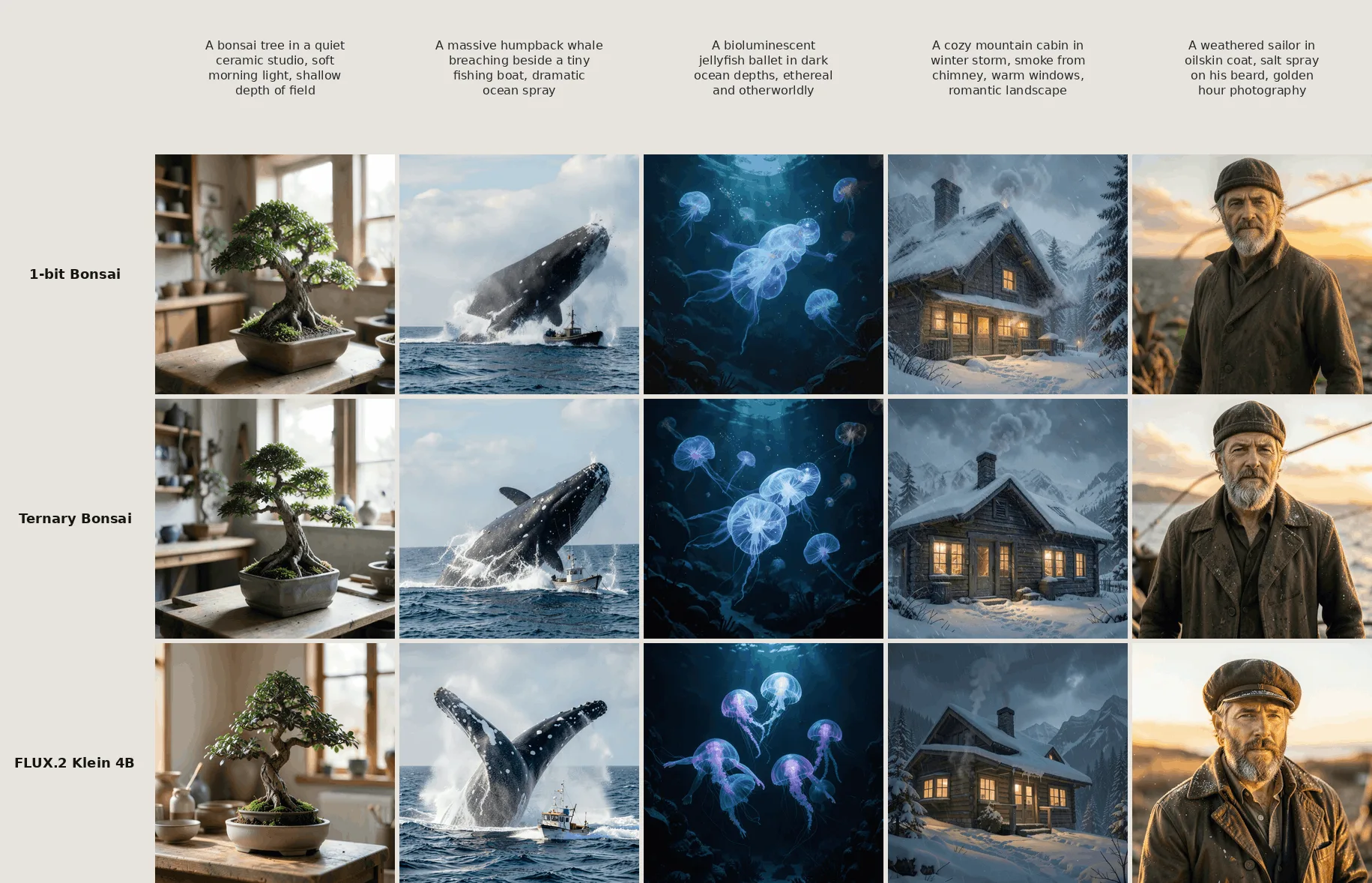
Perhaps more interesting is where Bonsai sits relative to smaller, lower-precision models with similar memory footprints. According to PrismML’s benchmarks, Bonsai substantially outperforms them — which suggests the approach isn’t just about shrinking a big model, but about preserving capability that smaller models never had in the first place. The company draws a direct comparison to what they saw with their earlier Bonsai language models, where the same binary and ternary weight strategy delivered a similar shift in the quality-versus-size tradeoff.
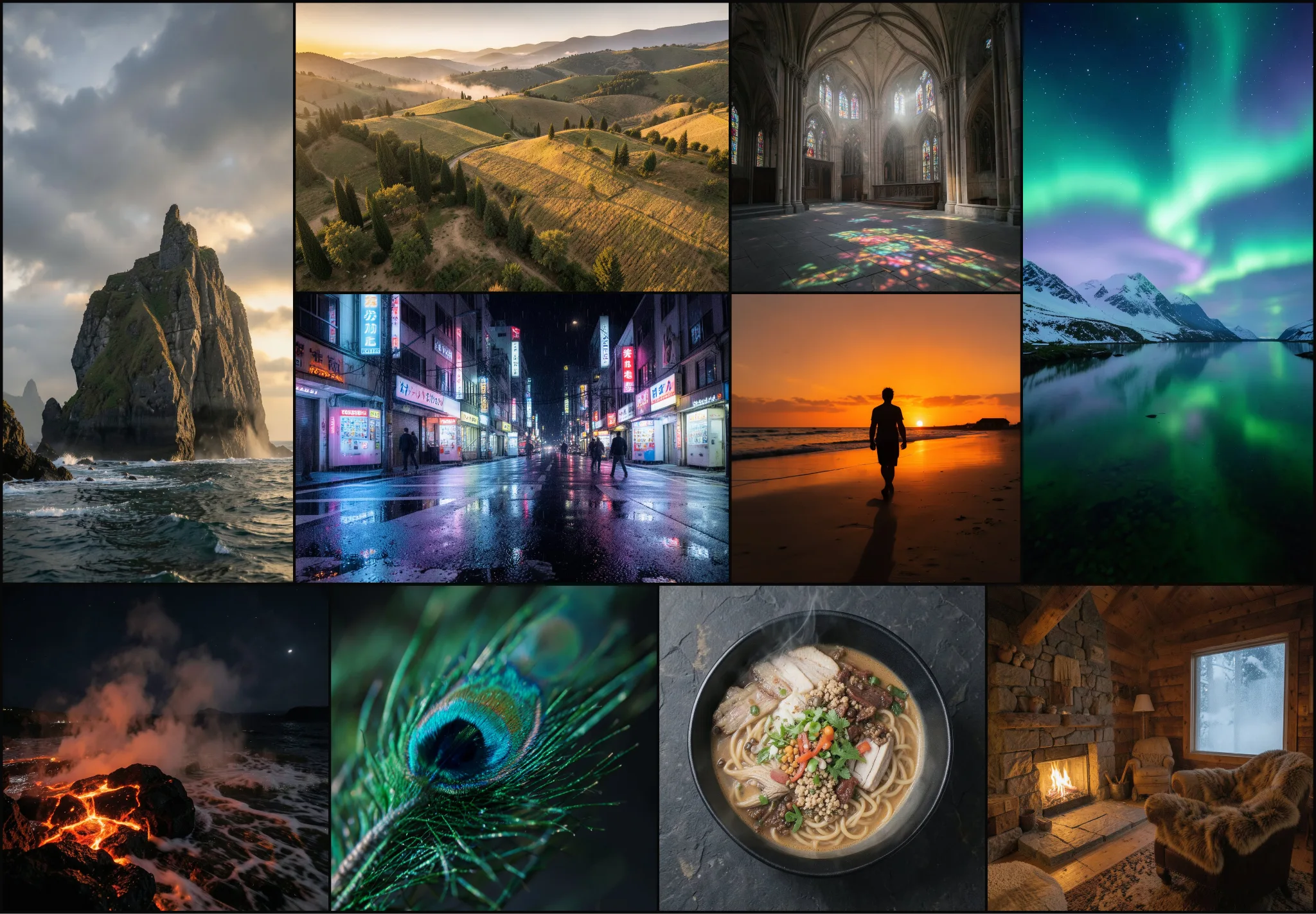
Why the Timing Matters
On-device AI has been building momentum across the industry, but it’s mostly played out in language — Apple Intelligence, Meta’s on-device Llama experiments, Google’s Gemini Nano. Image generation has lagged, partly because diffusion transformers are so much heavier than language models of equivalent quality, and partly because the use cases for local image generation are less obvious than, say, offline text summarisation.
But the privacy case is real. Generating images from sensitive prompts — product designs, personal projects, anything where you’d rather your inputs not hit a third-party server — is meaningfully different on-device. So is the latency case for creative tools embedded in apps that need to feel responsive.
The weights are open, the deployment stack supports both Apple Silicon and CUDA, and PrismML says the model runs through their Bonsai Studio app. Whether developers actually build around local image generation at this quality level depends on whether 9 seconds per image feels acceptable in 2025 — and whether the gap between that and cloud-hosted generation closes fast enough to matter. If the Bonsai language model trajectory is any guide, the next version will be faster and more accurate. The interesting question isn’t whether local image generation becomes mainstream, but how quickly.

