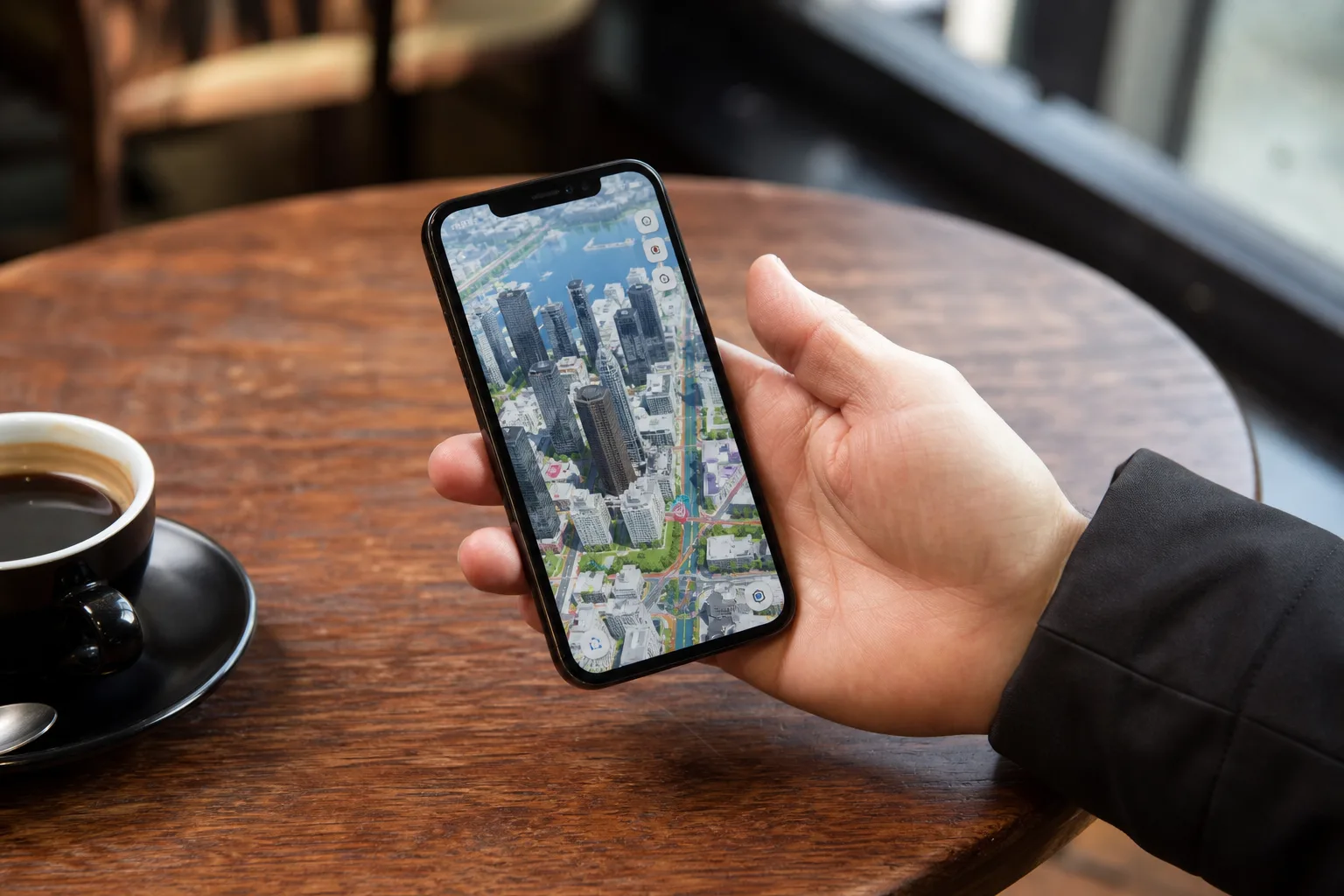
- Apple Maps iOS 27 introduces AI-enhanced Flyover, producing sharper and more lifelike 3D city visuals.
- Apple Maps iOS 27 adds Local Lists, surfacing curated nearby places based on what’s trending in your area.
- A new Parked Car widget arrives in the Smart Stack, making it easier to find your vehicle after parking.
- The Maps app icon gets a full visual refresh with Apple’s new multi-layered Liquid Glass design language.
Table of Contents
Apple Maps iOS 27 Is a Bigger Update Than It Looks
Apple Maps iOS 27 might not be the headline act at WWDC 2026 — that honour goes to whatever Apple Intelligence trick is stealing the keynote spotlight — but it’s quietly shaping up to be one of the more thoughtful upgrades the app has received in years. A number of new features, ranging from AI-powered aerial imagery to a smarter search experience, signal that Apple still has serious ambitions for Maps as a platform, not just a utility people reluctantly open when Google Maps fails to load.
Maps has come an extraordinarily long way since its catastrophically rocky debut in 2012, when Apple’s then-CEO Tim Cook issued a public apology and users were misdirected to fields, lakes, and the middle of nowhere. Today, Apple Maps is genuinely competitive — particularly in the U.S., U.K., and parts of Europe where its ground truth data collection has been thorough. Apple Maps iOS 27 looks set to push it further into territory that Google Maps has traditionally owned.

Flyover Gets an AI Upgrade That’s Overdue
The most technically interesting addition in Apple Maps iOS 27 is the overhauled Flyover feature. Flyover has existed since iOS 6, letting users zoom through a 3D rendering of more than 350 cities worldwide, complete with detailed landmarks, roads, parks, and building facades. It’s always been impressive as a demo. In practice, though, the imagery quality has been inconsistent — some cities look genuinely photorealistic, others feel oddly flat or dated.
Apple’s fix in iOS 27 is to run existing aerial imagery through AI models to sharpen and enhance what’s already there. According to Apple’s own press materials, the result improves fine-grained details like the individual shapes of trees and the way light catches the glass facade of skyscrapers. That’s not a minor cosmetic touch. Reflections and vegetation are two of the hardest things to render convincingly in aerial 3D scenes, and getting them right is the difference between something that looks like a map and something that looks like the city itself.
It’s a smart approach — rather than re-flying thousands of cities to recapture raw imagery, Apple is using AI to extract more value from what it already has. Google has been doing similar things with its Immersive View feature in Google Maps, which launched in 2022 and uses AI to blend aerial and street-level imagery into navigable 3D environments. Apple Maps iOS 27’s AI Flyover appears to be Apple’s most direct response yet.
Local Lists and the Push to Own Discovery
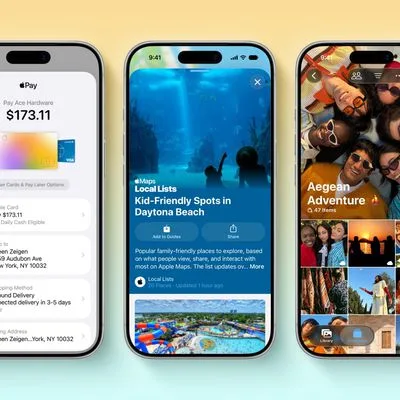
The other headline feature in Apple Maps iOS 27 is Local Lists, a curated discovery tool that surfaces collections of nearby places based on what’s trending locally — dining spots, family-friendly activities, and similar interest-based groupings. Apple is careful to note that all of this is generated with privacy in mind and is never tied to individual users, which is a meaningful distinction in an era when every recommendation engine is presumed to be building a profile on you.
This is Apple Maps encroaching on territory that Yelp, Google Maps’ ‘Explore’ tab, and TripAdvisor have long controlled. The ‘what’s trending nearby’ mechanic specifically echoes what Google has been doing with its ‘Popular in your area’ suggestions for years. Whether Apple’s privacy-first approach can generate recommendations that feel genuinely personalised without the surveillance component is the real test. Aggregated, non-individual trend data can produce solid results — it’s essentially how Shazam’s charts work — so there’s no reason this can’t be competitive.
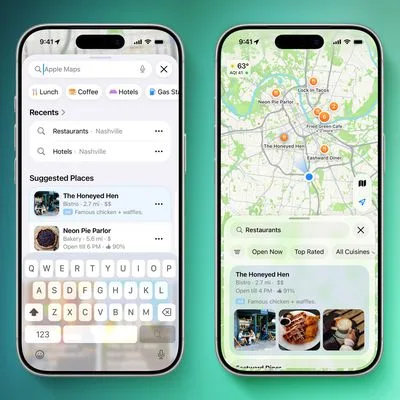
Alongside Local Lists, a dedicated Trending Restaurants section will appear directly in the Maps search screen, and the Suggested Places feature that debuted in iOS 26.5 is being expanded to let users swipe through a broader set of recommendations rather than being capped at two. That two-recommendation limit always felt like an artificial constraint, so removing it is a welcome, if belated, improvement.
Search, Widgets, and Quality-of-Life Fixes
Natural language search is getting a meaningful extension in Apple Maps iOS 27, specifically around routing. Previously, natural language queries worked reasonably well for finding places — ‘coffee shops near Central Park’ and similar — but fell short when users wanted routing specifics like ‘avoid highways’ or ‘stop at a petrol station on the way.’ iOS 27’s expansion to cover those routing scenarios makes Maps feel more conversational and less like a form you’re filling out.
The Parked Car widget is one of those features that sounds trivial until the moment you desperately need it. It’s coming to the Smart Stack — Apple’s context-aware widget layer on the iPhone home screen — and will surface automatically to help you locate where you left your car. The feature has existed in Apple Maps for some time, but burying it inside the app meant most people either forgot about it or never discovered it. Moving it into the Smart Stack is the right call. Relevance at the right moment is what widgets are for.
Offline Maps is also getting improvements in Apple Maps iOS 27, though Apple hasn’t been specific about what those entail. The vagueness is mildly frustrating — offline navigation is one of the areas where Google Maps still has a clear edge, with granular download controls and turn-by-turn directions that work without any connectivity. If Apple is tightening up its offline routing or expanding the data included in downloaded regions, that’s genuinely significant. We’ll likely find out more when developer betas start shipping.
Global Expansion and a New Look
Two existing features — Visited Places and Guides — are expanding to more countries in Apple Maps iOS 27. Visited Places lets you review a timeline of locations you’ve been to, while Guides are curated collections of places worth visiting in a given city, similar in concept to what Google Maps offers through its saved lists. The international rollout of both is overdue; these are features that have been U.S.- and select-market-only for long enough that international users could reasonably have assumed Apple had abandoned them.
Finally, Apple Maps iOS 27 is getting a new icon as part of the company’s broader iOS 27 design overhaul. The refreshed icon adopts the multi-layered Liquid Glass aesthetic that Apple is rolling out across the system, replacing the flat and relatively static look that’s defined the Maps icon for several years. It’s cosmetic, yes, but the Liquid Glass language is one of the more visually distinctive things Apple has done with its UI in a long time, and seeing it applied to Maps gives the app a more premium, considered feel.
What This Means for the Navigation App Wars
Taken individually, most of these features are incremental. Taken together, they represent Apple Maps iOS 27 closing the gap on Google Maps in the areas that actually affect daily usage — discovery, search quality, and offline reliability — while doubling down on the privacy angle that increasingly matters to a growing segment of users.
The interesting question isn’t whether Apple Maps iOS 27 catches Google Maps. It’s whether Apple is building the foundation for Maps to become a genuine platform — the way the App Store turned the iPhone’s software into an ecosystem. Local Lists, trending data, and expanded Guides are all pieces of an infrastructure that, with the right developer access and third-party integrations, could eventually rival what Google has built. Apple hasn’t shown its hand on that front yet. But the direction of travel is unmistakable.
Frequently Asked Questions
When will Apple Maps iOS 27 features be available?
Apple has announced a range of new Apple Maps features coming in iOS 27. Availability timing and compatible device details have not been specified in Apple’s announcement.
What is the new Local Lists feature in Apple Maps?
Local Lists is a curated collection of nearby places based on what’s trending locally, including dining spots and places suited for kids. Apple says all insights are generated with privacy in mind and are never tied to individual user profiles.
Does Apple Maps iOS 27 improve offline maps?
Yes, Apple confirmed that Offline Maps is getting update improvements in iOS 27, though the company has not yet detailed the specific changes involved.
How does the AI-enhanced Flyover in Apple Maps work?
Apple describes the upgraded Flyover as combining existing aerial imagery with AI models to produce sharper, more lifelike visuals. The system improves fine details like individual tree shapes and the way light reflects off glass skyscrapers across more than 350 supported cities.