

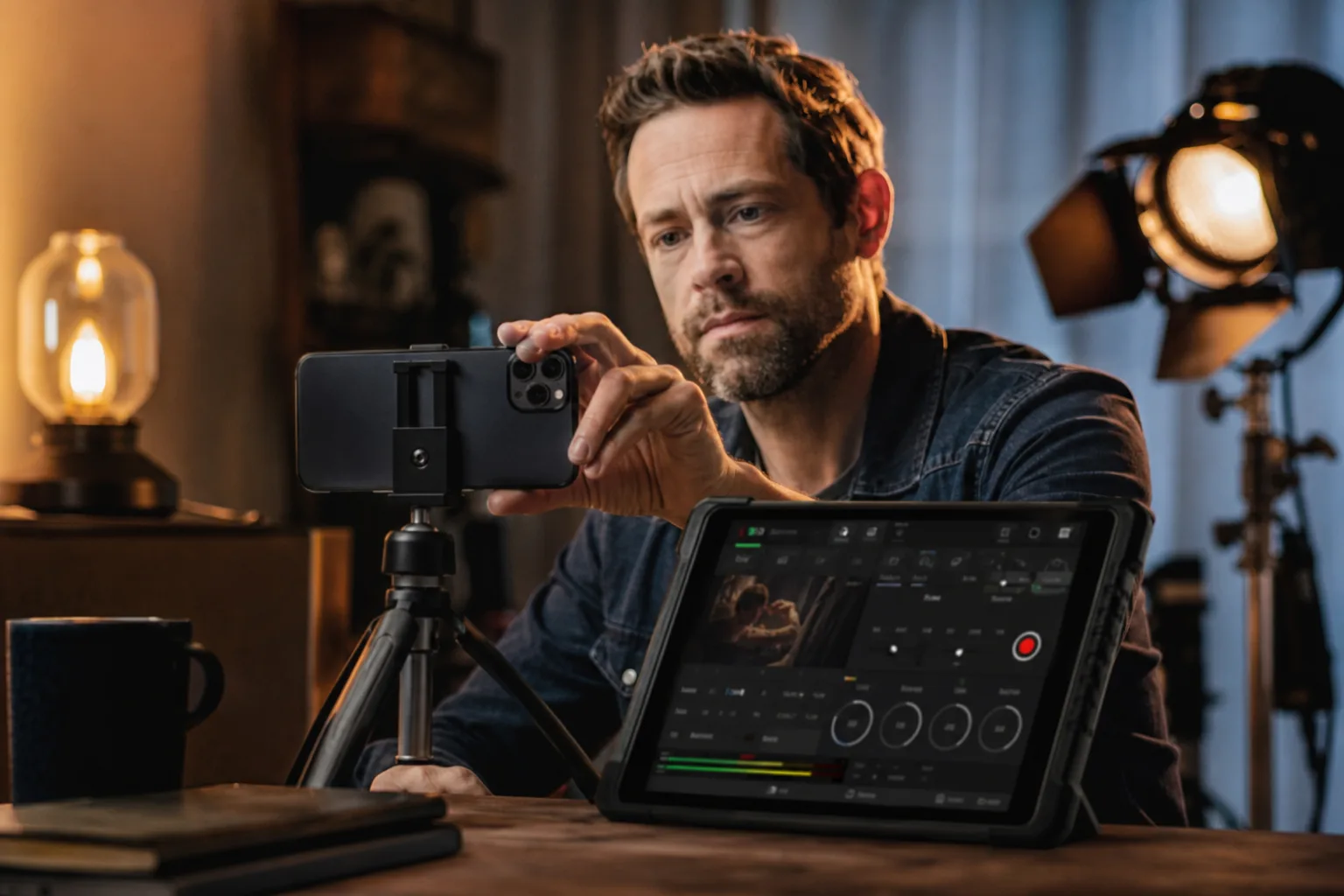
- Final Cut Camera adds direct support for the iPhone 18 Pro’s adjustable aperture and redesigned professional camera controls.
- With Final Cut Camera remote control, filmmakers can adjust iPhone 18 Pro exposure and aperture settings from a nearby Mac or iPad.
- Final Cut Pro and Motion can now revise focus and depth-of-field data captured with compatible iPhone video.
- Apple also adds Creator Studio templates, collaboration requests, Freeform collections, and new Numbers functions across its productivity software.
Table of Contents
Final Cut Camera finally catches up to the hardware
Apple spent much of the iPhone 18 Pro launch talking up its variable-aperture camera system. Now Final Cut Camera is getting the software side of that promise, with an update that puts aperture control and a cleaner set of manual shooting tools in the hands of mobile filmmakers.
That matters more than it may sound. Smartphone camera launches are packed with claims about hardware, but the real question is usually whether the company’s apps let people do anything useful with it. A variable aperture can change how a scene looks, particularly when creators want to manage depth of field rather than accept whatever computational photography decides is pleasing. Apple is positioning the iPhone 18 Pro as a camera that can work inside a professional production workflow, not merely a very capable holiday camera.
The revised Final Cut Camera interface is built around the broader selection of controls Apple now exposes on its Pro iPhones. ISO and white balance are easier to reach, according to Apple, while a two-finger tap clears the interface so users can concentrate on framing. That sounds minor, but anyone who has filmed on a phone in bright sunlight knows how quickly on-screen buttons can turn the viewfinder into a cluttered dashboard.
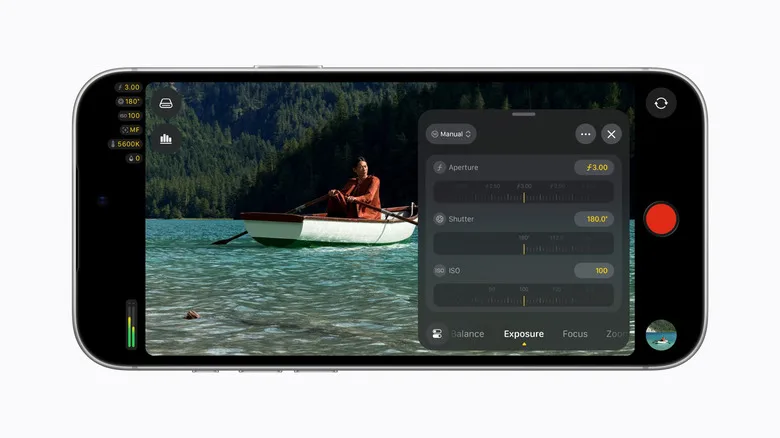
Apple’s companion shooting app, Final Cut Camera, has always been a more serious proposition than the standard Camera app, which is designed for speed and simplicity. The update pushes that divide further. The stock app remains the right choice for catching a child’s first steps or a dog doing something ridiculous; Final Cut Camera is for the person who wants repeatable settings across takes and has a reason to care when the color temperature shifts halfway through an interview.
There is one obvious catch: the new controls require an iPhone 18 Pro. Apple is not disguising this as a broad software win for older phones, and it shouldn’t. Adjustable physical aperture hardware is the feature being supported here. Still, the update makes the company’s annual Pro hardware pitch a little more coherent than the usual cycle of flashy launch-day demos followed by months of app support catching up.
Remote controls make Final Cut Camera more practical on a set
The strongest part of the update may be its remote workflow. Final Cut Camera can be controlled from Final Cut Pro on a nearby Mac or iPad, and that includes the new aperture adjustments alongside other camera settings. Put an iPhone on a small tripod, step behind it, and adjust the image without walking into the frame. It’s a basic production need, but one phones have historically handled awkwardly.
This is also where Apple has an advantage over many standalone mobile video apps: it owns the phone, the tablet, the desktop operating system and the editing suite. Blackmagic’s Camera app has earned real affection from mobile filmmakers because it gives them serious controls without fuss. But Apple can connect Final Cut Camera directly to Final Cut Pro, and that integration has value for teams already paying for Apple hardware.
Apple says Final Cut Pro and Motion can now alter focus points and depth-of-field characteristics in footage recorded on the iPhone 18 Pro. That is a potentially useful safety net, though creators should be careful not to mistake post-production flexibility for a licence to shoot carelessly. Fixing focus after the fact is valuable; getting focus right when the actor delivers the line is better. Anyone who remembers the early computational portrait-video experiments knows how strange artificial blur can look around hair, glasses and moving hands.
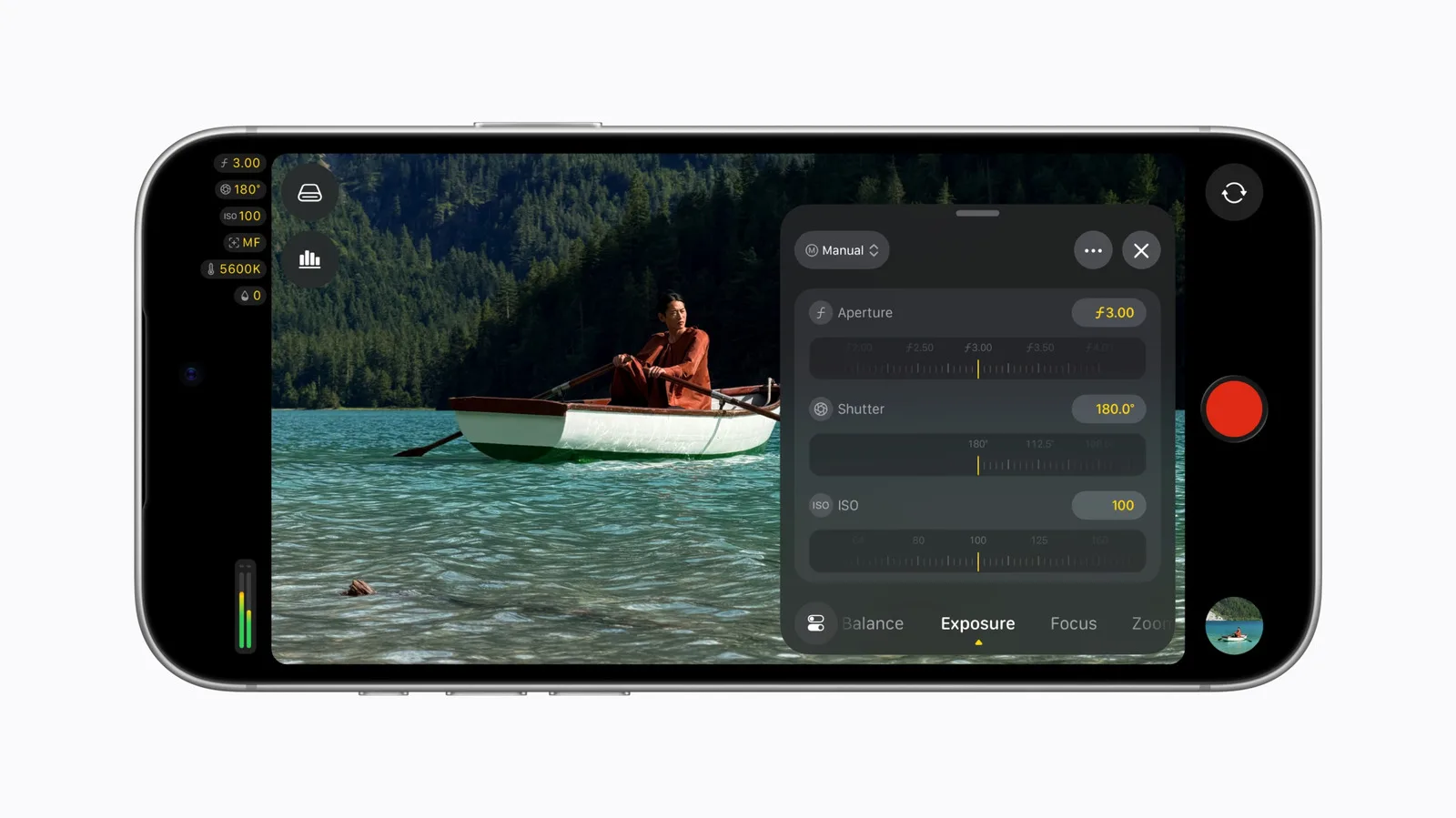
My read is that Apple is trying to normalize the iPhone as a secondary camera on professional shoots. Not the A-camera for every production, obviously, but a device a creator can place in a tight car interior, mount on a gimbal, or use for a quick second angle without abandoning the editorial pipeline. That’s a sensible ambition. Phones are already everywhere on sets; Apple wants its own software to become the default way they get used.
Creator Studio gets a split personality
Alongside the video changes, Apple is shipping a batch of updates across Pages, Keynote, Numbers, Freeform and Pixelmator Pro. Some sit behind the company’s $13-per-month Creator Studio subscription, while others are free to anyone using the apps. That division will be familiar to anyone watching Apple’s services strategy: improve the basics for everyone, then reserve the shiny templates and advanced creative tools for subscribers.
Creator Studio subscribers receive new themes and templates in Pages, Keynote, Numbers and Pixelmator Pro. Keynote can also automatically create imagery that fits a presentation slide’s content. Apple has not presented that as a replacement for a designer, thankfully. Auto-generated slide art is often the corporate equivalent of hotel lobby wallpaper: technically appropriate, instantly forgettable. But for a draft deck or internal meeting, it could save time.
On iPad, Pixelmator Pro is gaining the Select and Mask tools already available on the Mac. That is a meaningful addition for people doing image cleanup on a tablet, where precise cutouts have often meant hopping between apps. The updated feature set is tied to the subscription on iPad, another reminder that the product’s business model was never likely to remain untouched.
Apple’s official Final Cut Pro page presents the platform as a connected toolset for creators working across Mac, iPad and iPhone. This week’s releases give that promise some substance, although the value still depends on which device a customer owns and which features Apple has put behind Creator Studio.
The free improvements may be the more useful ones
The non-subscriber changes are less flashy, yet several may affect more people. Pages, Numbers, Keynote and Freeform now let a recipient request permission to see or edit a shared file. It’s an overdue collaboration feature, frankly. We have all hit a shared link only to find a digital locked door and then chase the owner through messages.
Pages gains Screen View for “reading and focused writing,” while Numbers adds trigonometry, statistics and logic functions. Freeform boards now adapt to dark mode, can be grouped into collections, and support Apple Intelligence Writing Tools for text editing and generation. None of these features will sell an iPhone 18 Pro. They do, however, make Apple’s productivity apps feel less like attractive side projects and more like software the company expects people to rely on.
The Final Cut Camera update gets top billing because it gives Apple’s newest phone a concrete creative advantage. The more interesting move is behind it: Apple is tightening the links between its devices and apps while putting some of those connections behind a monthly fee. If it keeps adding professional controls instead of treating them as launch-event props, the iPhone’s place on real video sets will become harder to dismiss.

