

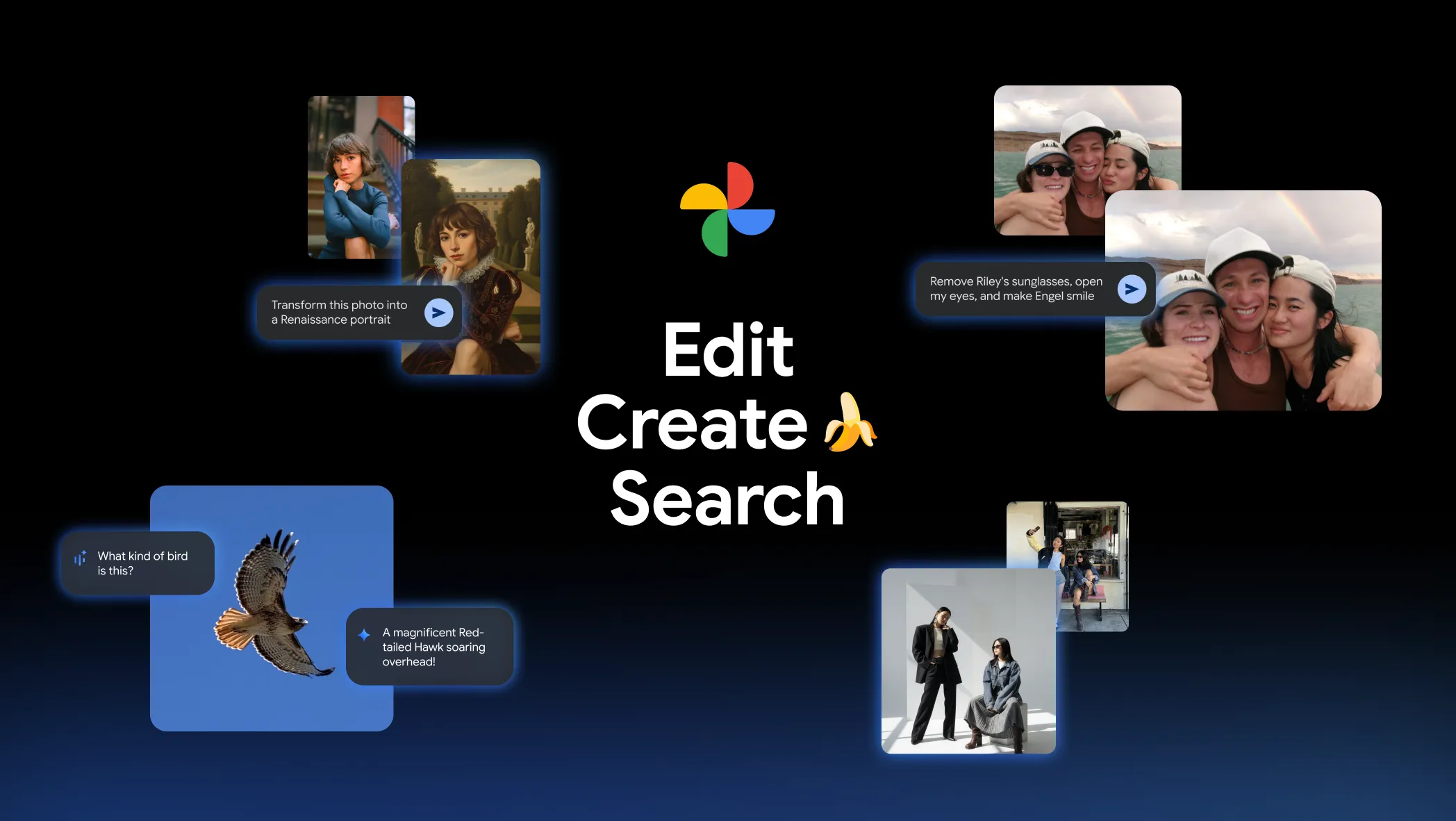
Google Photos has officially launched its conversational AI editing tools for iPhone users, marking one of the biggest updates to the app in years. The update, which is already available on Pixel and Android devices, now extends to iOS users in the United States, allowing them to transform their images simply by describing what they want to see.
Google Photos AI Editing Comes to iPhone Users for the First Time
The feature, known as “Help me edit,” uses Google’s latest AI technology to interpret text or voice commands. Users can say or type phrases such as “make the sky brighter,” “remove people in the background,” or “turn this into a painting,” and Google Photos instantly applies the requested changes.
According to Google’s official announcement, this rollout means users can now “describe the edits you want using your voice or text and watch Google Photos bring your vision to life.” The iOS update also includes the redesigned photo editor interface, which was previously available only on Android. This new interface simplifies navigation and gives users one-tap editing suggestions that speed up their workflow.
For iPhone users who have been relying on third-party photo apps for AI-assisted editing, this update closes the gap between Android and iOS experiences. It gives Apple users access to the same machine learning-driven photo tools that have made Google Photos a standout app in Google’s software ecosystem.
SquaredTech notes that this update shows Google’s strategy to expand AI-powered creativity tools beyond its hardware ecosystem. It demonstrates Google’s confidence in its Nano Banana AI model, a new engine powering image transformation, and in its cross-platform AI integration, which is becoming a key part of Google’s broader mobile strategy.
How “Help Me Edit” and Nano Banana AI Work Together
The centerpiece of this rollout is the “Help me edit” feature, which allows Google Photos to understand natural language commands. This means users don’t need editing skills — they can simply describe what they want. For example, saying “make it look like a vintage photo” or “add more sunlight” will prompt Google Photos to perform complex edits instantly.
This conversational approach builds on Google’s growing suite of AI-powered consumer tools, giving ordinary users the ability to perform professional-level photo editing in seconds. The technology behind this is Google’s Nano Banana AI model, a lightweight but powerful image generation and enhancement model optimized for mobile devices.
Nano Banana AI helps Google Photos perform several complex tasks directly on the device without relying heavily on cloud processing. This allows for faster results and protects user privacy by minimizing data transfers. The model can apply stylistic filters, create artistic transformations, and even convert images into paintings, mosaics, and illustrations.
Another notable improvement in this update is facial accuracy. Google Photos now references users’ private face groups — collections of recognized faces in their photo libraries — to ensure that edits look realistic. For instance, if a user asks to “remove my glasses” or “open my eyes,” the AI cross-references other photos of the same person to maintain authenticity.
SquaredTech highlights that this ability to learn from personal image data marks a major step forward for AI personalization. By using a user’s own photo library to guide edits, Google Photos ensures that the results stay true to how people actually look, avoiding the uncanny distortions that often plague automated photo edits.
This level of accuracy shows how Google is combining computer vision, natural language processing, and generative AI to make mobile photo editing both creative and context-aware. It turns Google Photos into a smart assistant that understands not just the picture, but the person in it.
A Closer Look at the New Editing Interface and Features
In addition to AI editing, Google is bringing a refreshed editor interface to iPhones. The new design emphasizes simplicity, with gesture-based adjustments, clear editing categories, and faster access to key tools. Users can swipe through filters, crop photos, or fine-tune color balance with minimal effort.
The app now offers AI-based one-tap suggestions, which instantly adjust brightness, contrast, and color temperature. These suggestions are generated by analyzing the photo’s subject and lighting conditions, giving users a more personalized and accurate result than traditional auto-correct tools.
The update also adds a new “Ask” button — available for both Android and iOS — that introduces a chat-style interface. This turns photo editing into a conversation, allowing users to ask questions or request changes directly. For example, users can type, “Make the background blurrier,” or “Who is in this photo?” and receive an instant response or edit.
For Android users, Google is also testing ready-made AI templates that apply edits using popular prompts like “put me in a high-fashion photoshoot” or “make this look cinematic.” These templates showcase the creative potential of AI-based editing and could be introduced to iOS in future updates.
Additionally, the “Ask Photos” feature — Google’s AI-powered photo search tool — is expanding globally to 100 new regions and 17 new languages. This allows users to find specific photos in their galleries using conversational queries, such as “Show me photos from my birthday last year” or “Find pictures with my dog at the beach.”
SquaredTech analysts note that this broader rollout reflects Google’s ambition to make its AI photo assistant truly universal, serving users across languages and regions. By merging AI editing, organization, and search, Google is turning Photos into a unified AI hub for personal memories.
Why This Update Matters for AI-Driven Creativity
SquaredTech’s analysis shows that Google’s latest updates to Google Photos highlight a growing trend: AI is becoming the main driver of mobile creativity. Instead of manually editing photos with sliders and filters, users are now interacting with their devices using natural language — just as they would with a friend or assistant.
This shift has major implications for accessibility. People who have no experience in photo editing can now create professional-quality results by simply describing their ideas. It democratizes creativity, letting anyone enhance or transform their images without learning complex software.
The addition of Nano Banana AI and the “Help me edit” feature also indicates Google’s intention to compete directly with Apple’s own photo editing tools. While Apple focuses on computational photography during image capture, Google is enhancing post-processing through conversational AI.
This difference in approach highlights Google’s confidence in AI-driven personalization. By using each user’s own image data to improve results, Google is effectively building a customized editing experience for every person.
SquaredTech also notes that the improved facial recognition editing demonstrates Google’s continued focus on user authenticity. Instead of producing generic or stylized results, Google Photos maintains each person’s real features — a subtle but critical move in a time when AI photo manipulation often raises ethical questions.
This precision-based model shows that AI editing doesn’t have to sacrifice truth for beauty. Google’s balance between creativity and realism could set a new industry standard for ethical photo enhancement.
Google’s Next Big Step in AI Integration
At SquaredTech, we view Google Photos’ AI editing expansion to iPhone as a major milestone in Google’s journey to make AI tools accessible across all platforms. This move shows Google’s commitment to inclusivity — ensuring that even iPhone users benefit from innovations previously exclusive to Pixel and Android.
The integration of Nano Banana AI, the conversational “Help me edit” feature, and the Ask Photos expansion together form a comprehensive strategy. Google is turning Photos from a storage app into a personalized creative platform powered by generative AI.
Read More About Our Article of Google Gemini Tops iPhone Charts: Why Gemini for iPhone Beats ChatGPT in the US Published on September 15th, 2025 SquaredTech
This approach also aligns with Google’s broader AI vision across its ecosystem, from Gemini to Android AI features, where natural language becomes the main interface for interaction. By combining conversational prompts with photo editing, Google is setting a new standard for how users will interact with AI in everyday apps.
From a technical perspective, this rollout also shows how Google is optimizing large AI models for mobile performance. Nano Banana AI operates efficiently on both iPhones and Android devices, indicating Google’s progress in on-device AI computing — a field that ensures privacy, speed, and reduced reliance on cloud servers.
For users, this means faster edits, better privacy protection, and an experience that feels natural and intelligent. For developers and competitors, it signals a future where voice and text commands could become the default way to interact with photo editing tools.
Final Thoughts
Google’s decision to bring AI-powered photo editing to iPhone users is a bold and strategic step that redefines mobile photo editing. By enabling conversational edits, integrating the Nano Banana AI model, and improving facial accuracy, Google has made Google Photos a smarter, more human-like creative assistant.
SquaredTech believes this update positions Google Photos as one of the most advanced AI editing tools available to mainstream users. It reflects Google’s ongoing mission to make artificial intelligence practical, personal, and accessible to everyone — regardless of device choice.
As AI continues to reshape mobile creativity, this update proves one thing: photo editing is no longer about filters or sliders — it’s about communicating your vision and letting AI do the rest.
Stay Updates: Mobile

