


Kali Linux 2026.2 is here, and it’s a meaty release. The Offensive Security-backed distro — the go-to platform for penetration testers, red teamers, and security researchers worldwide — has dropped its second update of the year, bringing nine new tools, a kernel bump to 6.19, and a wave of improvements to the Kali NetHunter platform for Android devices. There’s also something that will make VM users very happy: boot times just got dramatically faster.
- Kali Linux 2026.2 ships with 9 new tools including arsenal-ng, legba, and shell-gpt for AI-assisted command-line work.
- Kali Linux 2026.2 upgrades the kernel to version 6.19, with the experimental 7.0 kernel already available for testing.
- VM boot times are cut by roughly 3x after graphics firmware was stripped from pre-built virtual machine images.
- NetHunter gains Magisk standalone kernel flashing, a new EvilTwin Wi-Fi tab, and bare metal support on more Android phones.
Table of Contents
9 New Tools Land in Kali Linux 2026.2
The headline addition in any Kali release is always the tooling, and Kali Linux 2026.2 doesn’t disappoint. The Kali Team has added nine new tools to the network repositories, spanning everything from credential brute-forcing to AI-assisted command-line productivity. Here’s what’s new:
- arsenal-ng — A Go-based command library packing 200+ cybersecurity cheat-sheets. Think of it as a fast-reference companion for operators who don’t want to tab out to a browser mid-engagement.
- hydra-gtk — The GTK+-based graphical front-end for the legendary Hydra network login cracker is back. It was previously removed; its return suggests demand never went away.
- legba — A multiprotocol credentials bruteforcer and password sprayer. Where Hydra is the old reliable, legba feels like the modern challenger — built for breadth across protocols.
- oletools — Designed for analyzing Microsoft OLE2 files and Office documents, this is a key addition for malware analysts and anyone doing document-based threat investigation.
- penelope — A shell handler with a reputation for being far more capable than the standard reverse shell setups most pentesters lean on.
- shell-gpt — An AI large language model-powered CLI productivity tool. It’s a sign of where the industry is heading: AI assistance baked directly into the hacker’s terminal.
- tailscale — The WireGuard-based mesh networking platform needs little introduction. Its inclusion in Kali’s repos makes it trivial to spin up secure connectivity across lab environments or distributed red team infrastructure.
- tookie-osint — An OSINT tool focused on finding social media accounts across platforms. Useful for reconnaissance phases in authorized engagements.
- uro — A URL declutter tool for crawling and pentesting. Cleaning up URL lists before feeding them into scanners can meaningfully reduce noise and improve results.
The addition of shell-gpt to Kali Linux 2026.2 is worth pausing on. AI-assisted tooling in security workflows has been a contentious topic — some professionals see it as a shortcut, others as a genuine force multiplier. Shipping it directly in Kali signals that the team sees AI CLI tools as legitimate infrastructure for practitioners, not just a novelty. Whether that’s the right call depends on your philosophy, but the direction is clear.
Kernel 6.19 and the Road to 7.0
Kali Linux 2026.2 ships with Linux kernel 6.19 as the default, which brings the usual suite of driver improvements, hardware support expansions, and security patches that come with a major kernel update. More intriguing is what’s sitting in kali-experimental: the 7.0 kernel is already available for users who want to live on the bleeding edge. That’s a significant signal. Kali’s experimental branch has historically been a reliable preview of where the stable release is heading, so kernel 7.0 as the default in a future release isn’t far-fetched.
VM Boot Times Cut by 3x — Here’s How
This might be the most practically impactful change in Kali Linux 2026.2 for daily users. Pre-built VM images no longer bundle graphics firmware, and the installer now detects when it’s running inside a virtual machine and skips installing that firmware entirely. The result, according to the Kali Team, is striking.
‘As a result, the initrd is down to 60 MB for VM users, and the boot time is cut by ~3x (tested for QEMU VM on a Linux host, your mileage may vary). That’s a massive improvement in boot time.’
To put that in perspective: the initrd previously sat at 200 MB with all graphics firmware pre-installed. Stripping it down to 60 MB for virtual environments is a clean, pragmatic optimization. For bare metal users, nothing changes — you still get the full 200 MB initrd, and if you want to trim it, the Kali Team is putting that responsibility on you to uninstall firmware you don’t need.
This kind of targeted optimization reflects a broader maturity in how Kali Linux 2026.2 is being developed. The distro’s user base isn’t monolithic — a significant chunk runs Kali exclusively in VMs for isolated lab work, and bloating their boot sequence with firmware for physical GPUs they’ll never use made little sense. It took a while to address, but the fix is clean.
Desktop Environments: GNOME 50 and KDE Plasma 6.6
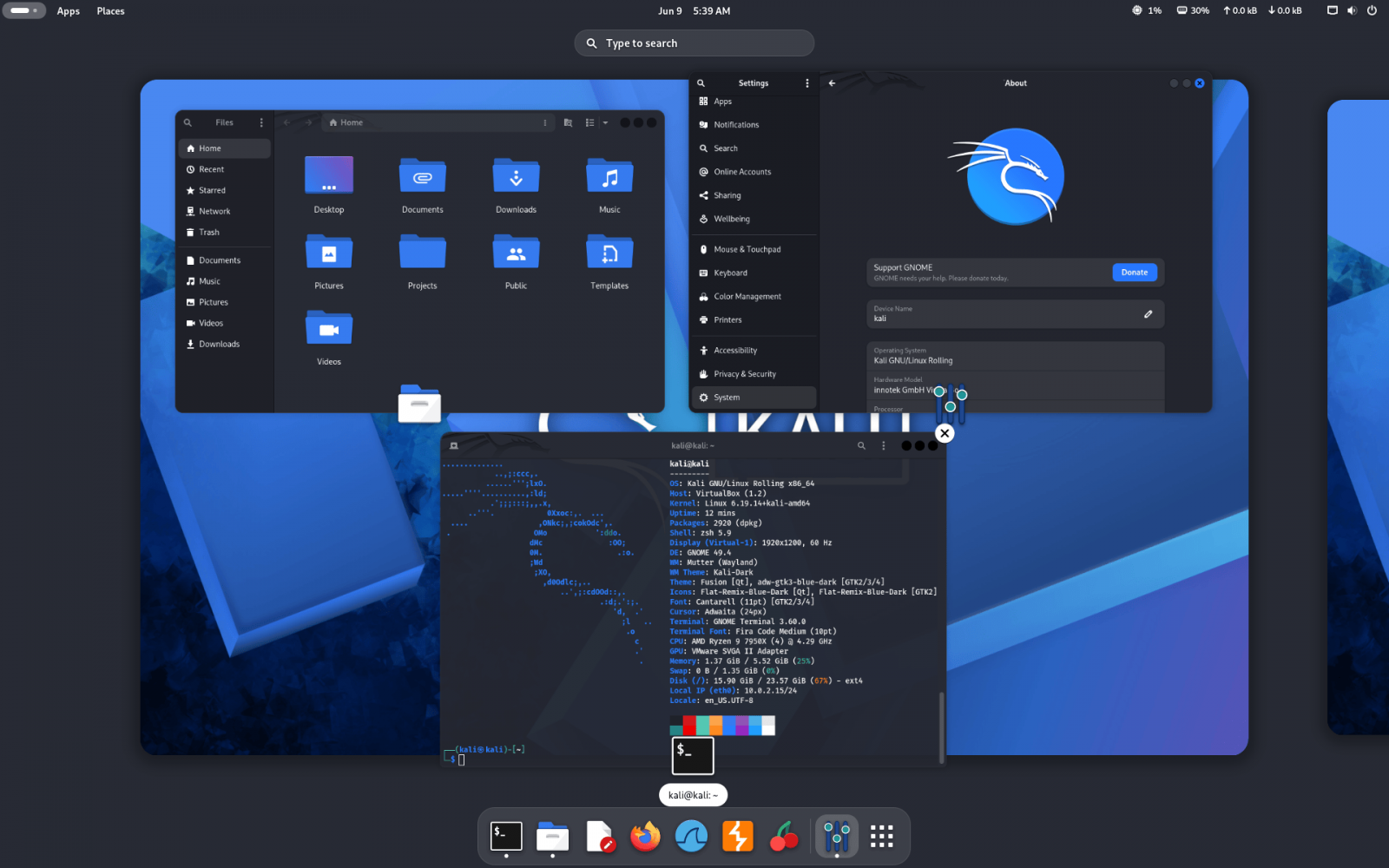
Kali Linux 2026.2 ships with two major desktop environment updates. GNOME 50 brings the latest iteration of GNOME’s design philosophy — cleaner, faster, and with continued refinements to the Activities overview and app grid. KDE Plasma 6.6, meanwhile, continues the Plasma 6 series’ strong track record of performance improvements and customization depth that KDE users have come to expect. Neither is a surprise inclusion, but both represent meaningful updates for users who care about their working environment beyond just the tools in the repos.
Kali NetHunter Gets a Serious Upgrade
NetHunter — Kali’s penetration testing overlay for Android devices — has seen some of the most substantial improvements in this release. The list of changes is long, but several stand out as particularly significant for mobile security professionals.
Magisk standalone kernel flashing support is now live in Kali Linux 2026.2. This means users can open a newly built kernel installer zip directly in the Magisk app without jumping through additional hoops. The Kali Team is explicit about this: ‘You can simply open any newly built kernel installer zip in the Magisk app that was built using the kali-nethunter-installer.’ For anyone who’s wrestled with kernel flashing workflows on Android, this is a genuine quality-of-life improvement.

New kernels with qcacld3 injection support have also been added, along with expanded kernel support for more device versions and phone models. Bare metal support through NetHunter Pro is now available on more phones, pushing the platform’s hardware reach further than before.
The NetHunter app itself has been optimized too. Launch times are reportedly instant now, and several bugs affecting the custom commands feature and chroot manager have been squashed. The most eye-catching new feature is a dedicated EvilTwin (Wi-Fi Fake AP) tab, complete with a password verification captive portal. According to the Kali Team, this also brought along a necessary iptables fix: ‘Now after using Wifipumpkin3 or EvilTwin, Android Hotspot will work properly.’ That’s a bug that will have frustrated anyone who switched between attack modes and found their hotspot broken — good to see it resolved.
Service Management Gets Smarter
A quieter but useful update in Kali Linux 2026.2 is the refresh to the services helper scripts. Managing services in a pentesting distro involves more friction than in a standard desktop OS — you’re often spinning things up and tearing them down between engagements, checking credentials, and verifying what’s actually running. The updated scripts make it easier to check service status, list default credentials, and get quick access information for running services. It’s not glamorous, but it’s the kind of ergonomic improvement that compounds over time for power users.
How to Get Kali Linux 2026.2
Existing users can upgrade to Kali Linux 2026.2 in place by pointing their sources list at kali-rolling and running a full system upgrade. Fresh installs and live ISO images are available directly from the official Kali download page. If you’re running Kali on Windows Subsystem for Linux, the team recommends upgrading to WSL 2 for better graphical application support — you can check your current version by running wsl -l -v in a Windows command prompt.
Kali Linux 2026.2 is a strong mid-year release. The VM boot optimization alone will improve the daily experience for a large portion of the user base, and the NetHunter improvements show that the team is taking mobile pentesting seriously as a first-class use case. With kernel 7.0 already visible on the horizon in kali-experimental, the second half of 2026 could bring the biggest kernel jump the distro has seen in years.
Frequently Asked Questions
What new tools are included in Kali Linux 2026.2?
Kali Linux 2026.2 adds nine tools: arsenal-ng, hydra-gtk (re-added), legba, oletools, penelope, shell-gpt, tailscale, tookie-osint, and uro. These cover areas like credential brute-forcing, OSINT, AI-assisted CLI productivity, secure networking, and URL decluttering for crawling.
How much faster does Kali Linux 2026.2 boot in a VM?
The Kali Team says boot time is cut by approximately 3x for VM users. This was achieved by removing graphics firmware from pre-built VM images, reducing the initrd to 60 MB for VM users, while baremetal users retain a 200 MB initrd with all graphics firmware pre-installed. Results were tested on QEMU running on a Linux host.
What desktop environments does Kali Linux 2026.2 ship with?
Kali Linux 2026.2 ships with GNOME 50 and KDE Plasma 6.6. These updates are part of the desktop environment improvements included in this release.
How do I upgrade an existing installation to Kali Linux 2026.2?
You can upgrade by updating your sources list to kali-rolling, then running sudo apt update followed by sudo apt -y full-upgrade in the terminal. After the upgrade completes, verify your version by running grep VERSION /etc/os-release.

