


- Vite config options like forwardConsole are new in Vite 8 and transform how developers debug browser errors from the terminal.
- Eight Vite config options can dramatically improve your dev workflow, and most developers haven’t heard of them yet.
- Vite 8 shipped in March 2026 with Rolldown, a Rust-based bundler delivering builds 10 to 30 times faster than before.
- Native TypeScript path alias support means one less plugin to install — if you configure it correctly.
Table of Contents
Why Vite Config Options Matter More Than Ever in 2026
The story of Vite in 2026 is one of quiet dominance. Millions of downloads a month, adoption across every major JavaScript framework, and now, with Vite 8, its most significant architectural overhaul since version 2. Yet despite all of that momentum, the Vite config options that make the tool genuinely powerful are hiding in plain sight. At VueConf US this year, Vue creator Evan You asked the audience — a room full of frontend developers — how many had actually tried Vite 8. Only a handful of hands went up. That’s a gap worth closing.
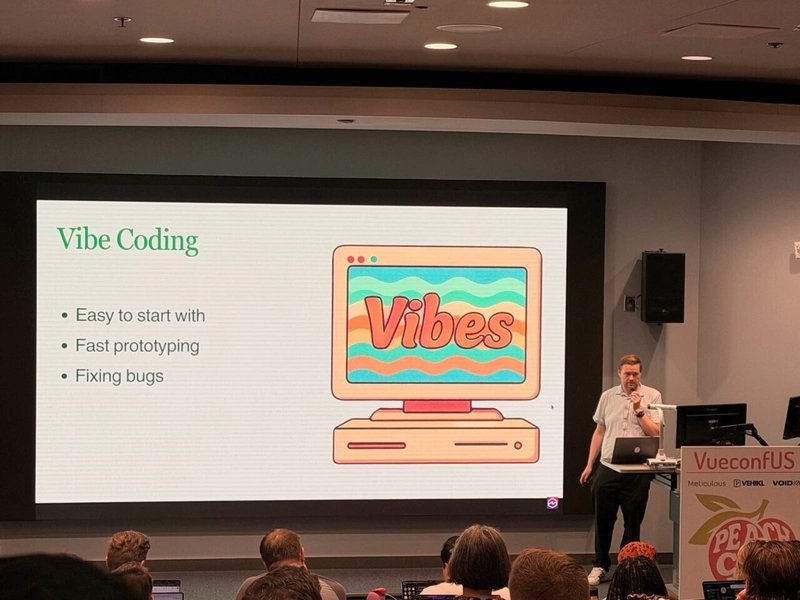
This isn’t just a tutorial rundown. It’s a signal about where front-end tooling is headed and why understanding your build tool at a deeper level is becoming a competitive advantage. Let’s get into the eight Vite config options that should be in your vite.config.ts — two brand new in Vite 8, six that have existed for a while but rarely get talked about.
The Vite 8 Architecture Shift You Shouldn’t Ignore
Before getting into specific Vite config options, it’s worth understanding what changed under the hood. Vite 8, released in March 2026, introduced Rolldown — a Rust-based bundler built to replace the previous esbuild and Rollup combination. The headline number is 10–30x faster builds, which on large projects translates from minutes to seconds. That’s not marketing copy; Rust-based tooling has been delivering those kinds of gains consistently across the ecosystem, as we’ve seen with tools like Turbo and Biome.
Rolldown also brings unified behavior between dev and production — historically one of Vite’s awkward edges, where your dev server (powered by esbuild) could behave differently from your prod bundle (powered by Rollup). Closing that gap matters a lot for debugging reliability and CI confidence. To get started with Vite 8, you’ll need Node.js 20.19+ or 22.12+, and upgrading is as simple as running npm install vite@latest.
Two New Vite Config Options in Vite 8
1. server.forwardConsole — Your Terminal Sees What the Browser Sees
This is the one that immediately makes sense once you hear it. When forwardConsole is enabled, any console errors or warnings firing in the browser show up directly in your Vite terminal. No more flipping between DevTools and your editor trying to piece together what’s happening. Among all the Vite config options added in version 8, this one changes daily debugging habits the most.
What makes this particularly interesting is the context in which Vite auto-enables it: when it detects an AI coding agent via @vercel/detect-agent. That tells you something about where developer tooling is heading. AI agents can’t look at a browser tab — so if you want them to act on runtime errors, those errors need to surface somewhere the agent can read them. Vite 8 is thinking ahead here.
The configuration is minimal:
- Set server.forwardConsole: true to pipe all browser console output to the terminal
- Use the object form to get granular — filter by log level or only capture unhandled errors
- Stack traces are source-mapped, so you see the original TypeScript line numbers, not compiled output
It defaults to false for manual setups. Turn it on and you’ll wonder how you worked without it.
2. resolve.tsconfigPaths — No More Plugin for TypeScript Aliases
For years, getting TypeScript path aliases to work in Vite meant installing vite-tsconfig-paths, a third-party plugin that’s been downloaded hundreds of millions of times. Vite 8 bakes this functionality in natively, covering both the dev server and production builds. Set resolve.tsconfigPaths: true in your config and you’re done. It’s one of the Vite config options that will immediately reduce your plugin count.
There’s a common setup mistake worth flagging: the paths key in your tsconfig must live inside compilerOptions, not at the top level of the JSON. It’s an easy slip when editing tsconfig by hand, and Vite will silently ignore path mappings placed at the wrong level. Double-check your structure before wondering why aliases aren’t resolving.
There’s a small performance cost to the feature, which is why Vite keeps it opt-in rather than default. The TypeScript team themselves note that paths is designed to inform TypeScript about mappings handled by other tools — it doesn’t change emit behavior. But for any TypeScript project that already uses path aliases, this is an easy win that removes a dependency.
One practical distinction: if you’re on a plain JavaScript project, working in a monorepo, or want aliases that stay completely independent from TypeScript’s config, resolve.alias is still the right choice. They solve overlapping but not identical problems.
Six Vite Config Options You’re Probably Not Using
3. server.proxy — It’s Not Really About CORS
Most developers discover server.proxy when they hit a CORS error and go looking for a fix. That framing undersells what the proxy actually does. The real point is making your local dev environment mirror production behavior. It’s also one of the Vite config options that rewards a closer read of the documentation.
In production, your frontend and API typically share a domain. There’s no cross-origin problem because there’s no separate origin. In development, your Vite frontend might be on localhost:5173 and your backend on localhost:8080 — different ports, different origins, instant CORS error. The proxy solves this by routing /api/* requests through Vite itself to your backend. The browser never sees a cross-origin request at all.
Beyond the obvious use case, there are a few less-discussed reasons to reach for this:
- When you’re working against a teammate’s service or a third-party API that hasn’t whitelisted localhost, you can’t change their server — but you can proxy through Vite
- Adding permissive CORS headers to your backend purely for local dev is a configuration concern leaking into production-adjacent code; the proxy keeps that separation clean
- You can inject authentication headers for external services inside the proxy config callback, keeping credentials out of your browser bundle entirely — though this is strictly dev-side; production auth should be handled server-side
The changeOrigin: true option makes the forwarded request appear to come from the target host, which some backends require for validation. The rewrite function strips the /api prefix before the request hits your backend, so your routes don’t need to know about the proxy at all.
4. server.hmr.overlay — Turn Off the Red Screen When You Need To
Vite’s default behavior on a server error is to throw a full-screen red overlay in the browser. For most situations that’s genuinely useful — HMR failures, transform errors, and runtime crashes all get surfaced immediately. But when you’re deep in UI-heavy work and the error overlay keeps blocking the component you’re trying to inspect or iterate on, it gets in the way fast.
Setting server.hmr.overlay: false disables it. Errors still land in the terminal and the browser console — nothing is hidden. It’s purely about whether Vite takes over the browser screen to show them. Like many Vite config options, this is a personal preference call more than a best-practice one, but it’s one of those quality-of-life settings that makes a real difference once you know it’s there.
5. resolve.alias — The Explicit Path Shortcut
Even with native tsconfigPaths support in Vite 8, resolve.alias still has its place. It’s the explicit, framework-agnostic way to configure import shortcuts — no tsconfig required, no TypeScript dependency. If you’re working on a JavaScript project, a monorepo with mixed setups, or you simply want your aliasing logic to live in one place independent of TypeScript’s compiler options, this is where you go.
The tradeoff is that it’s a separate source of truth from your tsconfig — changes in one place don’t automatically reflect in the other. For TypeScript projects, tsconfigPaths consolidates that into a single definition. For everything else, resolve.alias gives you direct, predictable control. Both are Vite config options worth understanding before deciding which one fits your project structure.
What These Settings Tell Us About Where Vite Is Going

Taken individually, each of these Vite config options is a modest quality-of-life improvement. Taken together, they sketch a picture of what the Vite team is prioritizing: tighter integration with AI-assisted development workflows, less reliance on third-party plugins for common functionality, and a dev experience that more closely mirrors production from day one.
The forwardConsole feature is the clearest signal. Building AI agent detection directly into the dev server — and treating terminal-visible errors as a first-class concern — isn’t an accident. It reflects where a significant chunk of software development is already happening in 2026: with AI agents in the loop that need structured, readable output rather than browser GUIs.
Vite’s download numbers suggest it’s already won the dev server war among JavaScript frameworks. The question now is whether it can hold that position as the tooling layer gets more complex — Rolldown’s Rust foundation, built-in TypeScript path resolution, and AI-aware debugging features all point to a project that’s playing a longer game than just “fast HMR.” Reviewing the full set of Vite config options available today is a good way to stay ahead of those changes. If Evan You’s VueConf talk is any guide, there’s considerably more coming. The developers who already know these settings will be better positioned to use whatever comes next.

