


- Next.js 16 caching bugs compile cleanly, deploy successfully, and only reveal themselves when real users hit production.
- The most dangerous Next.js 16 caching bugs involve the ‘use cache’ directive being swallowed by wrapper functions silently.
- Tag string mismatches between developers cause cache invalidation to fail completely, with no error thrown anywhere.
- Using updateTag inside Route Handlers instead of Server Actions compiles fine but throws a runtime exception on the first real request.
Table of Contents
The Caching Model That Hides Its Own Failures
Next.js 16 caching bugs represent a genuinely new category of production problem — one that doesn’t announce itself with a red terminal message or a failed CI check. They pass TypeScript. They pass your linter. They deploy without complaint. And then, quietly, your app starts serving stale prices, ignoring database mutations, or throwing exceptions on the first real webhook call from Stripe. The build succeeded. Nobody got an email. The bug is just sitting there.
The Next.js 16 caching model is, by most accounts, a serious architectural improvement over what came before. The new ‘use cache’ directive system, stale-while-revalidate profiles, and Partial Prerendering (PPR) integration give developers genuinely powerful tools for building fast, data-fresh applications. But power and silent failure often travel together. The same model that makes intelligent caching easier also introduces a class of Next.js 16 caching bugs that are structurally invisible at compile time.
What follows are seven of the most common failure patterns — drawn from real production incidents, not hypothetical edge cases. If you’re running Next.js 16 with cacheComponents: true in your config, at least a few of these will feel uncomfortably familiar.
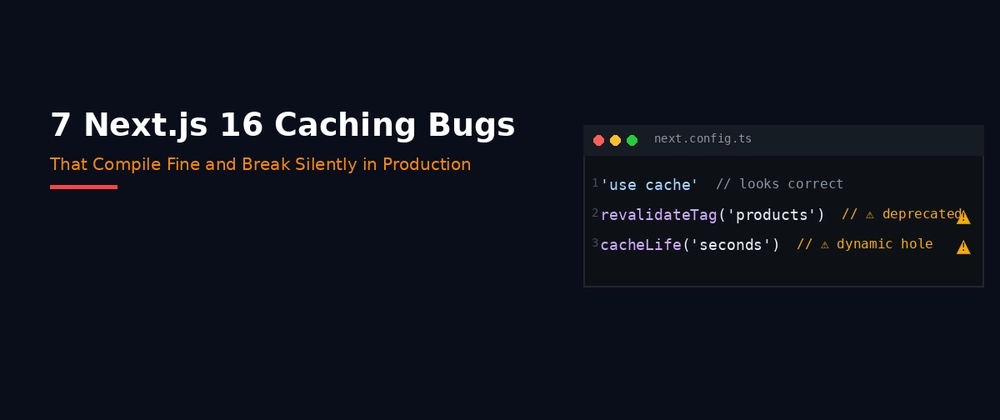
Next.js 16 Caching Bugs Start With Wrapper Functions
The first and probably most widespread of the Next.js 16 caching bugs involves wrapping a cached function. It looks completely harmless. You have a data-fetching function with the ‘use cache’ directive and a cacheLife(‘hours’) call inside it. Then you pass it through some utility wrapper — maybe for logging, error handling, or instrumentation. The compiler sees the wrapper as the execution boundary. The inner function’s cache directive gets honoured in isolation, but the wrapper runs on every single request regardless.
No warning surfaces. No performance metric flags it. The function just quietly executes on every request when it should be hitting a cache for hours at a time. The fix is architectural: the ‘use cache’ directive must live inside the data function itself, and the wrapper receives the already-cached function rather than wrapping the uncached version. That distinction — which function is the cache boundary — is something the compiler won’t enforce for you.
The revalidateTag Deprecation Nobody Told Your tsconfig About
Here’s one that specifically targets older projects being migrated to Next.js 16. Calling revalidateTag(‘products’) without a second argument is deprecated in Next.js 16 and produces a TypeScript error — but only if your tsconfig is running in strict mode. Many production codebases, especially those that started life on Next.js 13 or 14, aren’t in strict mode. So the call compiles cleanly, the TypeScript error never surfaces, and Next.js silently falls back to legacy invalidation behaviour instead of the new SWR-based system.
The result: pages stop reflecting mutations. You update a product. The product page stays stale. No error, no log line, nothing. These Next.js 16 caching bugs are particularly insidious because the fix is to pass a second argument — either ‘max’ for SWR-based revalidation or { expire: 0 } for immediate expiry on things like payment webhooks. Vercel’s own migration tooling — npx @next/codemod@canary upgrade latest — handles this automatically, but it won’t fix your tsconfig strictness setting, and that’s where the real risk lives.
Tag String Mismatches: The Classic Two-Developer Bug
This one is almost poetic in how avoidable it is, yet it remains one of the more common Next.js 16 caching bugs teams encounter after migration. Developer A writes a data function and tags it ‘product-list’. Developer B, working in a different file, writes a Server Action that calls revalidateTag(‘products’). Two different strings. Zero overlap. Zero errors. The product list never refreshes after a new product is created, and users see stale data until the cache naturally expires on its own schedule.
The solution is a single source-of-truth tags file — a lib/tags.ts that exports typed constants for every cache tag in the application. Both the cacheTag() call and the revalidateTag() call import from the same object. Tag typos become TypeScript errors. The mismatch bug becomes structurally impossible. It’s one of those fixes that makes you wonder why it wasn’t the default pattern from day one, but here we are.
SWR Revalidation Makes Admins Think Their Saves Failed
Stale-while-revalidate is excellent for most content. It’s terrible for the person who just clicked a save button and immediately navigates to check their change. When revalidateTag is called with any named profile — including ‘max’ — it marks the cache as stale rather than expiring it immediately. The next request still gets the cached version while fresh data loads in the background. For an admin who just updated a product price, that means they see the old price. It looks like the save didn’t work. Confusion follows. Sometimes a second mutation follows that confusion.
Next.js 16 addresses this with updateTag, imported from next/cache. It expires the cache entry immediately, so the acting user waits for fresh data while everyone else continues to get the fast SWR treatment. The pattern that makes sense here is calling both: updateTag for the immediate user experience, and revalidateTag with ‘max’ for the broader cache refresh. There’s a hard constraint though — updateTag only works inside Server Actions. In Route Handlers, you need revalidateTag(tag, { expire: 0 }) instead. Which leads directly to the next failure.
updateTag in Route Handlers: Compiles, Deploys, Explodes
This is arguably the most dangerous of all the Next.js 16 caching bugs because the gap between writing it and discovering it is measured in real production traffic. You import updateTag from next/cache and call it inside a Route Handler — a Stripe webhook endpoint, say. It compiles. It deploys. Your staging environment probably doesn’t receive real Stripe events, so it never triggers. Then the first real price.updated webhook arrives in production and the handler throws at runtime.
The fix is straightforward once you know the rule: updateTag is Server Actions only. Route Handlers must use revalidateTag(tag, { expire: 0 }) to achieve immediate expiry. The frustrating part is that nothing in the type system or the compiler enforces this boundary. It’s a runtime-only constraint that costs you a production incident to discover if you haven’t read the release notes carefully. The Next.js documentation on revalidateTag covers this distinction, but it’s easy to miss during a fast migration. Among all Next.js 16 caching bugs, this one has the highest potential to cause real user-facing errors before any developer is alerted.
Short cacheLife Values Silently Kill Your PPR Static Shell
Partial Prerendering is one of the more ambitious features in modern Next.js — the idea that a single page can have a static shell served instantly from the edge while dynamic holes stream in from the server. It’s a compelling model. It also has a sharp edge that produces no warning whatsoever, making it one of the subtler Next.js 16 caching bugs to diagnose.
Any component with a cacheLife(‘seconds’) setting, a revalidate: 0, or a cache expiry under five minutes is automatically excluded from the PPR static shell. It becomes a dynamic hole that runs at request time. One component using cacheLife(‘seconds’) — say, a live stock status display — can quietly push parts of the surrounding page out of the static shell and make the whole thing fully dynamic. The page still renders. It still works. It just performs worse than expected with no obvious signal that anything changed. You’d need to instrument your cache behaviour explicitly, or use a dev-mode debugger, to catch it.
Why Silent Failures Are the Real Cost of Caching Power
There’s a broader pattern worth naming here. As frameworks like Next.js take on more of the performance optimisation work — automated caching, intelligent revalidation, edge-aware rendering — they necessarily push more complex state into places developers can’t see directly. The tradeoff is real: you get faster apps with less manual work, but the failure modes move from loud compilation errors to quiet runtime misbehaviour. Next.js 16 caching bugs are a direct expression of that tradeoff.
The industry is still figuring out the right tooling response to this. Better static analysis, stricter type constraints on cache-context-specific functions, and dev-mode instrumentation that surfaces cache hits and misses are all partial answers. None of them fully close the gap. Until they do, the practical defence against Next.js 16 caching bugs is defensive naming conventions, typed tag constants, and a clear mental model of which APIs are legal in which execution contexts. The bugs described here aren’t exotic — they’re the kind that show up in real teams shipping real products. The fact that they compile cleanly is exactly what makes them expensive.

