

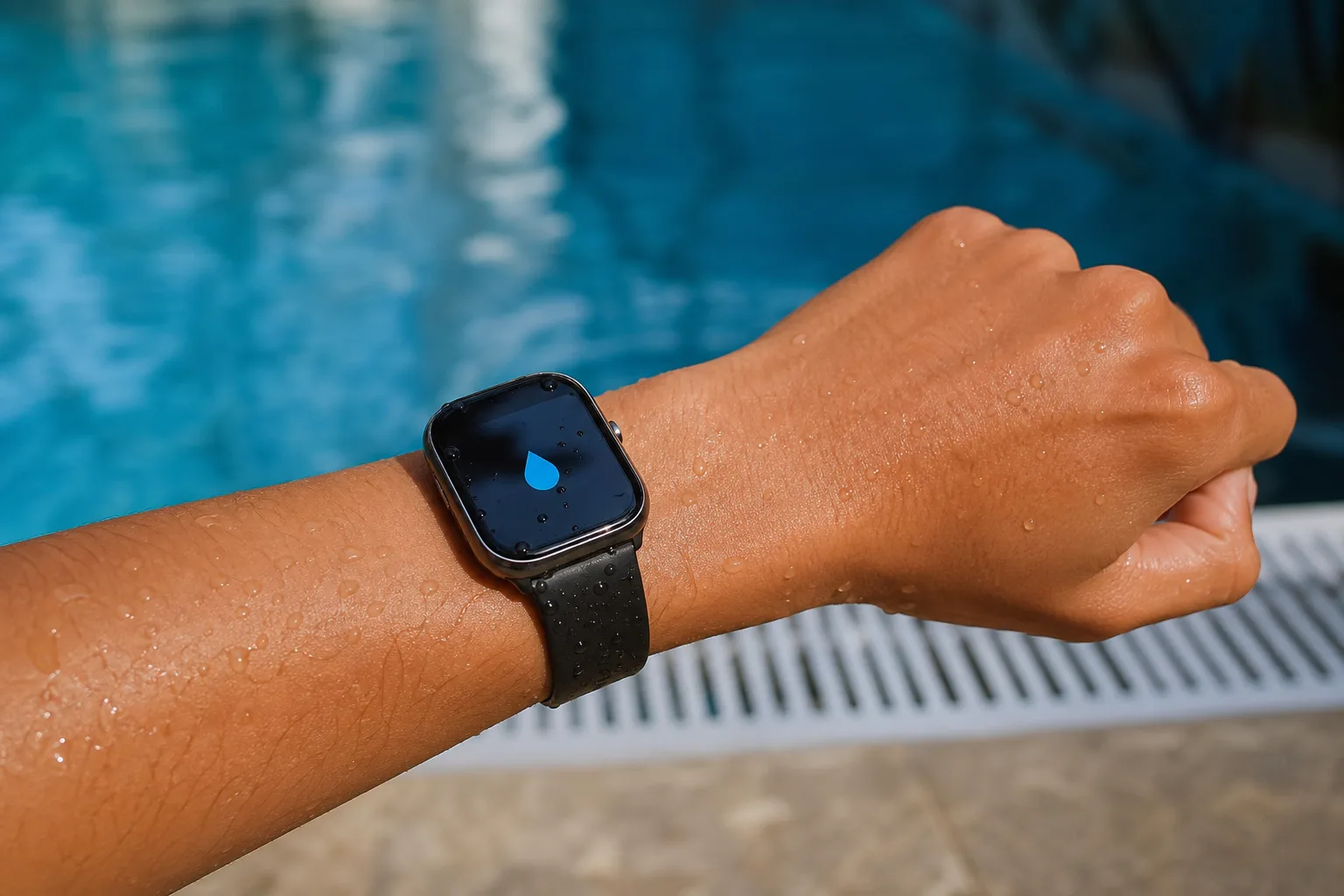
- Apple Watch Water Lock disables touch input during wet activities, so rain, splashes, and pool water don’t trigger commands by accident.
- When Apple Watch Water Lock ends, sound pulses push liquid out through the speaker opening; they do not dry the rest of the watch.
- Water resistance fades over time, and Water Lock offers no protection from soap, chemicals, steam, or physical damage.
- Swimming workouts turn the feature on automatically, but users can also enable it from Control Center before getting wet.
Table of Contents
Apple Watch Water Lock is more useful than it sounds
Water and touchscreens have never gotten along. A raindrop can pause a podcast, a wet sleeve can launch an app, and pool water has an uncanny talent for making a wrist gadget behave like it’s possessed. Apple Watch Water Lock is Apple’s tidy answer to that problem: it stops the display from responding while the watch is wet, then helps clear water from its speaker when you’re done.
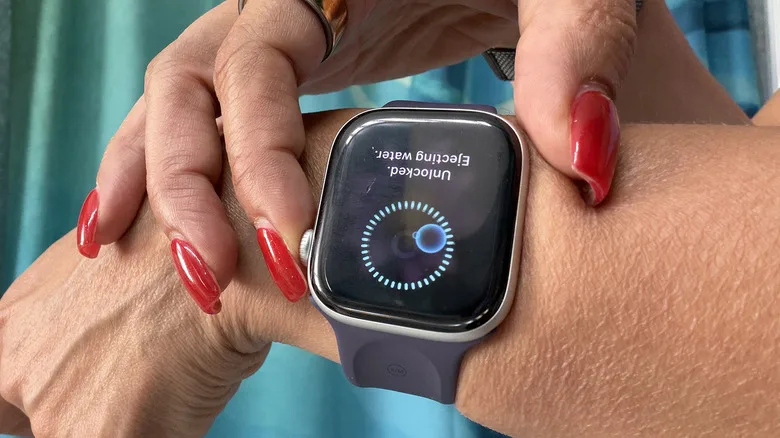
That last part is why the feature has endured. Most people understand the locked-screen bit immediately. The clever trick happens when you press and hold the Digital Crown to exit: the watch emits a burst of tones, and droplets visibly flick out of the speaker grille. It looks faintly ridiculous the first time, like your watch is shaking itself dry after a bath. It’s also genuinely useful.
Still, let’s clear up the biggest misunderstanding. Water Lock does not turn an Apple Watch into a waterproof device. It doesn’t deploy a hidden physical shutter, tighten a seal, or somehow make a cracked, aging watch safe for a dive. It is an input lock and a speaker-clearing tool, not a force field.
How Apple Watch Water Lock works in practice
On compatible watches, Apple turns on Apple Watch Water Lock automatically when you begin a water-based workout such as Pool Swim or Open Water Swim. That’s the sensible default. If you have ever tried tapping a wet screen while treading water, you know why Apple chose not to make this optional.
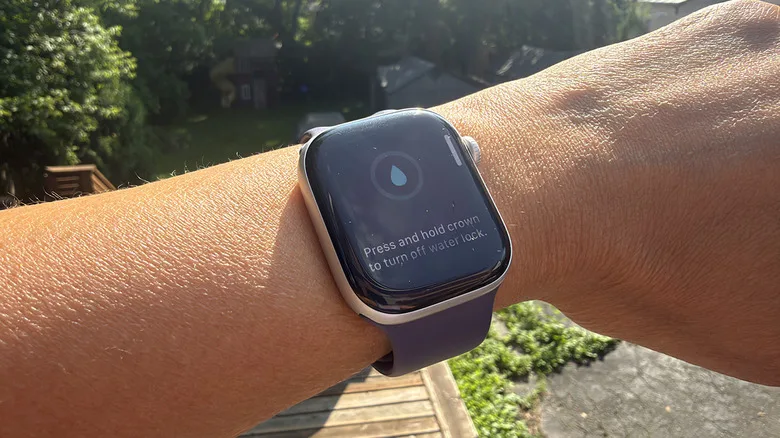
You can also enable it yourself. Press the side button to open Control Center, find the water-droplet icon, and tap it. The display will remain visible, but touch input is disabled. The Digital Crown and side button still provide physical controls, which is exactly the point: water can’t convincingly imitate a rotating crown.
To leave the mode, press and hold the Digital Crown. Apple Watch Water Lock then runs its water-ejection routine. The watch plays a sequence of low, pulsing sounds, pauses, and repeats. Those vibrations move the speaker diaphragm enough to drive water out through the speaker opening. You may see a tiny spray of droplets on your wrist or towel; on a wet day, it can be more than you expect.
This fix has a very specific job: clearing water from the speaker channel, where it can make calls, alarms, and workout cues sound muffled. The tones are not pumping water out of the watch’s sealed electronics. If water has reached places it was never meant to reach, a cheerful digital chirp won’t rescue it.
Water resistance has limits, and age is one of them
Apple rates many current Apple Watch models for swimming, but the company is careful with its language: they are water resistant, not waterproof. The distinction matters. Seals, adhesives, and acoustic membranes wear down over time, while a knock against a countertop or a previous repair can alter the protection you thought you had.
Water-resistance guidance draws a line between swimming and other wet conditions. A hot shower seems harmless, but heat, steam, and body-care products make it a less friendly environment than a straightforward swim. Frankly, wearing a watch in the shower is one convenience I’d skip.
That is also why Apple Watch Water Lock should be treated as a good habit rather than a maintenance plan. Use it before a swim or a soaking run. Rinse the watch gently with fresh water after saltwater exposure, wipe it down with a non-abrasive cloth, and let it dry. If the speaker remains muffled after the ejection sequence and some drying time, don’t keep hammering the Crown hoping for magic.
Different Apple Watches, different water ambitions
Standard Apple Watches from Series 2 onward support the feature, and their swimming credentials are designed around surface-level activities. The Apple Watch Ultra line is the outlier. Its deeper water rating and dedicated Oceanic+ diving support make it more plausible for serious underwater use, though even there, Apple’s limits and the requirements of the diving app matter far more than a marketing image of someone plunging into blue water.
For most owners, though, Apple Watch Water Lock earns its keep in much less cinematic settings: laps at the local pool, a downpour during a commute, dishes after dinner, or a sweaty training session. It’s a small feature that solves a mundane annoyance well, which is often where good hardware design lives.
Why other smartwatch makers should copy the idea
Many sport watches advertise high water-resistance ratings, yet their approach to wet speakers can be vague or nonexistent. Apple’s sound-based ejection isn’t exclusive magic; it’s a practical use of hardware already sitting on the wrist. And because Apple Watch Water Lock is tied into workout detection, it asks almost nothing of the person using it.
My read is that this is one of those features people only appreciate after it saves them from an annoying problem three or four times. Apple has spent years adding health sensors and bigger safety claims to the Watch. But the humble water droplet icon may be just as revealing: the company remembered that a watch built for swimming still needs to behave sensibly when it gets wet. More wearables could stand to learn that lesson.
Frequently Asked Questions
Does Apple Watch Water Lock make the watch waterproof?
No. Apple Watch Water Lock prevents unwanted screen touches and runs the speaker-clearing sequence afterward. It does not improve the watch’s water-resistance rating or seal the device against water, pressure, soaps, chemicals, or damage to its gaskets.
Why does my Apple Watch make sounds when Water Lock turns off?
The tones create vibrations that push trapped water from the speaker port. Apple uses the same basic principle as other small speakers: moving the speaker diaphragm rapidly can dislodge droplets that would otherwise muffle audio.
Can I use an Apple Watch in the shower?
Apple cautions against exposing the watch to soaps, shampoos, lotions, perfumes, and high-pressure water. Those substances can affect water-resistant seals and acoustic membranes over time, so a pool or open-water swim is generally a better fit than a daily hot shower.
When should I manually enable Water Lock?
Enable it before swimming, surfing, washing dishes, or exercising in heavy rain if the screen is likely to be splashed repeatedly. It is especially useful when you want the display to stay put rather than react to stray droplets.

