

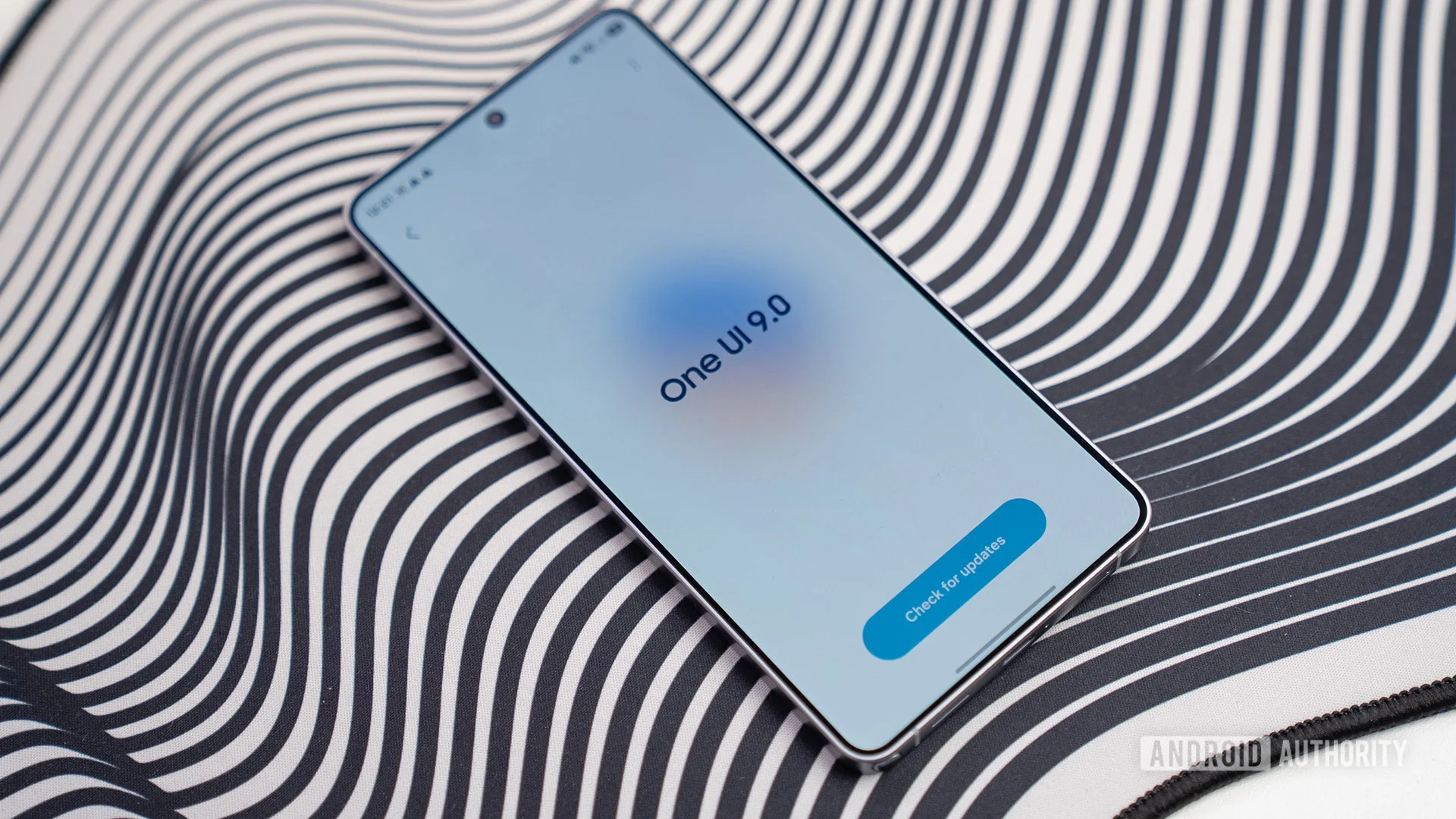
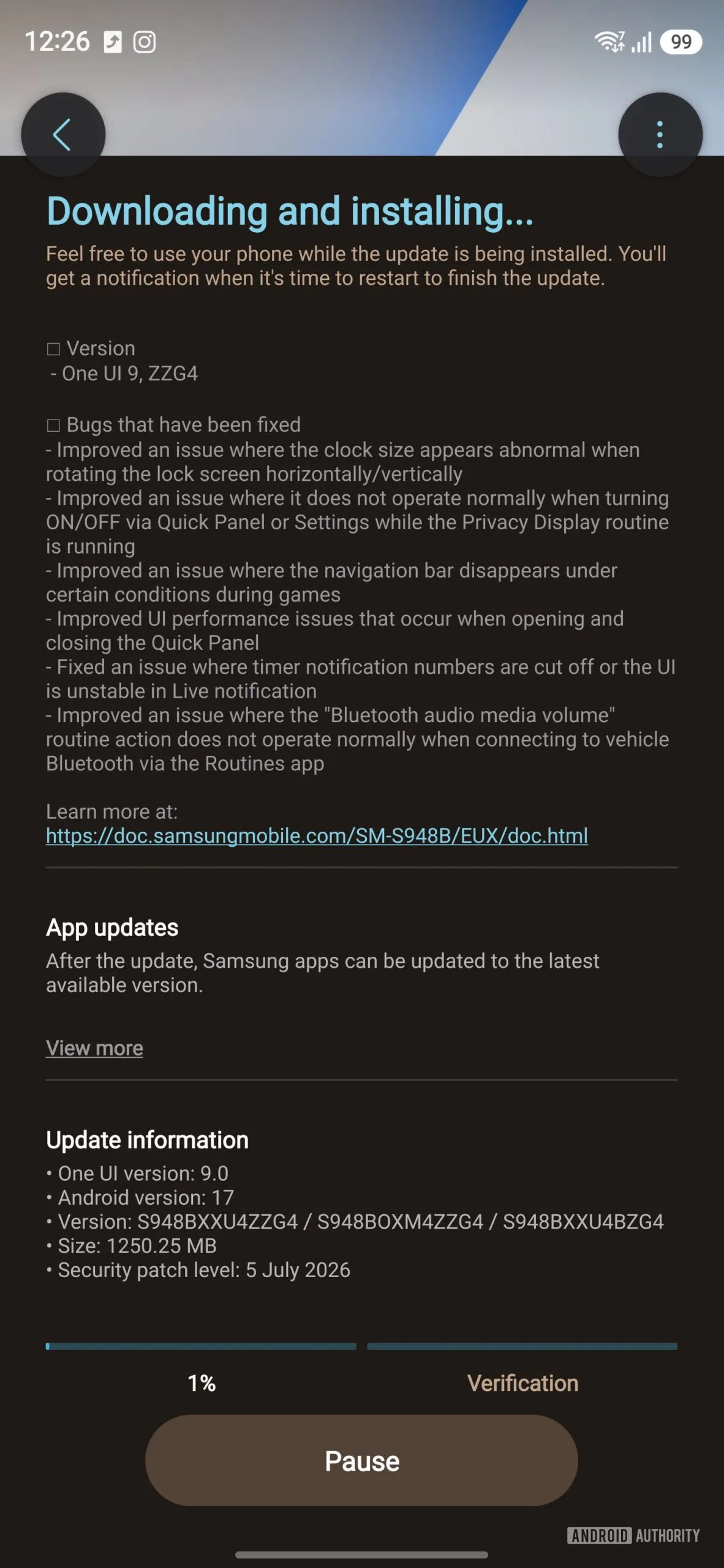
- One UI 9 beta 4 brings a 1.25GB Galaxy S26 update with Samsung’s July 5, 2026 security patch.
- The latest One UI 9 beta fixes disappearing navigation controls, oversized lock-screen clocks, timer glitches, and unreliable Routines actions.
- Samsung has released the firmware in several beta markets, while enrolled Galaxy S26 owners in the United States are still waiting.
- The update’s focus on small interface failures suggests Samsung is moving from feature work toward stable-release polish.
Table of Contents
Samsung is fixing the parts that make a phone feel broken
The fourth One UI 9 beta for Samsung’s Galaxy S26 lineup is a 1.25GB reminder that software polish is mostly about the little things. Nobody buys an Ultra handset to admire a changelog. But when the navigation bar vanishes during a game, a timer clips its own numbers, or the lock-screen clock suddenly looks enormous, the premium-phone experience starts to feel oddly flimsy.
Samsung has begun sending firmware ending in ZZG4 to Galaxy S26 beta testers in Germany, India, Poland, the UK, and South Korea. The build runs atop Android 17 and includes the July 5, 2026 Android security patch. US participants have not received it at the time of publication, although Samsung’s regional beta releases typically arrive in waves rather than all at once.
There are no flashy new tools in this release. Frankly, that is probably the right call. By a fourth beta, adding another headline feature would be like repainting the kitchen while the plumbing is still leaking. Samsung needs the basics to behave consistently before it can credibly call One UI 9 ready for everybody.
One UI 9 beta 4 goes after six specific bugs
The One UI 9 beta changelog reads like it came from people who actually use their phones rather than a marketing team. Samsung says it addressed an abnormal lock-screen clock size when rotating the device between portrait and landscape. That sounds minor until you consider how often a phone is turned sideways on a bedside stand, in a car mount, or while watching video.
Samsung also says it fixed cases where the navigation bar disappeared during games. Gesture navigation is great right up until you need to exit a game quickly and the operating system decides to hide the exit. Mobile gaming may not be everyone’s hobby, but this is exactly the sort of bug that makes even a powerful phone feel untrustworthy.
The update also tackles slowdowns when opening and closing Quick Panel, the familiar shade that holds brightness, connectivity, and device controls. Quick Panel is one of the most frequently touched surfaces in Samsung’s software. A hitch there is more noticeable than a benchmark dip because it happens dozens of times a day.
- Lock-screen clock sizing should now remain normal while rotating the phone.
- Navigation controls should no longer disappear under certain gaming conditions.
- Live notification timers should no longer crop numbers or become unstable.
- Privacy Display and Bluetooth media-volume actions in Samsung Routines have received fixes.
The Routines fix is easy to overlook, but it hits a familiar daily annoyance. Samsung’s Routines automation system is one of the more useful differentiators in One UI, especially for people who connect to a car every day. The reported issue affected the Bluetooth audio media-volume action when a handset connected to vehicle Bluetooth. If your commute begins with a carefully tuned routine and ends with the stereo blasting at an unexpected level, you know why that is not a trivial defect.
Why this One UI 9 beta is more important than it looks
Samsung has spent years building a software identity that is more ambitious than stock Android. That comes with upside: deep customization, a mature multitasking setup, Routines, DeX, and a broad set of device integrations. It also means a lot more places for a small regression to hide. The fourth One UI 9 beta shows the cost of that complexity, but it also shows Samsung doing the unglamorous work required to manage it.
Google’s Pixel software has historically offered a cleaner reference point for new Android releases, while Samsung often wins on the sheer number of practical controls. Neither model is automatically better. A Pixel can feel less cluttered; a Galaxy can feel more prepared for the weird situations real users run into. My read is that Samsung’s challenge with One UI 9 is not adding capability. It is preventing its many moving parts from stepping on each other.
The July patch matters too, even though Samsung has not yet detailed every security item incorporated into this beta release. Users can follow the company’s published advisories through Samsung’s security update page. Beta software should never be mistaken for a security guarantee, of course. Installing pre-release firmware still involves trade-offs, from battery quirks to app incompatibility, and it remains a poor choice for anyone who cannot tolerate a rough day with their primary phone.
The stable release is getting closer, but the US delay is familiar
This One UI 9 beta is available in most of Samsung’s established testing territories, with the United States as the conspicuous holdout. That does not necessarily signal a problem. Carrier certification and regional distribution processes have a habit of turning even routine software deployments into a traffic jam. Still, Samsung should get the US build out quickly if it wants meaningful feedback from one of its largest markets before the stable rollout.
At roughly 1.25GB, the update is sizeable for a build focused on bug fixes, which suggests Samsung is replacing more than a handful of isolated files. That is normal for a beta build, but it is another reason to install it on Wi-Fi and leave enough free storage before tapping download. The firmware’s ZZG4 label is mainly useful for confirming that you have the current build; it does not, by itself, reveal a public release timetable.
Samsung has not attached a firm stable-launch date to this particular One UI 9 beta. What it has done is more revealing: it is now chasing UI responsiveness, display oddities, gaming behavior, notifications, and automation reliability in the same build. Those are late-stage concerns. If the next release is similarly quiet and keeps shrinking the bug list, the final version may arrive without the usual annual ritual of early adopters discovering that a supposedly finished update still has one foot in the test lab.

