


Most Safari upgrades are the sort you notice only after they’ve saved you from your own bad habits. iOS 27 Safari appears to understand that unusually well: it adds a page watcher for people tired of refreshing listings, an AI extension maker for the mildly curious, and tab organization for the rest of us with 400 open browser windows pretending to be a research system.
Apple’s headline iOS 27 changes may be the new standalone Siri AI app and deeper search integration, but Safari’s quieter additions could prove more useful day to day. They’re tucked inside menus rather than splashed across the home screen, which is classic Apple. These are some of the first Apple Intelligence features that feel pointed at a mundane problem instead of an impressive demo.
There’s a catch before anyone gets too excited. The new iOS 27 Safari tools depend on Apple Intelligence, meaning they need an iPhone 15 Pro or newer. Compatible iPads and Macs running iPadOS 27 and macOS 27 get them as well. That hardware line matters: the people most likely to benefit may find their perfectly functional older iPhone has been left outside the velvet rope.
- iOS 27 Safari can monitor a webpage for specified changes, including price drops, ticket releases, and revised policy language.
- iOS 27 Safari uses Apple Intelligence to generate lightweight extensions from plain-language requests, with mixed practical and playful results.
- Automatic tab topics turn an unruly collection of open pages into grouped subjects, a useful fix for chronic mobile-tab accumulation.
- The new Safari tools require Apple Intelligence hardware, limiting their reach to an iPhone 15 Pro or later.
Table of Contents
iOS 27 Safari turns page refresh into an alert
The best of the bunch is called Notify Me, and it’s refreshingly easy to explain. Open a webpage, use Safari’s menu, choose the feature, and tell the browser what change you’re waiting for. You can also decide how often it should check. Apple says Safari can let you know when a website updates the content you’re interested in.
That sounds like a shopping tool because, frankly, shopping is where most people will use it first. Waiting for a sofa to go on sale, a sold-out camera lens to come back, or an airline fare to fall below a personal pain threshold? Safari can take over the repetitive checking. But its more interesting use is broader. A concert venue may release extra tickets. A government agency may update a public notice. A service you use may quietly alter its privacy policy. Those aren’t traditional price-tracker jobs.
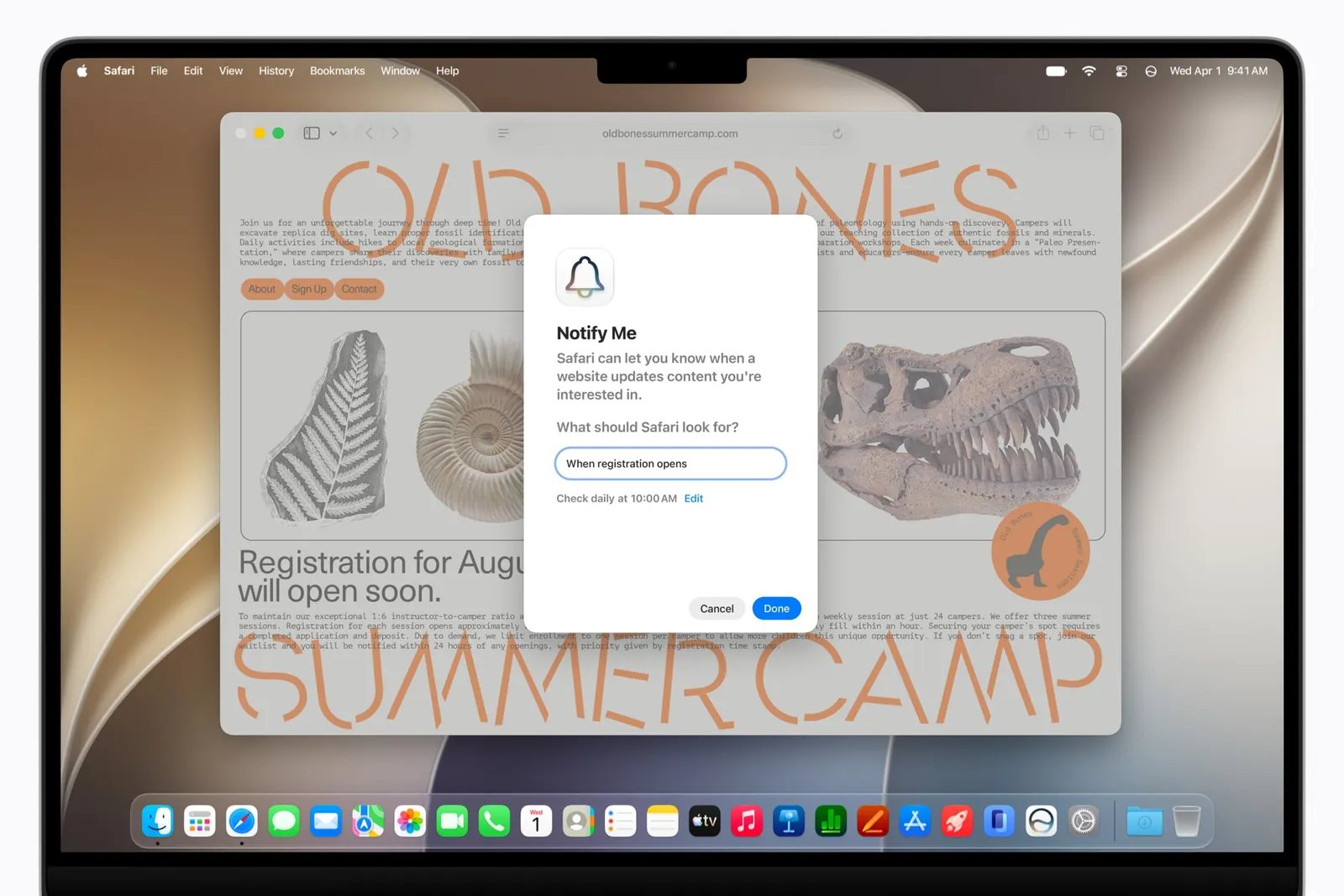
Google Chrome has long offered product price tracking, and plenty of specialist services can monitor pages with more sophistication. What Apple is doing differently in iOS 27 Safari is making the request conversational. Rather than selecting a particular field or trying to understand a web-monitoring rule, you tell the browser what matters. That lowers the barrier dramatically, though it also raises the obvious question: how reliably can Apple’s system distinguish a meaningful change from a retailer rearranging a product page?
My read is that Notify Me will be genuinely useful if Apple is conservative with alerts. A browser notification every time a store adjusts a delivery estimate would become digital junk mail fast. But if it can recognize the difference between “the page changed” and “the item is now 25 percent off,” it may earn a permanent spot in Safari’s toolkit.
An extension maker that could be useful, or just fireworks
The strangest new option in iOS 27 Safari is Describe an Extension. Its premise is almost disarmingly simple: type what you want an extension to do, then let Apple Intelligence build one. Safari suggests ideas such as putting a reading-time estimate in an extension badge, making a webpage grayscale to reduce distraction, or triggering a colorful fireworks effect whenever you tap.
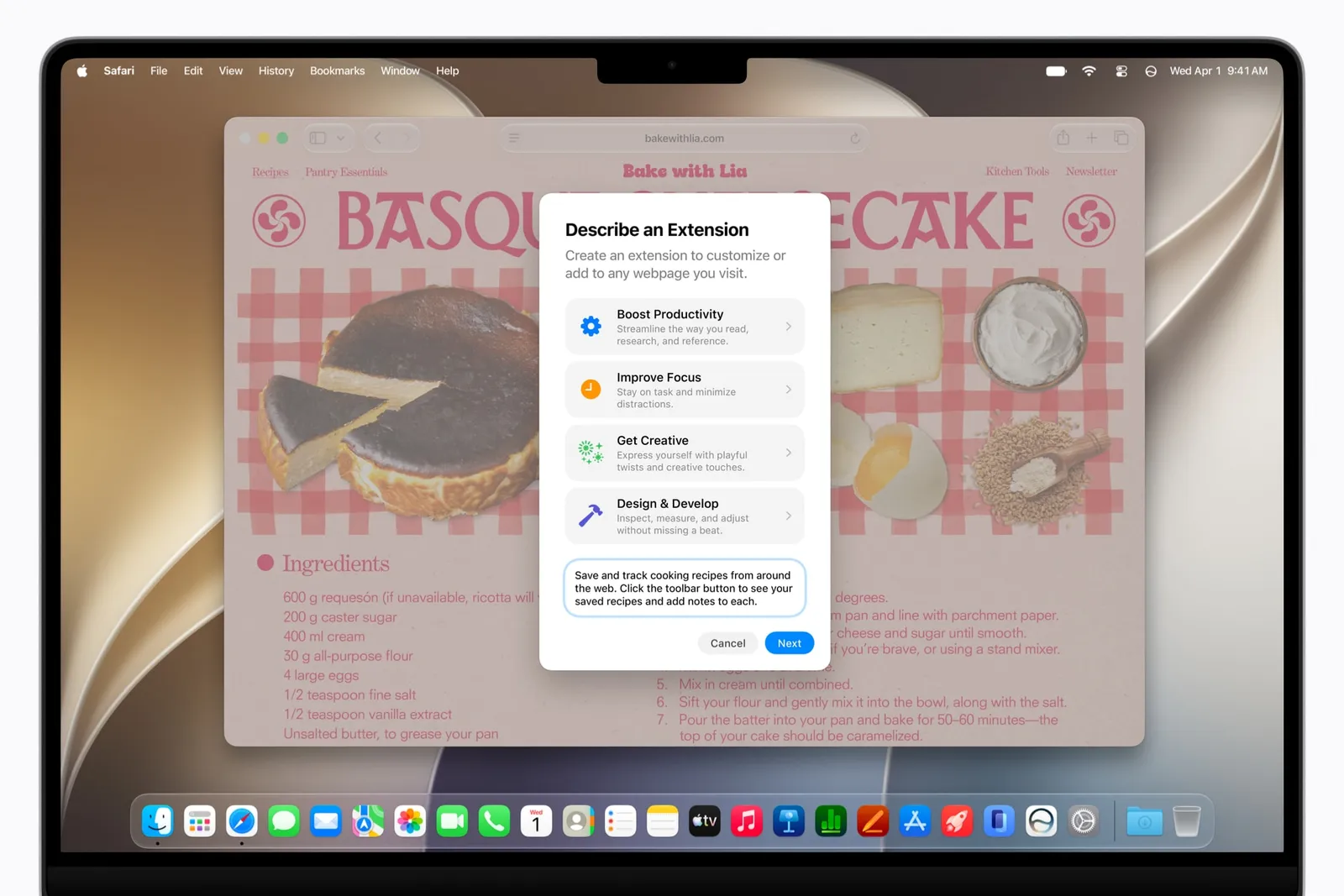
The grayscale request is the one that points to a real use case. Modern web pages are designed to keep your attention ricocheting from a story to a video to a shopping module to another story. Removing visual noise can make a long read feel less like browsing through a department store. The fireworks, meanwhile, are silly — and that’s fine. Computing got too self-serious for a while.
Apple also surfaces pre-made extensions that may match a request, which is sensible. Generative systems are often at their best when they offer a useful shortcut instead of insisting on inventing the wheel every time. Still, users should be cautious about what an AI-generated extension can access and modify. Browser extensions occupy a sensitive place: they can see what happens on pages, and historically they have been a fertile ground for sketchy data collection. Apple’s controlled ecosystem may reduce that risk, but it doesn’t erase the need to inspect permissions and behavior.
The official Apple Intelligence overview makes the pitch forcefully. In practice, iOS 27 Safari will be judged less by the marketing language than by whether these generated mini-tools remain dependable after the novelty wears off.
Finally, a humane answer to the tab pile
Safari’s third addition may have the widest audience. In the tab overview — the screen reached through the overlapping-squares button — users can select an option to automatically create topics from a tab group. Give it a few seconds, and Safari identifies related pages and groups them.
This is one of those features that sounds boring until you picture the actual target user: someone with dozens, or hundreds, of tabs spread across shopping, recipes, work documents, travel planning, articles they swear they’ll read later, and a restaurant menu opened three weeks ago. That user is me, and probably you too.

Apple’s system can identify clusters such as articles from one publication, event pages for a city, or local venues under consideration. It’s not magic; categorization has existed in email, photo libraries, and note apps for years. But iOS 27 Safari applies it at the moment it hurts most: when a mobile tab strip becomes an archaeological site.
There is a small philosophical tension here. Easy grouping could encourage even more tab hoarding, the same way bigger closets don’t always make people own fewer clothes. Yet manual tab management has never been a behavior people enjoy. Automation is the right answer. If the suggested topics are wrong, users can fix them; if they’re mostly right, the browser has saved meaningful time.
Apple is making the browser more like an assistant
These features point to where browsers are heading. For years, the browser was mostly a window: you typed a URL, searched, read, and moved on. Now companies want it to watch, sort, summarize, and act. Microsoft has been pushing AI through Edge and Copilot, while Google continues stitching Gemini into Chrome and Search. Apple’s approach in iOS 27 Safari is less conspicuous, at least so far. It starts with small chores.
That’s probably the smarter bet. Nobody needs an AI browser to write a sonnet about a sneaker listing. They might, however, want an alert when that sneaker is finally available in their size. They might want their 87 tabs sorted before a flight. And they might want a webpage stripped of attention traps while they finish an article.
Apple has a history of arriving late to an idea, then making it feel native enough that people wonder why it wasn’t always there. We’ll see whether these tools clear that bar. Notify Me has the strongest chance. If it works without pestering people, iOS 27 Safari could make the browser feel less like a place to manage and more like a quiet assistant that knows when to interrupt.
Frequently Asked Questions
Which iPhones support iOS 27 Safari AI features?
The new Safari features described here rely on Apple Intelligence, so they require an iPhone 15 Pro or a newer compatible iPhone. Apple also makes the tools available through iPadOS 27 and macOS 27 on supported hardware.
How does Safari Notify Me work?
Notify Me lets a user describe a change they want Safari to watch for on a webpage and select how frequently it should check. Safari can then let the user know when the page contains that specified change, such as a lower price.
Can iOS 27 Safari organize existing tabs?
Yes. From Safari’s tab overview, users can ask the browser to automatically create topics from a crowded tab group. It sorts related open sites into topical collections.

