

- Odysseus is a self-hosted AI workspace that runs entirely on your own hardware, keeping your data private and local.
- The self-hosted AI workspace bundles chat, autonomous agents, deep research, email triage, calendar, and more in one app.
- It supports major local inference backends including Ollama, llama.cpp, and vLLM, plus remote APIs like OpenAI and OpenRouter.
- A built-in Cookbook feature scans your hardware and recommends models your GPU can actually run — then downloads them for you.
Table of Contents
A Self-Hosted AI Workspace That Actually Looks Good
A new open-source project called Odysseus is making a serious attempt at something most local AI tools haven’t bothered with: building a self-hosted AI workspace that doesn’t feel like a developer debug panel. Launched at version 1.0 by GitHub user pewdiepie-archdaemon, Odysseus positions itself as the privacy-respecting counterpart to the polished interfaces of ChatGPT and Claude — with, as the project readme cheerfully admits, “more jank and fun.”
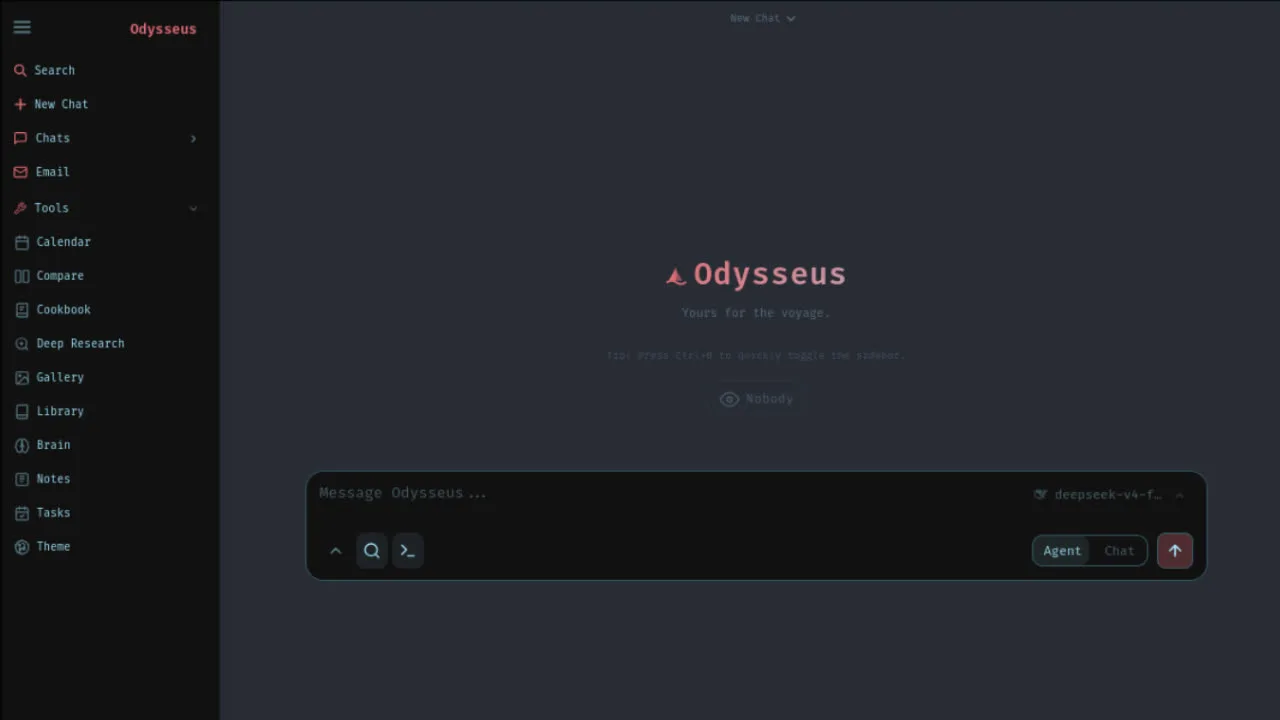
That self-deprecating honesty is refreshing. Most open-source AI projects oversell themselves. Odysseus seems to know exactly what it is: a powerful, opinionated self-hosted AI workspace for people who want the convenience of a modern AI assistant without handing their conversations, documents, and emails to a third-party cloud. Given where the broader industry is heading — with nearly every major SaaS product now shipping an AI tier that logs your data to train future models — the appetite for local alternatives has never been higher.
What Odysseus Actually Includes
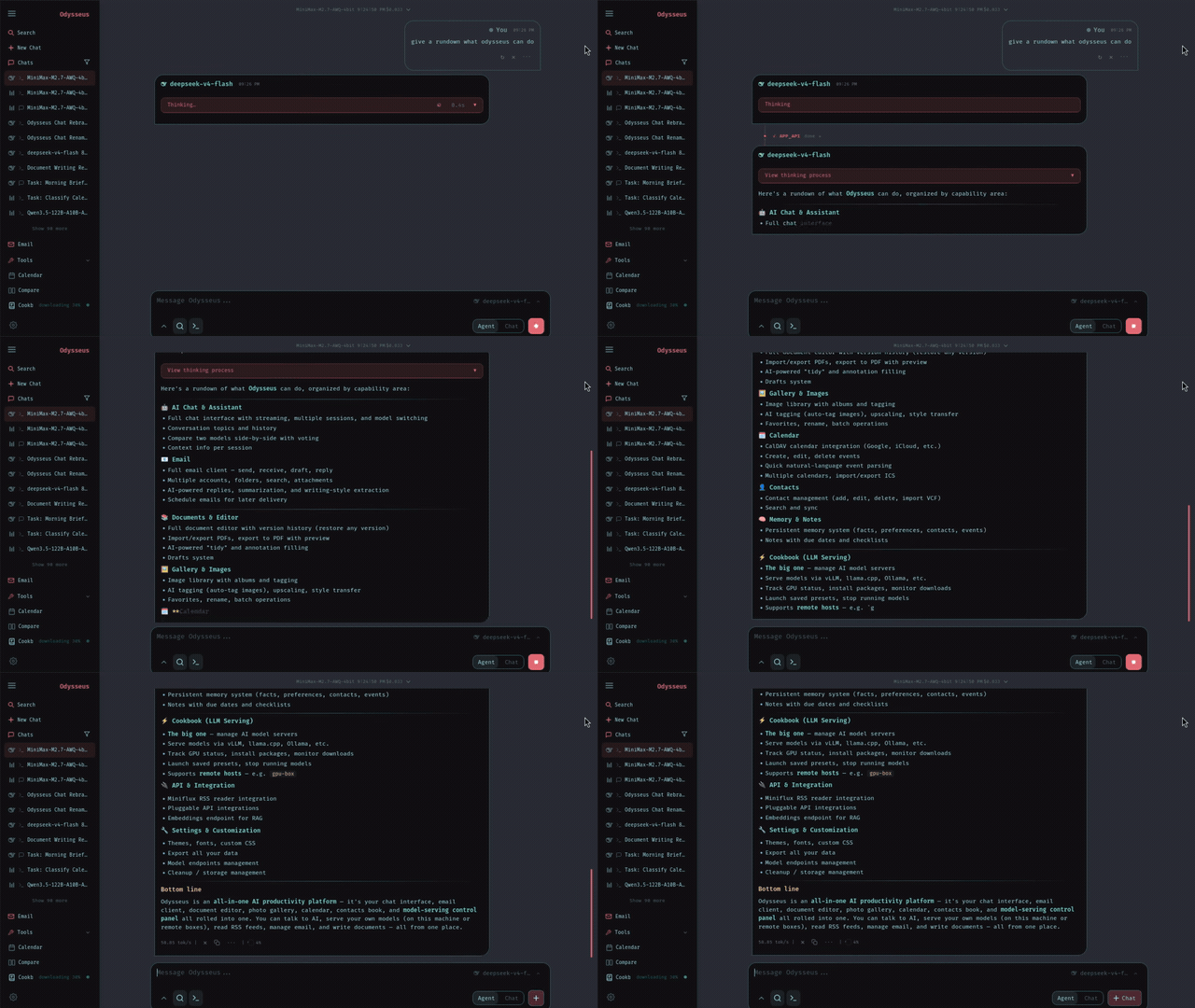
The feature list is genuinely long. At its core, the self-hosted AI workspace offers a chat interface that connects to any local model or remote API. It supports Ollama, llama.cpp, vLLM, OpenRouter, and OpenAI — so whether you’re running a quantised Mistral 7B on a gaming rig or routing to GPT-4o via API key, Odysseus handles both without changing the interface. Adding a new model endpoint takes seconds through the Settings panel.
Beyond plain chat, there’s a full autonomous agent mode built on top of opencode and the Model Context Protocol (MCP). Hand it a task and it’ll use web search, file access, shell execution, and persistent memory to work through the problem independently. That’s the kind of thing that used to require stitching together LangChain, a vector store, a search API, and a custom frontend. Here it’s one Docker Compose command away.
The agent’s memory system deserves a closer look. Odysseus uses ChromaDB as its vector database, paired with fastembed running on ONNX for local embeddings — no API calls required. Memory and skills are persistent, meaning your agent builds a model of how you work over time. You can import and export that memory, which is a smart call: lock-in is a real concern with stateful AI systems, and letting users own their context data is the right move.
The Cookbook: Smart Model Management
One of the more practical additions in this self-hosted AI workspace is the Cookbook. It scans your hardware, calculates what’ll actually fit in your VRAM, and surfaces a curated list of recommended models. Click one and it downloads and serves it for you. That might sound trivial, but anyone who’s spent an afternoon wrangling GGUF quantisation levels and llama.cpp server flags knows it isn’t.
Cookbook supports GGUF, FP8, and AWQ quantisation formats with a fit-scoring system that accounts for available VRAM before recommending anything. It can serve models via both vLLM and llama.cpp. For remote servers, it manages model deployment over SSH using an Ed25519 key it generates itself — stored in the Docker volume at ./data/ssh. It’s the kind of workflow automation that makes a self-hosted AI workspace genuinely approachable for people who aren’t comfortable at the command line.
Deep Research, Email, Calendar — The Full Stack
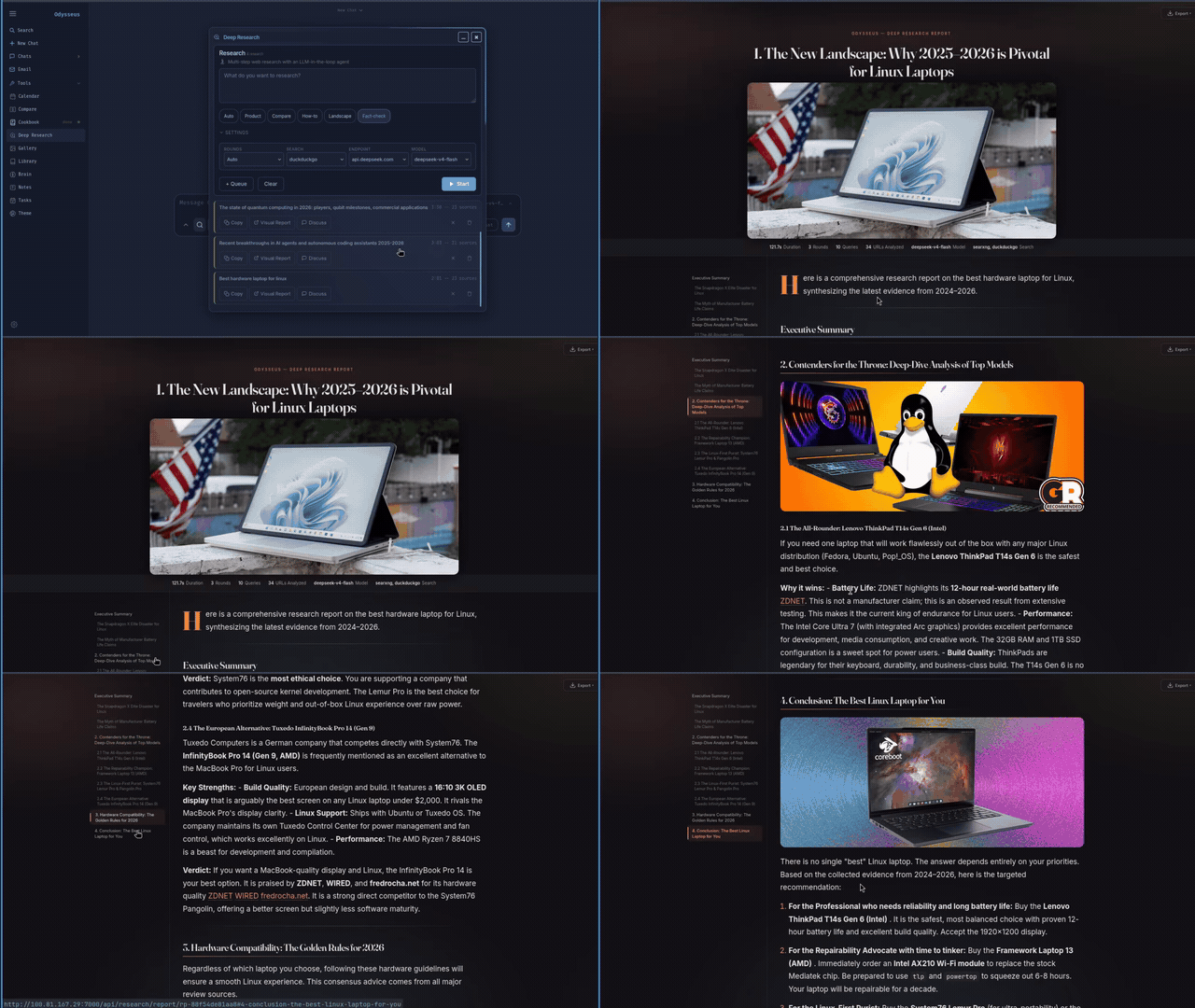
Odysseus doesn’t stop at chat and agents. The deep research module — adapted from Alibaba’s Tongyi DeepResearch — runs multi-step research pipelines that gather sources, read them, and synthesise findings into a structured visual report. It’s not a gimmick; multi-step retrieval-augmented research is one of the genuinely useful applications of current LLM capabilities, and having it run locally rather than on Perplexity’s servers is a meaningful privacy win.
There’s also a full email client with IMAP and SMTP support, AI-powered triage built in. Urgency scoring, auto-tagging, auto-summarisation, spam filtering, and draft reply generation all happen on your own hardware. The calendar is CalDAV-compatible, meaning it syncs with Nextcloud, Apple Calendar, Fastmail, and any other CalDAV-speaking service. A notes and tasks module rounds things out, with cron-style scheduled tasks the agent can act on and notifications via ntfy, email, or browser push.
The documents editor flips the usual AI writing tool dynamic on its head — the project explicitly frames it as a workspace where you write and AI assists, rather than the other way around. It supports Markdown, HTML, and CSV with syntax highlighting, AI-suggested edits, and multi-tab editing. It’s not trying to be Notion AI. It’s trying to be your text editor with a very capable co-pilot available on request.
Self-Hosted AI Workspace Security — What to Watch
The project is candid about the security surface area. Odysseus has shell access, file system integration, model downloads, email access, and API token management all in one place. The docs describe it plainly: treat it like an admin console. That means keeping AUTH_ENABLED=true, not exposing it to the public internet without HTTPS and a reverse proxy, and auditing data/auth.json after first boot to disable open signup and restrict admin privileges.
Those are sensible defaults, and the fact that the project calls them out explicitly suggests the developer has thought seriously about deployment threat models. Still, anyone running this self-hosted AI workspace on a network-accessible server should read the security notes carefully before opening any ports. The power that makes Odysseus useful — direct shell access, email integration, persistent agent memory — is exactly the power you don’t want exposed to the open web without proper hardening.
Getting It Running
Setup is straightforward for anyone comfortable with Docker. Clone the repo, copy the example env file, run docker compose up -d –build, and the stack comes up on port 7000. That single command starts Odysseus, ChromaDB, SearXNG for private web search, and ntfy for notifications. First-time configuration happens entirely through the Settings UI — you only need to touch the .env file if you’re overriding deployment-level variables like the database URL or admin password.
A bare-metal install path exists too, targeting Python 3.11+ on Linux and macOS. Linux users will want tmux installed for background model downloads. Windows support is available but explicitly flagged as untested — Docker on Linux is the recommended path if you’re not on a Unix-like system.
Odysseus is also a progressive web app, meaning it installs on mobile and adapts to touch interfaces. That’s not a feature many self-hosted AI workspace projects bother with, and it meaningfully expands the use case beyond desktop power users.
Why This Matters Now
Projects like Odysseus arrive at a specific moment in the local AI story. The hardware requirements for running useful models have dropped dramatically over the past 18 months — a modern laptop with 16GB of unified memory can run a capable 8B-parameter model at reasonable speeds. Meta’s Llama 3 release earlier this year demonstrated that open-weight models are competitive with proprietary ones on many real-world tasks. The infrastructure gap — the missing layer between a capable model and a usable application — is exactly what a self-hosted AI workspace like Odysseus is trying to close.
Whether a single developer’s 1.0 release can maintain the breadth of features it’s launched with is a real question. Email clients, calendars, agent frameworks, and vector memory systems are each substantial engineering surfaces on their own. But as a statement of what a self-hosted AI workspace could look like — and as a working, deployable starting point — Odysseus is one of the more ambitious open-source AI projects to land on Hacker News in a while. The privacy-first AI space is getting serious competition, and tools like this will push even the commercial players to think harder about what local-first really means.

