

- C# neural networks now run in the browser with no ONNX Runtime, no JavaScript bridge, and no native binaries to install.
- SpawnDev.ILGPU.ML 4.0.0 brings C# neural networks across six backends including WebGPU, WebGL, CUDA, and CPU from one codebase.
- The engine transpiles standard C# kernel code into WGSL, GLSL, WebAssembly, PTX, and OpenCL at runtime automatically.
- Five validated inference pipelines — including image classification, depth estimation, and style transfer — run entirely client-side in live demos.
Table of Contents
C# Neural Networks That Actually Run in Your Browser
Running C# neural networks natively in the browser — without ONNX Runtime, without a JavaScript bridge, without compiling native binaries — sounds like the kind of thing that gets filed under “technically possible but nobody’s done it yet.” A developer going by lostbeard on GitHub has now done it, and the result is SpawnDev.ILGPU.ML, a library that shipped its 4.0.0 preview to NuGet this week. Eight months ago, the creator of ILGPU — the .NET GPU compiler this project forks — told him that Blazor WebAssembly support would be too difficult to build. He shipped it anyway.
The project’s ambition is straightforward to state but deceptively hard to execute: write a GPU kernel once in C#, and have it run on WebGPU, WebGL, WebAssembly, CUDA, OpenCL, or plain CPU — chosen at runtime, on whatever hardware the user actually has. That’s six backends from a single function. No conditional compilation, no platform-specific code paths, no “works on my machine” asterisks. The result is a practical framework for C# neural networks that spans everything from a mobile browser to a data-centre GPU.
How One C# Function Becomes Six Different Shaders
The engine is built on SpawnDev.ILGPU, a fork of the open-source ILGPU project that lostbeard extended with three browser-specific GPU backends. ILGPU’s core trick is taking .NET CIL — the intermediate language your C# compiles to — and transpiling it into GPU shader code. The original project handled CUDA, OpenCL, and CPU. The fork adds WGSL for WebGPU, GLSL for WebGL2, and WebAssembly binary with SIMD and multi-threading via SharedArrayBuffer.
What that looks like in practice: a single C# kernel function that doubles a tensor’s values gets compiled, at runtime, into a WGSL compute shader when you’re on a modern Chrome or Edge install, a GLSL vertex/fragment shader using WebGL2 Transform Feedback on older browsers (compatibility stretching back to around 2017), a WebAssembly function dispatched across web workers on browsers without GPU compute access, a PTX kernel on Nvidia hardware, an OpenCL kernel on AMD or Intel desktops, or a parallel CPU loop as the universal fallback.
One function. Six execution paths. The selection is automatic. That’s a genuinely impressive piece of compiler engineering — not the sort of thing you knock out in a weekend. It is also precisely what makes C# neural networks viable across such a wide range of deployment targets without touching the inference code itself.
The Tensor API: Borrowing the Best Ideas From ONNX Runtime
The C# neural networks API the library exposes is deliberately familiar. If you’ve used Transformers.js or ONNX Runtime, you’ll recognise the pattern immediately: create a session from a model file, allocate input tensors, call run, get output tensors back. The difference is that everything here is idiomatic C# with real type-safe generics and deterministic disposal through IDisposable.
The library defines three tensor types that mirror how ILGPU itself separates host-side and kernel-side data. Tensor<T> lives on the host and supports zero-copy reshape and slicing. OwnedTensor<T> is the disposable, GPU-buffer-owning variant that inference pipelines return — wrap your outputs in a using block and everything cleans itself up. TensorView<T> is the blittable struct that actually gets passed into GPU kernels, carrying the tensor’s shape inline so you’re not juggling separate height and width parameters. Implicit conversions between all three mean you rarely need to call any explicit cast method at a call site.
It’s a clean design, and the fact that it maps closely to ONNX Runtime’s mental model is clearly intentional — lowering the barrier for developers already familiar with ML inference APIs. Anyone who has built C# neural networks against a Python-backed REST endpoint will notice how much simpler the local inference model is when the runtime and the application share the same language and type system.
Five Real Models, Running Right Now in a Browser Tab
The claims aren’t hypothetical. The library ships with five inference pipelines that have been validated across all six backends, and there’s a live demo at lostbeard.github.io/SpawnDev.ILGPU.ML you can open right now. Each pipeline demonstrates a different aspect of what C# neural networks can do when the runtime has full access to the GPU without leaving the browser sandbox.
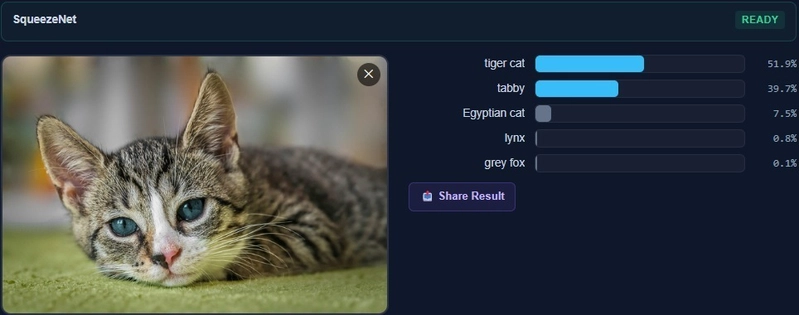
Image classification uses SqueezeNet loaded directly from Hugging Face’s CDN. The ONNX file gets cached in the browser’s Origin Private File System so subsequent visits don’t re-download it. The model runs entirely client-side — the image never leaves the device. Output renders straight from a GPU buffer to an HTML canvas element via the library’s ICanvasRenderer, skipping any PNG encoding or base64 round-trip.
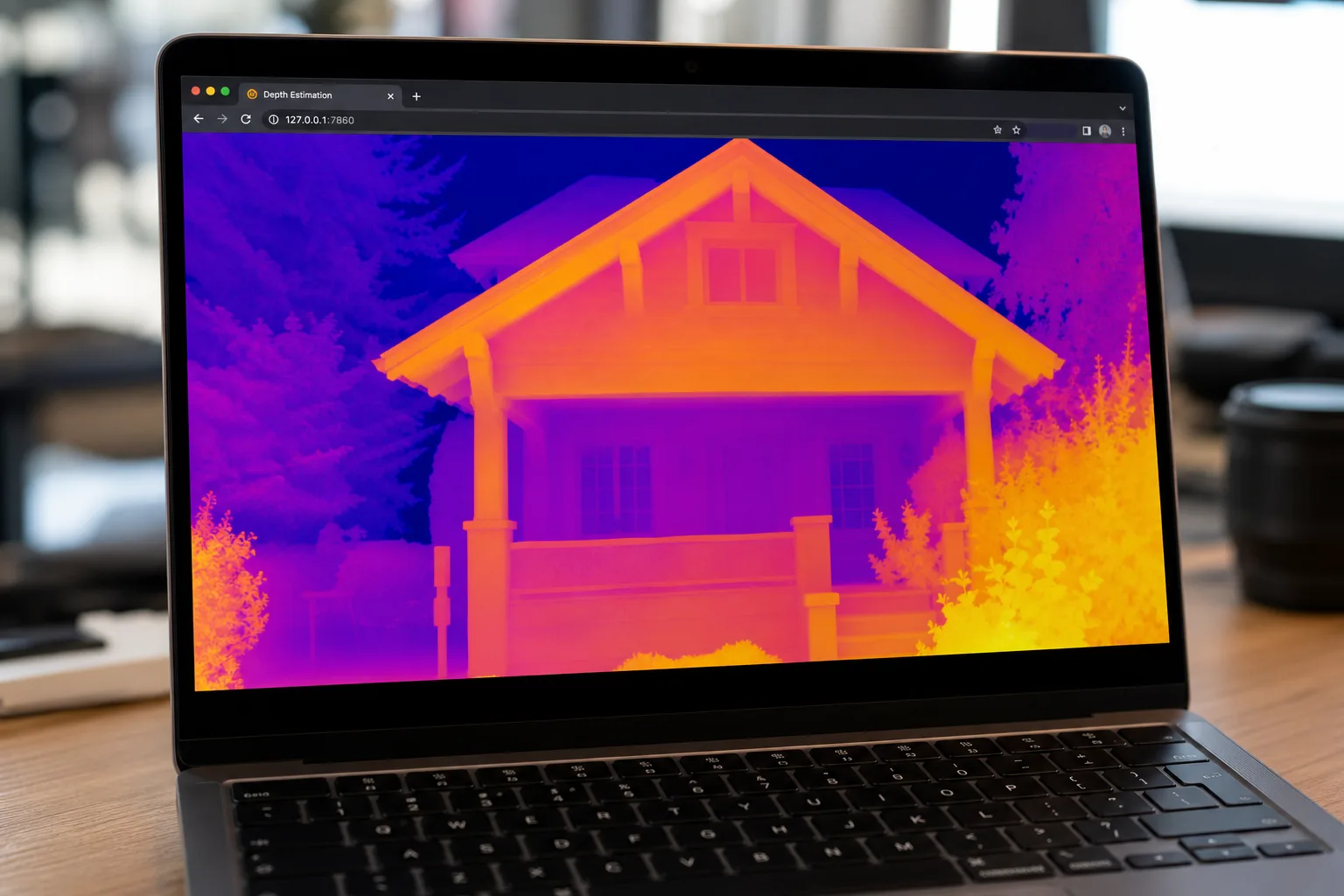
Depth estimation uses Depth Anything V2, a 95MB model. Rather than loading the entire weight file into memory at once and blowing up the WebAssembly heap, the library streams weights one tensor at a time. Output depth maps are upscaled back to the source image’s original aspect ratio using a GPU bilinear resize kernel, then colourised through a piecewise-linear palette kernel — plasma, viridis, inferno, or grayscale. Switching palette is a single accelerator dispatch; the model doesn’t re-run.

Neural style transfer runs the classic Gatys-style model fully client-side, compositing directly to canvas via the GPU renderer. Salient object segmentation computes its mask on the GPU, applies it to the source image’s alpha channel on the GPU, and handles compositing — transparent background, white background, or blur — without a single CPU loop touching pixel data. That’s the kind of detail that matters for performance on lower-end hardware. Both pipelines illustrate how C# neural networks can handle real creative-tools workloads inside the browser with no server round-trip.
The most technically interesting pipeline is the super-resolution implementation. The ESPCN model takes a fixed 224×224 luminance input, which naively would mean shrinking any larger image down, running it through the model, and accepting the resulting quality loss. Instead, the pipeline tiles the source image into overlapping 224×224 patches, runs each patch through the model, accumulates them back into a destination luminance plane on the GPU using weighted averaging in the overlap regions, then recombines the result with bilinear-upsampled chroma channels from the original image. Full resolution. Full colour. Source aspect ratio preserved. That’s not a trivial implementation — it’s the kind of engineering that turns a toy demo into something actually useful.
Why This Matters Beyond the Technical Achievement
The browser ML inference space has, until now, been dominated by two approaches: JavaScript-native runtimes like Transformers.js, or heavy native binaries that require server infrastructure. ONNX Runtime Web exists, but it brings its own deployment complexity and doesn’t give you a unified codebase that also runs on CUDA servers and CPU desktops without changing a line of application code. Neither approach has offered .NET developers a clean story for C# neural networks that travels from browser to server unchanged.
What SpawnDev.ILGPU.ML proposes is different: write your inference logic once in C#, target Blazor WebAssembly for the browser frontend, and deploy the same code to a CUDA-accelerated server backend without branching. For .NET shops building AI-powered tools, that’s a genuinely attractive proposition. The privacy angle is real too — client-side inference means sensitive images or documents stay on the user’s device, which is increasingly a regulatory and trust requirement rather than just a nice-to-have.
The project is still in preview — the NuGet package is tagged accordingly — and it’s the work of a solo developer who’s openly asking for community help to keep the pace up. But the fundamentals are there, the demos are live, and the engineering credibility is hard to dismiss. The ILGPU maintainers said Blazor WebAssembly support was too difficult. The preview package is now on NuGet. Sometimes the most interesting infrastructure comes from the people who didn’t accept the first answer they got.
If the .NET ecosystem picks this up, C# neural networks running uniformly across browser and server could quietly become a real alternative to Python-dominated ML deployment pipelines — at least for teams already working in the Microsoft stack. That’s a niche, but it’s a large and underserved one.

