

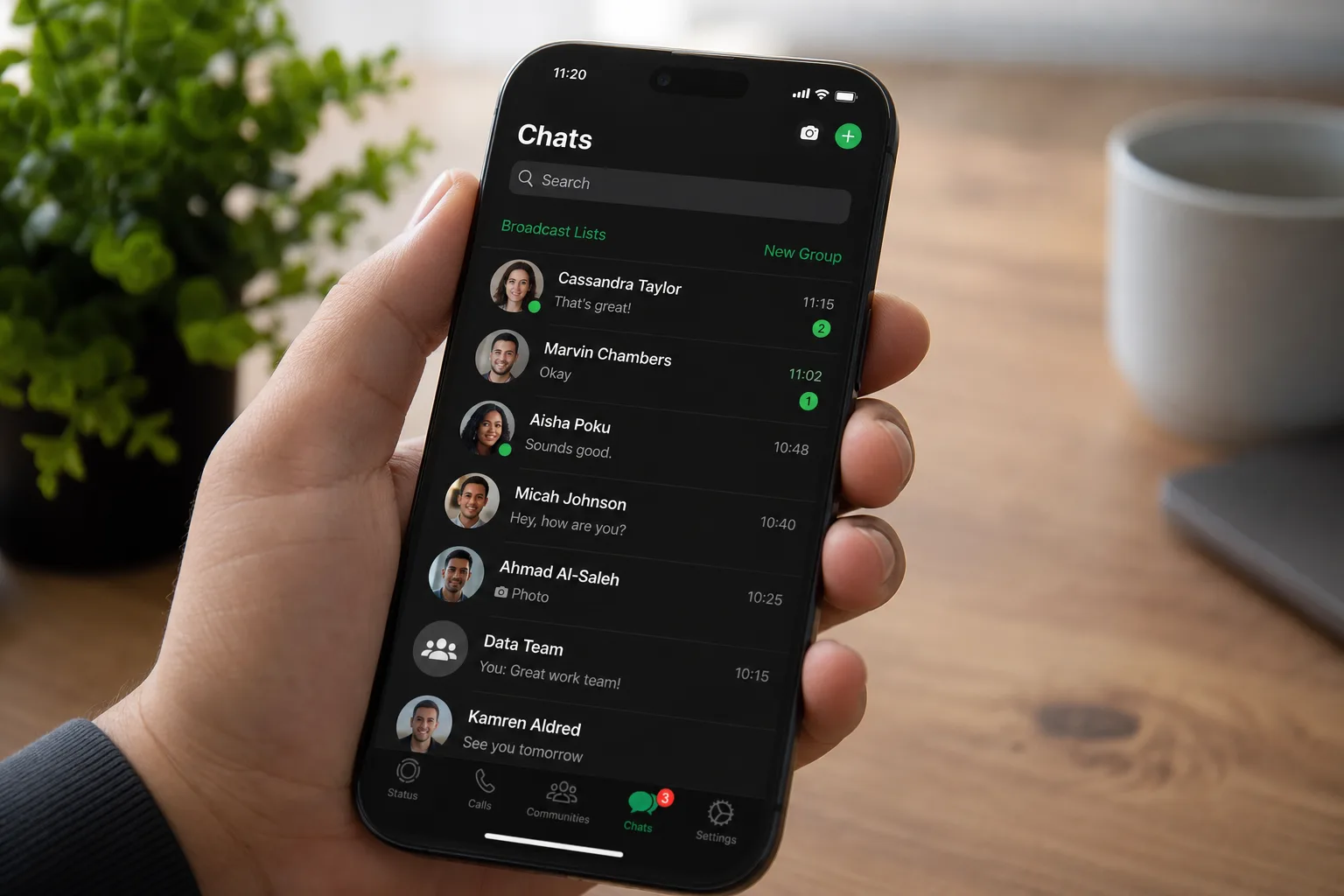
The WhatsApp green dot online indicator — a small but telling signal of whether a contact is actively using the app — is now making its way to iOS. After first appearing in Android beta builds last month, Meta’s messaging platform has quietly extended the test to iPhone users, giving the feature its clearest sign yet that a public rollout is on the way.
Table of Contents
What the WhatsApp Green Dot Actually Does
According to WABetaInfo, the indicator was spotted in iOS beta version 26.26.10.72. When a contact is online, a small green circle appears at the bottom-right corner of their profile photo on the ‘Contact info’ screen. It works in real time — the dot appears when they’re active and disappears when they’re not. There’s nothing passive or cached about it; it’s a live signal.
That distinction matters. WhatsApp already shows a ‘last seen’ timestamp, which tells you roughly when someone was last on the app. The WhatsApp green dot goes a step further — it tells you they’re on right now, in this moment. That’s a meaningfully different kind of presence indicator, and it’s the kind of detail that changes how people interact with each other on the platform.
A Familiar Feature With a Complicated History
If this sounds familiar, it should. Facebook Messenger has had a green dot presence indicator for years. Instagram shows when followers are active. Even LinkedIn does it. WhatsApp, though, has historically taken a more restrained approach to real-time presence, leaning on the ‘last seen’ feature while giving users the option to hide it entirely.
The WhatsApp green dot complicates that balance. Right now, you can go into Settings and restrict who sees your ‘last seen’ — nobody, your contacts, or everyone. Whether that same control will extend to the new green dot indicator is something Meta hasn’t confirmed. That silence is, frankly, the most important open question here.
WhatsApp has over two billion active users globally. A feature that broadcasts real-time availability at that scale isn’t a minor UI tweak — it’s a meaningful change to how hundreds of millions of people manage their digital boundaries. Anyone who’s ever pretended not to see a message will understand why.
Why the iOS Expansion Is a Signal Worth Paying Attention To
The sequencing here is telling. WhatsApp tested the WhatsApp green dot on Android first, then moved to iOS within weeks. That’s a deliberate cross-platform beta strategy. It suggests Meta isn’t just experimenting — it’s preparing for a coordinated launch across both major mobile operating systems.
Beta features tracked by WABetaInfo don’t always make it to stable builds, but the speed of this rollout and the fact that it’s hitting both Android and iOS in rapid succession points toward a feature that’s already cleared internal review. The question isn’t really if it’s coming — it’s when, and with what privacy controls attached.
The Privacy Question Meta Needs to Answer
WhatsApp has spent years positioning itself as the privacy-forward alternative to its Meta stablemates. End-to-end encryption is the headline, but the app’s granular privacy controls — including the ability to hide ‘last seen’ and ‘online’ status from specific contacts or everyone — have been a real selling point for users who want control over their digital presence.
The WhatsApp green dot feature, as currently described, doesn’t appear to offer a clear opt-out. That could change before a public release, and it probably should. If Meta rolls this out without giving users a toggle to disable it, or at minimum to restrict who can see it, the backlash will be predictable and deserved.
There’s a broader pattern worth flagging here. Meta has been steadily nudging WhatsApp toward a richer, more socially connected experience — adding Status updates, Communities, Channels, and now a more prominent presence indicator. Each feature, individually, is defensible. Together, they shift WhatsApp further from a private messaging tool and closer to a social platform. That’s not inherently bad, but it’s a direction users deserve to be aware of.
What Beta Testers Are Seeing Right Now
If you’re running the WhatsApp iOS beta at version 26.26.10.72 or later, you may already be seeing the WhatsApp green dot in action. It shows up on the ‘Contact info’ screen — the page you reach by tapping a contact’s name inside a chat. The green circle sits at the bottom-right of the profile photo, a placement that mirrors how similar indicators work in Instagram DMs.
It’s not visible in the main chat list yet, which keeps the feature relatively contained for now. But that could easily change in future beta iterations. A presence dot next to every conversation in your inbox would be a far more intrusive experience — and one that would almost certainly require a privacy opt-out to avoid user revolt.
Where This Leaves WhatsApp’s Competitive Position
From a pure product standpoint, adding a real-time online indicator isn’t bold. It’s table stakes. Signal, Telegram, and iMessage all surface presence or activity information in various forms. WhatsApp’s two-billion-strong user base has arguably been asking for clearer online status signals for years — particularly in group chat contexts where knowing if someone’s around affects how conversations flow.
The WhatsApp green dot is a reasonable answer to that demand. But Meta’s execution needs to prioritise user control if it wants to avoid a privacy-focused backlash that could undermine the very thing that differentiates WhatsApp from its rivals. A feature that’s useful when opt-in becomes a liability when it’s forced. Meta knows this — the real test is whether the final implementation reflects it.

