

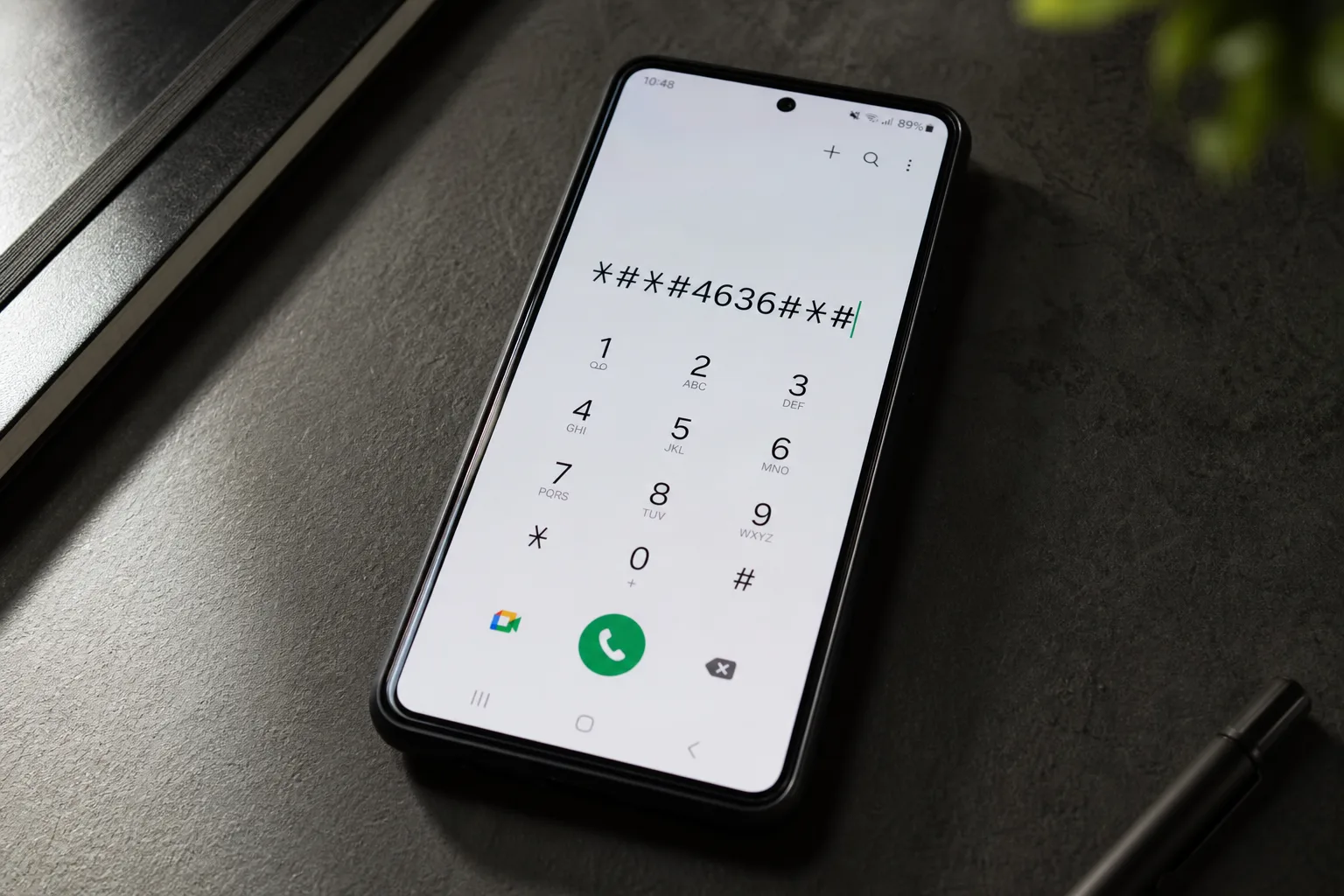
Your Galaxy phone’s dialer is hiding a lot more than a keypad. Samsung dial codes — strings of numbers, asterisks, and hash symbols entered directly into the phone app — give you fast access to menus buried so deep inside the system that even dedicated Android enthusiasts often miss them entirely. These are technically called MMI (Man-Machine Interface) codes, and they’ve existed in mobile phones since long before smartphones were a thing. On modern Galaxy devices, they still work — you just need to know where to look, and crucially, what to turn off first.
- Samsung dial codes give Galaxy users instant access to hidden menus most people never know exist, including full hardware diagnostics.
- Before using Samsung dial codes, you must disable One UI’s Auto Blocker in Settings, or most codes will silently fail.
- The *#0*# diagnostic menu lets you test speakers, touchscreen dead zones, haptics, and live sensor readings all in one place.
- Dialing *#9900# opens the SysDump menu, where clearing old log files can recover over 1GB of storage on a typical Galaxy phone.
Table of Contents
Why Most Samsung Dial Codes Won’t Work Out of the Box
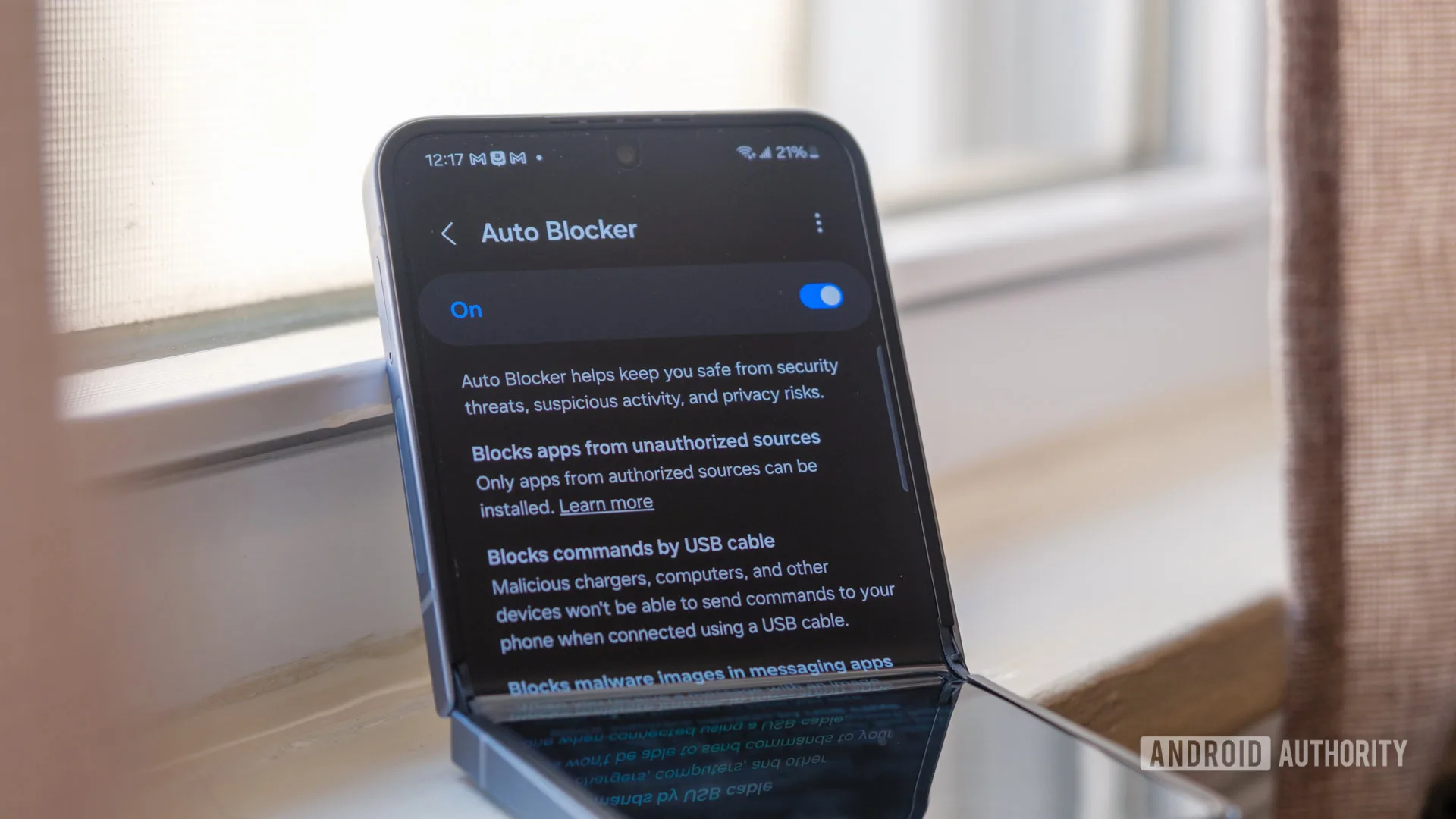
Here’s the thing Samsung doesn’t exactly advertise: One UI’s Auto Blocker feature, introduced as a security measure to stop sideloading and unauthorized USB commands, also silently breaks most Samsung dial codes. It’s a side effect, not an intentional lockout, but the result is the same — you punch in a code, nothing happens, and you assume it doesn’t work on your device.
The fix is straightforward. Head to Settings > Security and privacy and toggle Auto Blocker off. You don’t need to re-enable it on a timer; just remember it’s there if you want it back. One caveat worth flagging: if you’re on a carrier-locked Galaxy, some codes may still return a ‘connection problem’ error even with Auto Blocker disabled. That’s the carrier’s doing, not Samsung’s — and there’s genuinely no workaround for it short of unlocking the device.
All six Samsung dial codes below were verified on an unlocked Galaxy S26 running the latest version of One UI. If you’re on an older device, most should still work, though the exact menu layouts may differ slightly.
The 6 Samsung Dial Codes Worth Knowing
*#06# — Pull Your IMEI in Two Seconds
Every phone has an IMEI (International Mobile Equipment Identity) — a unique 15-digit number that identifies your specific device on mobile networks worldwide. If your phone is stolen, your carrier needs this number to blacklist the device. Insurance claims and police reports ask for it too. You can find it on the box, buried in Settings > About phone, or scratched onto the SIM tray on some models — but dialing *#06# is by far the fastest method. Dual-SIM Galaxy phones will display two separate IMEIs, one per slot. This is one of the most universally useful Samsung dial codes to memorize.
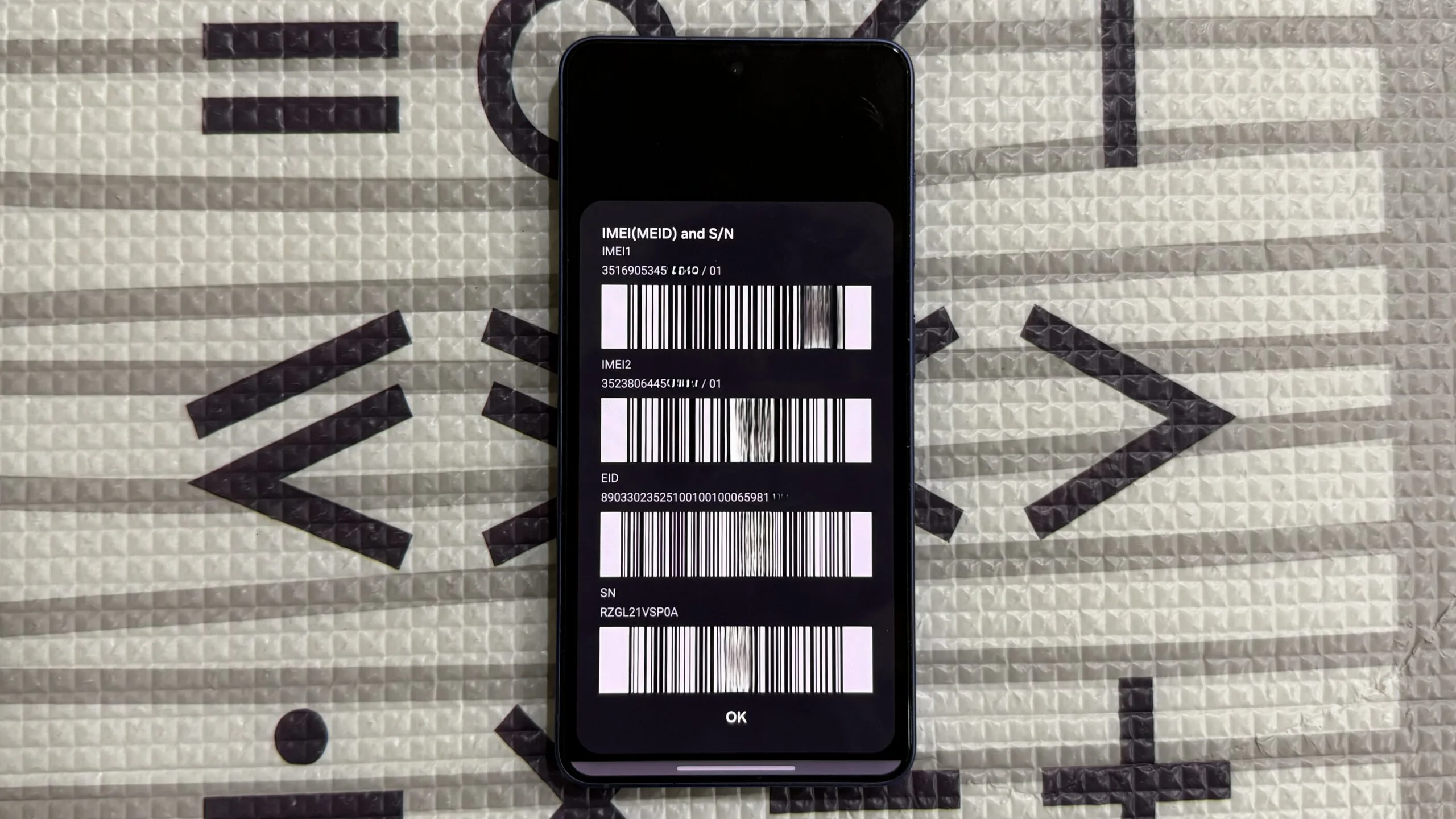
This is also one of the few codes that works universally regardless of carrier lock status or Auto Blocker settings, which makes it a genuinely useful thing to know in a pinch. The GSMA’s IMEI database is the global registry carriers use when blocking stolen devices — your IMEI ties your physical handset to that system.
*67 or *31# — Call Someone Without Revealing Your Number
This one predates smartphones by decades and still works fine on Galaxy devices. Prefix any phone number with *67 — so something like *67-555-123-4567 — and your number will appear as ‘Private’ or ‘Unknown’ on the recipient’s end, for that call only. If you’re outside the United States, *31# is the equivalent, and it suppresses your caller ID globally for all outgoing calls rather than on a per-call basis. Both are straightforward Samsung dial codes that require no setup beyond entering them into the dialer.
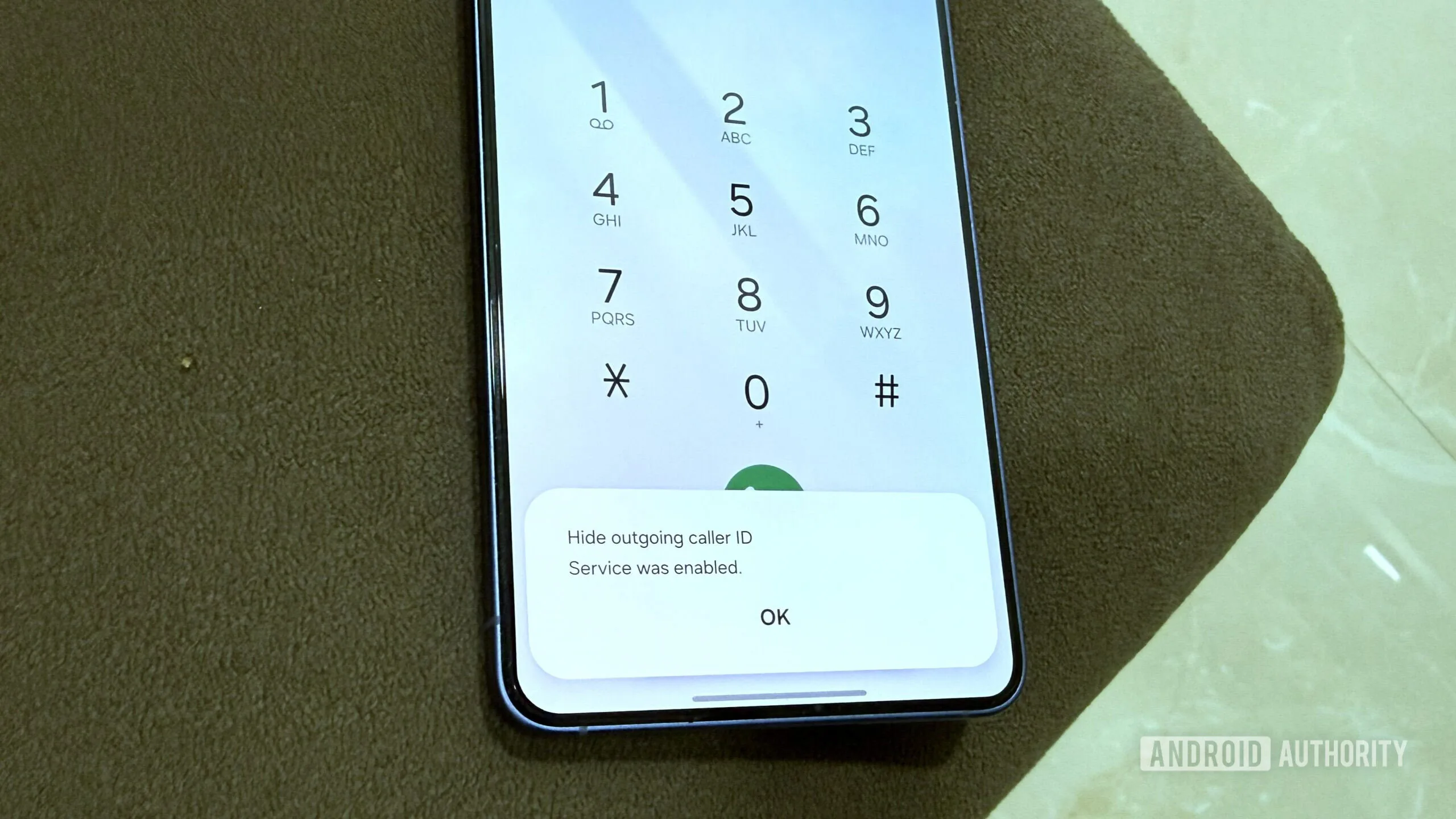
Worth noting: whether this actually works depends on your carrier. Some operators honor the suppression request, others ignore it entirely and display your number anyway. It’s not a privacy guarantee — it’s a best-effort flag. If you need reliable number masking for sensitive calls, a dedicated second number through an app like Google Voice is a more dependable option.
*#0808# — Change How Your Phone Behaves When Plugged Into a PC
Every time you connect your Galaxy to a computer, Android quietly picks a USB mode — usually ‘Charging only’ by default. You can override this from the notification that pops up, but those changes don’t always stick. The proper way to set a permanent default involves enabling Developer Options, which puts off a lot of users. *#0808# skips all of that and opens the USB Settings menu directly, showing every mode your device supports. Among Samsung dial codes, this one is especially useful for developers and technicians who switch USB modes regularly.
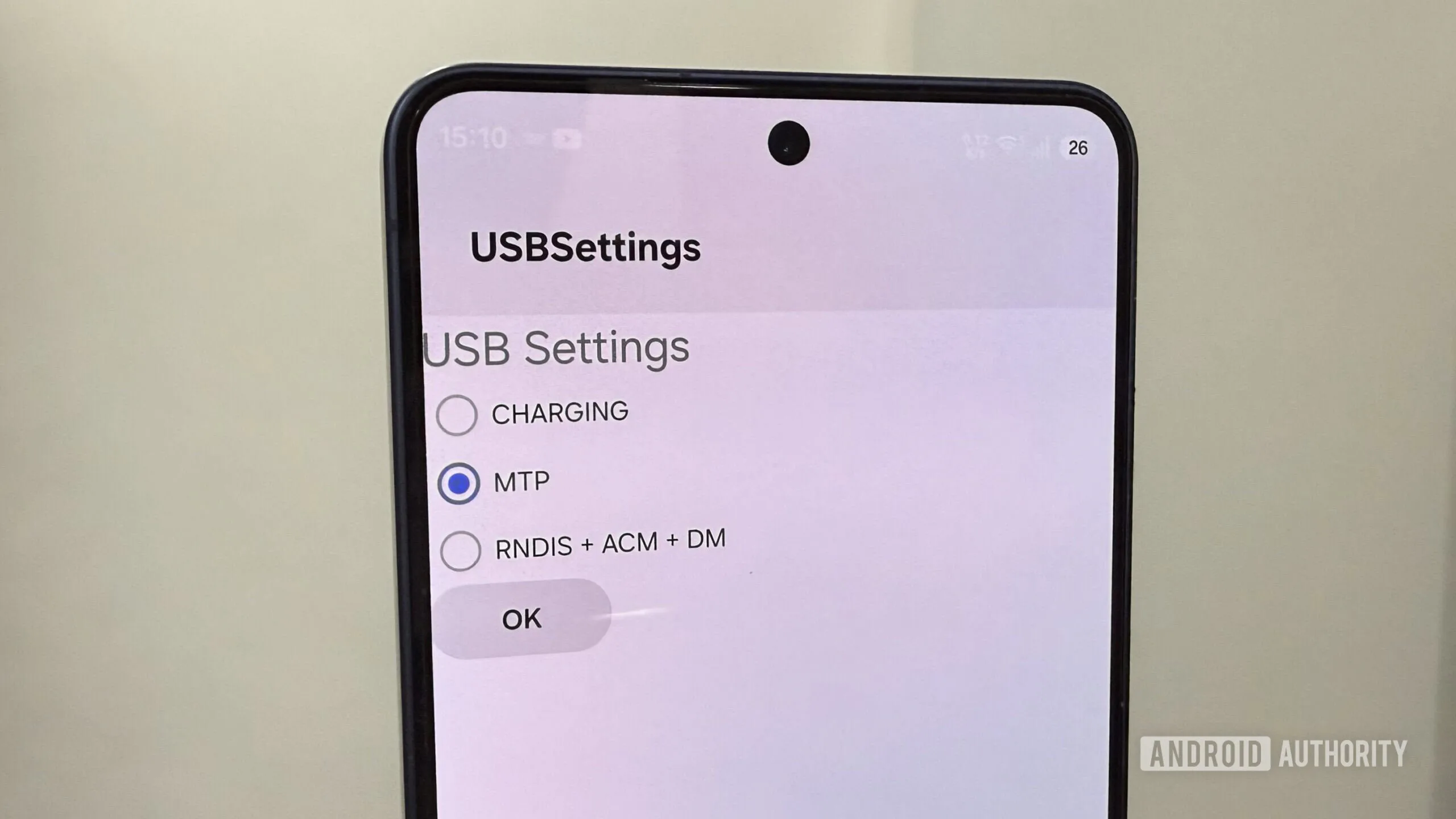
The standard options cover file transfer and MIDI, but there’s also an RNDIS + ACM + DM mode in the list. RNDIS handles USB tethering, while ACM and DM are diagnostic and firmware-flashing modes primarily used by technicians. Unless you’re doing device repair or development work, you won’t need that last one — but it’s good to know it’s there if you ever do.
*#2663# — Refresh Touchscreen and Wi-Fi Firmware
If your Galaxy’s touchscreen has started feeling slightly laggy or inconsistent — not broken, just off — this code is worth trying before you book a service appointment. *#2663# opens a firmware update menu with a ‘TSP FW UPDATE’ button. TSP stands for Touch Screen Panel, which is the capacitive layer that translates finger pressure into input signals. Running the update can sometimes resolve minor responsiveness issues without a full factory reset. It’s one of the more practical Samsung dial codes for everyday troubleshooting.
The same menu also offers a ‘Refresh Wi-Fi Version’ option, which can help if you’re experiencing intermittent connectivity drops that aren’t explained by your router setup. Be aware that tapping this option will reboot your phone immediately, so don’t do it mid-download.
*#9900# — Reclaim Hidden Storage From System Logs
Galaxy phones log a constant stream of background activity — app crashes, system errors, diagnostic data — and these logs accumulate silently over time, eating into your available storage. Most users never see them because they’re filed under ‘Other files’ in the storage breakdown, a category that’s notoriously opaque on Android. *#9900# opens the SysDump menu, where tapping ‘Delete dumpstat/logcat’ removes all accumulated log files in one go. Of all the Samsung dial codes on this list, this is the one most likely to produce an immediately visible result.
In real-world testing on a Galaxy S26, this freed up 1.2GB of storage — not life-changing, but meaningful if you’re on a 128GB model and regularly bumping against the ceiling. It’s the kind of quick maintenance task that should probably be more visible in the standard settings UI, but Samsung has never surfaced it there.
*#0*# — The Full Hardware Diagnostic Menu
This is the most impressive of the Samsung dial codes — and the one most people have never seen. Dialing *#0*# opens a grid-based hardware diagnostics interface that lets you individually test almost every component in your phone. Speaker tests play audio through each driver so you can confirm they’re all firing correctly. The Touch test lets you draw across the screen to map any dead or unresponsive zones. Vibration fires the haptic motor, and the Sensors tab displays live data from the accelerometer, gyroscope, proximity sensor, barometer, and more.
Some tests run automatically when you tap them; others require interaction. Exiting any test means using the back gesture multiple times or pressing the volume keys — the interface isn’t particularly polished, but it works. For anyone troubleshooting a Galaxy with a suspected hardware fault before deciding whether to visit a service center, this menu is the fastest first step.
The Bigger Picture: Why These Codes Still Exist
MMI codes are a relic of a simpler era — originally built for network engineers and device technicians rather than end users. The fact that Samsung still maintains Samsung dial codes inside One UI in 2026 says something about the value of keeping diagnostic access in users’ hands, even as the company continues layering security restrictions on top. The tension between Auto Blocker’s security goals and the usefulness of these codes is a microcosm of a broader debate in Android: how much control should the average user actually have over their own device?
Apple has no equivalent. iOS offers essentially none of this kind of direct hardware access through a consumer-facing interface, and that’s a deliberate product choice. Samsung’s approach — hide it, but leave the door unlocked for those who know to look — sits somewhere more interesting. As Galaxy devices get more complex with each generation, the ability to run a hardware self-diagnostic without booking a Genius Bar-equivalent appointment is a genuine differentiator. Whether Samsung keeps these Samsung dial codes functional as One UI evolves will be worth watching.
Frequently Asked Questions
Do Samsung dial codes work on all Galaxy phones?
Most Samsung dial codes work across modern Galaxy devices, but carrier-locked phones may block certain codes and return a ‘connection problem’ error. Samsung’s One UI Auto Blocker feature also needs to be disabled before the majority of codes will function correctly.
Is it safe to use Samsung dial codes on my Galaxy phone?
For the codes listed here, yes — they’re diagnostic tools or simple settings toggles. That said, you should avoid entering unfamiliar codes found on random sites, as some may cause unintended changes to your device.
What does the *#0*# Samsung dial code actually do?
Dialing *#0*# opens a hardware diagnostics grid on your Galaxy phone. From there you can test individual speakers, check the touchscreen for dead zones, fire the haptic motor, and view live readings from sensors like the accelerometer, gyroscope, and proximity sensor.
How do I hide my caller ID on a Samsung Galaxy phone using a dial code?
In the US, dial *67 before the recipient’s number to hide your caller ID for that single call. Outside the US, dialing *31# suppresses your number for all outgoing calls. Effectiveness depends on your carrier — some ignore the suppression request entirely.

