

The Pixel 11 Pro appears to be a phone Google knows how to make almost too well. It is handsome, quick, well-built, and packed with the practical Android conveniences that have kept Pixel loyalists around through years of uneven hardware. But after a week of real use, the more interesting story is not whether Google has made a good flagship. It has. The question is whether Google has any convincing idea of what its flagship is supposed to become next.
- The Pixel 11 Pro delivers familiar hardware polish, but Google’s headline HiLight feature currently handles only calls and Gemini interactions.
- Rambler makes the Pixel 11 Pro more useful for long voice dictation, while Camera Looks still appear prone to harsh highlights.
- Google has built a dependable premium phone formula, yet several flagship software additions feel like public beta features.
- HiLight could become useful through updates, but buyers should judge the phone on what it can do today.
Table of Contents
Pixel 11 Pro hardware is the comfortable part
Google has spent the better part of a decade learning a fairly basic lesson: a premium phone cannot live on clever software alone. The company’s early Pixels had camera magic and a clean version of Android, but they also had their share of awkward designs, thermal complaints, modem trouble, and features that arrived with a faint whiff of beta software.
The current formula is much steadier. The Pixel 11 Pro reportedly feels like a mature continuation of Google’s Pro line rather than a wild redesign: premium materials, familiar camera hardware, and the kind of day-to-day software integration that makes a Pixel pleasant to carry. For Pixel 11 Pro buyers, call screening, voice tools, tight Google service hooks, and a camera that usually requires little effort still make an argument no spec sheet can fully capture.
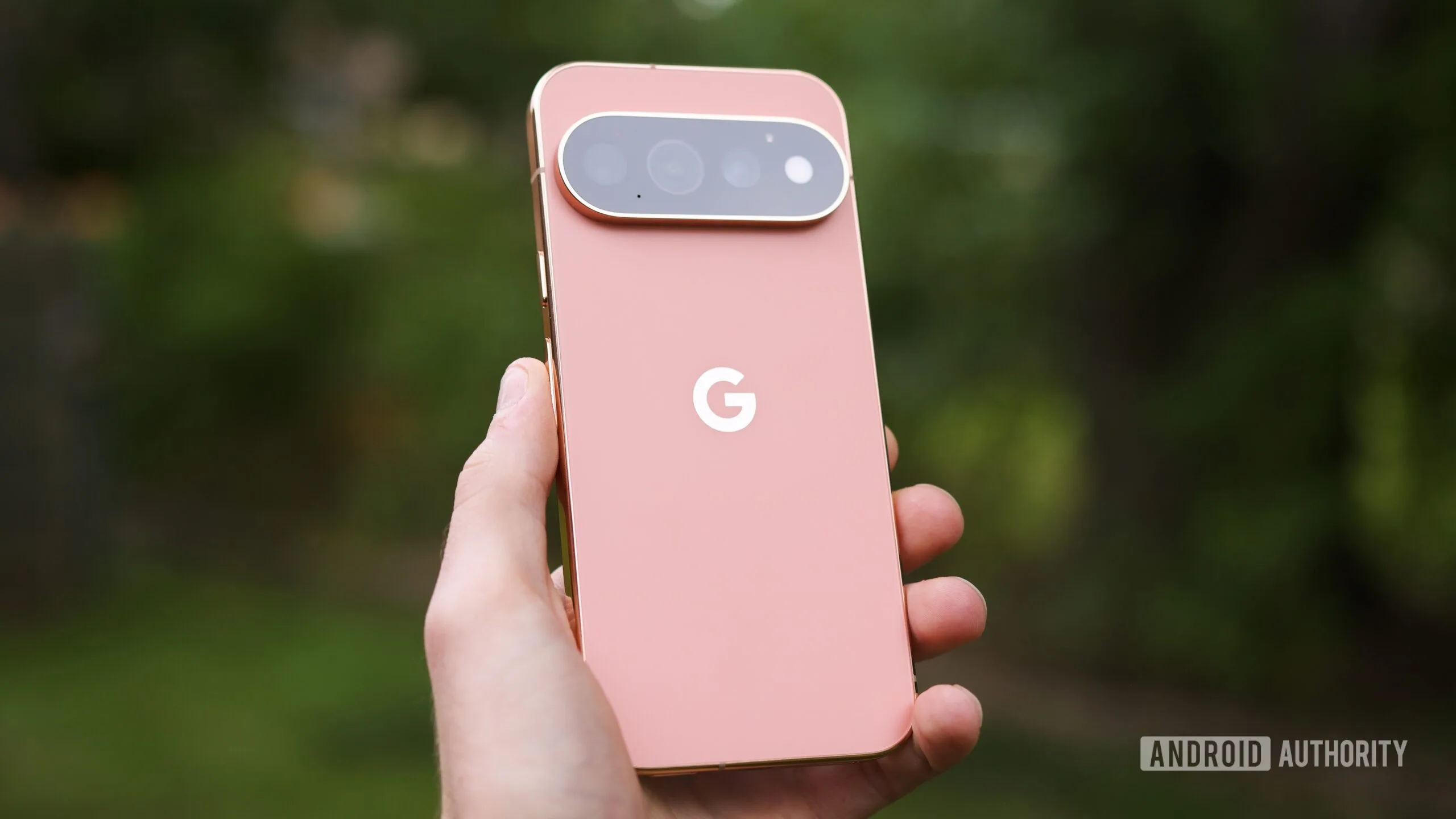
That foundation matters. Apple can make a new iPhone look almost identical to the last one because it has built enough trust in the surrounding experience. Samsung can sell an Ultra phone on hardware excess because buyers know what the Galaxy brand represents. Google, finally, has a platform sturdy enough to play that game.
Yet the Pixel 11 Pro also exposes the downside of reaching that point. When the fundamentals are no longer the problem, the new stuff gets more scrutiny. And Google’s big new idea this year is a small light on the back of the phone that currently feels far less useful than the marketing department seems to think.
Pixel 11 Pro HiLight has almost no reason to exist yet
HiLight is the glowing, multicolor element on the rear of the Pro models. Google has positioned it prominently in its product imagery, and I understand the impulse. Phones have become black glass rectangles with camera bumps; a visual cue that works when the handset is face-down could have been genuinely handy.
In practice, HiLight’s present feature set is startlingly narrow. Users can assign one of five colors to favorite contacts, and the light glows when one of those people calls. It also pulses while Gemini is listening or responding when the phone is placed face-down. That is the list.
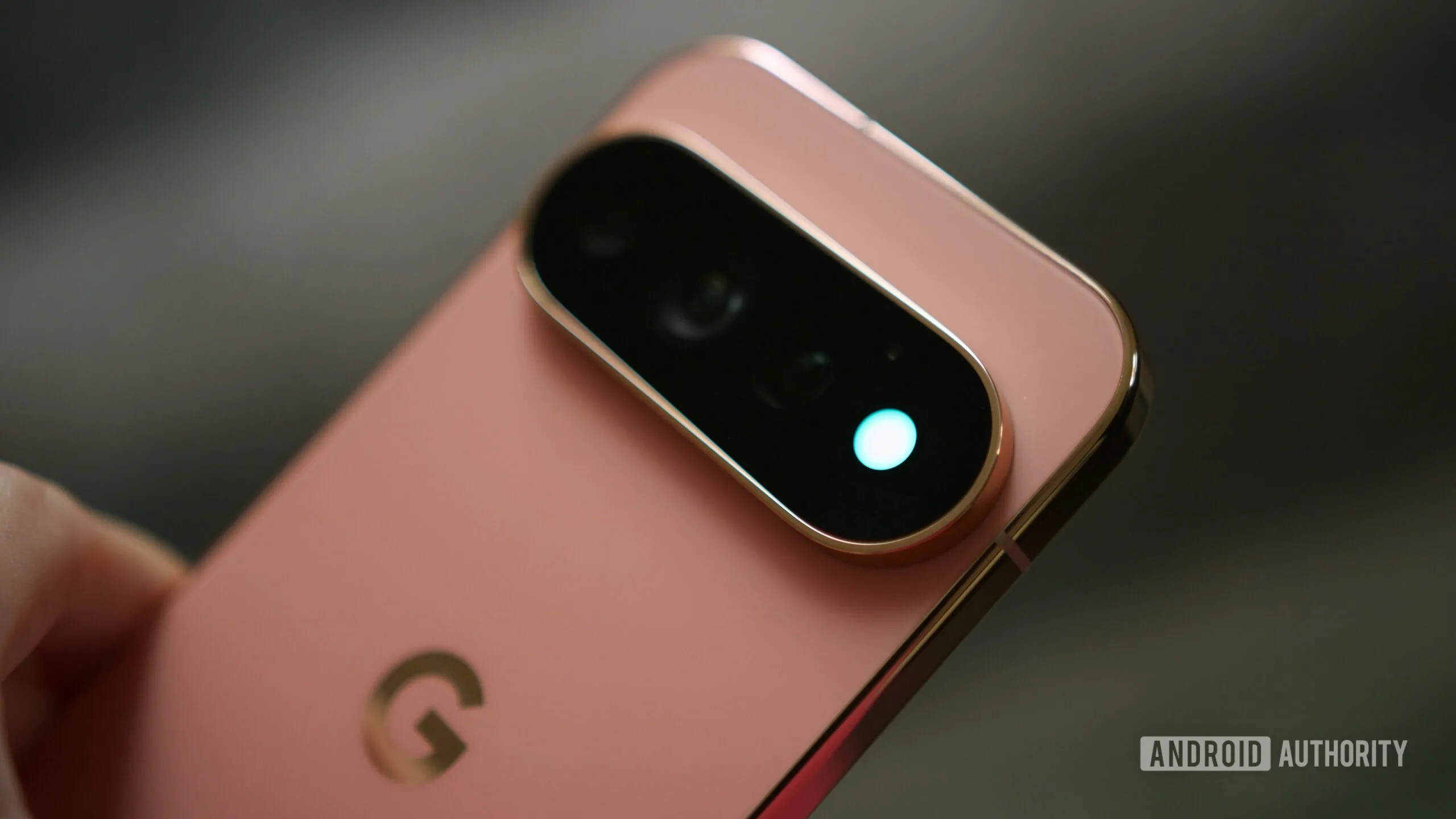
No Gmail alerts. No Google Messages notifications. No Slack pings, calendar reminders, delivery updates, or third-party app support. The most obvious job for a configurable notification light is to communicate notifications, and HiLight largely does not do that. Frankly, it is hard to see how this shipped in such a restricted state.
Google may expand the feature later. Pixel owners have become accustomed to features arriving after launch, sometimes as part of the company’s periodic Feature Drops. But buyers should be wary of treating a possible update as a current capability. We have seen this movie before, from postponed assistant features to services Google has quietly abandoned once the momentum evaporated. Remember Stadia?
A light like this should work like the tiny red flag on an old-school answering machine: glance at it, know whether something needs your attention. The Pixel 11 Pro instead uses HiLight for a few highly specific situations, making it feel more like a demo prop than a durable interface idea. Google even replaced the divisive thermometer sensor found on prior models. Love it or hate it, at least that sensor performed a defined task.
Google points readers to its official Google Store for details about the phone family and its new capabilities. But the company needs to explain the roadmap for HiLight with much more precision if it expects people to treat it as a reason to upgrade.
Rambler is the rare new feature that solves a real problem
Not every software addition lands with a thud. Rambler, the new voice-input mode in Gboard, may be the most persuasive idea in the Pixel 11 Pro package because it tackles an everyday frustration rather than inventing a use case for a glowing light.
Traditional voice typing is literal-minded. It faithfully writes the pauses, corrections, filler words, and tangled false starts that people naturally make when speaking. Rambler aims to understand intent instead. You can tell it to ignore a phrase, restart from a point, or revise as you dictate, and it is designed to leave out the verbal clutter.
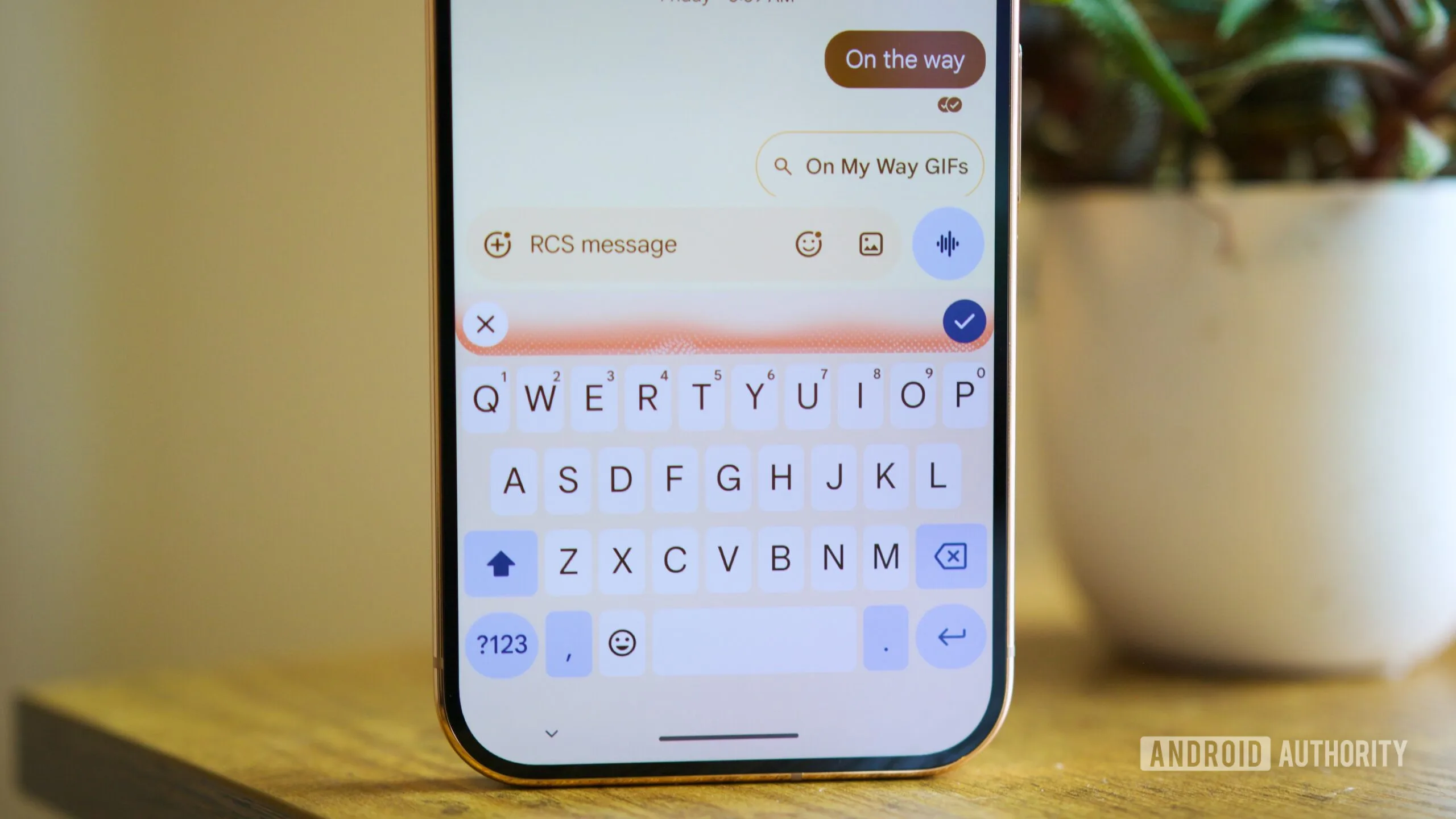
That sounds minor until you try to dictate a long email while walking the dog, cooking dinner, or hauling bags through an airport. For a quick two-word message, ordinary dictation is fine. For anything longer, the ability to talk in a normal, imperfect way and get useful copy at the end could save actual time.
There is still an odd interface decision: users cannot watch the text build in real time, instead seeing the result after ending the session. That reduces confidence, especially when the message matters. But my read is that Rambler has the right underlying instinct. Artificial intelligence is at its best when it removes friction from a familiar task, not when it adds another thing to manage.
Camera Looks need more restraint
Google’s other big software bet is Camera Looks, a collection of preset and customizable photographic treatments that alter color, contrast, shadows, and other characteristics before you take a shot. The obvious comparison is Apple’s Photographic Styles, and the appeal is clear: people want images with personality without having to spend ten minutes in Lightroom.
The early issue is that several Looks appear to treat highlights with all the subtlety of a fluorescent bulb in a small apartment. Outside the Original setting, bright skies and pale surfaces can become aggressively blown out. Editorial, Velvet, and Digi are intended to be distinct styles, but a style should not mean sacrificing the basic exposure discipline Pixel cameras have historically handled so well.

Customization may soften the problem. Users can adjust the settings behind each look, and a future software update could refine the processing. Still, this is exactly where Google should be cautious. Pixel photography built its reputation on reliable computational HDR: pull out detail, balance a difficult scene, make the result look good without asking the user to think too hard. If Camera Looks weaken that reliability, they are adding creative control at the expense of the reason many people bought the phone.
Magic Capture is an even larger question mark. Google is clearly pursuing the broader industry push toward AI-assisted image creation and editing, where a photo is increasingly treated as raw material rather than a record of what the camera saw. Some people will enjoy that. Others will use it once to remove a stranger from a holiday photo, then forget it exists. The Pixel 11 Pro does not yet make the case that this belongs at the center of the camera experience.
Google needs to decide what a Pixel upgrade means
There is no shame in refinement. In fact, after years of Pixel growing pains, refinement is overdue. The problem comes when Google frames unfinished experiments as the headline attraction. HiLight could mature into a smart ambient notification system. Camera Looks could become a genuinely tasteful alternative to filters. Magic Capture may yet find a purpose beyond the launch-event demo.
But “could” does a lot of work there. The Pixel 11 Pro is already good because of the parts Google has been refining for years: its core camera approach, clean software, useful calling features, and a design language that finally feels settled. Its weakest moments arrive when it reaches for novelty without first proving the utility.
That is the uncomfortable verdict. Google has built a very good phone, but it needs a sharper philosophy for the next one. A colored light, a handful of image presets, and an AI editing label are not a direction. They are ingredients. The real test for the Pixel 11 Pro is whether Google can turn them into something people will still use after the first week.

