


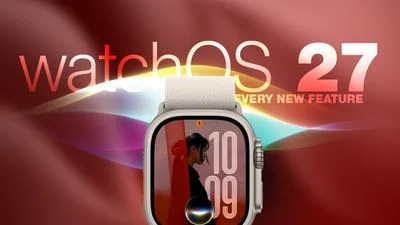
- The biggest watchOS 27 features make Siri the hub for Apple Watch navigation, recommendations, and conversations across devices.
- Several watchOS 27 features make the watch more useful day to day, from smarter Smart Stack cards to unified Find My tools and independent Workout Buddy coaching.
- Walkie-Talkie disappears entirely, while the familiar double-press App Switcher gives way to Apple’s forthcoming Live Rewind system.
- New health tools track perimenopause patterns and improve indoor treadmill accuracy, though the new Steps complication remains limited to newer watches.
Table of Contents
watchOS 27 features put Siri in the driver’s seat
Apple Watch has spent years trying to be the device that knows what you need before you ask. With watchOS 27 features, Apple is taking a much more direct route: Siri is now the organizing principle for the whole wrist computer. That’s potentially useful, but it also raises the stakes. When Siri gets something right, a watch feels wonderfully frictionless. When it gets it wrong, you are tapping at a tiny screen while standing in a grocery queue.
The headline change is a dedicated Siri app that keeps conversations in one place and syncs them privately across Apple devices through iCloud. Ask a question on an iPhone, then continue the same thread from the watch; start a fresh conversation from the wrist; pin the exchanges worth keeping. It is a sensible answer to a longstanding oddity in Apple’s software: Siri has been everywhere, yet rarely felt like it had a home. These are among the most ambitious watchOS 27 features because they make Siri a destination rather than a background tool.
Apple is also introducing a Siri Modular watch face, whose large rectangular complication reflects the top item in Smart Stack. The card can shift according to time, place, and other context. Apple has chased this type of anticipatory computing for a decade, from Siri Suggestions to widgets, with mixed results. My read is that it works best on a watch because the display is so constrained. A timely card for a boarding pass is helpful; a screen crowded with vague guesses is not.
The Smart Stack itself gets a longer list of contextual prompts. It can surface a parked-car location, an upcoming birthday, a transit-card balance change, a loud-noise follow-up, a reminder that Theater Mode remains enabled, and pinned messages. None of that sounds glamorous. Frankly, it is the kind of boring competence that makes a wearable stick. Nobody buys an Apple Watch for a transit balance alert, but everybody appreciates one when the subway gate is about to reject them.
Apple’s official watchOS page remains the best place to check final availability by device and region, especially as features tied to language, connectivity, and hardware can vary.
A new home screen, a new gesture, and one awkward transition
Among the more noticeable watchOS 27 features is the end of the honeycomb app view as the default destination when you press the Digital Crown. In its place is a dynamic grid combining suggested, frequently used, and recently opened apps, with Siri planted in the middle. An alphabetical application list still exists if you rotate the Crown.
This is an overdue rethink. The honeycomb grid looked distinctively Apple, but it was never particularly good at helping people find an app quickly. It was like looking for one specific spice in a drawer full of colorful bottle caps. A usage-driven grid may be less charming, yet it is more aligned with why people use watches: fast, repeated actions.
Apple is adding a third gesture called Tap. A single tap between the index finger and thumb opens the currently highlighted Smart Stack widget. It sits alongside Double Tap for navigating the stack and Wrist Flick for dismissing notifications. These interface-focused watchOS 27 features are compelling precisely because Apple Watch is often used one-handed — carrying a coffee, holding a dog lead, or gripping a train pole. But there is a practical question Apple will need to answer through real-world use: can people reliably remember which finger motion does what without turning the system into a small hand-language exam?
The transition gets messier with the Digital Crown’s double press. Before this release, that action opened the App Switcher, allowing users to return to recent apps or force-quit one that had gone sideways. In watchOS 27, the same double press opens the dynamic grid instead. Apple has reserved it for Live Rewind, an upcoming Series 12 and Ultra 4 feature that produces a transcript of the previous 15 seconds of nearby speech.
Live Rewind sounds genuinely interesting for someone who misses a name, instruction, or offhand comment. It also sounds like a feature that will demand unusually clear privacy controls. Apple plans to restore App Switcher access in watchOS 27.2 with a different gesture; beta users can reportedly long-press the bottom of the current app to reach it. That interim period feels avoidable. Reassigning a well-established control before its replacement is ready is the sort of thing that makes an update feel less finished than it should.
Fitness and health changes are the most consequential watchOS 27 features
The most meaningful watchOS 27 features may be the ones that barely announce themselves. Workout Buddy, introduced with watchOS 26, no longer requires an iPhone to be nearby if the watch has Wi-Fi or cellular. It can also draw on training history to identify gradual changes in pace, distance, and workout duration, and now supports Spanish alongside English.
This matters because the Apple Watch is increasingly expected to stand alone. Leaving the phone at home for a run has always been part of the product’s promise; requiring it again for the motivational and analytical layer was a needless asterisk. Apple is finally removing it.
Indoor treadmill tracking also gets a machine-learning update intended to improve distance estimates from the first step rather than taking several minutes to settle. Route maps are said to be more accurate, while step counts should remain consistent between Fitness and Health. These health-focused watchOS 27 features are not flashy, but anyone who has watched two Apple apps disagree about a basic number knows how quickly trust evaporates. Health platforms live or die on confidence in the mundane data.
Cycle Tracking adds notifications for logged patterns that may be consistent with perimenopause, plus symptom tracking and educational resources for users aged 40 and older. Apple is explicit that this is neither a diagnosis nor birth control. That distinction matters. Consumer health software can be valuable as a prompt to seek care or ask better questions, but it must not masquerade as clinical certainty.
One part of the lineup splits along hardware lines. Series 12 and Ultra 4 gain a redesigned pedometer model powered by the S11 chip, with a new Steps complication for real-time watch-face tracking. Apple has not said whether older watches will receive the complication later. If not, it will be a familiar Apple pattern: an apparently basic feature becomes a quiet reason to consider new hardware.
Find My gets simpler while Walkie-Talkie vanishes
Some watchOS 27 features are really housekeeping, and that is not a criticism. Find Devices, Find Items, and Find People are being merged into a single map-focused Find My app. Directions and nearby-item shortcuts sit alongside the map. On a watch, where app sprawl is especially irritating, one recognizable place for locating people and belongings is plainly better than three near-identical apps.
Apple is also taking away an app. Walkie-Talkie is deleted in watchOS 27 and cannot be restored from the App Store. Stay on watchOS 26 and it remains available, but conversations cannot begin with someone who has already upgraded. Apple has not publicly attached an explanation in the material available here, which leaves users with a slightly strange choice: update and lose a social feature, or remain behind and watch its network usefulness fade anyway.
Walkie-Talkie never became the killer Apple Watch app Apple may have hoped for. It was fun, occasionally handy, and always a little too dependent on having friends who also remembered it existed. Still, outright removal is a reminder that smartwatch software has to earn every pixel and every support burden.
Taken together, the watchOS 27 features point to a more opinionated Apple Watch. Siri becomes central, the interface makes stronger guesses, gestures take on more work, and health data gets more tailored. That can make the watch easier to live with — if Apple’s recommendations are right often enough. The test is no longer whether Apple Watch can do more. It is whether it can make better decisions without getting in the way.
Frequently Asked Questions
Which Apple Watches support watchOS 27 features?
Apple says the update is available on supported Apple Watch models, not solely the new Apple Watch Series 12 and Apple Watch Ultra 4. Some features remain hardware-specific, however: Live Rewind and the redesigned real-time Steps complication are limited to those newest watch models.
How do I install watchOS 27?
Open the Watch app on the paired iPhone, choose General, then Software Update. Apple Watch needs to be connected to its charger during installation.
Why was Walkie-Talkie removed from Apple Watch?
Apple has removed the Walkie-Talkie app from watchOS 27 rather than merely hiding it. The source material does not provide a reason. Users who stay on watchOS 26 can retain the app, but they will not be able to begin a conversation with contacts who have updated.

