

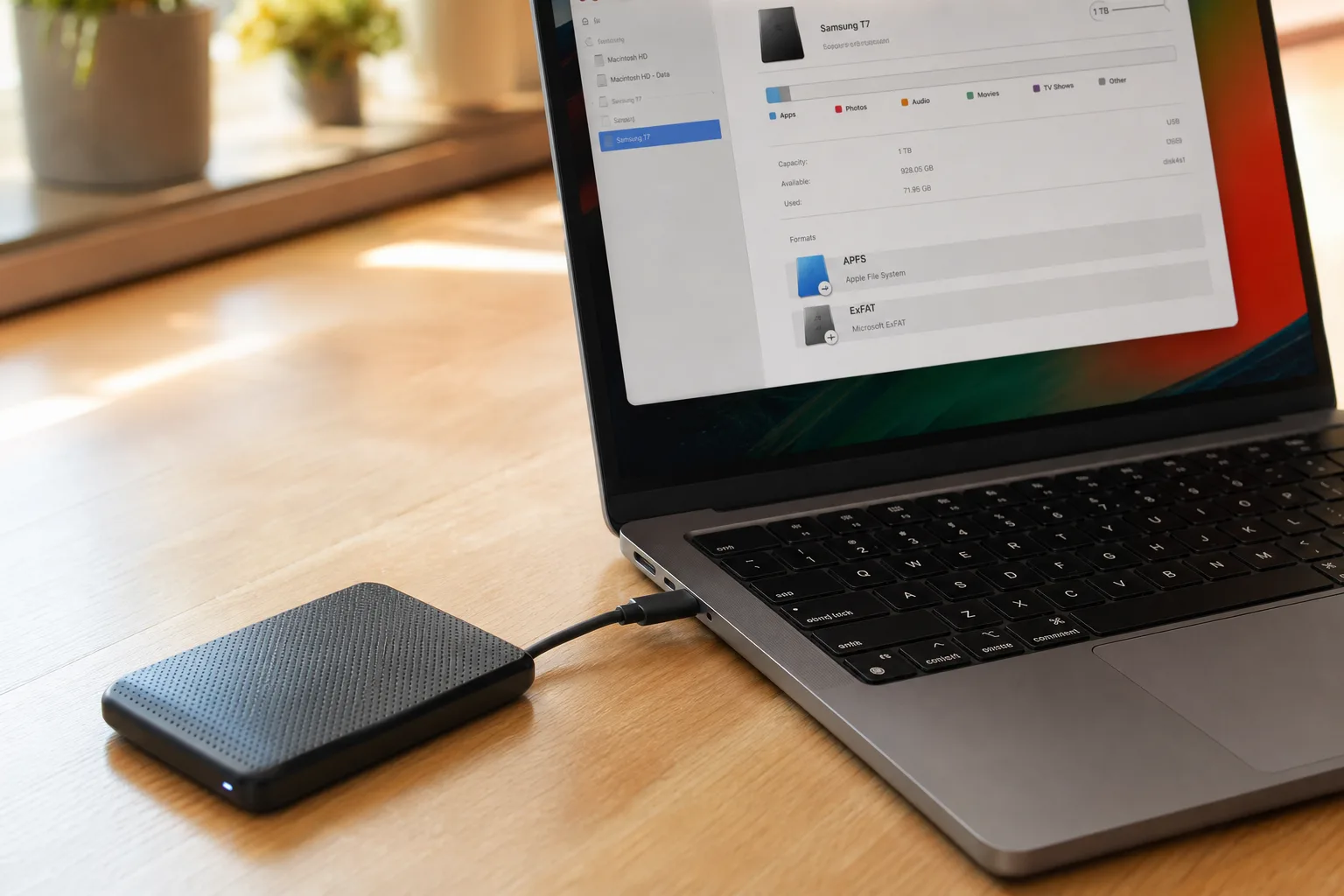
Apple has quietly published a support document confirming that encrypted HFS+ support will be removed in macOS 28, set to arrive next year. For most Mac users this will pass unnoticed — but if you have an older encrypted external hard drive still formatted as Mac OS Extended, you’re on a countdown clock to sort it out before the upgrade hits.
- Apple is ending encrypted HFS+ support in macOS 28, requiring users to decrypt or reformat affected external drives beforehand.
- Encrypted HFS+ support will only be flagged starting with macOS 26, giving users an advance warning window before the hard cutoff.
- Unencrypted Mac OS Extended volumes are not affected and will continue to work after the macOS 28 upgrade.
- APFS has been the default Mac file system since 2017 and natively handles encryption, making this change a logical next step.
Table of Contents
What Apple Is Actually Changing with Encrypted HFS+ Support
The change is surgical in scope. Apple isn’t killing off Mac OS Extended entirely — unencrypted HFS+ volumes will still work fine in macOS 28 and beyond. What’s going away is specifically the encrypted variant: drives that combine the older HFS+ format with CoreStorage-based encryption. According to Apple’s support document, starting with macOS 28, ‘the Mac OS Extended file system format will be supported only for volumes (disks and other storage devices) that aren’t encrypted.’
That distinction matters. If your external drive is just a plain HFS+ volume without encryption, you don’t need to do anything. But if it was set up with encrypted HFS+ support — something that was fairly common practice in the Time Machine and FileVault era before APFS arrived — you’ll need to act before upgrading.
Apple hasn’t explained the technical rationale, but it doesn’t take much reading between the lines. APFS (Apple File System) has been the Mac’s default format since macOS High Sierra launched in 2017. It was built from the ground up with encryption as a first-class feature, not bolted on afterward. Maintaining a parallel encryption pathway through the legacy CoreStorage layer — which underpins encrypted HFS+ support — is engineering overhead that Apple clearly no longer wants to carry forward.
The Warning System Apple Is Building Into macOS 26
To its credit, Apple isn’t just pulling the rug out. The company says that before macOS 28 ships, macOS 26 — the version due this autumn — will include proactive alerts. If your Mac detects a drive with encrypted HFS+ support connected to it, it may notify you by name, identifying the specific volume that won’t survive the macOS 28 upgrade.
If you’d rather not wait for a system prompt, you can check right now. Open Disk Utility, select any external volume, and look at the format details listed beneath its name. The telltale combination is seeing both ‘Mac OS Extended’ and ‘Encrypted’ in that description — something like ‘CoreStorage Logical Volume • Mac OS Extended (Case-sensitive, Journaled, Encrypted).’ That’s the label that signals a problem with encrypted HFS+ support. No encryption tag, no issue.
Your Two Options: Reformat or Decrypt
Apple lays out two paths forward, and the right one depends entirely on how much you care about the data currently on the drive.
Reformatting — the clean slate approach
If you’re willing to back up the drive’s contents first and start fresh, reformatting is the most forward-proof option. You back up everything, erase the volume in Disk Utility, and set it up again as APFS or APFS (Encrypted). This completely removes the need for encrypted HFS+ support on that drive and gives you a volume that’s fully compatible with current and future macOS versions. APFS Encrypted is the obvious choice if you were encrypting for a reason — security on a portable drive, for example — since it delivers the same protection with better performance and without the legacy baggage.
Decrypting in place — keeping your data intact
If reformatting isn’t appealing, decryption is the gentler route. Connect the drive, unlock it with its existing encryption password, then Control-click its icon in Finder and select Decrypt. You’ll enter the password a second time to confirm, and the process begins. Apple is upfront that decryption ‘takes time, especially for large volumes’ — on a slow spinning hard drive with terabytes of data, that could mean many hours. Progress can be checked via Terminal.
Once the drive is decrypted, it becomes a standard unencrypted HFS+ volume, which macOS 28 will continue to support. At that point you have an optional next step: use Disk Utility’s ‘Convert to APFS’ function to migrate the volume to the newer format without erasing it, then re-enable APFS encryption afterward if you want it. That gives you the best of both worlds — preserved data and a modern file system that doesn’t rely on encrypted HFS+ support.
One important caveat Apple flags: this decryption path does not apply to encrypted Time Machine backup disks. If your Time Machine drive relies on encrypted HFS+ support, you’ll need a different strategy — likely starting a fresh Time Machine backup once you’ve upgraded or reformatted.
The Bigger Picture: HFS+ Is Living on Borrowed Time
Apple dropping encrypted HFS+ support is the latest signal in a slow, deliberate campaign to retire the older format altogether. HFS+ dates back to 1998 — it was designed for a world of spinning hard disks, single-core processors, and storage measured in gigabytes. APFS replaced it as the default in 2017 precisely because the old format couldn’t handle the demands of SSDs, flash storage, cloning, snapshots, or space sharing between volumes.
In the years since, Apple has chipped away at HFS+’s remaining use cases. Time Machine gained APFS support. New Macs ship with APFS by default. Every feature Apple has built around storage in recent macOS releases assumes APFS. Encrypted HFS+ support is one of the last meaningful corners of the old format still standing — and now it’s going.
For the vast majority of Mac users, macOS 28 will install and run without any file system drama whatsoever. The people who need to pay attention are those holding onto older encrypted external drives that were set up years ago and haven’t been touched since — the kind of drive sitting in a drawer half-forgotten, used for backups or archiving. It’s worth digging those out and checking them in Disk Utility now, while there’s still a comfortable window to act.
The transition Apple is mapping here follows a familiar playbook: announce early, provide tools to migrate, and give a meaningful runway before the hard cutoff. It’s a cleaner deprecation process than many tech companies manage. But the clock is running, and ‘I’ll deal with it later’ is exactly how people end up locked out of their own data after an OS upgrade. With macOS 26 expected to land later this year and macOS 28 following in 2026, later is closer than it feels.

