

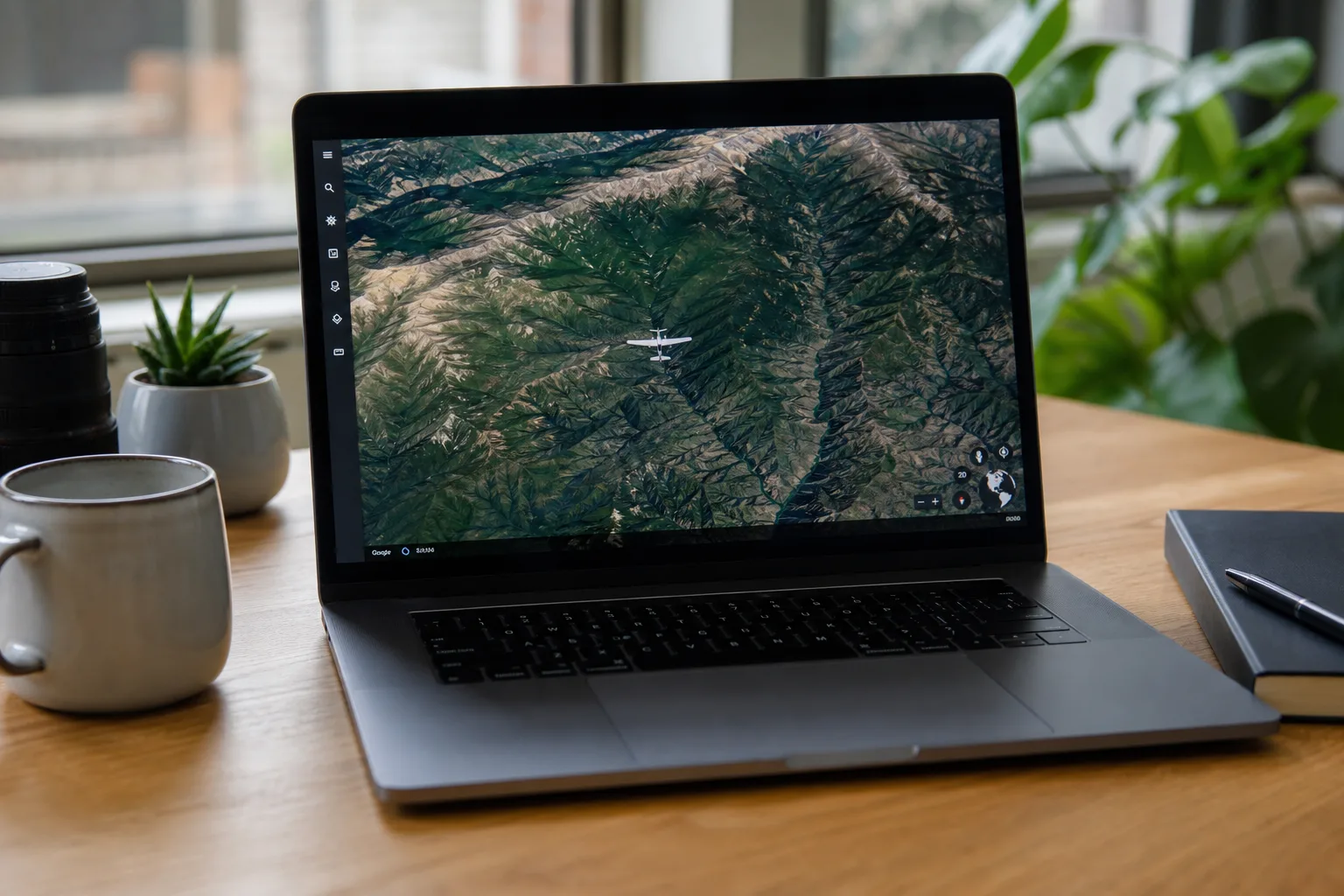
Google quietly rolled out one of its more delightful Easter eggs to the masses last Friday — the Google Earth flight simulator is now available to anyone with a web browser, no desktop app required. It’s a small but genuinely fun move from a company that doesn’t always shout about its more playful features.
- Google Earth flight simulator is now accessible directly in any web browser, no desktop app download required.
- The Google Earth flight simulator has actually existed as a hidden desktop feature since 2007 — most users never knew.
- Switching the basemap to Satellite mode gives a photorealistic view of the terrain below your aircraft.
- If you crash, the simulator pauses and lets you reset to a safe altitude rather than ending your session.
Table of Contents
A Hidden Feature That’s Been There Since 2007
Here’s the thing most people don’t know: the Google Earth flight simulator isn’t new. It’s been tucked inside the desktop version of Google Earth since 2007 — nearly two decades ago — quietly waiting for curious users to stumble across it. That’s a long time to keep something hidden. For context, the iPhone didn’t even exist yet when Google first dropped this feature into its desktop app.
The decision to surface it in the browser now feels like part of a broader push by Google to make Earth’s tools more accessible without the friction of software downloads. The desktop app has always been the more powerful option, but it’s also a barrier. Moving the flight simulator to the web strips that barrier away entirely.
How to Get Into the Cockpit
Getting started with the Google Earth flight simulator is straightforward, though there are a couple of things worth doing before you take off. Head to the Google Earth website, hit the ‘Explore Earth’ button near the top right of the page, and then look for ‘Flight Simulator’ at the bottom of the Tools section in the top menu. That’s it — you’re in.
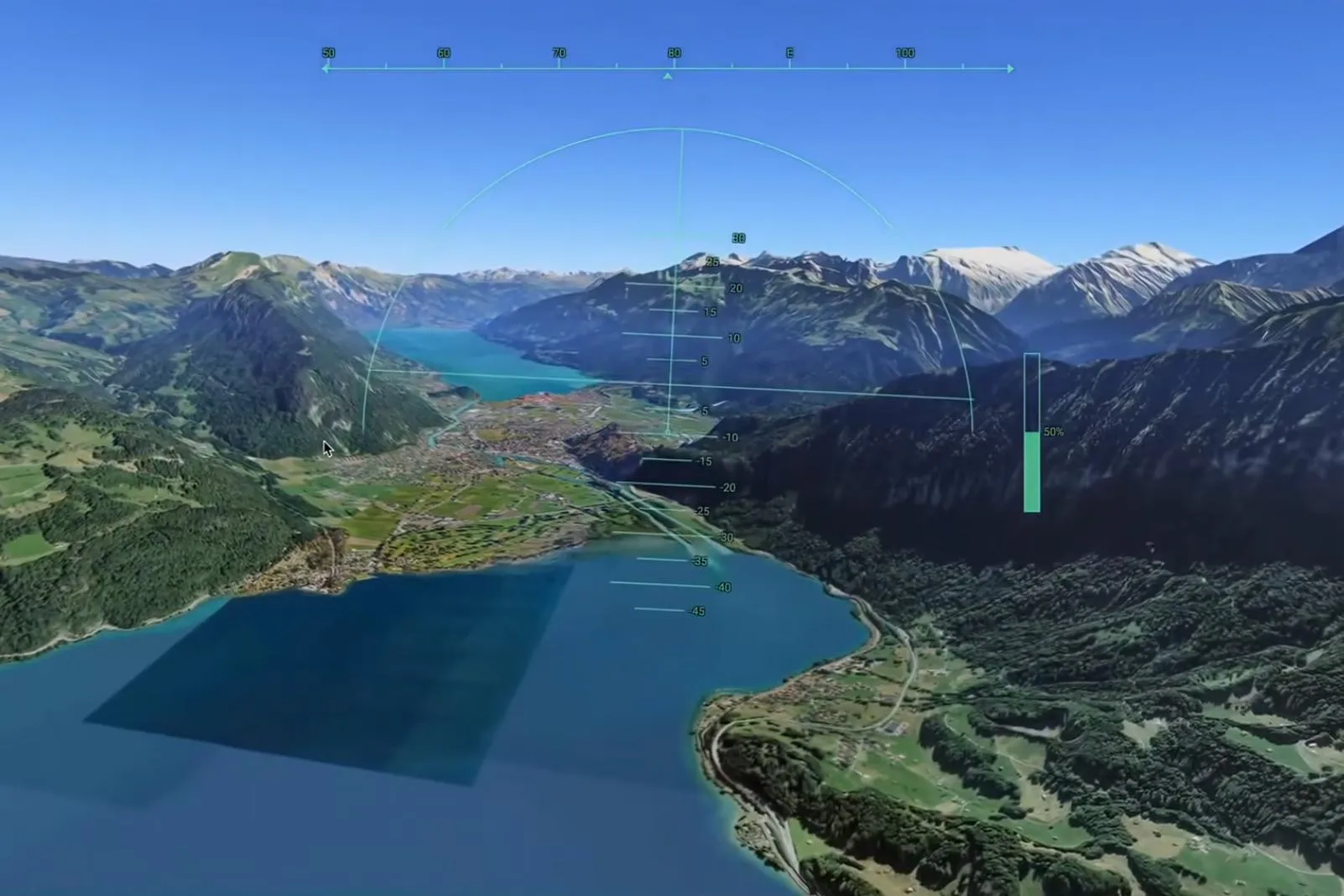
One practical tip before you hit the throttle: pick your location carefully. The default starting point can drop you over open ocean with nothing but water in every direction, which makes for a pretty underwhelming debut. Fly over somewhere with actual geography — a mountain range, a coastline, a dense city — and the experience is dramatically better.
You’ll also want to switch the basemap from the default Map view to Satellite. That single change transforms the experience from a slightly abstract diagram of the planet into something that looks and feels like you’re actually flying over real terrain. The satellite imagery Google has stitched together over the years is genuinely impressive at low altitude.
What the Google Earth Flight Simulator Actually Feels Like
Let’s be honest about what this is and what it isn’t. The Google Earth flight simulator isn’t trying to compete with Microsoft Flight Simulator, which has become the gold standard for virtual aviation — a product so detailed it’s used for actual pilot training in some contexts. Google’s version is closer to a sightseeing tour you happen to be piloting yourself.
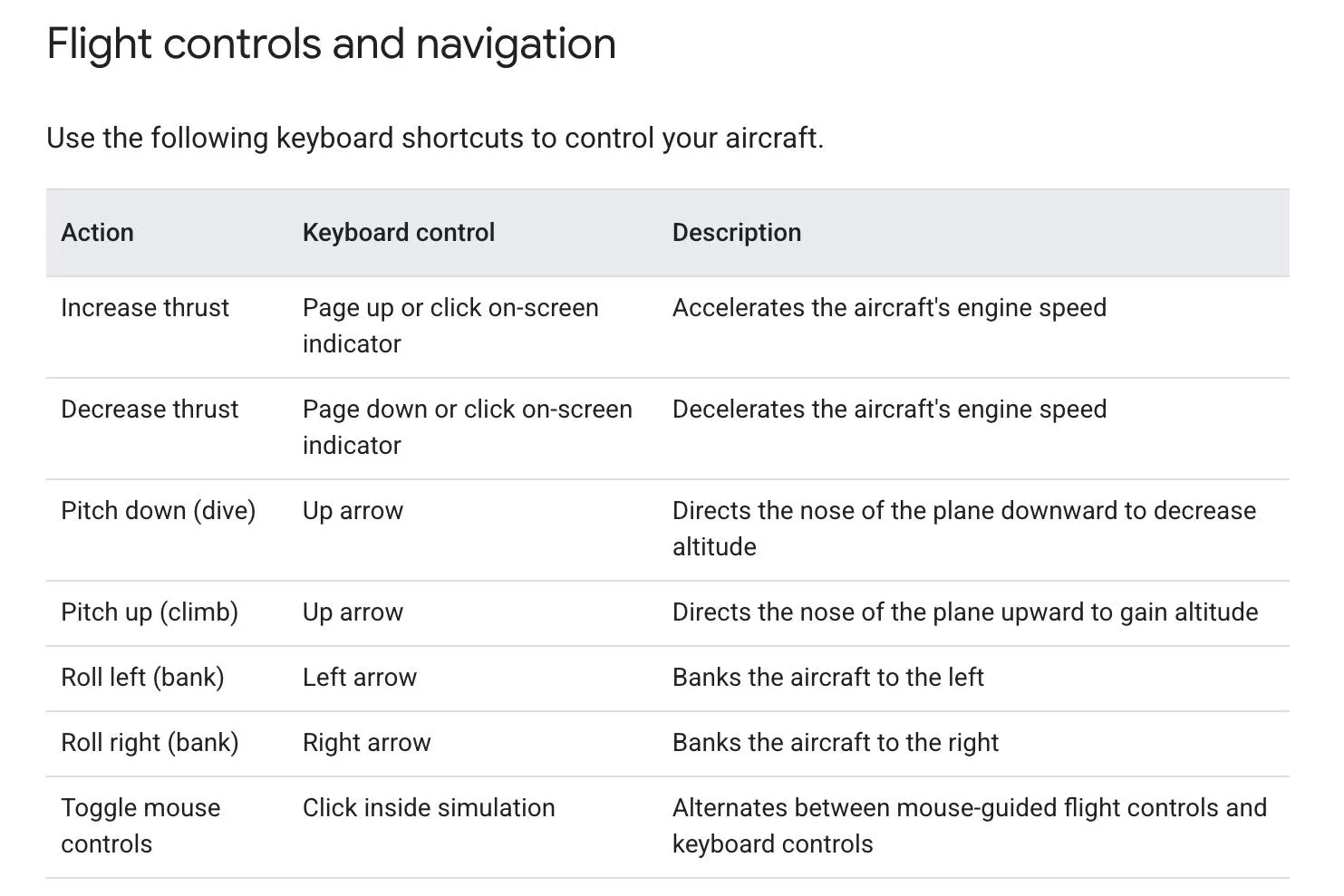
That said, it’s not completely trivial either. Pointing the aircraft where you want it to go without losing control takes genuine practice. The controls — manageable via keyboard or mouse, with Google providing a dedicated help page — have enough sensitivity to punish overconfidence. Banking too hard, pitching up too steeply, or letting your speed bleed off will put you into the terrain faster than you’d expect.
And when that happens? The simulator doesn’t end your session. It pauses on impact, acknowledges what happened, and offers to reset you to a safe altitude so you can try again. That’s a sensible design choice. It lowers the stakes and keeps people exploring rather than rage-quitting after their first mountain encounter.
Why This Matters Beyond the Nostalgia Factor
On the surface, the browser launch of the Google Earth flight simulator looks like a fun weekend distraction. And it is. But there’s a slightly bigger story here about how Google has been repositioning Earth as a platform rather than just a mapping tool.
Over the past few years, Google Earth has added timelapse features showing decades of environmental change, expanded its educational integrations, and pushed more of its capabilities into the browser to widen the audience. Moving the flight simulator out of the desktop app and into a tab you can open on any machine fits that pattern. It’s about reducing friction and finding new reasons for people to spend time inside the Earth ecosystem.

There’s also something worth considering from an engagement angle. Flight simulators — even basic ones — create a fundamentally different relationship with a map. When you’re flying over a landscape rather than clicking around it, you notice things differently. You see how mountain ranges connect, how cities sprawl, where rivers cut through valleys. It’s geography as an experience rather than a lookup tool.
Whether Google has any plans to develop the simulator further — adding more aircraft types, better weather integration, or any of the features that make proper flight sims compelling — isn’t clear. Right now it’s a single-aircraft experience with basic controls and no stated roadmap. But the fact that it’s now browser-accessible suggests Google sees it as worth investing in at least enough to make it available to everyone, not just the subset of users who happened to have the desktop app installed and knew where to look. If Google does decide to build on this foundation, the audience is suddenly a lot larger than it was a week ago.

