

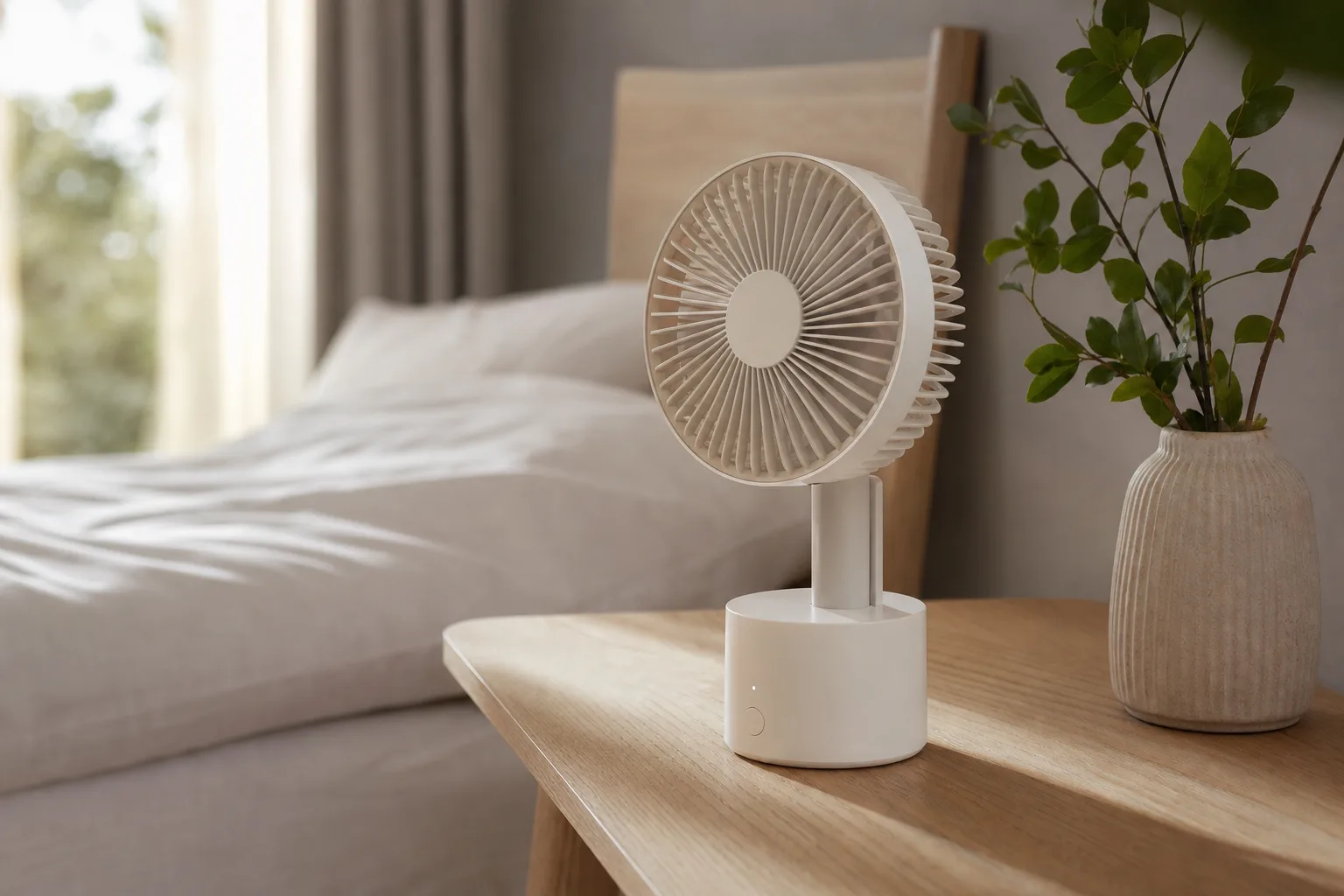
Fans are not supposed to generate excitement. You buy one, you plug it in, it moves air — end of transaction. That’s been the story for years, with reliable but uninspiring options from Vornado and Dreo dominating most buyers’ shortlists. Then the SwitchBot Standing Circulator Fan showed up, and suddenly a household appliance became the most fought-over object in a five-person home. That’s either impressive product design or a sign that the competition has been setting a very low bar. Probably both.
- The SwitchBot Standing Circulator Fan runs quietly on battery for hours and converts from desktop to standing fan in seconds.
- At $129.99 list price — regularly under $100 — the SwitchBot Standing Circulator Fan undercuts most comparable smart fans.
- The fan’s 3D oscillation covers 90 degrees horizontally and 100 degrees vertically, making it effective for bedrooms and home offices.
- Matter support is limited to on/off only, so full smart control requires SwitchBot’s own app or a compatible hub.
Table of Contents
SwitchBot Standing Circulator Fan: What You’re Actually Getting
SwitchBot has spent years building a reputation on those small button-pushing robots that automate dumb appliances. Fair or not, that’s still the first thing many people picture when they hear the brand name. It’s an increasingly outdated association. The company has since expanded into robot vacuums, smart locks, video doorbells, and now a fully capable smart fan — all part of a product portfolio that recently grew to include Nanoleaf’s lighting hardware.
The SwitchBot Standing Circulator Fan is the kind of device that makes you reassess what a fan can be. It ships as a compact desktop unit and converts to a standing fan — up to 100cm tall — by screwing in one or two vertical pole segments between the head and the battery base. Assembly takes seconds, no tools required. It’s a small detail, but it signals the broader philosophy behind the product: flexibility first.
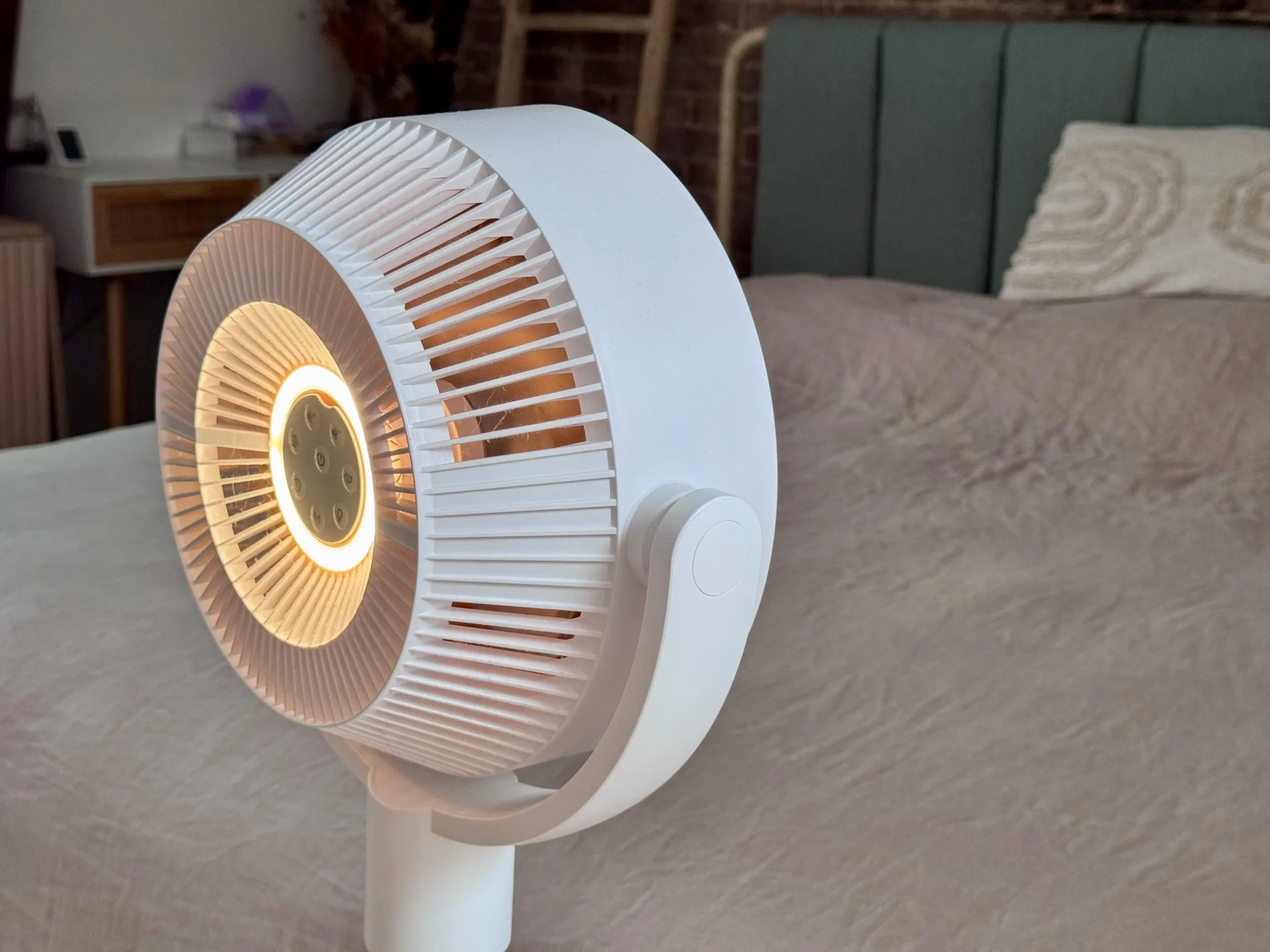
The ‘3D circulator’ label in the name isn’t marketing fluff. The fan head tilts up, down, left, and right — 90 degrees of horizontal oscillation and 100 degrees vertical. That’s a meaningfully wider sweep than most fixed-axis fans, and in practice it produces a more even distribution of air across a room rather than a single directed column of airflow.
Performance Numbers and Real-World Noise Levels
SwitchBot’s spec sheet puts airflow at up to 9.15 cubic meters per minute — roughly 323 CFM — with wind speeds of 6.1 metres per second and a claimed throw distance of 27 metres (about 89 feet). Those figures place the SwitchBot Standing Circulator Fan firmly in the medium-duty bracket: more than capable for a bedroom or home office, but not the right tool for a large open-plan living space. For that kind of heavy circulation, something like the $149.99 Dreo PolyFan 704S is a better fit.
What genuinely stands out is the noise floor. The fan uses a DC brushless motor paired with a carefully shaped blade design, and the difference is audible. At maximum speed, measured at one metre away, it registers around 50dB — acceptable for daytime use. Drop it to the ‘Baby’ preset, the lowest of its speed options, and that falls to a whisper-level 28dB. To put that in context, normal breathing in a quiet room sits around 30dB. At night, you’d barely know it’s running.

Control options are generous. The SwitchBot app handles full configuration, including scheduling and automation. A touch panel is built into the base for quick manual adjustments. There’s also a physical remote that snaps magnetically to the rear of the unit — a small but genuinely useful touch that means the remote is always exactly where you left it.
The Battery Is the Real Differentiator
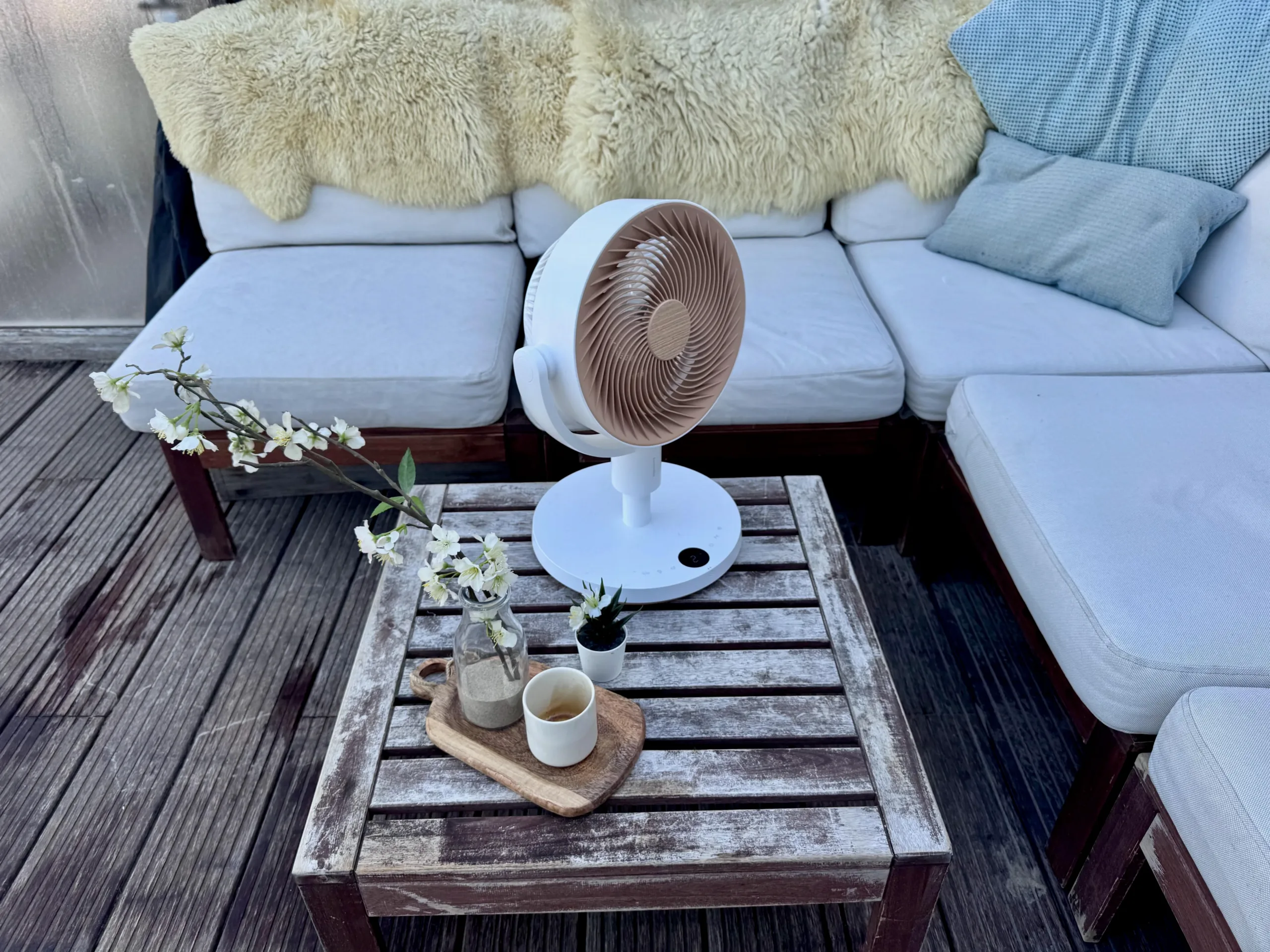
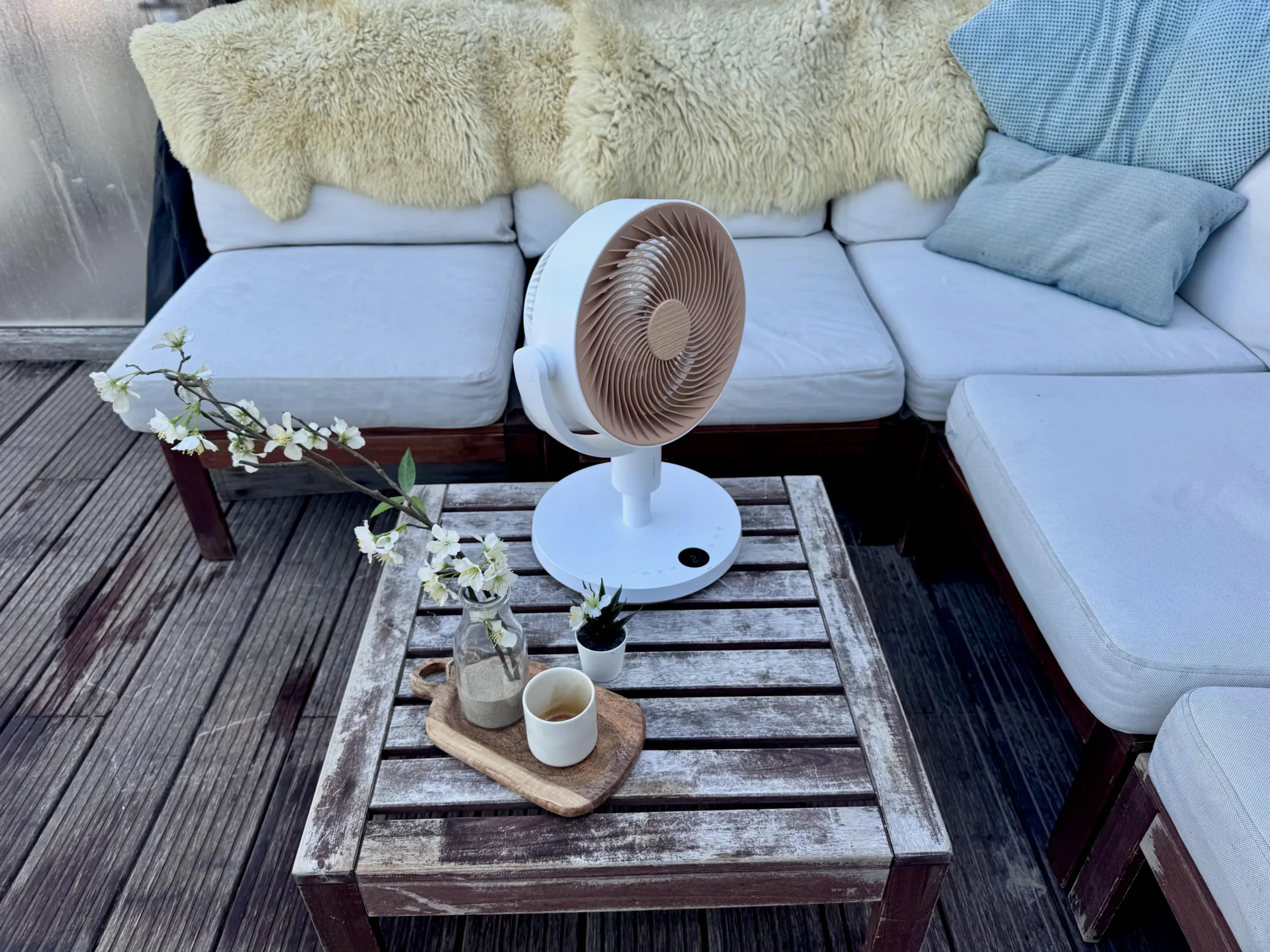
Most smart fans are tethered to a wall outlet. The SwitchBot Standing Circulator Fan charges via USB-C and runs entirely on its internal battery, which changes what the product actually is. It stopped being a bedroom appliance and started being something you carry onto an outdoor terrace on a hot, windless afternoon, or shift between rooms without hunting for a free socket.
Run time depends heavily on settings. At full tilt — max fan speed, nightlight on bright, full 3D oscillation — you’ll get around 1 hour and 45 minutes. That’s honest about the trade-off. Dial it back to the Baby preset, though, and it runs comfortably through the night. SwitchBot also claims more than four days of continuous runtime when the SwitchBot Standing Circulator Fan’s base is plugged into a standard 10,000mAh USB-C power bank, which turns the fan into something genuinely useful for camping or power-outage situations.
The integrated nightlight adds a layer of utility that sounds trivial until you’re actually using it. Set to low at night, it’s just enough light to navigate a dark room without waking anyone — the kind of feature that makes the fan feel like it was designed by people who actually use the thing at 2am, not just in a product testing lab.
Smart Home Integration — and Where It Falls Short
The SwitchBot Standing Circulator Fan connects to Alexa, Google Assistant, and Siri when paired with one of SwitchBot’s Matter-compatible hubs. Voice commands work reliably for the basics — switching the fan on and off is genuinely useful when you’re already in bed. The limitation is that Matter currently only exposes on/off control. Speed adjustment, oscillation settings, and the nightlight all require either the app or the remote.
That’s a real constraint, and it’s worth being direct about it: if deep smart home integration is your priority, SwitchBot’s own ecosystem gives you the full feature set, while Matter keeps you locked to binary control. This isn’t a SwitchBot-specific failure — Matter’s appliance support has been patchy across the board, and fan manufacturers are hardly alone in facing this limitation. But buyers expecting seamless HomeKit control over every setting will be disappointed.
How It Compares to the Competition
The most telling comparison is against the Vornado 533, a $55 bedroom fan that produces roughly equivalent airflow. The Vornado is significantly louder and doesn’t oscillate in the same sweeping 3D pattern. The SwitchBot Standing Circulator Fan costs more than double at list price — but it’s been on sale for under $100 frequently enough that the gap narrows considerably. At $99, the SwitchBot Standing Circulator Fan’s quieter motor, battery portability, and 3D articulation make it a genuinely different product, not just a premium version of the same thing.
The $149.99 Dreo PolyFan 704S moves more total air and is the better choice for larger rooms, but it doesn’t offer battery operation and doesn’t convert between desktop and standing configurations. The SwitchBot Standing Circulator Fan wins on versatility and portability; the Dreo wins on raw output. Which matters more depends entirely on your use case.
Who Should Actually Buy This
The SwitchBot Standing Circulator Fan makes the most sense for people who want a quiet, portable fan that can move between rooms — or between indoors and outdoors — without being anchored to an outlet. It’s well-suited to bedrooms, nurseries, and home offices. Its 3D oscillation pattern does a noticeably better job of distributing air across a sleeping space than a standard directional fan, and the noise levels at night are genuinely impressive for the price point.
What it isn’t: a replacement for a high-output tower fan or a whole-room circulator. If your goal is to move serious volumes of air across a large space, this isn’t the product for that job.
The broader signal here is that smart home accessories are finally arriving in product categories that have been ignored for years. Fans, humidifiers, and small appliances have mostly been an afterthought in the smart home ecosystem — bolted-on Wi-Fi modules and clunky apps. SwitchBot’s approach feels more considered: a genuinely well-designed physical product that happens to connect to your smart home, rather than a connected product that happens to move air. That’s a distinction the rest of the category would do well to catch up with.
Frequently Asked Questions
How long does the SwitchBot Standing Circulator Fan battery last?
At maximum settings — fan on high, nightlight on bright, full oscillation active — the battery lasts about 1 hour 45 minutes. In the quiet ‘Baby’ preset, it easily runs through the night. SwitchBot claims over four days of use when the base is connected to a standard 10,000mAh USB-C power bank.
Does the SwitchBot Standing Circulator Fan work with Apple HomeKit and Alexa?
Yes. When paired with a SwitchBot Matter-compatible hub, the fan works with Alexa, Google Assistant, and Siri. However, Matter integration is limited to on/off commands only — adjusting speed, oscillation, or other settings still requires the SwitchBot app or the included remote.
Is the SwitchBot Standing Circulator Fan powerful enough for a large room?
It’s best suited for bedrooms or home offices. SwitchBot rates it at up to 323 CFM with an airflow distance of about 89 feet, which is solid for its size. Larger living rooms will likely need something heavier-duty, like the Dreo PolyFan 704S.
How do you assemble the SwitchBot Standing Circulator Fan as a standing fan?
The fan head attaches directly to the battery-powered base for desktop use. To convert it to a standing fan, you screw one or two vertical pole segments between the head and the base, creating a fan up to 100cm tall. The whole process takes a matter of seconds and requires no tools.

