

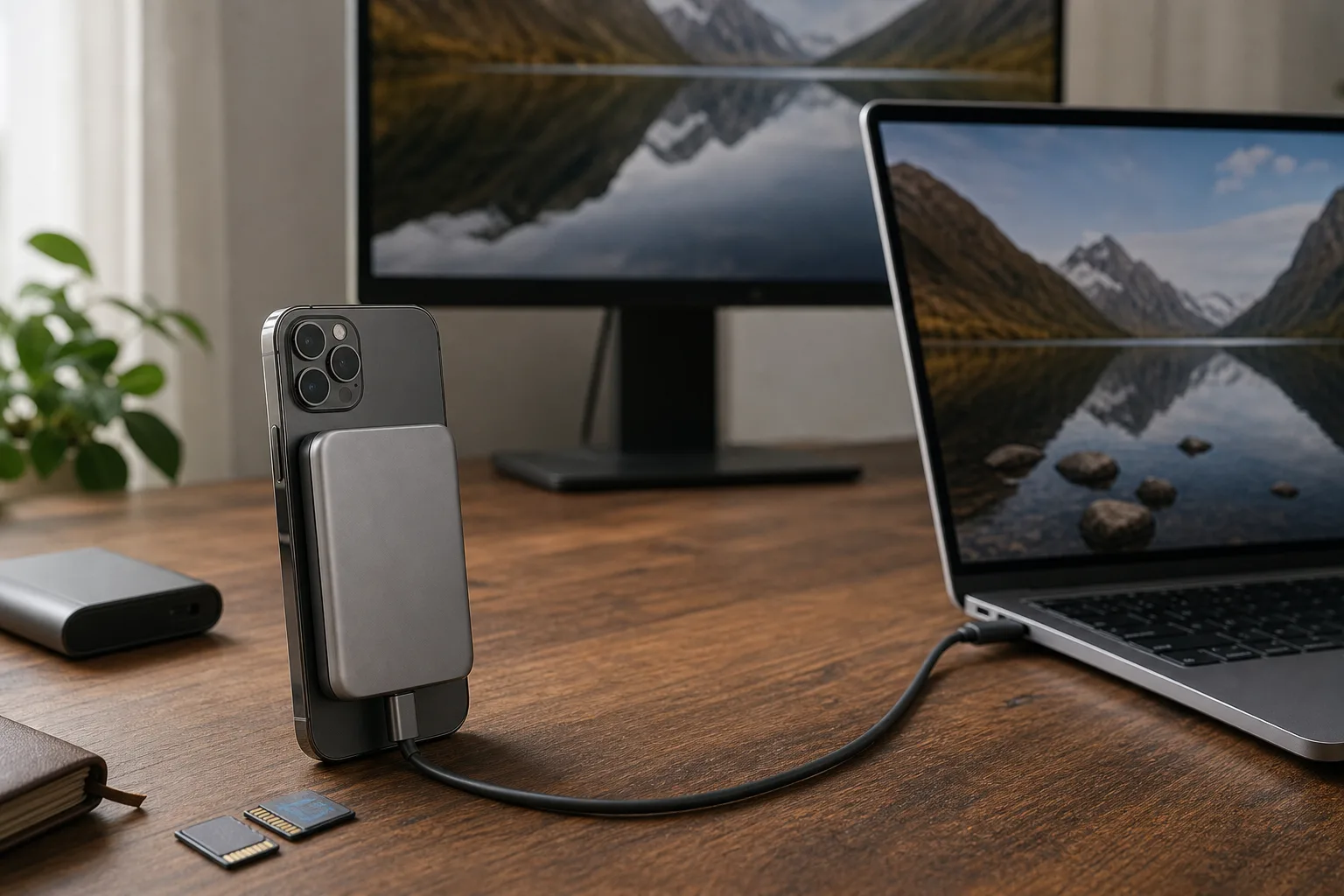
- The Sharge Disk Pro 2 combines expandable SSD storage, HDMI output, card readers and USB-C charging in a pocketable travel dock.
- The Sharge Disk Pro 2 works with laptops, phones and Nintendo handhelds, though serious SSD workloads need external power.
- Its 10Gbps enclosure delivered roughly 700MB/s writes in testing, adequate for travel workflows but behind newer 40Gbps designs.
- Sharge fixed glaring flaws from earlier Disk models, but Switch compatibility and occasional display dropouts still need attention.
Table of Contents
The Sharge Disk Pro 2 has a genuinely useful premise
Travel docks are usually the kind of thing you buy after forgetting one at a hotel, then resent every time it rattles around your bag. The Sharge Disk Pro 2 takes a more ambitious route: it combines an M.2 SSD enclosure, HDMI adapter, USB hub, SD and microSD readers, USB-C power passthrough and a magnetic mounting surface in a device roughly the size of a pack of cards.
That sounds like an accessory-company fever dream. In practice, it is a fairly compelling answer to the modern one-cable problem. A laptop user can connect a monitor, removable media and an SSD while charging; a phone can offload files and send an image to a TV; a handheld PC or Nintendo console gets a portable dock. One small slab replaces the pouch full of adapters many of us have been hauling around since USB-C promised to simplify everything.
Sharge has built its name on transparent batteries and retro-styled chargers, not necessarily flawless practical hardware. Its earlier Disk products had awkward compromises: noisy fans, fixed cables, bolt-on magnet solutions and, in one case, a poorly designed recessed power port. The new model addresses those basics with a detachable cable, integrated magnets, normal-sized port openings and a fan that can be disabled.
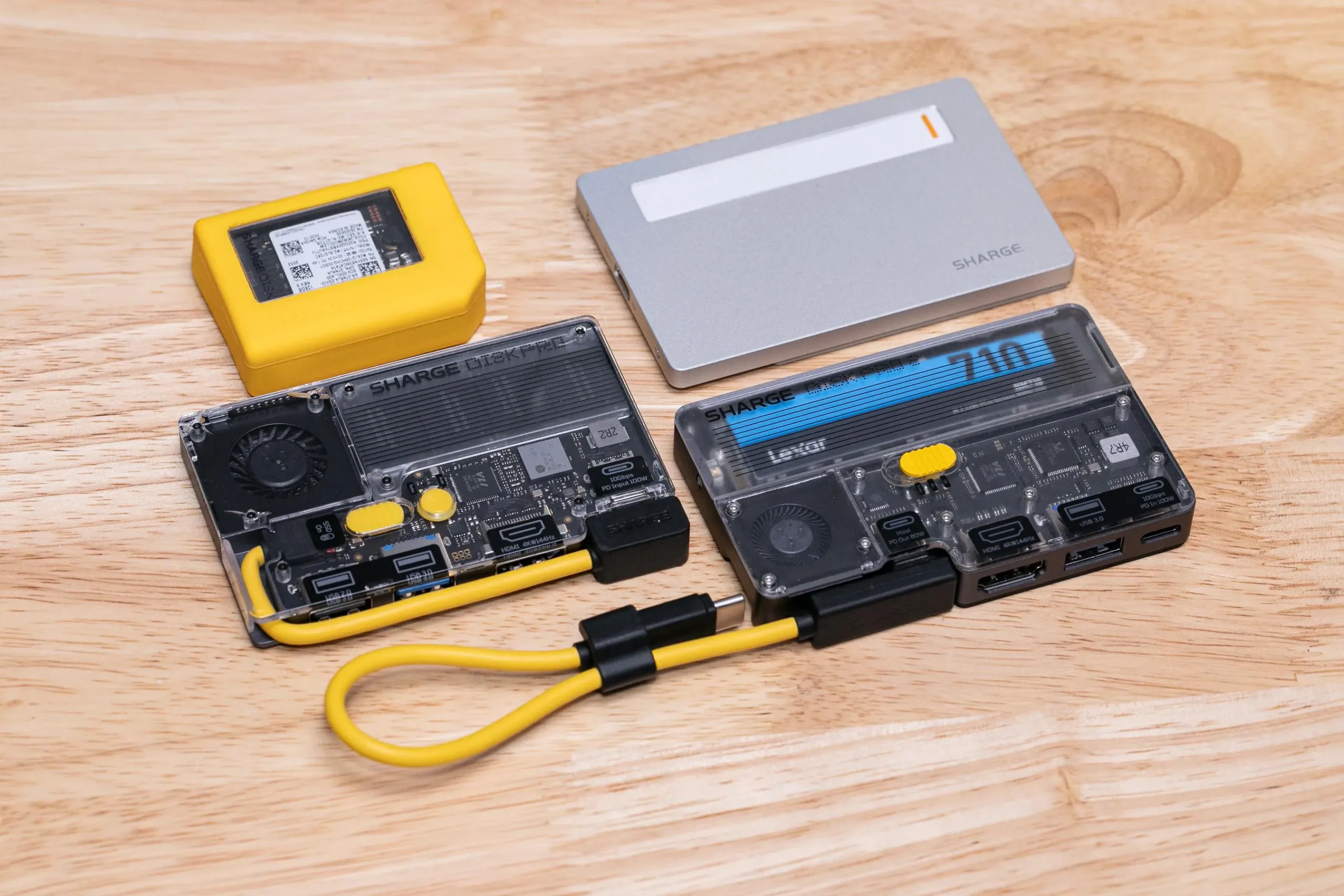
Frankly, fixing the boring stuff matters more than adding another clever port. An SSD enclosure that disconnects because a cable will not fit is less like a tool and more like a tiny rage machine.
What the Sharge Disk Pro 2 can connect
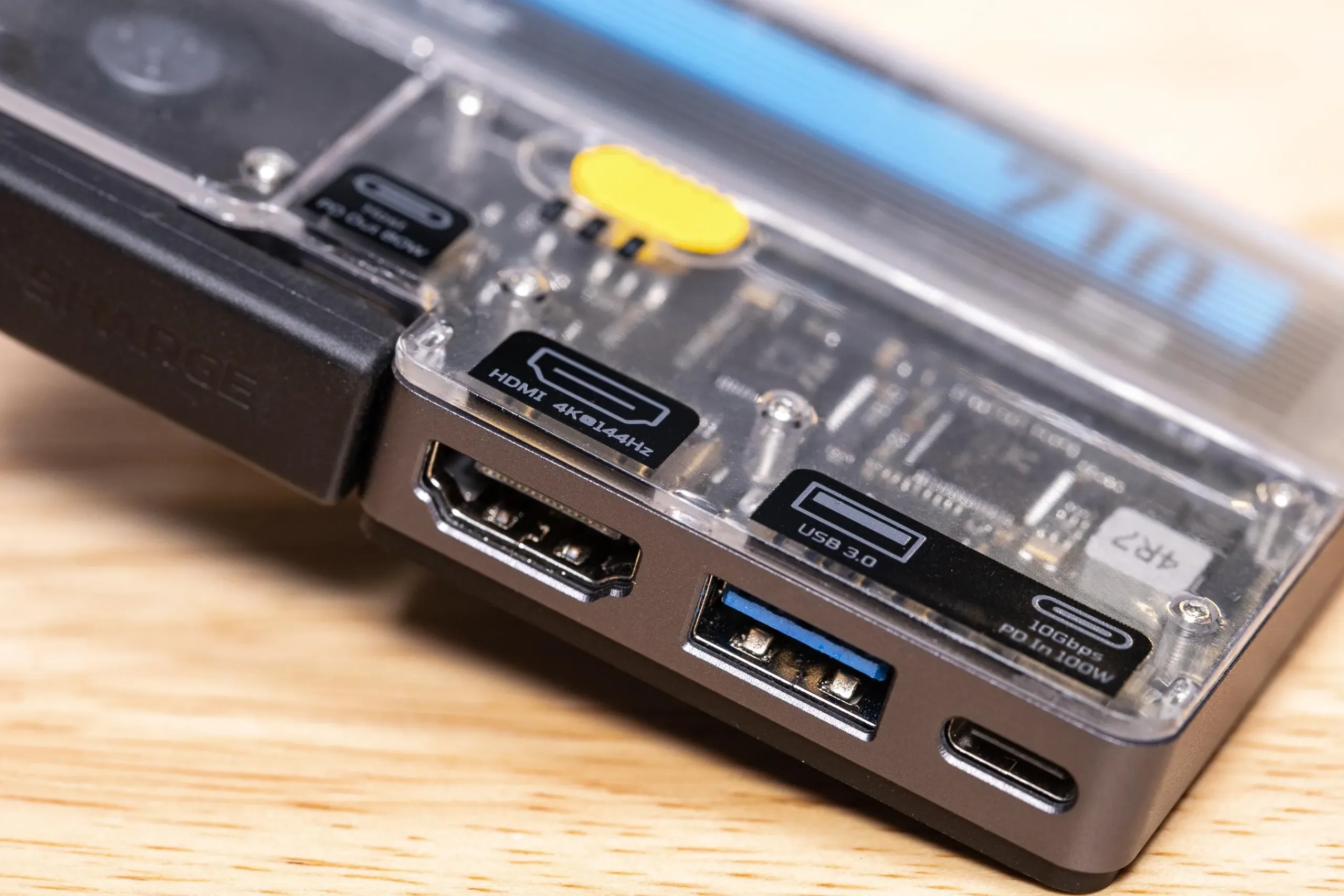
The Sharge Disk Pro 2 Ultra has HDMI 2.1 rated for up to 4K at 144Hz, a 5Gbps USB-A port, USB-C input for power delivery, full-size SD and microSD slots, and a 10Gbps connection to its internal NVMe storage. It also uses a MagSafe-style ring pattern, letting the dock cling to an iPhone, compatible Android phone or any surface fitted with the included adhesive ring.
That magnetic trick could sound frivolous, but it solves a real annoyance. If you are recording video to external storage from an iPhone 15 Pro or newer USB-C iPhone, a loose SSD dangling on a short cable is an accident waiting to happen. Mounting the drive to the phone turns the setup into something closer to a purpose-built camera rig, without dragging a cage and rails into the equation.
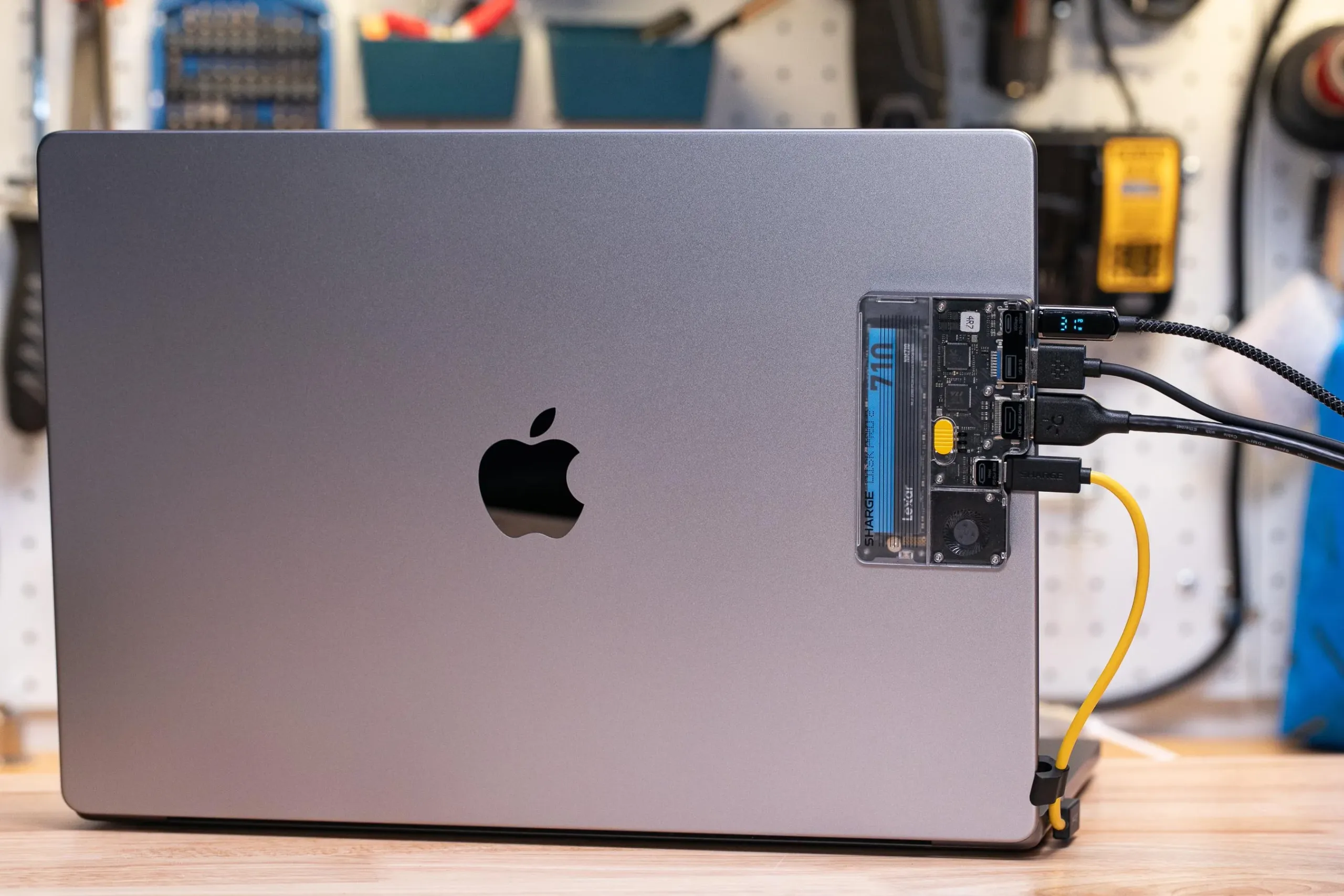
The appeal becomes clearer when you look at how people actually use their gadgets: a MacBook for work, a phone for shooting clips, a Steam Deck on a hotel TV and a Switch 2 in the evening. Sharge’s pitch is that one accessory can travel between all of them. The company’s official product catalogue shows why it has leaned into this sort of portable, design-forward gear, though the Disk line has taken a few attempts to get there.
For laptop users, this may be the strongest use case. Connecting one cable can add a second display, card access, a flash drive and installed SSD storage while routing power back to the computer. That is the sort of consolidation that earns space in a daily bag.
Power is the Sharge Disk Pro 2’s catch
The Sharge Disk Pro 2 Ultra’s low-power design comes with a serious asterisk. Sharge says the model needs only 1.5W of bus power, but it can provide only 3W to the installed SSD when it is drawing power from the host device. Plenty of NVMe drives exceed that during sustained writes. The result reported in hands-on testing was predictable: the enclosure shut down during large transfers and iPhone ProRes recording when no external power source was attached.
Plug in a USB-C charger or battery pack and the problem largely disappears. That is not a deal-breaker, but it changes the product’s promise. It is not quite a carefree, cable-only mobile studio if you plan to write heavily to a power-hungry drive. Buyers should either add a battery to their kit or choose an SSD known for modest power consumption.
There is also a Lite version. It draws more power at 5W, tops out at 4K60 through HDMI 2.0, and uses different internals. The Ultra is the more interesting model because 4K120 and 4K144 support gives it room to serve laptops and newer displays, but shoppers should not assume the two versions are interchangeable.
Fast enough, but not the fastest SSD enclosure
At 10Gbps, the Sharge Disk Pro 2 is not trying to win a benchmark chart. External enclosures based on USB4 and Thunderbolt can offer 40Gbps or more, and they are the right call for editors moving enormous projects every day. Testing with a 1TB Lexar NM710 reportedly produced average write speeds around 700MB/s, including a roughly five-minute transfer of 195GB.
That is perfectly respectable for backing up a camera card, moving a game library, or recording external ProRes video. It is also dramatically quicker than wireless transfers, which remain the technological equivalent of moving house with a teaspoon. But shoppers should buy this for its integration, not because they expect desktop-class storage performance.
The active cooling system is similarly practical rather than magical. Running the fan at full speed made little difference to one large transfer, shaving only about 10 seconds, but it did matter to the enclosure’s temperature. With the fan off, its metal shell became uncomfortably hot. My read: leave the fan enabled for long writes and live with the modest extra noise.
Nintendo support is promising, not polished
The Sharge Disk Pro 2 can dock both Switch generations, which is rare enough to deserve attention. Nintendo has always made third-party docking unnecessarily fussy by checking for a specific kind of external power arrangement. Sharge says firmware work is ongoing, and Switch 2 currently requires an 85W-or-higher USB-C PD adapter.
Even then, users should expect a noticeable pause before the console picture appears. PC handheld owners have another limitation: while the dock can output high-resolution HDR modes, it does not pass variable refresh rate through to a Steam Deck or comparable machine. There were also occasional monitor blackouts in extended use. None of that makes the device unusable, but it is a reminder that a Swiss Army knife has more hinges to troubleshoot than a plain old screwdriver.
Sharge is offering the Ultra at $75 through Kickstarter, with an expected $89 retail price. The company has generally delivered its crowdfunding hardware, but Kickstarter is still preorder territory, not a retail shelf. If Sharge finishes the firmware polish and avoids fresh reliability gremlins, the Sharge Disk Pro 2 could be one of the rare multi-function USB-C gadgets that earns a permanent place in a travel kit. The real test is whether other accessory makers can copy the idea without inheriting the compromises.
Frequently Asked Questions
What SSDs fit in the Sharge Disk Pro 2?
The enclosure accepts standard M.2 NVMe SSDs in 2280, 2242 and 2230 sizes, with support for capacities up to 8TB. Buyers supply the SSD themselves, and installing or swapping one still requires removing screws rather than using a tool-free tray.
Does the Sharge Disk Pro 2 work with Nintendo Switch 2?
It can output video from both the original Switch and Switch 2, but Nintendo’s power requirements make the setup less simple than a first-party dock. Sharge says Switch 2 currently needs an 85W or higher USB-C PD charger connected to the dock.
Can an iPhone record ProRes video to the Sharge Disk Pro 2?
Yes, a compatible USB-C iPhone can see the installed SSD and use external storage for 4K60 ProRes recording. But the drive may shut down under sustained recording when powered only by the phone, so an external USB-C battery or charger is the sensible setup.

