


If you’ve ever tried to forward a chain of messages on Google Messages, you already know the frustration. You select the first text, forward it, go back, select the next one — repeat until you run out of patience. Google Messages forwarding has been stuck in this clunky single-message loop for years, while rival apps like WhatsApp have handled multi-select forwarding almost forever. That finally looks set to change.
- Google Messages forwarding is finally getting multi-select support, letting users forward several texts and images at once.
- The Google Messages forwarding update was spotted in beta version messages.android_20260618_05_RC02 and isn’t publicly available yet.
- A redesigned overflow menu and a new message preview screen are part of the updated forwarding interface.
- WhatsApp and other rivals have offered multi-message forwarding for years, making this a long-overdue addition for Google.
Table of Contents
What Google Is Actually Building
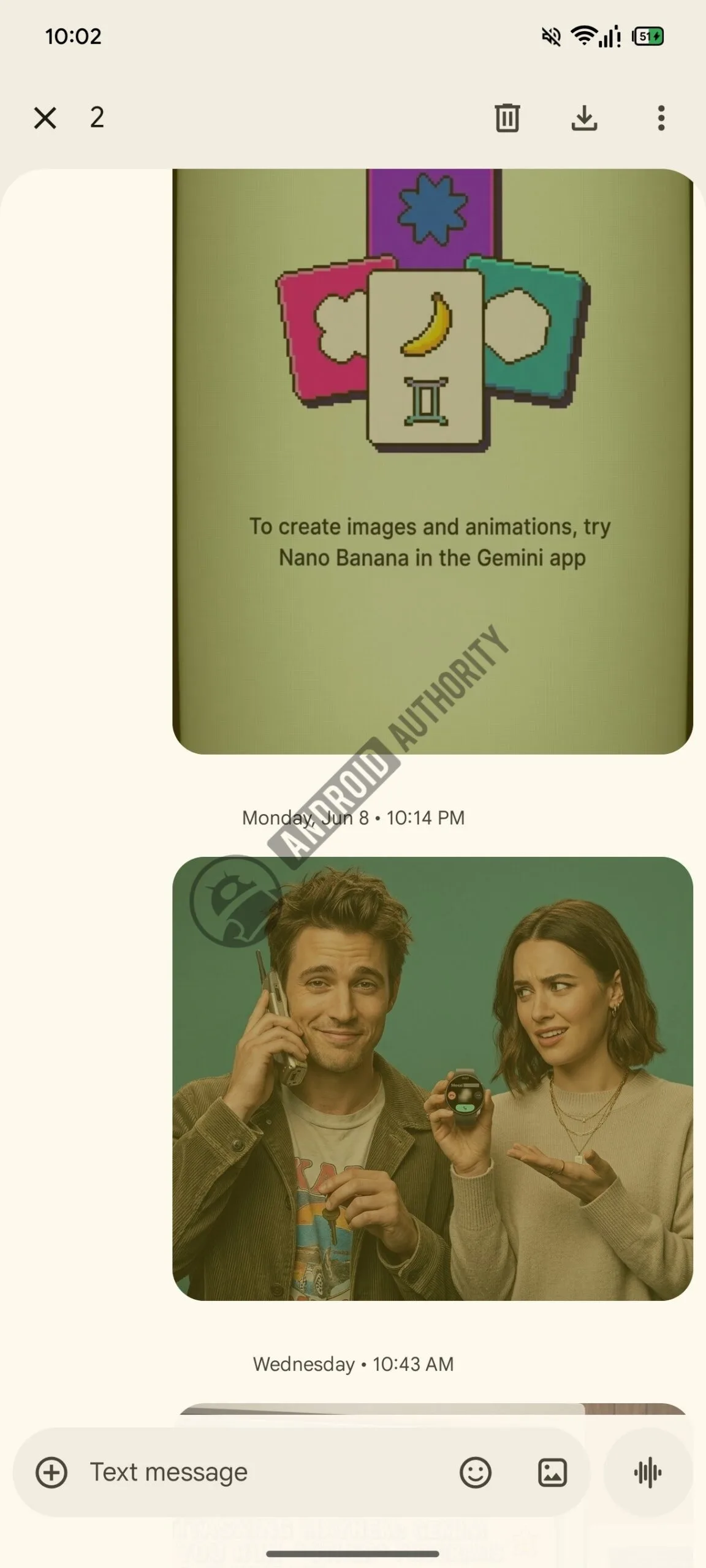
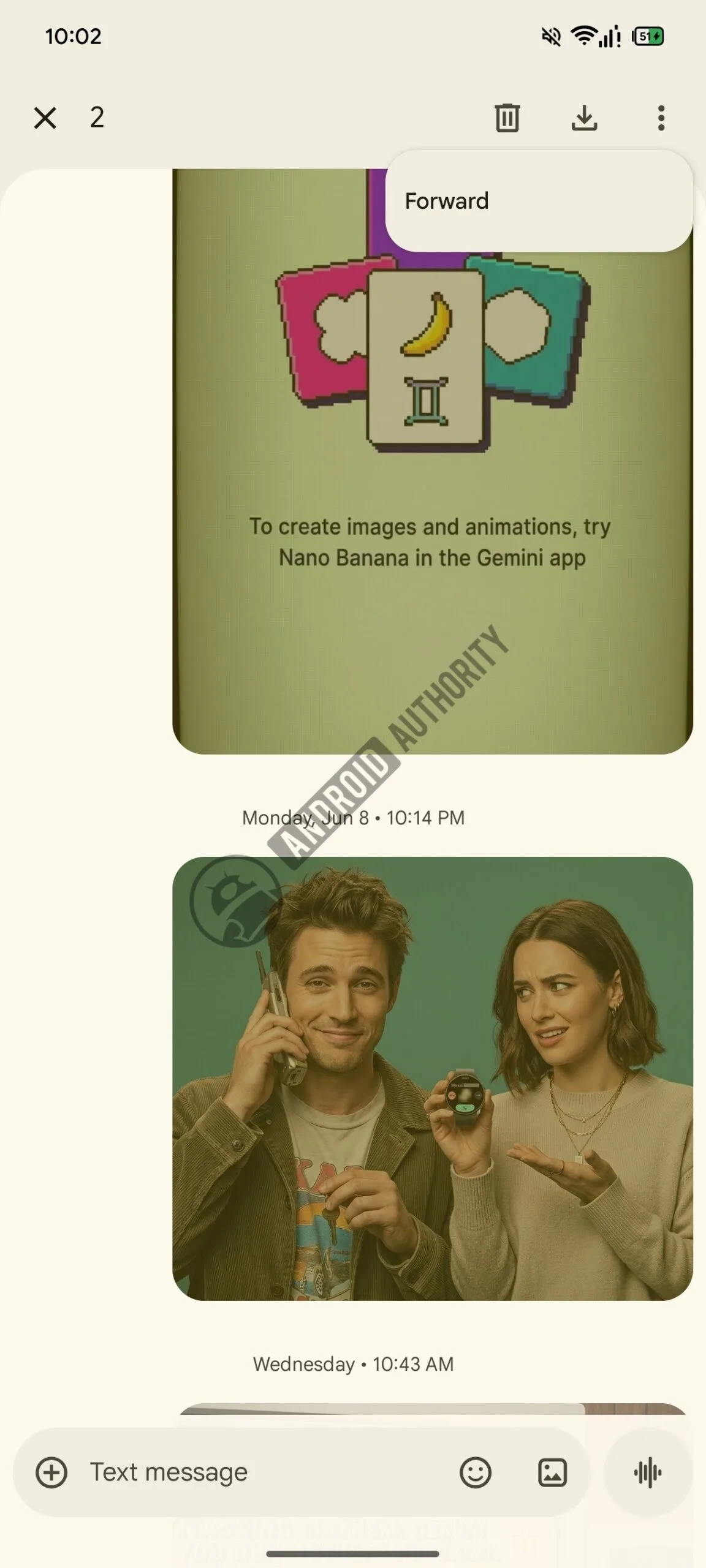
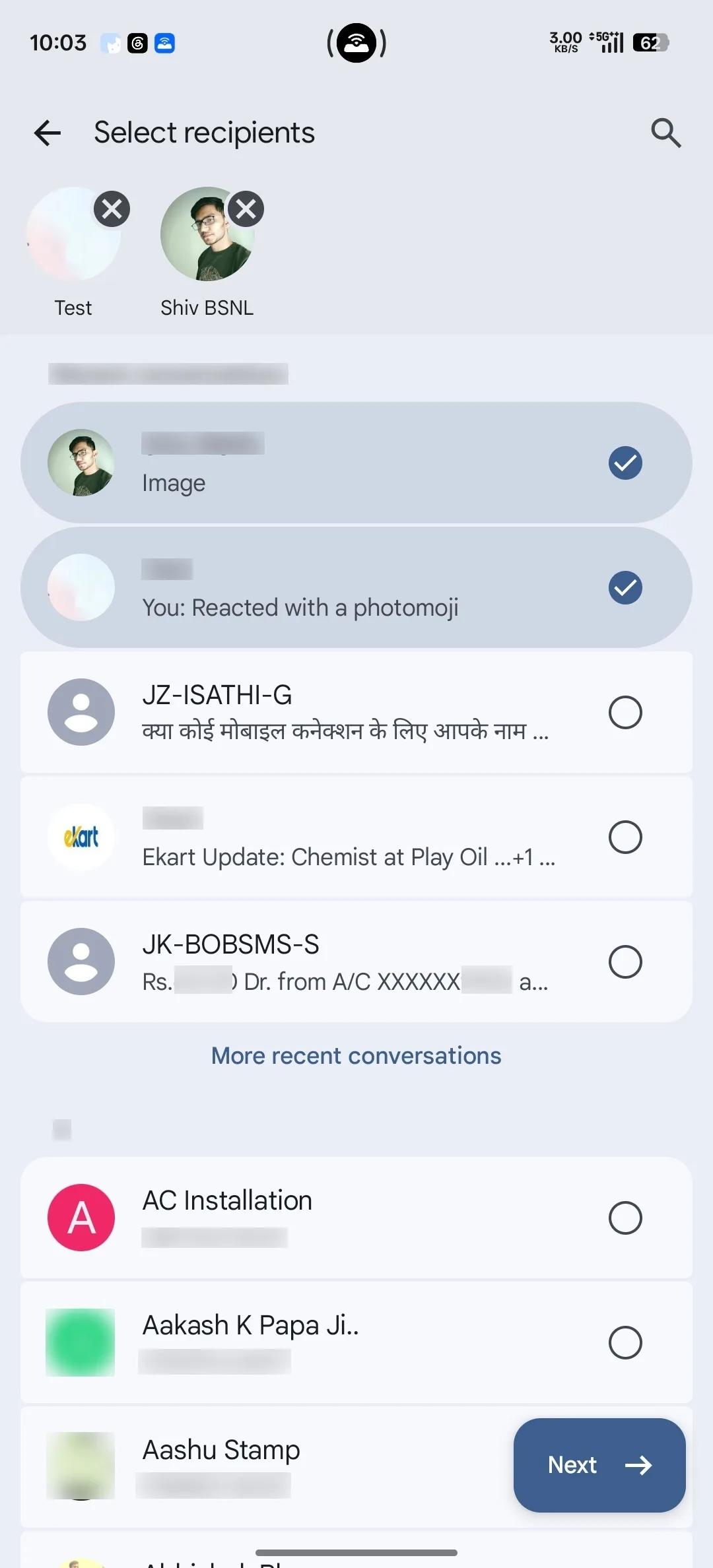
Buried inside the latest Google Messages open beta — specifically build messages.android_20260618_05_RC02.phone.openbeta_dynamic — is a new multi-message forwarding interface that testers have managed to activate. Once enabled, selecting multiple messages or images inside a conversation reveals a three-dot overflow menu in the top-right corner of the conversation header. Tap it, and a new ‘Forward’ option appears. From there, a contact picker opens and, crucially, a preview of all the selected messages is displayed at the bottom of the screen before you actually send anything.
That preview alone is a genuine quality-of-life improvement. Even when forwarding a single message today, the current interface gives you no confirmation of what you’re about to send to someone. The new design closes that gap, which suggests Google has thought through more than just the mechanics — it’s reconsidered how the entire Google Messages forwarding flow should feel.
Why Google Messages Forwarding Has Been Such a Glaring Gap
To understand why this matters, it’s worth stepping back and looking at where Google Messages sits right now. The app has made enormous strides since Google finally committed to RCS (Rich Communication Services) as its messaging backbone. End-to-end encryption, read receipts, typing indicators, high-quality media sharing — it’s a capable platform by most modern measures. But Google Messages forwarding — or rather, the lack of a proper version of it — has been a persistent sore point that even casual users notice.
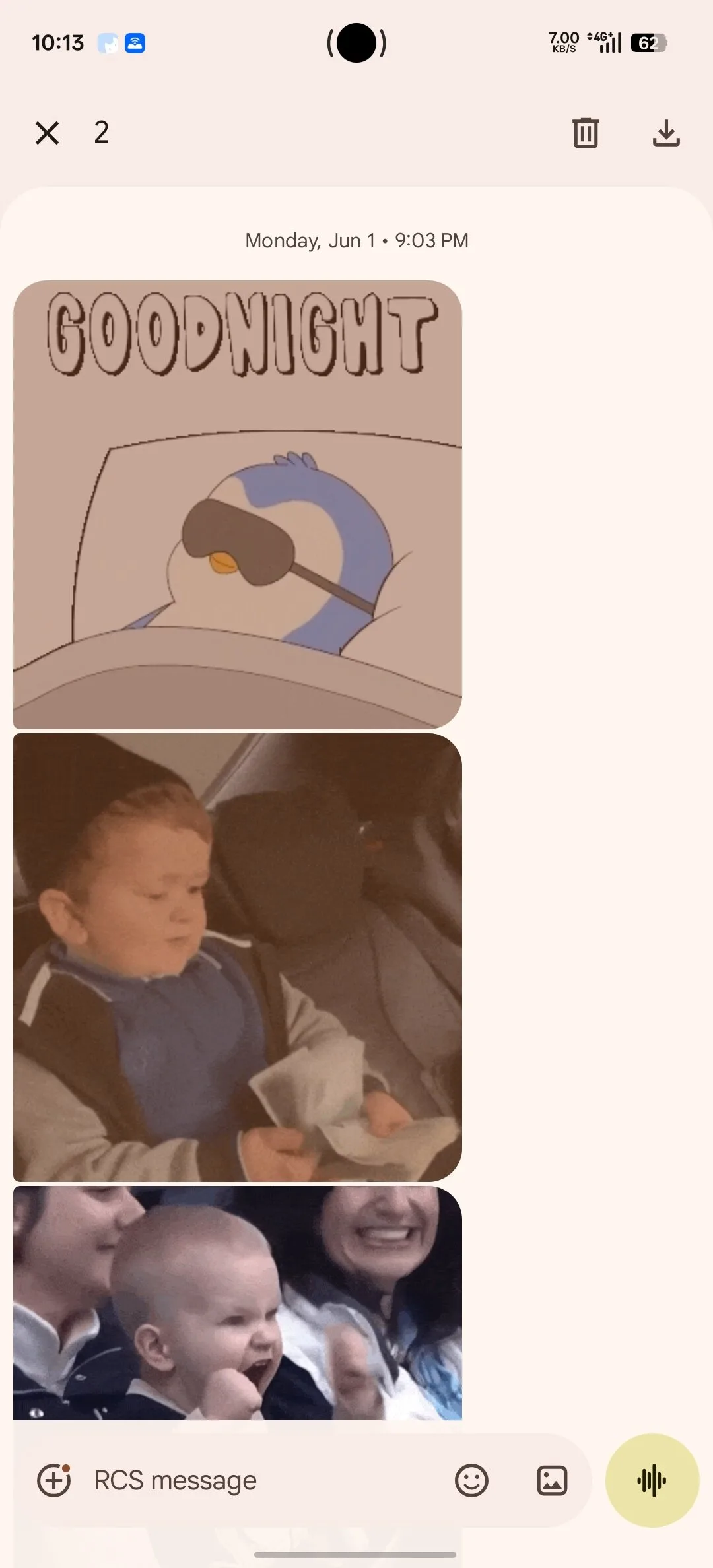
Right now, if you long-press on a message and select multiple items, the only actions you’re offered are delete and download. You can’t forward them together. If you want to forward a thread of ten messages to a friend, you’re doing that ten separate times. For images, it’s the same story. The app lets you select multiple photos in a conversation, but forwarding them as a batch isn’t an option. One image at a time, every time.
WhatsApp cracked this years ago. iMessage handles it cleanly. Even Telegram, which caters to a more technically minded audience, treats multi-forward as table stakes. For an app that Google actively promotes as its flagship Android messaging experience, this has been an embarrassing omission.
What the Updated Interface Looks Like
The interface changes are telling. Google hasn’t just bolted forwarding onto the existing selection menu — it’s updated the conversation header UI to make room for an overflow menu that didn’t exist before. That’s a small but meaningful signal that the team put real thought into how multi-select actions should be presented, rather than just cramming a new button into an already tight toolbar.
The preview panel that appears at the bottom of the contact picker is also new territory for Google Messages forwarding. Currently, when you forward a single message, you’re essentially flying blind — you confirm the recipient and hit send without any visual summary of what’s being forwarded. The new flow shows a summary of the selected content before it goes anywhere. That’s a sensible safeguard, especially for image batches where it’s easy to accidentally include something you didn’t mean to.
The Bigger Picture for Google’s Messaging Ambitions
Google’s relationship with messaging is, to put it charitably, complicated. The company has killed, rebranded, or quietly shelved more messaging products than most companies have ever shipped — Hangouts, Allo, Google Chat, Google Talk, and Duo are all cautionary tales from the same organisation. Messages has survived partly because it’s tied directly to the RCS standard rather than a standalone Google ecosystem play, which means its fate isn’t entirely in Google’s hands.
But that history makes feature velocity matter more, not less. Every time a basic capability like Google Messages forwarding for multiple items is missing, it hands ammunition to critics who argue Google still can’t maintain consistent focus on its own products. When a feature this fundamental takes years to arrive, the perception problem is real — even if the engineering explanation is mundane.
It’s also worth watching how Google handles the rollout. Features discovered in beta builds don’t always make it to stable releases unchanged, and sometimes they don’t make it at all. Google has a track record of testing things in the wild that quietly disappear before a full launch. That said, Google Messages forwarding of multiple messages is exactly the kind of parity feature — something competitors have had for years, with clear user demand — that tends to actually ship.
When Can You Expect It?
The short answer: not yet, and probably not soon. The feature was found in a beta build that requires manual activation, which typically means it’s at least a few development cycles away from a general rollout. Google tends to sit on features in this state for anywhere from a few weeks to several months before they surface in the stable channel.
If you’re enrolled in the Google Messages open beta programme, you won’t see it automatically — the feature was enabled by researchers who dug into the build directly. For most users, the wait continues.
What this development does confirm is that Google is actively auditing the gaps between Messages and its competitors. Multi-message Google Messages forwarding is a low-glamour fix, but fixing the low-glamour stuff is often what separates a messaging app people tolerate from one they actually prefer. If Google can keep that momentum — closing the feature parity deficit one long-overdue update at a time — Messages has a real shot at holding its ground as RCS adoption grows globally. The question is whether Google’s historically short attention span will let it follow through.

