


Table of Contents
The best all-in-one computers for 2026 continue to replace traditional desktop towers in homes, offices, and studios. Many users now prefer a single display that includes the processor, storage, speakers, and webcam in one unit. This design saves desk space and reduces cable clutter. It also simplifies setup for users who want a desktop without extra hardware.
Modern all-in-one computers now handle tasks that once required a separate tower. These tasks include photo editing, video calls, office work, streaming, and light creative workloads. Chip performance has improved, and screen quality has reached a level that matches premium monitors.
Lenovo Yoga AIO 27-inch: Best All-in-One Windows Desktop for Most People
The Lenovo Yoga AIO 27-inch stands out as the best all-in-one computer for most users in 2026. This system offers strong performance, a large display, and a clean design at a price that fits many budgets.
| Pros | Cons |
|---|---|
| Delivers fast performance for daily work and entertainment | Memory support stops at 16GB |
| Display shows sharp detail and accurate color | Touch input is not standard on all models |
| Adjustable stand improves viewing comfort | No support for alternative mounting |
| Speakers produce clear and balanced sound | |
| Webcam delivers strong image quality | |
| Wireless keyboard and mouse included |
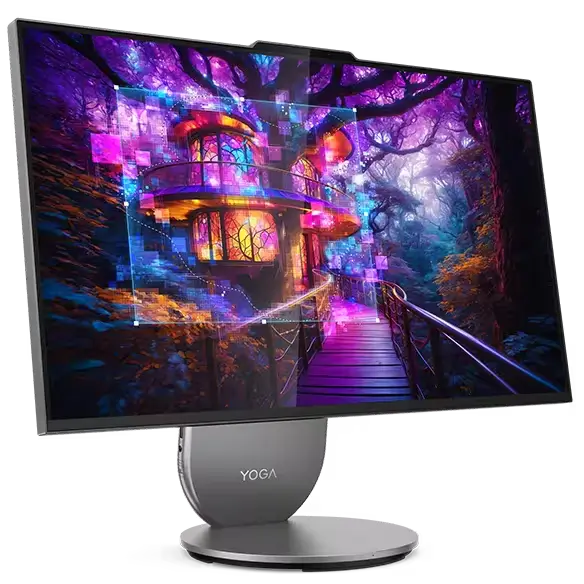
The processor handles everyday work with ease. Apps open quickly, and multitasking feels smooth. The graphics system supports streaming, light creative work, and casual games. This makes the system suitable for work and entertainment.
The screen delivers clear color and sharp detail. The adjustable stand allows users to change angle and height for comfort. Built-in speakers produce clear sound for video calls and media playback. The webcam provides sharp image quality, which supports remote work.
A wireless keyboard and mouse come included. Port access sits in a convenient location, which reduces cable strain. The main limit comes from memory capacity, which stops at 16GB. Some models also lack touch support.
Despite these limits, the Lenovo Yoga AIO 27-inch delivers strong value. For most users, it replaces a tower and monitor without compromise.
Dell 24 All-in-One – Best Budget All-in-One Desktop for Basic Use
The Dell 24 All-in-One targets users who want a clean desktop at a lower price. This system suits students, families, and offices that focus on basic tasks.
| Pros | Cons |
|---|---|
| Clean and modern design fits small desks | Processor struggles with heavy multitasking |
| Wireless keyboard and mouse included | Speakers lack depth and clarity |
| Webcam performs well for video calls | Display resolution feels average |
| Supports Wi Fi 6E connectivity | Stand limits placement flexibility |
| Good port selection for accessories |
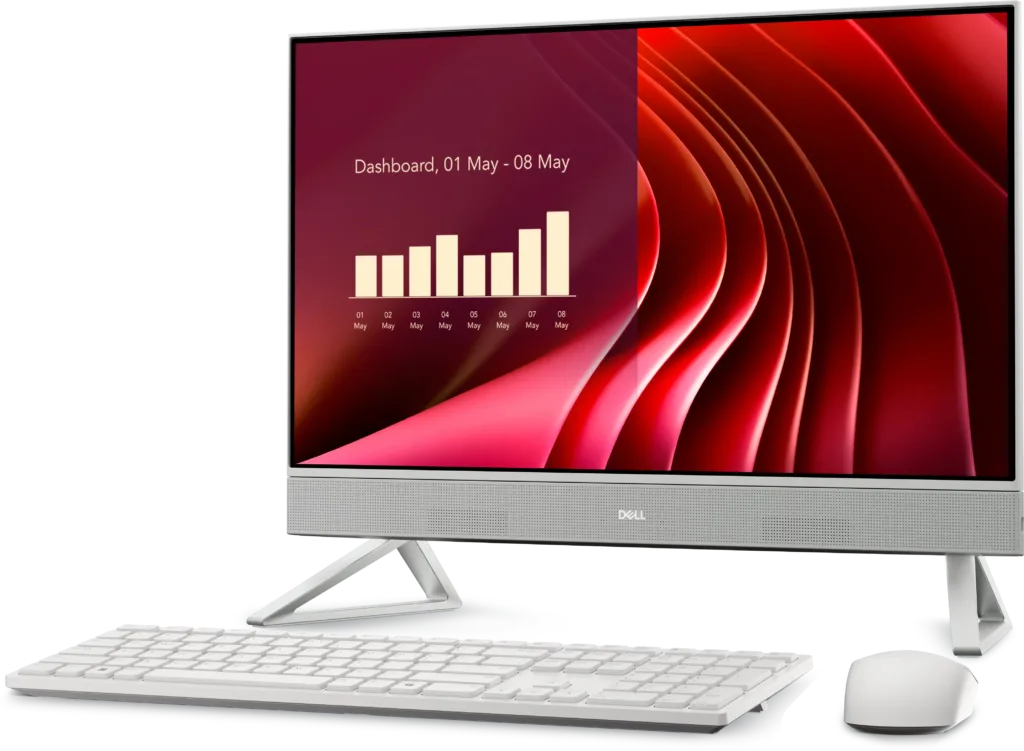
The design looks modern and fits small desks. Dell includes wireless peripherals, which reduces extra costs. The webcam performs well for video calls, which helps remote meetings and online classes.
Connectivity stands out for a budget system. Wi Fi 6E support improves network stability. Port selection covers common needs like external drives and accessories.
The main tradeoff comes from processor speed. The tested model runs basic apps well, but slows down during heavier multitasking. Speakers also lack depth, which affects media playback. Screen sharpness remains acceptable but does not reach premium levels.
When sold at a discount, the Dell 24 All-in-One offers good value for basic computing needs.
Apple iMac M4 chip – Best Mac All-in-One Desktop
Apple continues to lead the all-in-one Mac category with the iMac powered by the M4 chip. This system combines a refined design with strong performance and a high-resolution display.
| Pros | Cons |
|---|---|
| M4 processor delivers strong speed and efficiency | Port selection remains limited |
| Display offers sharp resolution and accurate color | Stand does not adjust in height |
| Clean and modern design | Storage upgrades increase the price |
| Color matched keyboard and mouse included | |
| Long term macOS updates |
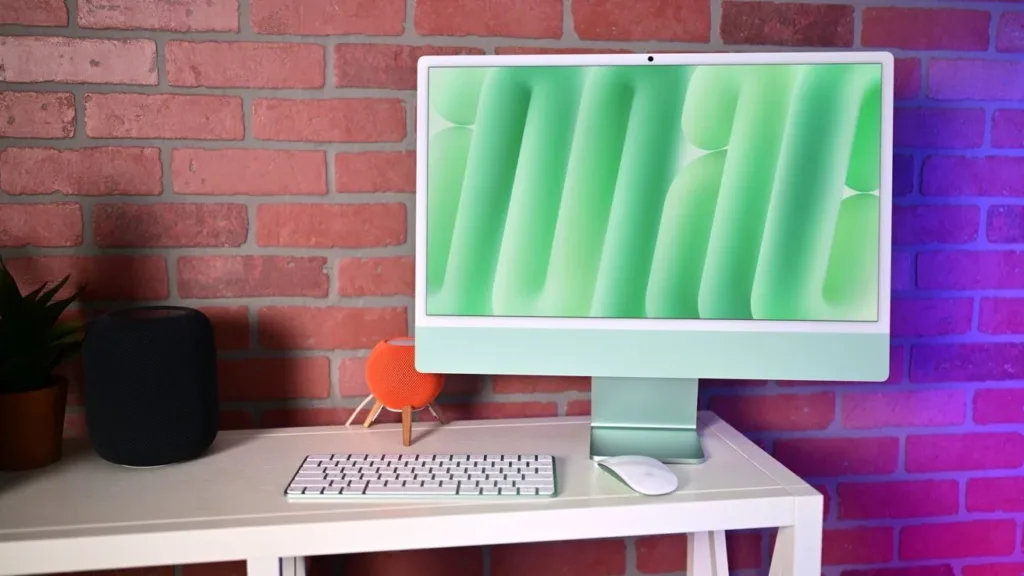
The M4 processor improves speed and efficiency over earlier models. Apps load quickly, and creative software runs smoothly. Built-in AI features support image processing and productivity tasks.
The 23.5-inch display offers sharp resolution and accurate color. An optional anti-glare finish improves visibility in bright rooms. Apple includes matching keyboard and mouse, which completes the setup.
Port selection remains limited compared to Windows systems. The stand lacks height adjustment, which may affect ergonomics for some users.
For Mac users, the iMac remains the best all-in-one computer for 2026. It offers reliable performance and long-term software support.
HP OmniStudio X 31.5 AIO – Best Premium All-in-One Windows Desktop
The HP OmniStudio X 31.5 AIO targets users who want a large display and higher performance without a separate tower. This system works well for professionals and home offices.
| Pros | Cons |
|---|---|
| Large 4K display delivers clear detail and brightness | Headphone jack placement feels awkward |
| Handles demanding workloads well | Lacks advanced port standards |
| Adjustable stand improves comfort | Mouse feels basic for the price |
| Multiple ports support accessories |
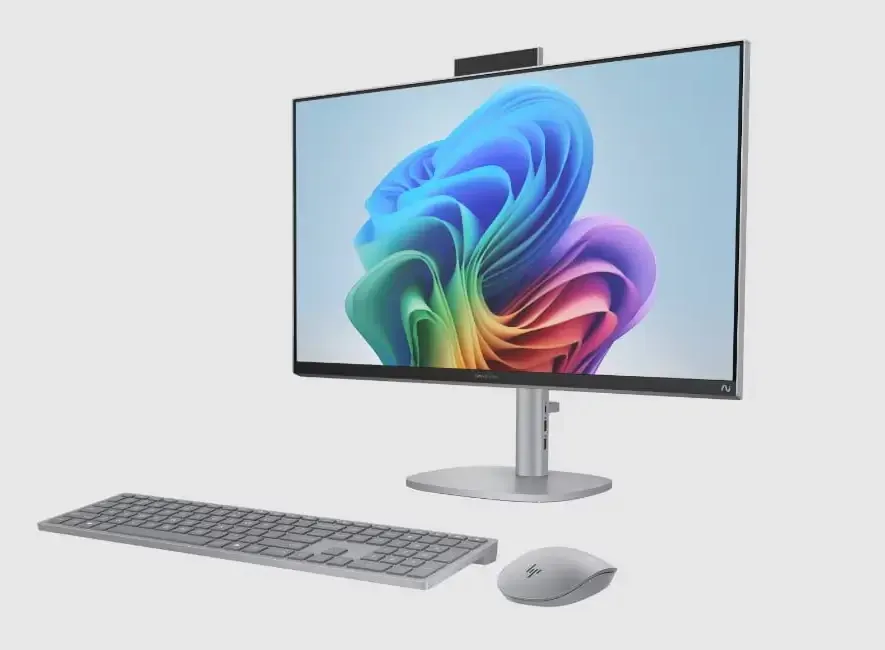
The 31.5-inch screen delivers 4K resolution with strong brightness and color accuracy. The adjustable stand improves comfort during long work sessions. Performance competes with many mid-range desktop towers.
Port selection includes side and rear access, which improves cable management. The keyboard feels responsive, though the mouse feels less refined.
The system lacks advanced ports like Thunderbolt and USB4. The headphone jack sits in an awkward location.
Despite these drawbacks, the HP OmniStudio X offers a strong alternative to large desktops and competes directly with premium systems
Lenovo Yoga AIO 32i – Best All-in-One Desktop for Design Focus
The Lenovo Yoga AIO 32i focuses on visual appeal without sacrificing daily performance. This system suits users who care about design as much as function.
| Pros | Cons |
|---|---|
| Premium design stands out on a desk | No front facing ports |
| Large 32 inch 4K display shows vibrant color | Keyboard and mouse feel low quality |
| Built in wireless phone charging | Stand lacks height adjustment |
| Handles everyday productivity tasks well |
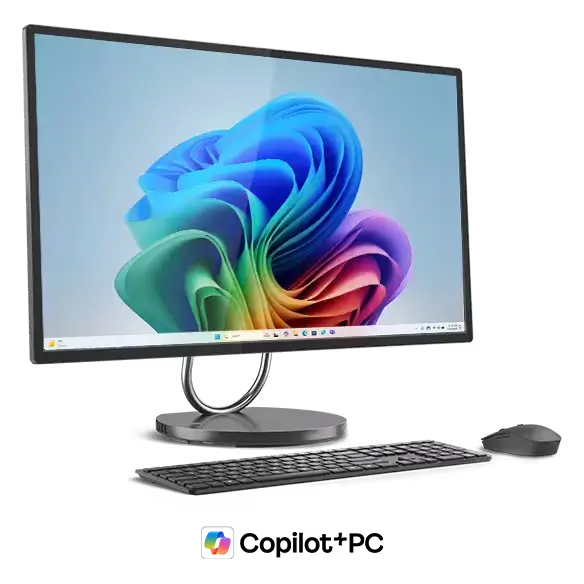
The 32-inch 4K display produces vibrant color and sharp detail. The system includes wireless phone charging built into the base. Performance supports office work, browsing, and media creation.
The design looks premium, but some usability issues remain. Front ports are missing, which limits quick access. The keyboard and mouse feel basic compared to the system price. The stand does not adjust in height.
For users who value aesthetics, the Lenovo Yoga AIO 32i remains a strong option among the best all-in-one computers for 2026.
Lenovo ThinkCentre M90a Gen 5 – Best All-in-One Desktop for Business Use
The Lenovo ThinkCentre M90a Gen 5 targets offices and professional environments. This system focuses on reliability, security, and performance.
| Pros | Cons |
|---|---|
| Desktop grade processor delivers strong performance | Ports feel inconveniently placed |
| Cooling system runs quietly under load | Webcam quality feels average |
| Practical screen size for office work | |
| Multiple stand options including VESA support | |
| Can function as a standalone monitor |
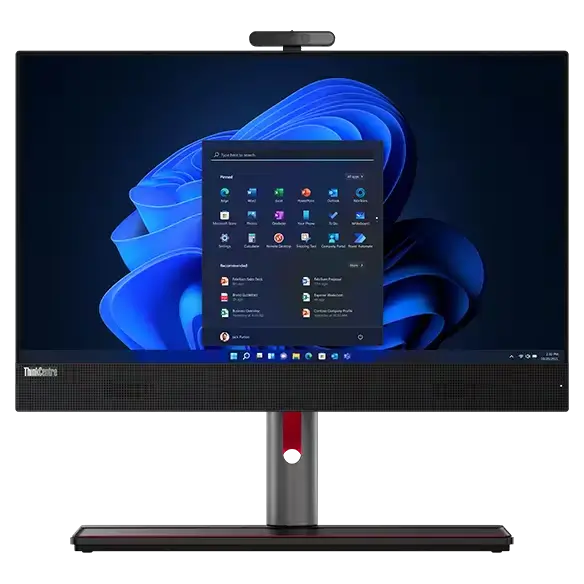
The desktop-grade processor delivers strong speed for business software. Cooling remains quiet even under heavy workloads. The screen offers a practical size and resolution for office tasks.
Stand options include VESA support, which allows flexible mounting. The system can also function as a standalone monitor, which adds value for office setups.
Port placement could improve, and the webcam performs at an average level.
For businesses, the ThinkCentre M90a Gen 5 stands out as one of the best all-in-one computers for 2026.
How to Choose the Best All-in-One Computer for 2026
Buyers should focus on use case before price. Screen size affects comfort. Processor choice affects lifespan. Port access affects daily use.
All-in-one computers work best for users who value simplicity. They reduce desk clutter and setup time. They also limit upgrades compared to towers.
The best all-in-one computers for 2026 now offer enough power to replace traditional desktops for most users.
All-in-one computers now deliver real desktop performance without extra hardware. The Lenovo Yoga AIO 27-inch leads for most users. Apple dominates the Mac category. HP and Lenovo cover premium and business needs.
Stay Updated: Gadgets

