

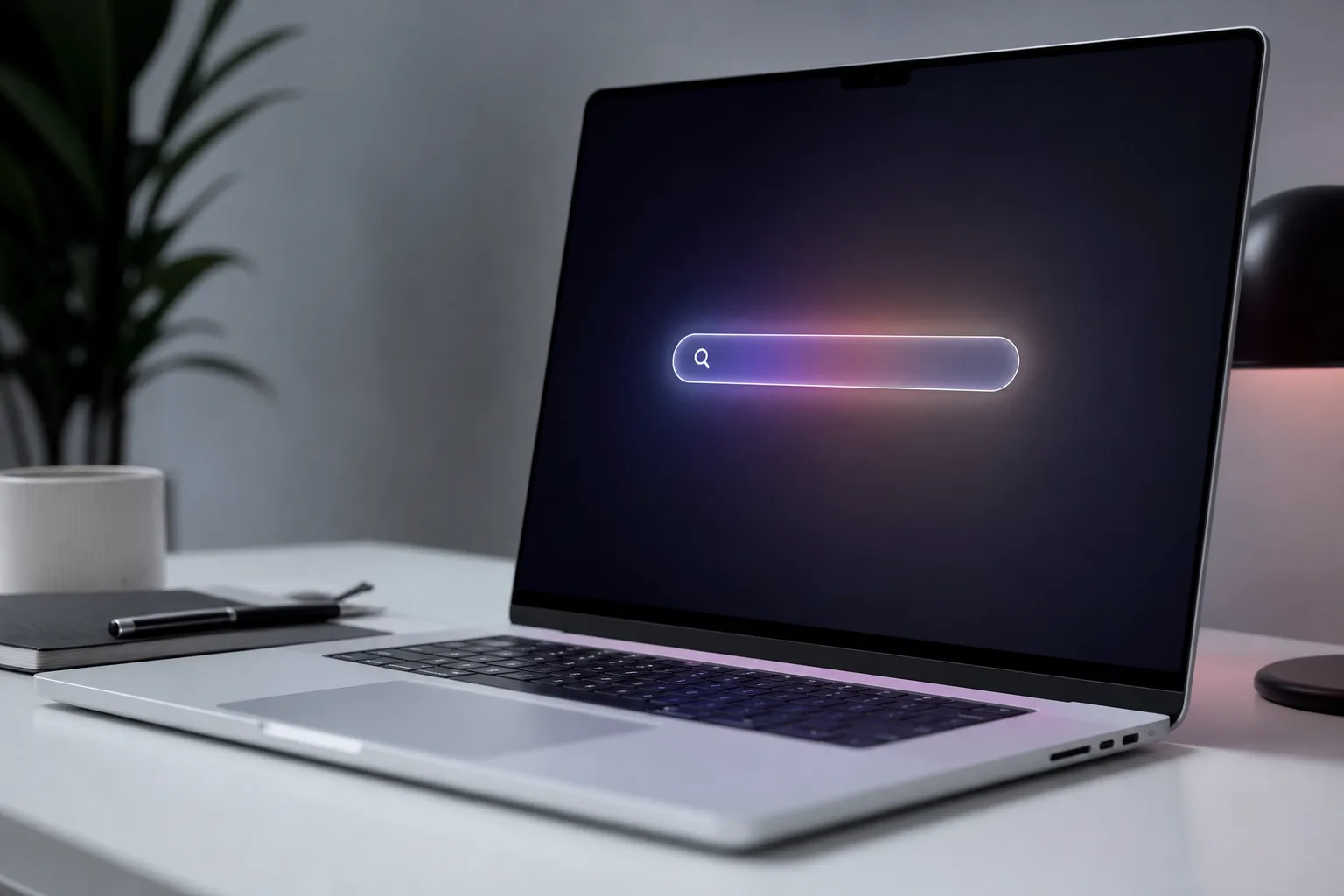
- MacBook Ultra clues in macOS 27 include touch input in Sidecar, pull-to-refresh gestures, and a Dynamic Island-ready Spotlight UI.
- The MacBook Ultra is rumoured to feature an OLED touch screen, Dynamic Island, and M6 Pro or M6 Max chips.
- Apple is reportedly preparing macOS for touch-first interaction — a significant shift after years of resistance.
- A public beta of macOS 27 arrives in July, with a full release expected in September and the laptop itself in early 2027.
Table of Contents
macOS 27 Is Quietly Building the Case for MacBook Ultra
Apple doesn’t tend to announce products before it’s ready. But sometimes the software does the talking first — and macOS 27 Golden Gate, unveiled at WWDC this week, is doing quite a lot of talking. Buried inside the developer beta are at least three distinct clues that point squarely at the rumoured MacBook Ultra, a high-end laptop expected to sit above the MacBook Pro when it eventually arrives in early 2027.
None of these hints come with Apple’s name attached to them. There’s no slide deck, no Phil Schiller quote, no product page. What there is, instead, is a pattern — a series of software changes that only make sense if Apple is preparing macOS for a device that doesn’t exist yet. Touch input. Swipe gestures. A pill-shaped interface that looks uncannily like it was designed to wrap around a Dynamic Island. The dots are there. It’s just a matter of connecting them.
Three Ways macOS 27 Hints at the MacBook Ultra
1. Touch Input Comes to Sidecar
The first — and probably most significant — clue is what Apple has done to Sidecar. For those unfamiliar, Sidecar lets you use an iPad as a second display for your Mac. It’s been around since macOS Catalina in 2019, and it’s always been a one-way street: your Mac drives the content, and you interact with it using your Mac’s keyboard and trackpad. In macOS 27, that changes. Apple has added direct touch input to Sidecar, meaning you can now tap and swipe macOS interface elements with your finger directly on the iPad’s screen.
On the surface, that sounds like a quality-of-life improvement for Sidecar users. And it is. But think about what it actually requires Apple to have done under the hood: macOS must now be capable of registering, interpreting, and responding to touch input as a first-class interaction method. That’s not a trivial change. Apple has spent years — decades, really — insisting that touch on a Mac makes no ergonomic sense. The fact that they’ve now built genuine touch support into macOS, even if it’s routed through an iPad, tells you something important about where this is heading.
2. Pull-to-Refresh Arrives on Mac
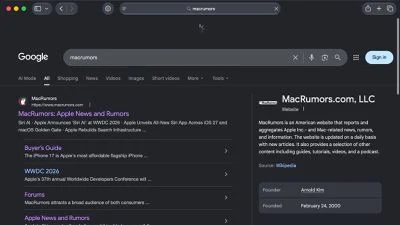
The second clue is subtler but equally telling. macOS 27 introduces pull-to-refresh across a range of first-party apps — Safari, Mail, News, Podcasts, and Calendar among them. Right now, it works via the trackpad: swipe down to refresh. But pull-to-refresh isn’t a gesture that was invented for trackpads. It was invented by Loren Brichter for Tweetie in 2009 and became one of the defining interaction patterns of the touchscreen era. Its natural home is a finger on glass.
Apple choosing to bring this interaction to macOS now — after years of it living exclusively on iOS and iPadOS — is a quiet but pointed statement. If a MacBook Ultra arrives with a touch screen, users will reach up and swipe down to refresh instinctively. Apple is making sure the OS is ready for that moment, and doing so in a way that also works on existing hardware via the trackpad. It’s a smart hedge: ship the behaviour now, make it touch-native later.
3. Spotlight Gets a Pill-Shaped Makeover
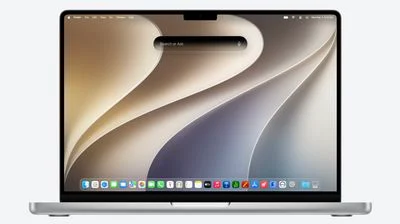
The third clue is the most visually obvious. macOS 27 overhauls Spotlight search with a new ‘Search or Ask’ interface powered by an upgraded Siri. The new UI is dark, elongated, and — crucially — pill-shaped. If you’ve used an iPhone 14 or later, that shape will be immediately familiar. It’s the Dynamic Island.
On current MacBooks, Spotlight appears roughly in the centre of the display. On a hypothetical MacBook Ultra with a Dynamic Island cutout at the top of the screen, that pill-shaped Spotlight interface could sit directly below — or even integrate visually with — the island itself. The design language already matches. Apple wouldn’t have made this UI change for existing hardware; the circular Spotlight search that’s served Mac users for years was perfectly functional. This redesign is preparation for a display that has a hardware notch element it needs to work around and with.
What We Know About the MacBook Ultra
Set aside the macOS clues for a moment and look at what the rumour mill has been saying about the MacBook Ultra itself. According to reports that have circulated over the past year, the device is expected to feature an OLED display — a significant departure from the mini-LED panels in current MacBook Pros — along with touch-screen capabilities, a Dynamic Island (borrowed from the iPhone), and a thinner chassis than the Pro line. On the silicon side, it’s expected to ship with M6 Pro and M6 Max chips, positioning it firmly at the top of Apple’s laptop hierarchy.
Calling it ‘Ultra’ is also meaningful. Apple already uses that naming convention in its desktop chip line — the M2 Ultra and M3 Ultra, for instance — to denote the highest-tier configuration, created by fusing two Max dies together with Apple’s UltraFusion interconnect. Whether the MacBook Ultra carries a similarly fused chip or simply inherits the branding as a premium differentiator remains to be seen. But the name alone signals that Apple wants to carve out clear distance between this and the MacBook Pro.
Why Apple Is Finally Warming to Touch on the Mac
Apple’s resistance to touch screens on Macs has been a running industry debate for over a decade. Steve Jobs famously dismissed the concept, arguing that holding your arm up to touch a vertical display causes fatigue — what’s sometimes called ‘gorilla arm.’ His successors repeated versions of that argument for years. Meanwhile, Microsoft was building Surface devices, and the PC market was flooding with touch-enabled laptops. Apple held the line.
But the world has changed in ways that make the old arguments less convincing. iPad users are already comfortable with a touch-first workflow. Many MacBook users pair their laptop with an Apple Pencil on an iPad. The line between iOS and macOS has blurred considerably since the introduction of Mac Catalyst and then Apple Silicon, which runs iOS apps natively on Mac. If you’re someone who’s grown up with an iPhone and iPad, reaching up to touch a Mac display isn’t instinct-breaking — it might actually feel natural.
There’s also a commercial argument. The MacBook Pro line is already excellent, and it’s hard to differentiate a new flagship without genuinely new capabilities. A touch screen and Dynamic Island give Apple something concrete to justify a premium price point and a premium product name. The MacBook Ultra wouldn’t just be a faster MacBook Pro — it would be a categorically different kind of Mac.
What to Expect Between Now and Launch
macOS 27 Golden Gate is currently available to registered developers. Apple’s public beta, open to anyone willing to deal with pre-release software on their main machine, is due in July. The finished version is expected to land in September, consistent with Apple’s annual release cadence. That gives developers around three months to build and test touch-compatible interactions before the OS ships — and presumably months more before the MacBook Ultra hardware arrives in early 2027.
Watch those betas carefully. Every incremental update between now and September could add more evidence — or quietly remove features that weren’t ready. The Sidecar touch input, pull-to-refresh, and pill-shaped Spotlight are the breadcrumbs Apple has left in the first developer seed. There will almost certainly be more. And if the pattern holds, by the time Apple walks onto a stage in early 2027 to introduce the MacBook Ultra, macOS will already know it’s coming.
Frequently Asked Questions
When will the MacBook Ultra be released?
Apple reportedly plans to launch the MacBook Ultra in early 2027. macOS 27 Golden Gate, which appears to lay the software groundwork for the device, is expected to ship in September ahead of that hardware debut.
What chips will the MacBook Ultra use?
The MacBook Ultra is rumoured to ship with Apple’s M6 Pro and M6 Max chips. It would sit above the existing MacBook Pro lineup, positioning it as Apple’s most powerful laptop to date.
Will macOS 27 bring touch screen support to all Macs?
Not necessarily. The touch-related additions in macOS 27 — including touch input via Sidecar and pull-to-refresh — appear designed to ready the OS for a touch-enabled MacBook Ultra, rather than retrofitting touch to existing Mac hardware.
What is the Dynamic Island feature expected on the MacBook Ultra?
The Dynamic Island is a pill-shaped cutout in the display that Apple uses on the iPhone to surface live notifications and activities. On the MacBook Ultra, it would likely sit at the top of the screen, with Spotlight’s new pill-shaped interface designed to integrate around it.

