

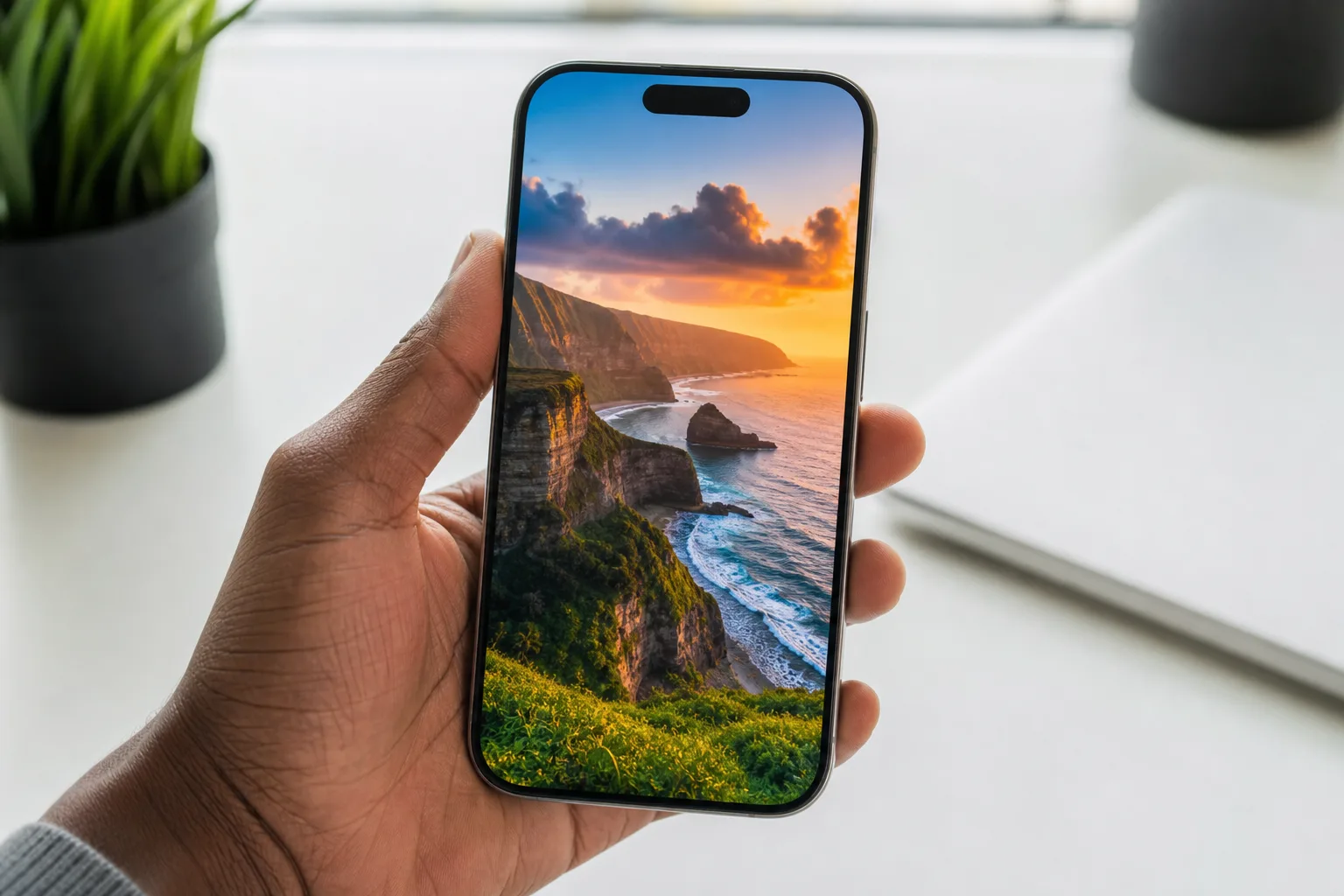
Apple’s WWDC announcements this week were dominated by one thing: the overhaul of Siri into a more capable, chatbot-style assistant. But buried underneath that headline story, the iOS 27 lock screen quietly picked up five meaningful changes — the kind of refinements that don’t get a keynote moment but that you’ll notice every single time you reach for your phone.
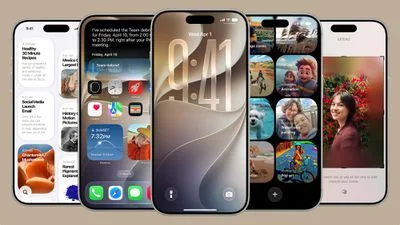
- The iOS 27 lock screen gains five distinct upgrades, including AI-powered wallpaper extension and a redesigned Siri interface.
- A new iOS 27 lock screen compact clock mode lets you shrink the time display, giving your wallpaper more visual breathing room.
- Apple’s Liquid Glass opacity slider is a system-wide tweak that directly shapes how your lock screen looks and reads.
- Image Playground now lets you generate entirely custom wallpapers from text prompts and set them straight from the app.
Table of Contents
Why the iOS 27 Lock Screen Deserves a Closer Look
Apple has treated the lock screen as a serious design canvas ever since iOS 16 opened it up to custom widgets and fonts back in 2022. Since then, each major release has pushed the concept further — iOS 16 added widget slots, iOS 17 refined Live Activities, and iOS 26 introduced Liquid Glass, the translucent design language now baked into the whole OS. With iOS 27, Apple isn’t rebuilding the lock screen from scratch. Instead it’s filling in the gaps: giving you better tools to make photos look right, more layout flexibility, and tighter integration with the AI features it’s been building out over the past two years. That’s a quieter story than a Siri relaunch, but for most people the iOS 27 lock screen is the part of iOS 27 they’ll interact with hundreds of times a day.
Extend: AI Fills In What Your Photos Can’t
One of the most practically useful additions to the iOS 27 lock screen is a feature Apple is calling Extend. The problem it solves is a familiar one — you have a photo you love, but it wasn’t shot with an iPhone’s aspect ratio in mind, or it’s cropped too tightly to sit comfortably as a background without either cutting off important parts of the image or leaving awkward empty space around the edges. Previously, your options were limited: crop aggressively, zoom in until detail got lost, or just pick a different photo.
With Extend, Apple Intelligence analyzes the existing image and generates new content outward from the edges, seamlessly filling the frame. The idea is that the generated material matches the tone, lighting, color palette, and general environment of the original so closely that the join is invisible. It’s the same category of technology as Adobe’s Generative Fill or Google’s Magic Eraser — outpainting, in AI terminology — but applied specifically to the iOS 27 lock screen context. The option also surfaces inside the Photos app itself, so you’re not locked into doing it only from lock screen settings.
How well this actually works in practice will depend heavily on the photo. Simple backgrounds — landscapes, skies, architectural shots — should be well within Apple Intelligence’s ability to extrapolate convincingly. Complex scenes with lots of foreground detail, or photos with people near the edges, will be the real test. We’ll get a clearer picture once the public beta lands next month.
A Compact Clock That Puts Your Wallpaper First
The iOS 27 lock screen also introduces a compact clock option that does exactly the opposite of what iOS 26 did. iOS 26 gave you an oversized clock that stretched dramatically down the screen — bold, expressive, but not exactly subtle. iOS 27 swings the other way, tucking the time into a much smaller format in the top area of the screen alongside the date and any widgets you’ve placed there.
You’ll find the option in the top-right corner of the Font & Color panel when customizing your lock screen. It’s a smart addition for anyone whose iOS 27 lock screen is really about the photo — a travel shot, a portrait, a piece of digital art — and who finds the giant clock competes with it visually. Apple isn’t removing the big clock; both options will coexist. That kind of ‘choose your intensity’ approach to lock screen design is something competitors like Samsung have offered for a while on One UI, and it’s good to see Apple matching it.
Image Playground Gets Wallpaper Support
Apple’s Image Playground app — introduced as part of the Apple Intelligence rollout — gets an expansion in iOS 27 that lets it generate lock screen wallpapers directly from text prompts. You describe a style, a subject, a mood, and the app produces a custom image you can set as your background without ever leaving the app or fiddling with a third-party generator. This makes the iOS 27 lock screen one of the first places where Apple’s generative image tools feel genuinely end-to-end.
This puts Apple in more direct competition with what’s already a crowded space. Apps like Canva, Zedge, and a dozen AI wallpaper generators on the App Store have been doing versions of this for some time. What Apple’s integration offers is the obvious advantage of being native — no export, no fiddling with file formats, no permission prompts. You generate it, you set it, done. The quality ceiling will be whatever Apple Intelligence’s image model can actually produce, and the company has been fairly conservative with its generative image output compared to Midjourney or DALL-E. But for the average iPhone owner who just wants something personal and unique on their lock screen, it’ll likely be more than good enough.
Liquid Glass Opacity: Finally, a Slider
When Apple introduced Liquid Glass with iOS 26, the response was split. Some people loved the frosted, translucent aesthetic. Others found it hurt legibility — particularly on lock screens with busy or dark wallpapers where the glass effect made clock text and notification labels hard to read. Apple has responded in iOS 27 with a dedicated opacity slider, found under Settings › Appearance › Liquid Glass.
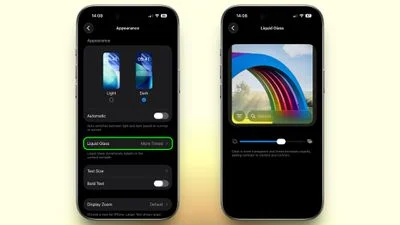
The slider lets you dial Liquid Glass from a clear, barely-there version that lets the wallpaper show through prominently, all the way to a more opaque, tinted version that makes text on the iOS 27 lock screen considerably easier to parse. Because Liquid Glass is a system-level design element, adjusting it affects more than just the lock screen — it changes the feel of widgets, buttons, and notification banners across the whole OS. But the lock screen is where most people will feel the difference most immediately. It’s the kind of customization Apple typically avoids, preferring to make a single design call and stick with it. The fact that they’ve added a slider here suggests the feedback after iOS 26 was hard to ignore.
Siri Gets a New Home in the Dynamic Island
The fifth change to the iOS 27 lock screen is less about aesthetics and more about how Siri occupies the screen. Previously, invoking Siri triggered a glowing light that traced around the entire display edge — a visually dramatic effect that also felt a bit like your whole phone was being commandeered. In iOS 27, Siri’s presence is anchored to the Dynamic Island instead.
A swirling orb animates within the Dynamic Island when Siri is active, and requests and responses appear in a compact interface surrounding it rather than spreading across the full screen. The practical benefit is that you can still see your iOS 27 lock screen — your widgets, your wallpaper, your notifications — while Siri is doing its thing. Given that the underlying Siri in iOS 27 is a far more capable, chatbot-style assistant that Apple has been building toward since it acquired teams and technology from companies like DarwinAI, keeping that interaction contained rather than intrusive feels like the right call. The lock screen stays yours even when Siri is running.
The Bigger Picture
Taken individually, none of these five updates are the kind of thing that gets people to upgrade their phones. Taken together, they represent something more interesting: Apple increasingly treating the iOS 27 lock screen as a personal statement rather than just a security gate. The push toward AI-generated and AI-extended wallpapers, the compact clock toggle, the opacity control — these are all features that acknowledge different people want different things from the same piece of glass. That’s a shift from Apple’s historically more prescriptive approach to UI design, and if iOS 27 continues that trend across the rest of the OS when it ships this fall, it could signal a meaningfully different philosophy about how much control Apple is willing to hand back to the user.
Frequently Asked Questions
When can I try the iOS 27 lock screen features?
Apple plans to release a public beta for iOS 27 next month, with general availability expected in the fall. The lock screen features — including wallpaper extension, compact clock, and the new Siri interface — will all be available in the public release.
Does the iOS 27 wallpaper Extend feature require Apple Intelligence?
Yes. The Extend option uses Apple Intelligence to generate matching image content around the edges of a photo, filling the lock screen naturally without aggressive cropping. It’s also accessible directly inside the Photos app, not just from lock screen settings.
What is Liquid Glass in iOS 27?
Liquid Glass is Apple’s translucent UI design layer. In iOS 27, Apple added a slider under Settings › Appearance › Liquid Glass, letting you dial its opacity from fully clear to a more opaque, tinted version for better text legibility.
Does the new Siri design work on all iPhones?
The redesigned Siri orb in iOS 27 animates within the Dynamic Island, which means the updated visual experience is tied to models that have the Dynamic Island cutout. The source does not specify how the feature appears on older iPhones.

