

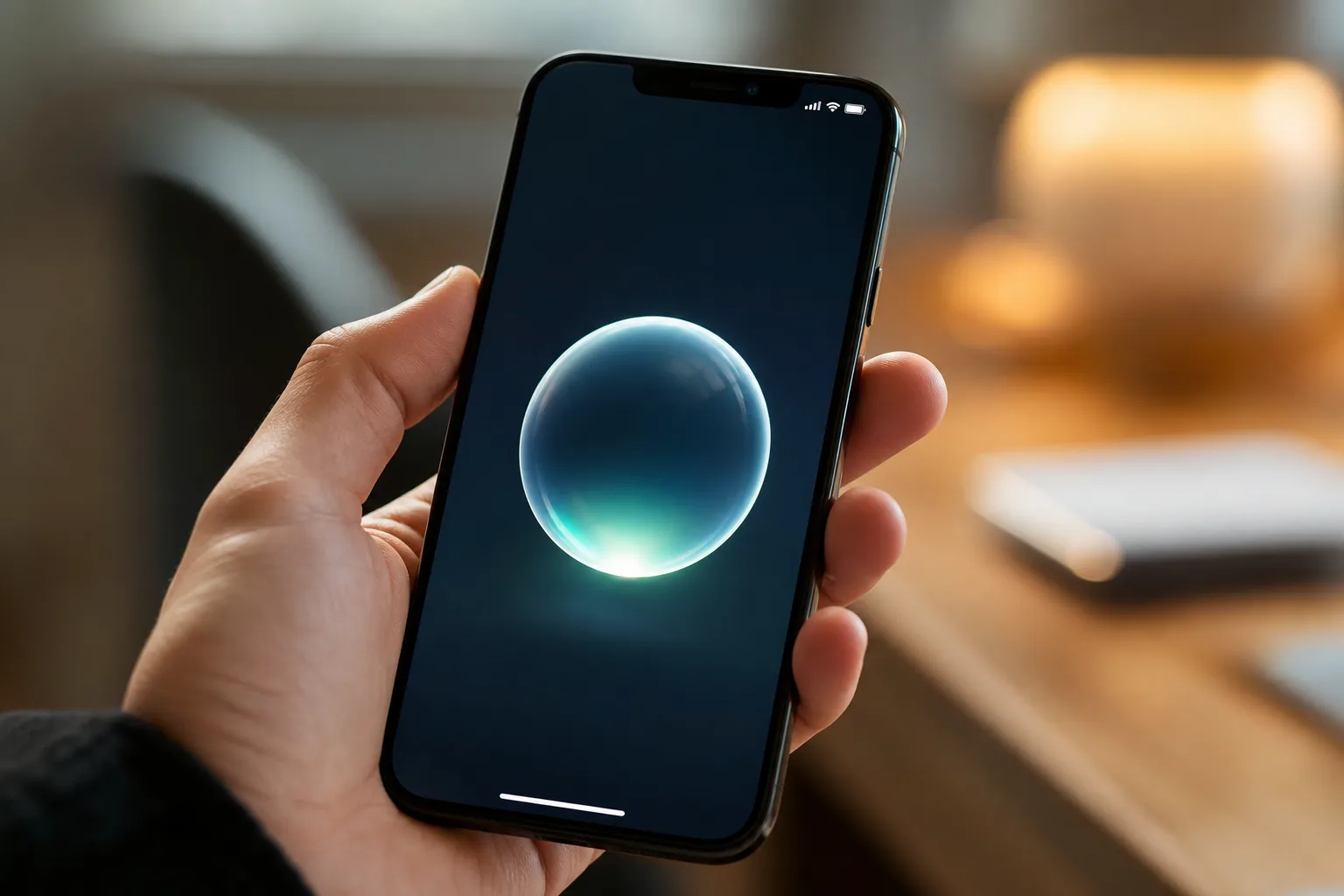
- The biggest iOS 27 features centre on a dramatically upgraded Siri built on next-generation Apple foundation models developed with input from Google’s Gemini.
- iOS 27 features include app launches up to 30% faster, AirDrop transfers up to 80% faster, and smoother Wi-Fi to cellular handoffs.
- Apple is dropping support for the iPad 8th-gen and iPad Mini 5th-gen with iPadOS 27, while all iPhones from the 11 onwards remain compatible.
- A new Liquid Glass intensity slider lets users dial back or amplify last year’s controversial design overhaul directly in Settings.
Table of Contents
iOS 27 Features: What Apple Announced at WWDC 2026
Apple’s WWDC 2026 keynote didn’t have the theatrical punch of last year — the iOS 26 unveiling, with its divisive Liquid Glass redesign, was always going to be a tough act to follow. But don’t let the quieter tone fool you. The iOS 27 features announced this week represent a meaningful step forward, particularly for anyone who cares about day-to-day performance and a smarter, more capable Siri. This is the kind of release Apple needed: less spectacle, more substance.
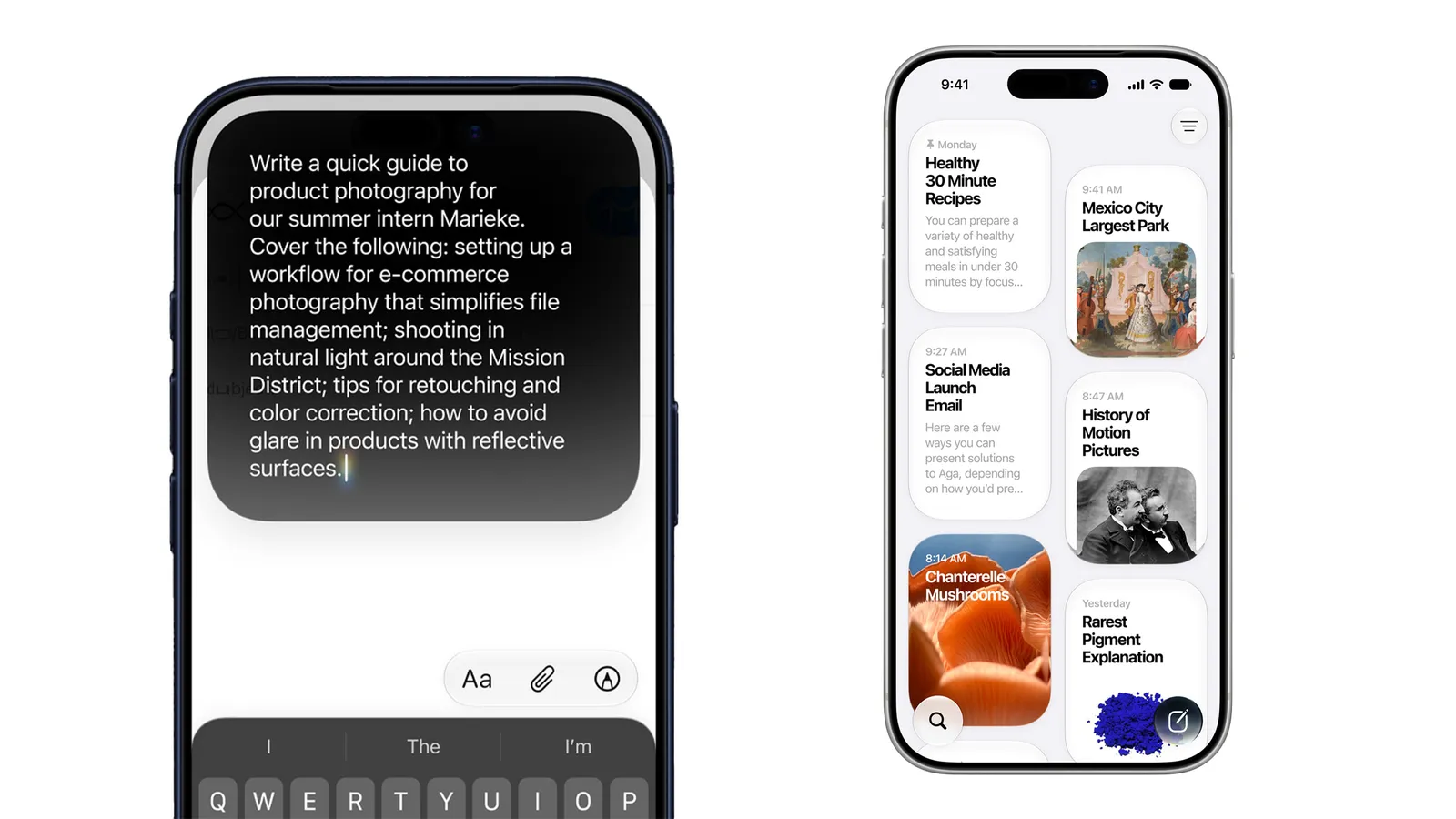
The update is expected to roll out to iPhones and iPads in September 2026, following Apple’s well-worn fall release schedule. Both iOS 27 and iPadOS 27 share largely the same feature set, so most of what’s described here applies across iPhones and compatible iPads alike.
Device Compatibility: Who Gets iOS 27 and iPadOS 27?
Good news for iPhone owners: Apple isn’t cutting anyone loose this year. Every iPhone that ran iOS 26 will also run iOS 27 — that’s the iPhone 11 and later, including the second-generation iPhone SE. Considering the iPhone 11 launched in 2019, that’s a seven-year support window Apple is honouring, which continues to be one of the stronger arguments for staying in the Apple ecosystem compared to most Android manufacturers.
The iPad picture is a little more complicated. Apple has moved away from using generation numbers to label its iPads, instead identifying them by the chipset inside — which is either helpful or confusing depending on how well you know Apple silicon. A few older models are being left behind with iPadOS 27, including the 8th-generation iPad from 2020 and the 5th-generation iPad Mini. The full compatibility breakdown looks like this:
- iPad: 9th gen and later (including A16 chip models)
- iPad Mini: 6th gen and later (including A17 Pro)
- iPad Air 11-inch: 4th gen and later (M2, M3, and M4)
- iPad Air 13-inch: M2 and later
- iPad Pro 11-inch: 2nd gen and later
- iPad Pro 12.9-inch: 4th gen and later
- iPad Pro: M4 and later
One important caveat worth keeping in mind: being compatible with iOS 27 or iPadOS 27 doesn’t automatically mean you get every iOS 27 feature. Apple Intelligence — Apple’s suite of on-device AI tools — is still gated to the iPhone 15 Pro and newer, and select iPad models with sufficiently powerful chips. If you’re on an older device, you’ll still benefit from performance improvements and several quality-of-life updates, but the headline AI features won’t be accessible.
Should You Install the iOS 27 Developer Beta?
Technically, yes — Apple has opened the developer beta to anyone, not just registered developers. Practically? It’s probably a bad idea on your main iPhone. Developer betas are rough by design. They exist so developers can test their apps against new APIs, not so everyday users can get a sneak peek at iOS 27 features early. Bugs that make a phone genuinely difficult to use are common at this stage.
If curiosity wins out, grab an older iPhone you’re not depending on, back it up first, then head to Settings > General > Software Update > Beta Updates and select the iOS 27 Developer Beta. The public beta — usually arriving in July — is a safer on-ramp. It goes through more QA passes before release, and most people will find it a much more usable experience. The final build typically lands in mid-September.
The Biggest iOS 27 Features Explained
Siri Gets a Serious Overhaul
If there’s one area where Apple has faced relentless criticism over the past few years, it’s Siri. While Google Assistant and OpenAI’s ChatGPT evolved rapidly, Siri often felt stuck. Among the iOS 27 features, Apple is showcasing what it calls a fundamentally rebuilt assistant, powered by new foundation models developed from the ground up with the help of Google’s Gemini models. Apple is quick to stress that it’s not running on Google’s infrastructure and that no user data from Siri actions is passed to Google, but it’s a striking partnership nonetheless, reflecting just how much pressure Apple is under to close the AI gap.
The new Siri has a redesigned visual presence — it now appears as a glass orb when activated, consistent with the Liquid Glass design language introduced last year. More substantively, it understands context drawn from your actual life: it can search through emails, messages, and photos to surface relevant information, then take action on your behalf — drafting an email in a particular tone, for instance, or suggesting wine pairings for a dish you photographed. You can type or speak naturally, and a dedicated Siri app lets you revisit past conversations or continue a thread from a different device.

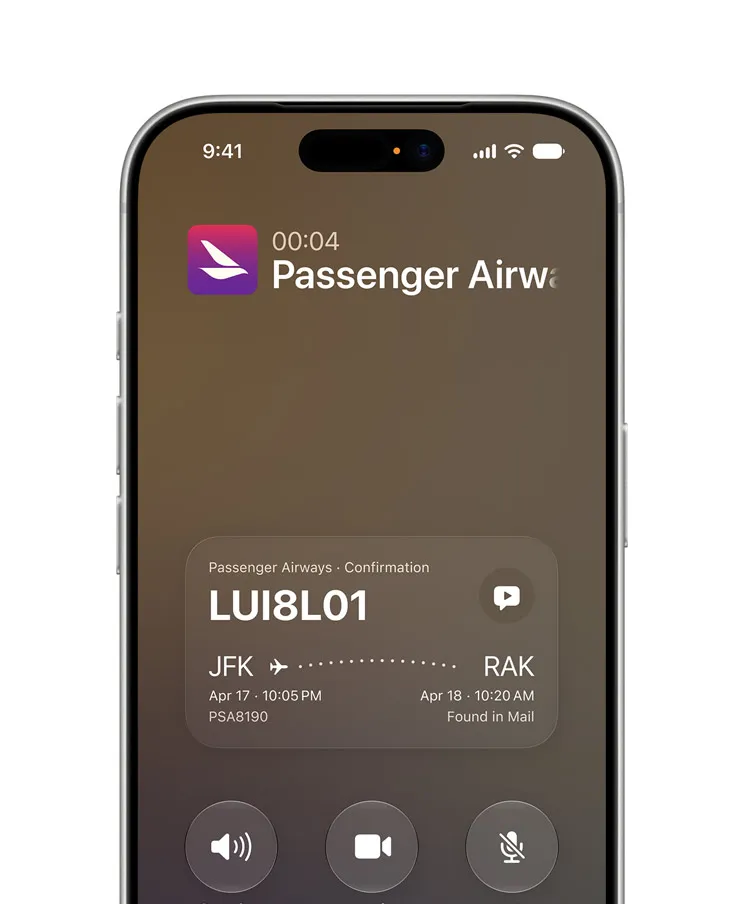
Siri also moves into the Camera app, giving users a direct route to visual search — point your camera at something and ask questions about it, similar to what Google Lens has offered for years. One of the more practical demos Apple showed: pointing your phone at a restaurant bill and having Siri split it for the table. It’s exactly the kind of genuinely useful, everyday utility that Siri has historically promised but rarely delivered on.
Voice customisation gets an upgrade too. Siri’s voice is described as more expressive, and users can now adjust the pace and expressiveness level — a small touch, but one that speaks to Apple making the assistant feel more personal rather than robotic. This Siri overhaul is arguably the most talked-about of all the iOS 27 features Apple previewed at WWDC.
Performance Gains That Actually Matter
Speed improvements in iOS updates often get buried in the fine print, but the numbers Apple is citing for iOS 27 are worth paying attention to. These iOS 27 features around performance include app launches reportedly up to 30% faster, freshly captured photos in your library loading up to 70% faster, and AirDrop transfers improved by up to 80%. Whether real-world usage consistently hits those figures remains to be seen — Apple’s marketing numbers for performance improvements don’t always translate perfectly to everyday conditions — but the direction of travel is clear.
Notably, many of these gains apply to older hardware too. Apple says an improved CPU scheduler means devices as old as the iPhone 11 should feel meaningfully snappier. That’s a good sign for users who aren’t in the market for a new phone but still want their existing one to feel less sluggish. The update also addresses one of the more annoying iOS quirks: the awkward dead zone when your phone transitions from Wi-Fi to cellular as you leave a building. Apple says iOS 27 handles that handoff more gracefully.
Liquid Glass: Now With a Dial
Last year’s Liquid Glass redesign split opinion almost immediately after iOS 26 launched. Some users loved the translucent, depth-driven aesthetic; others found it harder to read, too flashy, or just plain distracting. Among the iOS 27 features aimed at placating both camps is a slider, available at Settings > Appearance > Liquid Glass, that lets you adjust the intensity of the effect — from full transparency to something more opaque and traditional-looking. It’s a pragmatic compromise, and honestly a sign that Apple heard the feedback. The broader design language has also been updated to improve readability and contrast across the board, with sharper app icons among the visible changes.
Child Safety Tools Get a Rethink
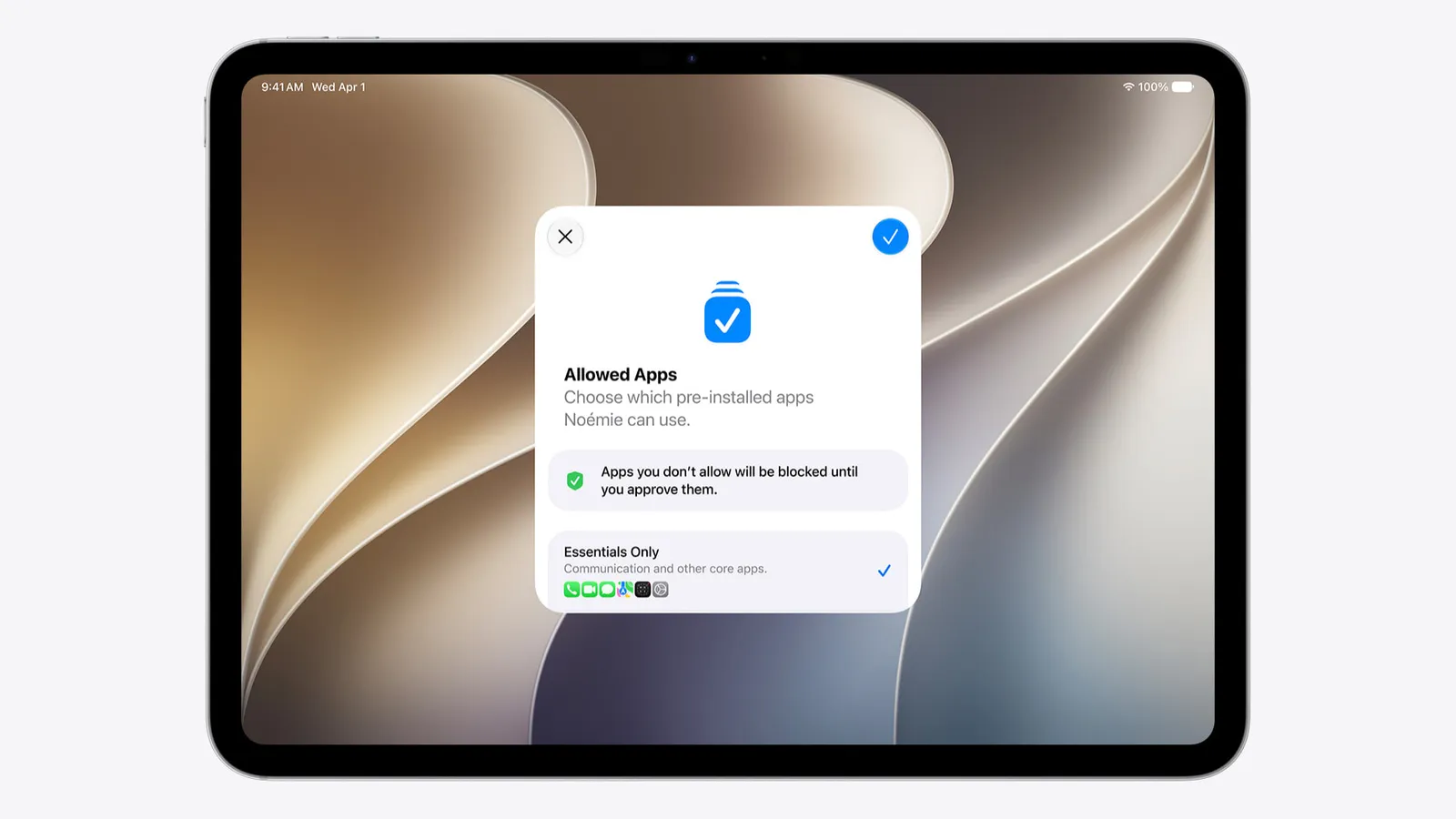
Apple devoted considerable keynote time to new parental controls built into iOS 27 and iPadOS 27. A new Setup Assistant walks parents through configuring a device for a child from the moment they first power it on — choosing which system apps are available, setting content restrictions, and establishing other safety guardrails before the child even touches the home screen. It’s a more deliberate, front-loaded approach to parental controls rather than the current model, which requires parents to know where to look in Settings after the fact.
These child safety iOS 27 features feel timely given the ongoing scrutiny tech companies face over the impact of smartphones on younger users — and the growing number of legislative efforts in the US, UK, and Australia pushing for stronger platform-level protections. This feels less like a nice-to-have and more like Apple getting ahead of regulatory pressure. Whether Apple’s implementation goes far enough is a conversation that will continue well past September.
The Bigger Picture
Taken together, the iOS 27 features paint a picture of Apple in a consolidation phase. Last year’s Liquid Glass overhaul made a visual statement; this year’s update is about making that statement liveable. The Siri rebuild is the most strategically significant of all the iOS 27 features — Apple is effectively admitting, through its Gemini collaboration, that it can’t win the foundation model race alone, at least not yet. How well that partnership translates into a Siri that people actually trust and reach for, rather than defaulting to ChatGPT or Google, will be the real story to watch when iOS 27 ships this autumn.
Frequently Asked Questions
Which iPhones support iOS 27 features?
Any iPhone that received iOS 26 will also support iOS 27. That covers the iPhone 11 and later, including the iPhone SE 2nd generation. Devices from 2019 onward are all compatible, though Apple Intelligence features remain limited to the iPhone 15 Pro and newer.
When will iOS 27 be available to download?
Apple is expected to release the final version of iOS 27 likely in September, following its usual annual cycle. A public beta — generally more stable than the developer preview — typically drops in July.
Does Siri in iOS 27 share my data with Google?
Apple says no. While the new Siri is built with the help of Google’s Gemini models, Apple states it is not using Google’s infrastructure and that no user data from Siri actions is shared with Google.
Is it safe to install the iOS 27 developer beta?
Generally, no — not on a primary device. Developer betas are frequently buggy and can cause serious stability problems. If you’re determined to try it early, use a secondary device and always back up before installing via Settings > General > Software Update > Beta Updates.

