

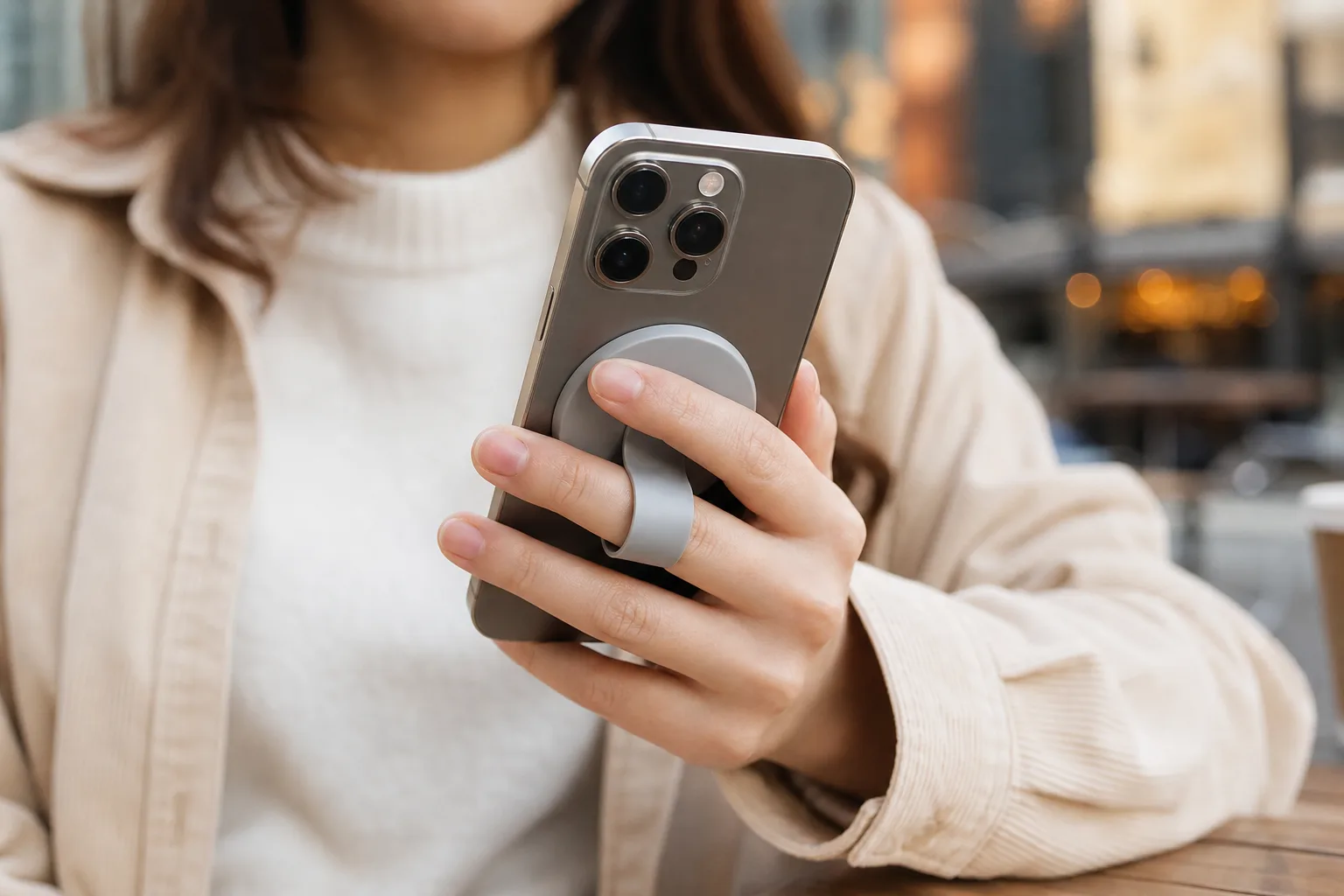
- With phones getting larger and slipperier, MagSafe phone grips offer a practical way to hang on—provided the phone or case has a properly aligned magnetic ring.
- The good MagSafe phone grips give you a secure finger hold without turning the phone into a chunky brick, and they come off easily for charging or wallets.
- Qi2 is slowly bringing magnetic accessory support to Android, although many current phones still need a compatible magnetic case.
- Spigen’s OM104 feels premium and strong, but its long nylon strap can get pinched when the integrated stand is folded shut.
Table of Contents
MagSafe phone grips solve a very ordinary problem
MagSafe phone grips may be the most sensible accessory category to emerge from Apple’s magnetic charging system. Not glamorous. Not particularly clever. Just useful. Modern phones are expensive glass slabs that have somehow grown larger while becoming harder to hold, and a removable grip gives your fingers a fighting chance.
I’d argue this is less about clumsiness than physics. An iPhone Pro Max-sized device stretches one-handed reach, while smooth metal edges and glossy cases provide about as much purchase as a wet bar of soap. A grip lets you scroll, type, take photos and read in bed without constantly shifting the phone through your palm. It can also prevent the uniquely annoying experience of dropping a handset directly onto your face.
The magnetic part is what makes the category work. Traditional PopSockets and adhesive loops may hold tightly, but they tend to become permanent furniture on the back of a case. They can interfere with charging and rule out a magnetic wallet, battery pack or car mount. MagSafe phone grips are meant to come off when another accessory needs the space.
That convenience matters more than it sounds. You can remove a grip before putting your phone on a bedside charger, switch to a wallet for a quick errand, then snap the grip back on later. It’s the difference between a built-in kitchen counter and a tool drawer: one is always there; the other appears when you need it.

What MagSafe compatibility actually means
Apple introduced MagSafe on the iPhone 12 family as a ring of magnets designed to align wireless chargers. From there, it grew into a sprawling accessory ecosystem: wallets, stands, battery packs, vehicle mounts and, yes, grips. Apple’s MagSafe support documentation covers MagSafe charging, but the larger story is accessory alignment. The ring tells compatible hardware exactly where to sit.
That doesn’t mean every case works. If you put a magnetic accessory on a standard plastic or silicone case without an integrated ring, it may cling weakly or slide around. That is not the grip’s fault, although it will become your fault roughly one second after the phone hits pavement. Look for a case specifically marked MagSafe-compatible or Qi2-compatible, ideally from a company that states it uses a built-in magnetic array rather than merely a metal plate.
MagSafe phone grips can also serve Android owners, with caveats. Many Android models still need a compatible case to create the attachment point. Qi2, the wireless charging standard that includes a Magnetic Power Profile, is supposed to make this less awkward over time. Google’s Pixel 10 range has moved toward native Qi2 support, while Samsung’s Galaxy S26 devices are described as Qi2 Ready, meaning their full magnetic experience still depends on a case.
Frankly, this is an industry transition that feels more drawn out than it should be. Qi2 was meant to give the market one interoperable lane, but buyers are still checking product pages like they’re decoding airline baggage rules. Before buying any magnetic grip for Android, confirm whether the phone has magnets built in or whether the accessory maker requires a case.
What separates good MagSafe phone grips from clutter
Start with strength. A grip should snap onto the phone with a satisfying, centered pull and stay put as you walk around, use the camera or pull the device from a bag. But raw magnetic force isn’t the only measure. An overly broad or heavy grip can make a phone feel more awkward in a pocket than the device did without one.
Comfort is harder to judge from a product listing, and it matters more than those listings usually admit. A ring can dig into a finger. A hard plastic handle can create a pressure point during a long video call. A loop can be pleasant for ten minutes and irritating after an hour. The best designs spread the load across a finger or two and do not force your hand into a single position.
Then there’s the kickstand question. Many MagSafe phone grips try to double as viewing stands, which is useful for a recipe, a train movie or the deeply modern ritual of watching YouTube beside your dinner plate. But stand mechanisms are where cheap accessories reveal themselves. Look for one that holds both portrait and landscape reliably, does not wobble on a table, and closes without catching on straps or fabric.
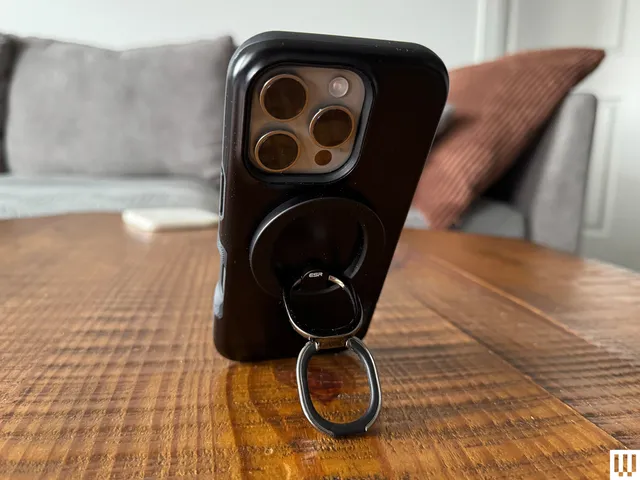
Spigen’s OM104 illustrates both sides of the equation. Its flexible nylon finger strap, metal body and dual-magnet arrangement make it feel sturdier than the disposable accessory-bin fare. The strap remains soft and comfortable after repeated use, which is no small achievement. Yet the long strap can droop while the phone is sliding into a pocket; when the kickstand closes, that excess material may get pinched and prevent a flush fit. It’s a small design miss, but small design misses are the whole story with accessories.
Choose the grip style that fits how you use your phone
If your phone mostly lives in your hand, a strap-style grip is often the least intrusive option. It gives you a confident hold without adding a large circular puck. If you frequently prop up your handset for calls or video, a ring or hinged plate with a real kickstand earns its added bulk. And if you swap among a wallet, battery and desk charger throughout the day, choose a thin magnetic model that detaches cleanly.
There are alternatives. Grip cases offer maximum security because the handle is physically part of the case, though they add thickness and can complicate wireless charging. Clamp-on grips fit almost any phone but can shift position. Adhesive grips remain inexpensive and dependable, but removing one can be an exercise in patience, and they largely defeat the point of buying into a magnetic accessory system.
MagSafe phone grips sit in the practical middle: secure enough for day-to-day use, removable enough to preserve flexibility. Just don’t mistake magnetic attachment for an indestructible bond. A forceful snag can still separate the magnets, so dangling your phone over a sidewalk by its grip is a confidence test I wouldn’t recommend.
The accessory market is finally learning restraint
The interesting part of this category is not that manufacturers can put a ring, loop or strap on a magnet. It’s that MagSafe phone grips make a strong case for modular phone accessories over permanent add-ons. Phones are already thick enough, cases have become a mini-industry, and nobody needs another object permanently glued to their handset.
If Qi2 adoption reaches the point where Android users can buy magnetic accessories without case-related fine print, this little category could get much bigger. For now, my read is simple: buy the thinnest grip that genuinely improves your hold, make sure your case has the right magnets, and treat any kickstand as a bonus only if it actually works. Your phone doesn’t need more decoration. It needs fewer opportunities to meet the floor.
Frequently Asked Questions
Do MagSafe phone grips work with Android phones?
They can, but compatibility depends on the phone or its case. Most Android phones are incompatible with MagSafe grips, though magnetic cases can enable MagSafe-like functionality. Qi2 is beginning to change that, with Google’s Pixel 10 range offering Qi2 devices and Samsung’s Galaxy S26 range requiring a magnetic case for Qi2 features.
Will a MagSafe grip fall off my phone?
A MagSafe grip can securely hold a phone during normal use, including dangling it by the grip. However, additional force can cause the magnets to separate and the phone to fall.
Can I wirelessly charge an iPhone with a magnetic grip attached?
MagSafe grips are designed to be easy to take on and off. Unlike adhesive grips or grips attached to cases, which may block wireless charging, a magnetic grip can be removed when needed.

