

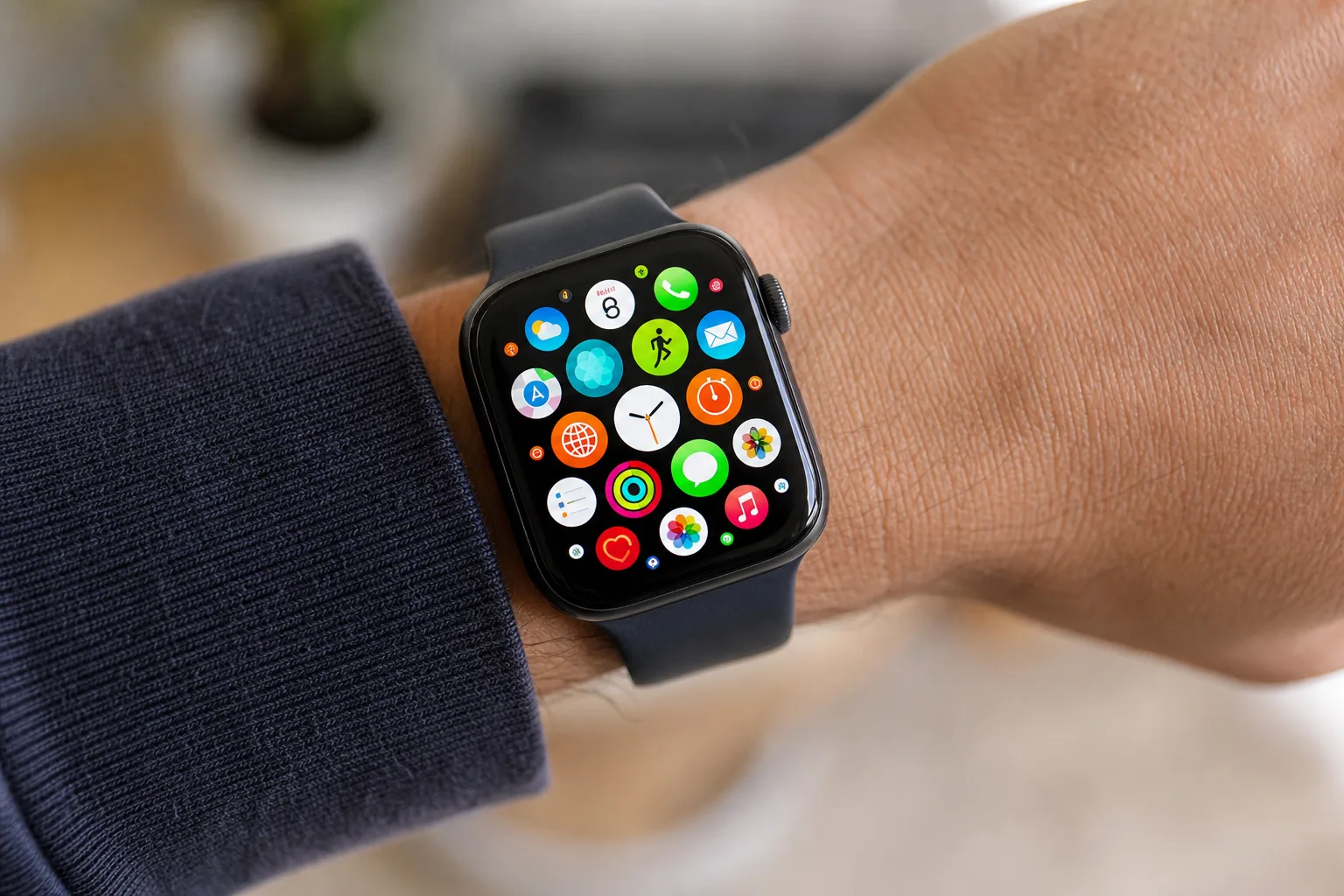
- watchOS 27 performance improvements cover six areas including battery efficiency, Wi-Fi, step tracking, and faster media playback.
- The biggest visible change in watchOS 27 performance is a Siri-centered dynamic app grid that adapts to your context.
- Apple Watch Series 6, 7, and 8 are dropped from compatibility, along with the original Ultra and SE 2.
- watchOS 27 requires an iPhone 11 or later running iOS 27 and launches publicly this fall.
Table of Contents
watchOS 27 Performance Is the Real Story This Year
If you were hoping WWDC 2026 would bring a dramatic visual overhaul to your Apple Watch, you’re going to need to reset those expectations. watchOS 27 performance is squarely at the centre of this release — a signal that Apple has decided to spend its engineering bandwidth fixing the foundation rather than slapping fresh paint on it. It’s a familiar rhythm at this point. Last year’s iOS cycle leaned heavily on stability. The year before, macOS got similar treatment. Now it’s watchOS’s turn.
That’s not a criticism. For a platform that runs on a device strapped to your wrist all day, every day, reliability and efficiency matter far more than another new watch face. Apple is targeting six specific areas of improvement, and while most of them are invisible to the naked eye, their cumulative effect on day-to-day usability could be genuinely meaningful.
Six Under-the-Hood Changes — and What They Actually Mean
Apple’s official list of watchOS 27 performance improvements reads like a QA engineer’s wish list: better battery efficiency, improved Wi-Fi connectivity, more efficient water detection, more accurate step tracking, faster media playback, and faster app extension launches. Six changes in total, and most of them are the kind of thing you’d only notice if they were broken in the first place.
Take step tracking accuracy. It might sound minor, but for the millions of people who use their Apple Watch as a primary fitness tool, a miscalibrated step count chips away at trust in the platform. The same logic applies to water detection — an area where false triggers have occasionally caused frustration, particularly for swimmers. Getting these right isn’t glamorous, but it’s exactly the work that keeps users loyal to a wearable long-term.
The battery efficiency improvement is harder to evaluate without real-world numbers, which Apple hasn’t provided. What we do know is that even incremental gains matter enormously on a device with a battery measured in hours rather than days. If watchOS 27 performance squeezes an extra thirty to forty-five minutes of active use out of a Series 10, that’s a tangible win. The Wi-Fi improvement is similarly opaque for now, but given how often Apple Watch relies on a Wi-Fi connection when your iPhone isn’t nearby — for streaming, notifications, and Siri queries — a faster, more reliable radio stack has obvious practical value.
Faster media playback and quicker app extension launches round out the list. Extensions — the lightweight processes that power things like complications and background notifications — have historically been a source of latency on watchOS. Speeding them up means the information on your watch face loads faster and your third-party apps feel snappier without developers having to do anything at all. That’s a quiet gift to the app ecosystem, and one of the more underrated watchOS 27 performance wins in this release.
The Dynamic App Grid: watchOS 27’s One Visible Trick
Amid all the under-the-hood work, Apple has still managed to deliver one meaningful change you’ll actually see. The new dynamic app grid is the most significant navigation update to watchOS in several years, and it’s built around Siri intelligence rather than static layout preferences. It also ties directly into the broader watchOS 27 performance story, since reducing the number of taps needed to reach an app is itself a form of efficiency.
Here’s how it works: pressing the Digital Crown now surfaces a contextual grid of five apps, with Siri acting as the anchor at the centre. The selection isn’t random — it’s meant to reflect your current context, time of day, location, and usage patterns. Heading out for a run at 7am? You might see Workout, Music, Maps, Heart Rate, and Weather. Sitting in a meeting at 2pm? The mix shifts accordingly. If the smart selection misses the mark, a single turn of the Digital Crown drops you back into your preferred full view, whether that’s the classic honeycomb grid or the scrollable list.
It’s a design that straddles two things Apple usually keeps separate: personalisation and speed. Rather than forcing you to hunt through dozens of icons, the grid tries to anticipate what you need before you’ve thought to look for it. Whether it actually works in practice will depend on how good Apple’s on-device modelling is — and that’s something we won’t know until people have been wearing watchOS 27 for a few weeks.
The Siri angle is telling. Apple has been threading its AI assistant more deeply into the system-level fabric of every platform this year, and watchOS is no exception. On a screen this small, where typing is impossible and tapping is clumsy, predictive intelligence isn’t just a nice feature — it’s arguably the only practical interface paradigm that makes sense. The dynamic grid is essentially Siri making decisions on your behalf before you ask it to, and it represents a different dimension of watchOS 27 performance: reducing cognitive load rather than just computational overhead.
Which Apple Watches Are Left Behind
Every major watchOS release cuts off a generation or two of older hardware, and watchOS 27 is no different — though the list of dropped models is notably longer than usual this cycle.
Gone are the Apple Watch Series 6, Series 7, and Series 8, along with the first-generation Ultra and the SE 2. That’s a significant sweep. Series 8 owners in particular might feel hard done by — that watch launched in 2022 and still runs well for most people. Apple hasn’t explained the technical rationale publicly, but the likely culprits are processor constraints and memory ceilings that prevent the new watchOS 27 performance subsystems from running efficiently on older silicon.
The supported lineup for watchOS 27 is as follows:
- Apple Watch SE 3
- Apple Watch Series 9
- Apple Watch Series 10
- Apple Watch Series 11
- Apple Watch Ultra 2
- Apple Watch Ultra 3
You’ll also need an iPhone 11 or iPhone SE (2nd generation) or later, paired with iOS 27. The iPhone requirement isn’t unusual — watchOS has always depended on a connected iPhone for initial setup and key functions — but it’s worth keeping in mind if you’re running an older phone.
What This Release Tells Us About Where Apple Watch Is Heading
Read across the full WWDC 2026 slate and a pattern emerges: Apple is in consolidation mode. Rather than announcing headline features that make for flashy demo reels, the company appears to be hardening the infrastructure across all its platforms simultaneously. It’s the kind of work that’s difficult to market but essential to sustaining long-term user satisfaction — and it suggests Apple’s engineering teams are prioritising longevity over novelty right now. From that perspective, watchOS 27 performance is less a feature and more a philosophy.
For the wearables market specifically, that approach makes strategic sense. IDC data has consistently shown that Apple Watch commands around a third of global smartwatch shipments — a position that’s easier to defend through reliability than to grow through feature-racing competitors like Samsung and Garmin. When your install base is that large, keeping existing users happy is often more valuable than chasing new ones.
watchOS 27 performance gains won’t generate the same excitement as, say, a new health sensor or an entirely new form factor. But for the hundreds of millions of people already wearing an Apple Watch, a device that lasts longer on a charge, connects more reliably, and gets out of the way faster is exactly what they need. Sometimes the most important update is the one you don’t notice at all.
Frequently Asked Questions
What devices support watchOS 27 performance features?
watchOS 27 runs on Apple Watch SE 3, Series 9, Series 10, Series 11, Ultra 2, and Ultra 3. It also requires an iPhone 11 or iPhone SE 2nd generation or later running iOS 27. Older models including Series 6, 7, and 8 are no longer supported.
What is the new dynamic app grid in watchOS 27?
The dynamic app grid surfaces five contextually relevant apps on your Apple Watch home screen, with Siri at the centre. It activates immediately when you press the Digital Crown, and a turn of the crown falls back to your standard grid or list view if needed.
When will watchOS 27 be available to download?
Apple previewed watchOS 27 at WWDC 2026 and plans to release it publicly in the fall. An exact release date has not been announced.
Does watchOS 27 improve Apple Watch battery life?
Yes, battery efficiency is one of several watchOS 27 performance improvements Apple highlighted. Apple hasn’t shared specific figures, but improved battery life is listed alongside better Wi-Fi connectivity, faster media playback, and more accurate step tracking.

