

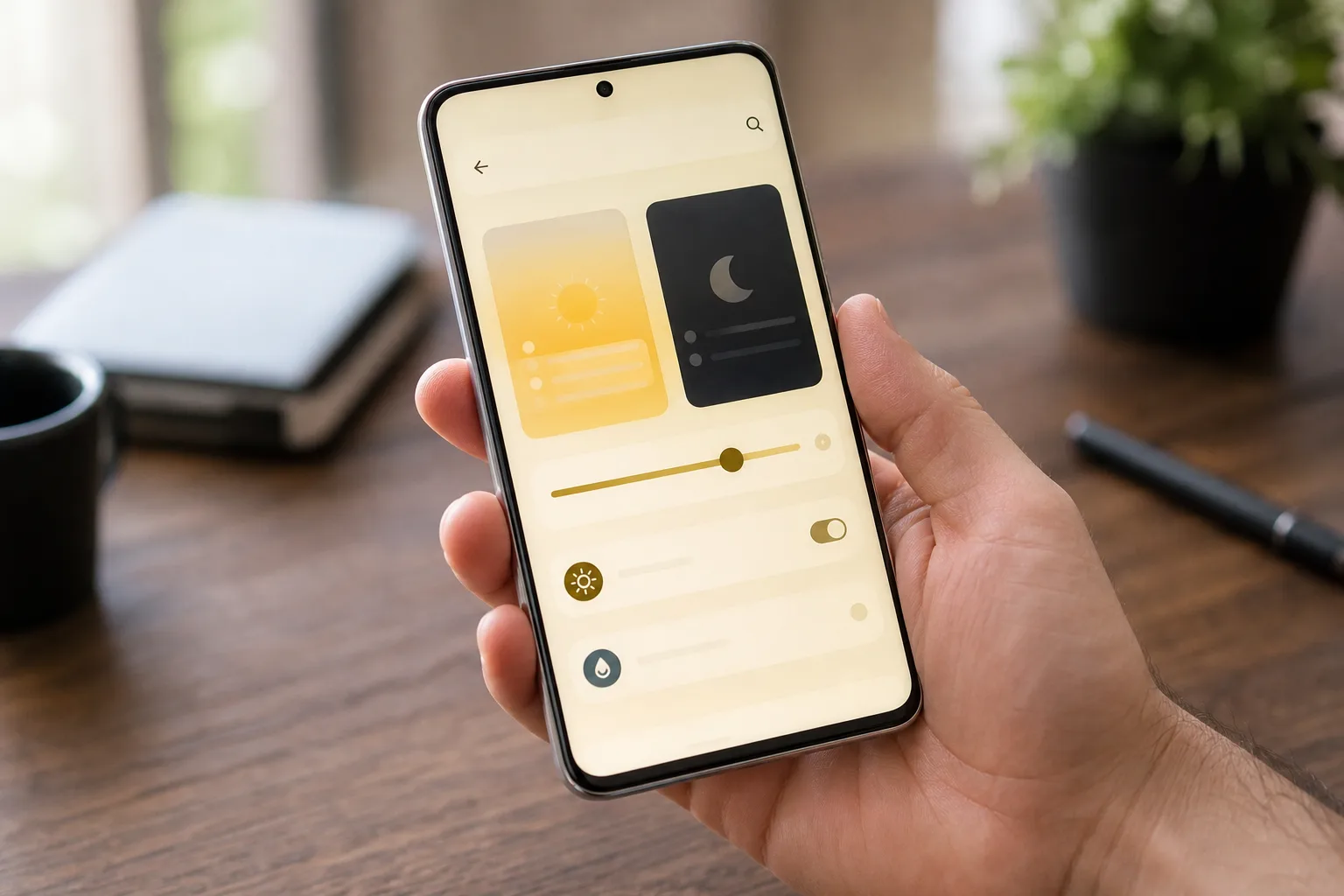
- Gemini Device Help reportedly checks relevant Pixel settings before suggesting a fix for everyday phone problems.
- Google’s Gemini Device Help experiment could spare Pixel owners the tedious Settings hunt by offering plain-language troubleshooting.
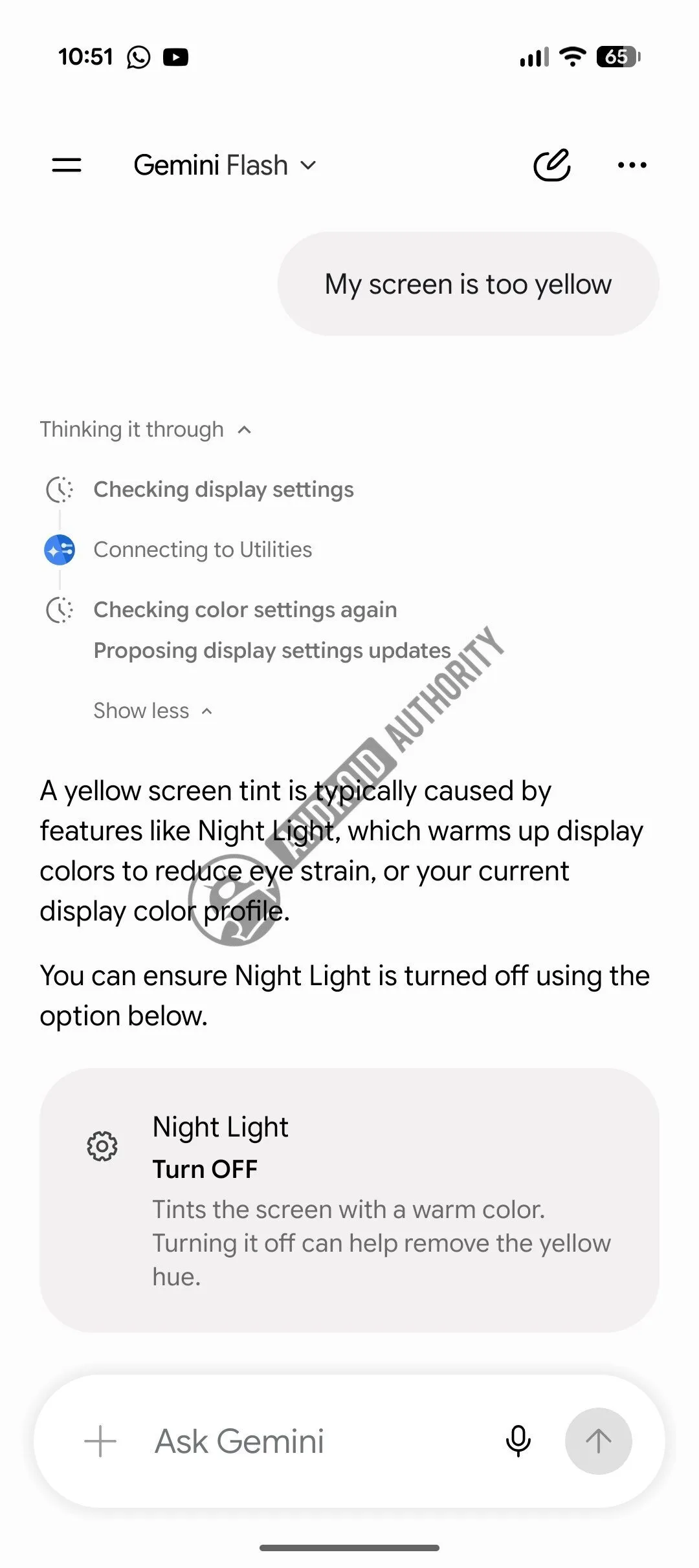
- In one reported example, a user said their Pixel display looked too yellow, and the feature identified Night Light as the cause.
- The Labs-labelled feature appeared on a Pixel 9 running Android 17, but Google has not announced a public rollout date.
Table of Contents
Gemini Device Help wants to end the Settings scavenger hunt
Android settings menus have become the modern equivalent of the drawer full of mystery cables: you know the thing you need is in there somewhere, but finding it can ruin an otherwise pleasant afternoon. Gemini Device Help, an experimental feature reportedly appearing on Pixel phones, aims to fix that very ordinary frustration by letting users explain a problem in plain English.
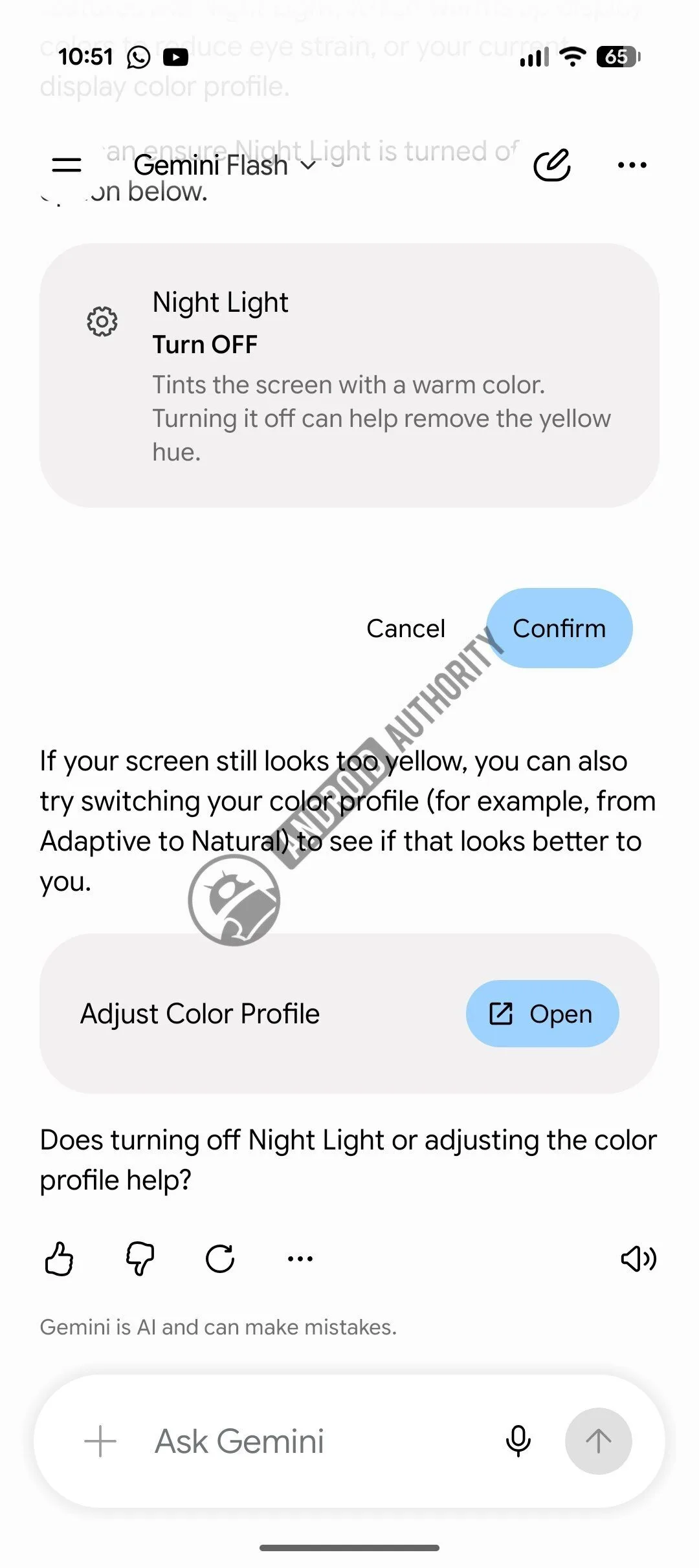
Instead of typing a search term and hoping Google’s Settings search understands what you mean, a Pixel owner could say, “My screen is too yellow.” Gemini would then inspect relevant controls, identify a likely culprit, and suggest what to change. In the example that has surfaced, it traced the warm display tint to Night Light and recommended disabling it.
That sounds small. Frankly, small is exactly where Google’s AI ambitions need to start paying off. Most people don’t need an assistant to draft a sonnet or create a six-day travel itinerary; they need to know why Bluetooth will not connect, why their phone suddenly feels dim, or why a notification setting has vanished into a submenu three levels deep.
What Gemini Device Help appears to do differently
The interesting part of Gemini Device Help is not that Gemini can recite generic troubleshooting steps. Any chatbot can tell you to restart a phone. The reported implementation appears able to look at the device’s actual settings through Google’s Utilities extension before answering. That changes the interaction from a digital help article into a limited diagnostic tool.
There is an enormous practical distinction there. A conventional support page might list Night Light, color correction, adaptive brightness, and accessibility options as possible explanations for an odd-looking display. A settings-aware assistant can check whether Night Light is currently enabled, then point to a fix based on the phone in your hand. It is the difference between a mechanic handing you a repair manual and one lifting the hood.
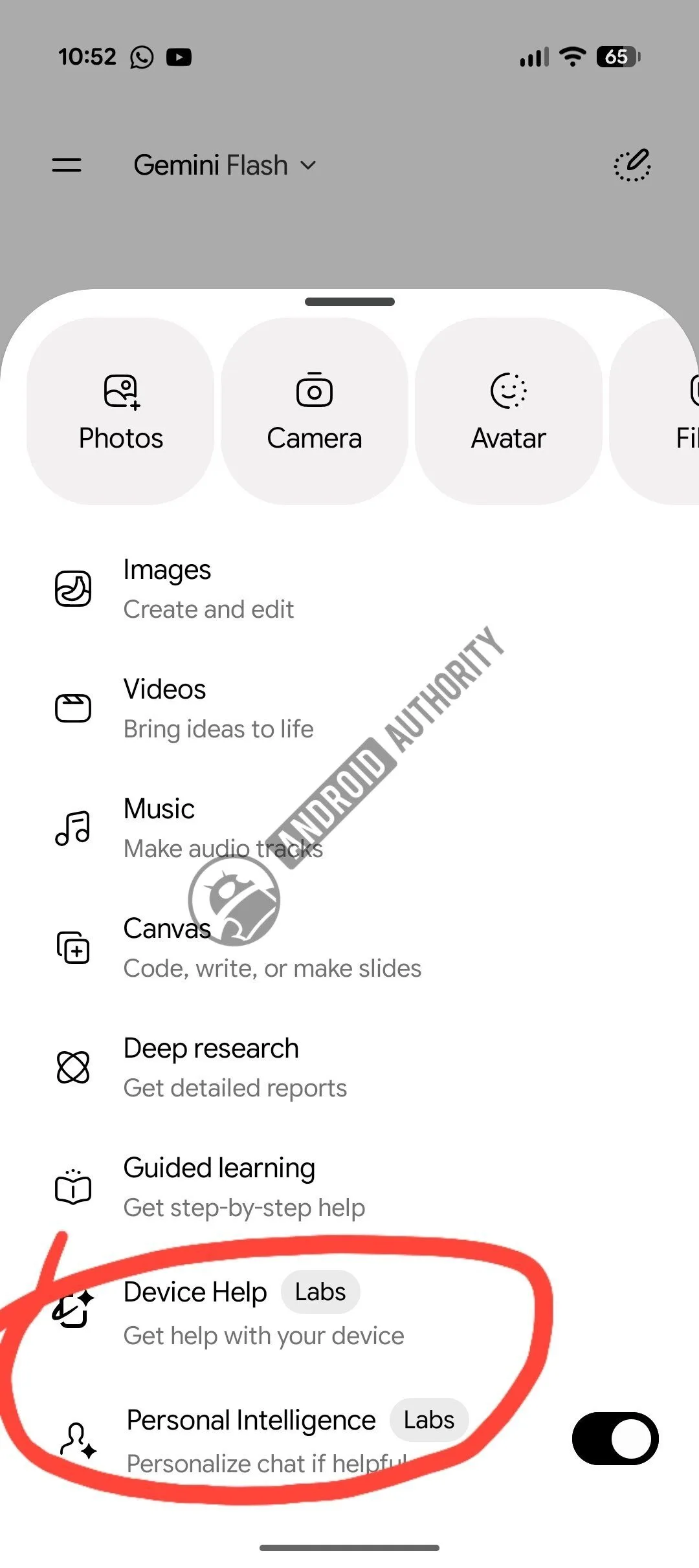
The feature has been spotted with a Labs label in the Gemini app on a Pixel 9 running the stable version of Android 17. Labs branding is Google’s familiar warning label: this is an experiment, it may change, and it should not be treated as a promised launch. The icon reportedly matches imagery Google has used for Magic Cue, another Pixel intelligence feature, suggesting Gemini Device Help may become part of a broader family of contextual on-device tools.
Google has been steadily giving Gemini more access to the practical parts of Android. The company’s official Gemini site already positions the assistant as a way to get help across Google services, while Android integrations have expanded its ability to act on requests rather than merely answer them. Device troubleshooting is a logical next stop, and arguably a more defensible one than many of the flashier AI demos we have seen.
The convenience comes with a privacy question
If Gemini Device Help is checking phone settings to diagnose an issue, users deserve clarity on what it can inspect, what information leaves the handset, and what Google retains. A setting such as Night Light is harmless enough. But the line gets blurrier quickly: battery usage patterns can reveal app habits, network settings may expose sensitive details, and notification controls can hint at which services matter most to someone.
Google will need to make permissions legible rather than bury them behind a cheerful AI glow. The best version of this product would say exactly what it examined before offering a recommendation: “I checked your display settings and found Night Light enabled.” That is useful, auditable, and gives the user a chance to reject the premise. An opaque assistant that simply declares a diagnosis is much less appealing, even when it happens to be right.
Accuracy matters, too. Phone settings often interact in annoying ways. A dim screen could involve adaptive brightness, Extra Dim, battery saver, a screen protector, an accessibility control, or failing hardware. Gemini Device Help should be comfortable saying it is unsure and offer a sensible escalation route, rather than confidently flipping toggles until the problem appears to go away.
Why Pixel needs this more than another AI party trick
Google’s Pixel strategy has increasingly rested on the claim that its hardware and software understand one another better than rivals do. That pitch has produced genuinely helpful features, from call screening to camera processing, but it has also occasionally produced demos that feel impressive for 30 seconds and irrelevant afterward. Remember the industry’s collective rush to put chatbots into everything? Plenty of it still feels like a feature looking for a reason to exist.
Gemini Device Help has a clearer reason. Android remains extraordinarily capable, but that capability comes with clutter. Google adds settings, manufacturers add their own layers, and a simple fix can become a miniature expedition. Apple has historically reduced this problem through stricter system design, though iPhone users can still get lost in Settings just as easily. Samsung, meanwhile, has packed One UI with enough options to keep enthusiast forums busy for years.
A reliable Pixel troubleshooter could turn Google’s AI from something people occasionally play with into something they use when their phone is misbehaving at 11 p.m. That is a far more valuable habit. It also gives Google a reason to keep this capability closely tied to Pixel, at least initially, since hardware differentiation is harder when every Android maker can ship the same chatbot.
There is no public timetable for a wider release, and Labs experiments have a habit of changing shape or disappearing. Still, my read is that Gemini Device Help points toward the most convincing future for assistants: less conversation for conversation’s sake, more quiet competence when technology gets in the way. If Google can make that work without turning a support request into another data collection event, Pixel owners may finally have an AI feature they reach for without being asked to admire it first.

