

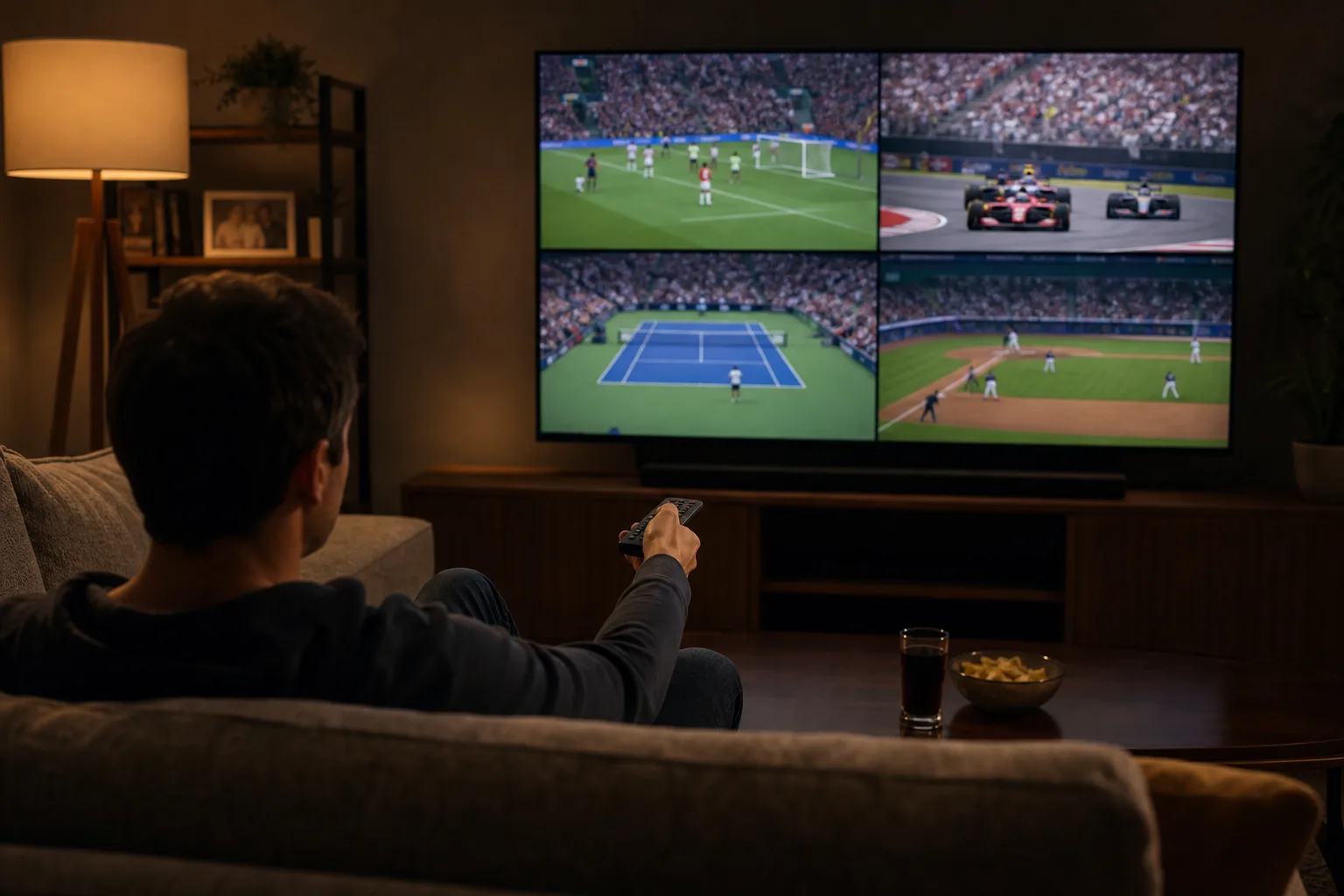
If you’ve ever found yourself frantically switching between games on a Sunday afternoon, wishing you could just watch everything at once, Apple TV multiview is the feature you didn’t know you needed. Available on Apple TV 4K since 2023, the multi-stream tool has grown from a modest debut on MLS Season Pass and Friday Night Baseball into a genuinely useful part of Apple’s sports broadcasting strategy — one that now covers three distinct sports with meaningfully different implementations for each.
- Apple TV multiview supports up to four simultaneous live streams across MLB baseball, MLS soccer, and Formula 1 racing.
- You need an Apple TV 4K to use Apple TV multiview — any generation works, though an update to the hardware may be coming soon.
- Formula 1 offers the most flexible multiview options, including driver cams, telemetry overlays, and a Sky Sports alternate commentary feed.
- MLS soccer and F1 are both included in the standard $12.99 monthly Apple TV subscription with no extra sports paywall.
Table of Contents
What You Need to Get Started with Apple TV Multiview
The hardware requirement here is non-negotiable: Apple TV multiview only works on the Apple TV 4K. Not the older HD model, not an iPhone, not a Mac — the dedicated streaming box. There are three generations of the 4K, and all of them work. The most recent arrived in 2022 and runs on Apple’s A15 Bionic chip. Given that chip is now a few years old, reports suggest Apple may be readying a hardware refresh soon. If you’re on the fence about buying in, that’s worth keeping in mind — though for multiview purposes, every current generation performs fine.
Beyond the hardware, you’ll need an active Apple TV subscription. The good news is that two of the three supported sports — MLS soccer and Formula 1 — are baked into the standard $12.99 monthly plan with no additional sports tier required. That’s a meaningful shift from where things started: MLS Season Pass originally launched as a standalone subscription before Apple folded it into the main plan in 2026.
The Three Sports Apple TV Multiview Currently Supports
MLB Baseball: Limited but Functional
Friday Night Baseball is Apple’s most constrained sports offering, and that limitation carries over directly into Apple TV multiview. Apple only streams MLB games on Friday evenings, typically two games per week. Because the broadcast window is narrow, multiview here maxes out at three panels: the two live games plus Apple’s MLB Big Inning studio show, which provides real-time analysis and highlights across the league.
There are no alternate camera angles or dedicated player feeds like you’d get with Formula 1. What you do get is a choice of audio: switch between the main broadcast commentary or either team’s home and away radio call. It’s a smaller touch, but for fans who grew up listening to their local radio team, it’s a surprisingly welcome one. The multiview icon appears in the player controls alongside the subtitles, alternate audio, and picture-in-picture options — just tap it to build your grid.

MLS Soccer: The Most Accessible Option
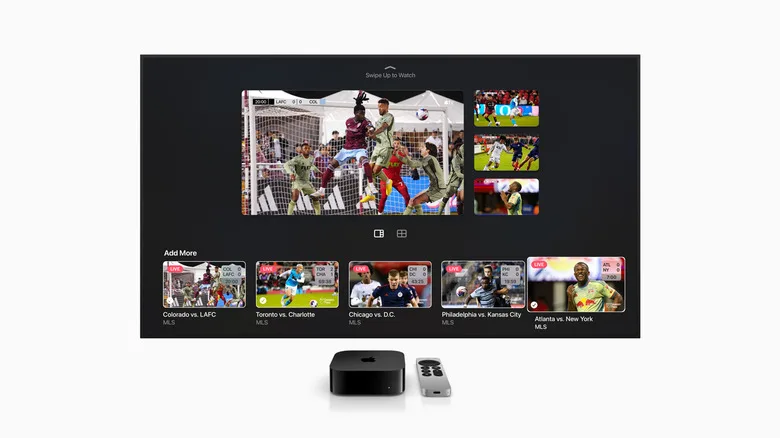
MLS is where Apple TV multiview feels most complete from a sheer volume standpoint. With every MLS game included in the base subscription and no blackout restrictions, there’s almost always a full slate of matches to pull from. You can fill all four slots in your multiview grid with live games, or swap one out for MLS 360 — Apple’s whiparound studio show that delivers live look-ins, real-time analysis, and running commentary on the day’s action.
The setup process is straightforward: start watching any match, tap the multiview icon in the playback controls, and browse the available live games. The interface lets you mix and match as matches kick off and wrap up. For committed MLS followers tracking playoff races or supporting multiple clubs, this is a genuinely practical tool rather than a gimmick.
Formula 1: The Most Technically Impressive Implementation
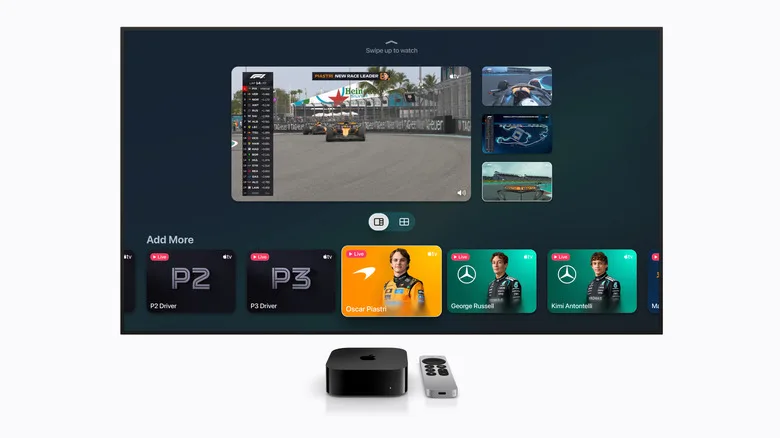
Apple TV multiview reaches its full potential with Formula 1, and it’s not particularly close. Apple secured US broadcast rights for F1 at the start of the 2026 season, and bundled into that deal is an F1 TV Premium subscription for Apple TV subscribers. The depth of content that unlocks is substantial.
The main race feed is one option. But you can also layer in a driver tracker, a live telemetry chart showing timing and sector data, and dedicated onboard cameras for each car on the grid. Pre-made multiview layouts are available if you want a quick setup, but the system also lets you build a fully custom configuration — say, the main broadcast in your primary window alongside the onboard feeds from your two favourite drivers and a live timing overlay. Practice sessions and qualifying rounds support multiview too, not just race day.
One particularly thoughtful addition: viewers who prefer British-style F1 commentary can switch to the Sky Sports feed instead of the default F1 TV broadcast team. Given that Sky Sports has covered F1 in the UK for over a decade and carries commentary talent with deep series knowledge, that’s a real alternative rather than a token option.
To pull up the multiview menu during a race or qualifying session, swipe down on your Apple TV 4K remote while watching — the in-stream menu appears just below the main playback view with all your options laid out.
How Apple TV Multiview Audio Works Across All Sports
One thing that catches new users off guard: audio in Apple TV multiview follows your focus, not a fixed stream. Swipe between the tiles in your grid and the audio from whichever panel you land on takes over — the other video feeds remain visible the whole time, they just go mute. Click on any tile to expand it to full screen, which effectively exits multiview and drops you into a standard single-stream view. Switch back to multiview and your grid is still waiting for you.
Picture-in-picture is also supported on Apple TV 4K as a separate option, giving you yet another way to keep a secondary stream running while you do something else on the device. It’s a small but useful complement to the multiview toolkit.
How This Fits Into the Broader Sports Streaming Picture
Apple isn’t the only player experimenting with multiview. YouTube TV rolled out its own multi-stream feature for NFL Sunday Ticket, and services like DirecTV have offered split-screen sports viewing for years on satellite hardware. What makes Apple TV multiview stand out isn’t the concept — it’s the depth of the F1 integration in particular, which goes well beyond simply tiling four live feeds and edges toward the kind of data-rich, customisable experience that motorsport fans previously had to pay separately for via F1 TV Premium.
The bigger question is whether Apple expands multiview to other sports it holds rights for. The company has been methodical — starting with MLS, adding baseball, and now bringing in F1 with arguably its most sophisticated implementation yet. With rumours of an Apple TV hardware update on the horizon and Apple’s sports rights portfolio still evolving, the current three-sport lineup feels less like a finished product and more like a foundation that’s actively being built on.
Frequently Asked Questions
Which Apple TV models support Apple TV multiview?
Apple TV multiview requires an Apple TV 4K streaming box. All three generations of the Apple TV 4K work, including the most recent 2022 model running Apple’s A15 Bionic chip. The standard HD Apple TV box does not support the feature.
Which sports can you watch using Apple TV multiview?
Currently, Apple TV multiview works with three sports: MLB baseball (Friday nights only), MLS soccer, and Formula 1 racing. MLS and F1 are fully included in the Apple TV subscription, while MLB is limited to Friday night games.
Does Apple TV multiview cost extra?
No additional fee is required for MLS and Formula 1 — both are bundled into the standard Apple TV subscription at $12.99 per month. MLB coverage is limited to Friday Night Baseball games, which are also included in that subscription.
How many streams can you watch at once with Apple TV multiview?
You can watch up to four simultaneous streams with Apple TV multiview. The exception is MLB baseball, where Apple only broadcasts a maximum of two games at once, meaning your multiview grid tops out at three tiles including the Big Inning studio show.

