

Table of Contents
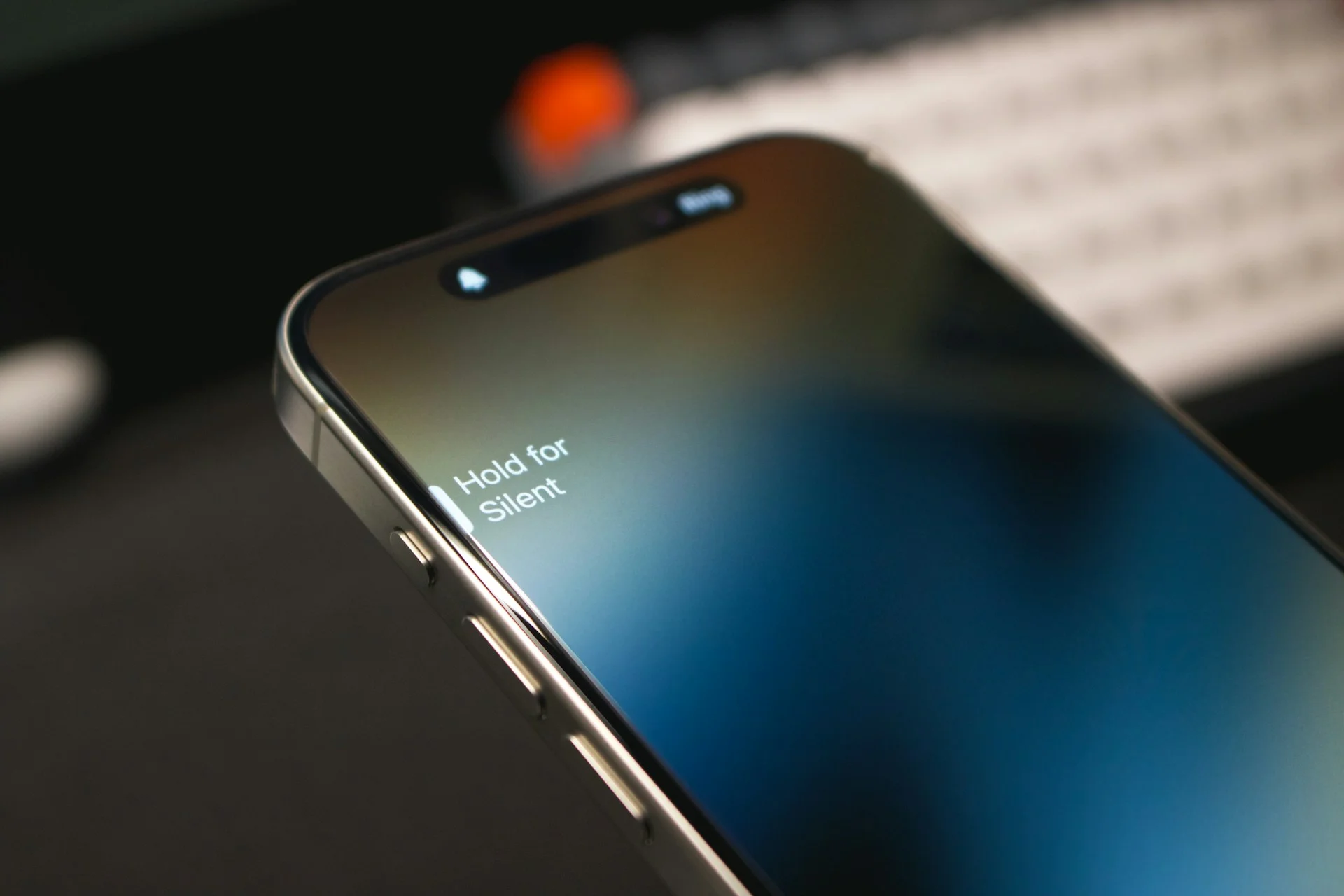
iPhone Action Button because the feature promises quick control yet ships with a clear limitation. Apple introduced the button on the iPhone 15 and newer models as a replacement for the classic mute switch. The concept is simple. A long press activates a chosen function such as launching the camera, switching silent mode, or starting Focus. However, Apple currently allows the button to trigger only one assigned task at a time.
That restriction makes the feature feel smaller than it could be. Through the automation tools inside the Shortcuts app, users can convert the iPhone Action Button into a menu that launches several apps or tasks from a single press.
Why the iPhone Action Button Feels Limited
The iPhone Action Button works as a hardware shortcut for common phone actions. Apple allows users to set functions such as camera launch, voice memo recording, accessibility tools, or focus mode changes through system settings. While these options are helpful, they do not reflect how Apple often handles multi function input in other devices. For example, headphones from Apple support double or triple presses to activate different commands. The Action Button lacks this layered interaction model.
This design decision reduces flexibility in daily use. A user may want quick camera access during travel but silent mode during meetings. Because the button supports only one action at a time, switching between uses requires manual changes in settings. From an editorial perspective at SquaredTech.co, this limitation explains why many users overlook the button after the initial setup period. The hardware is capable of more, yet the default configuration keeps its scope narrow.
The automation environment in iOS 18 changes this equation. Apple refined the Shortcuts interface in recent system updates, which makes it easier to assemble simple automation tools without scripting knowledge. This environment allows the Action Button to trigger a folder that contains several shortcuts rather than a single action.
Using Shortcuts to Build a Multi App Launcher
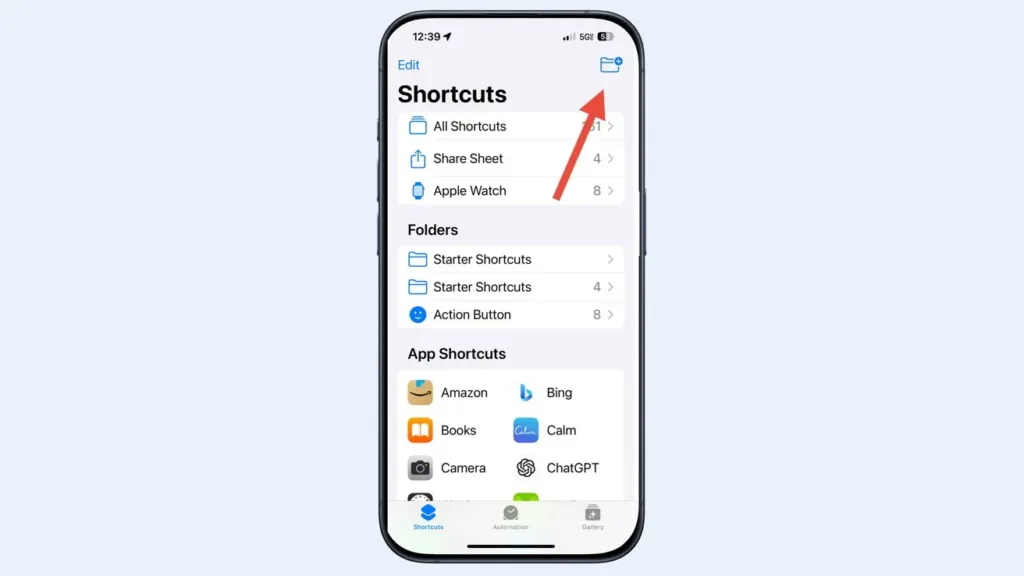
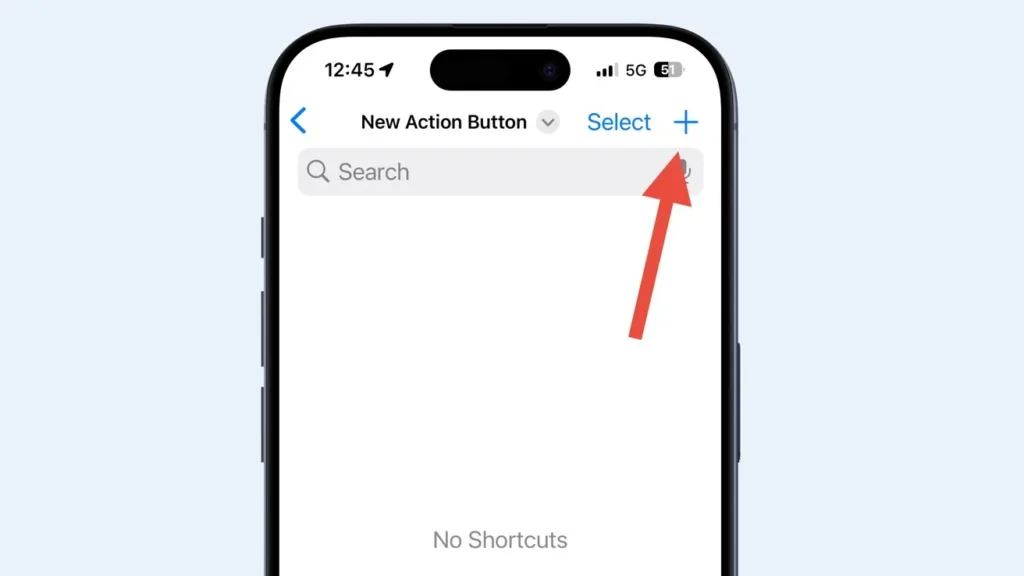
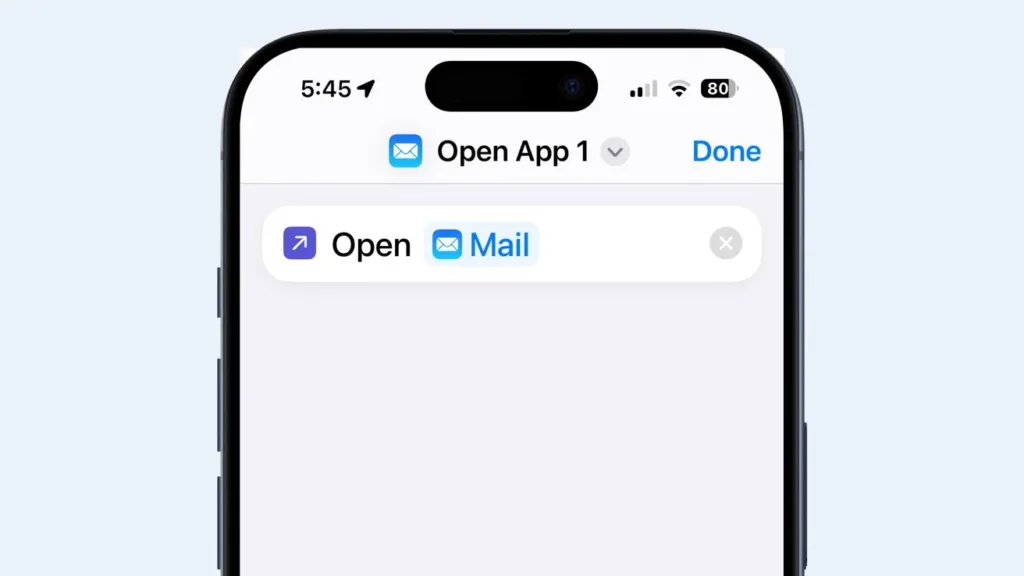
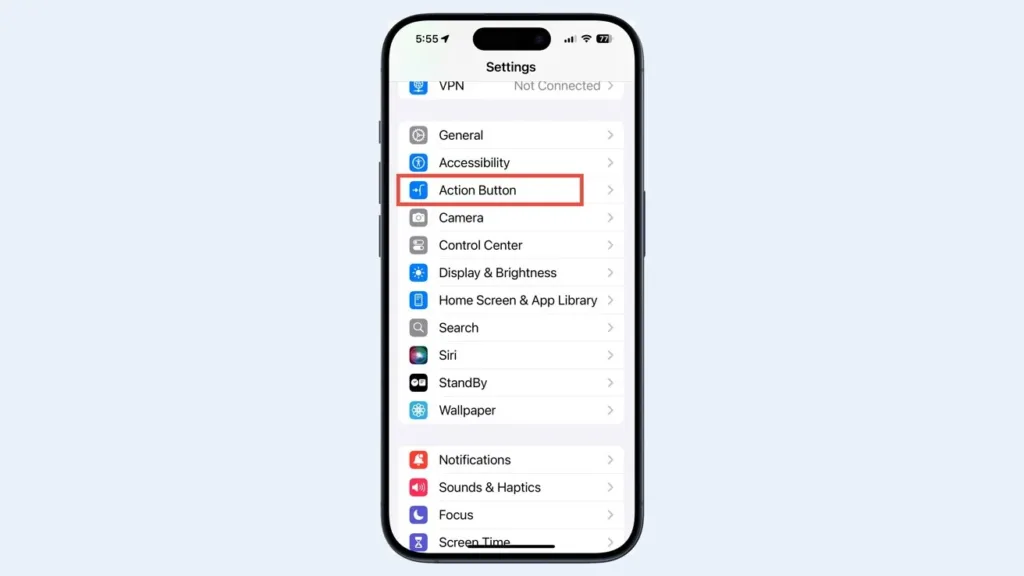
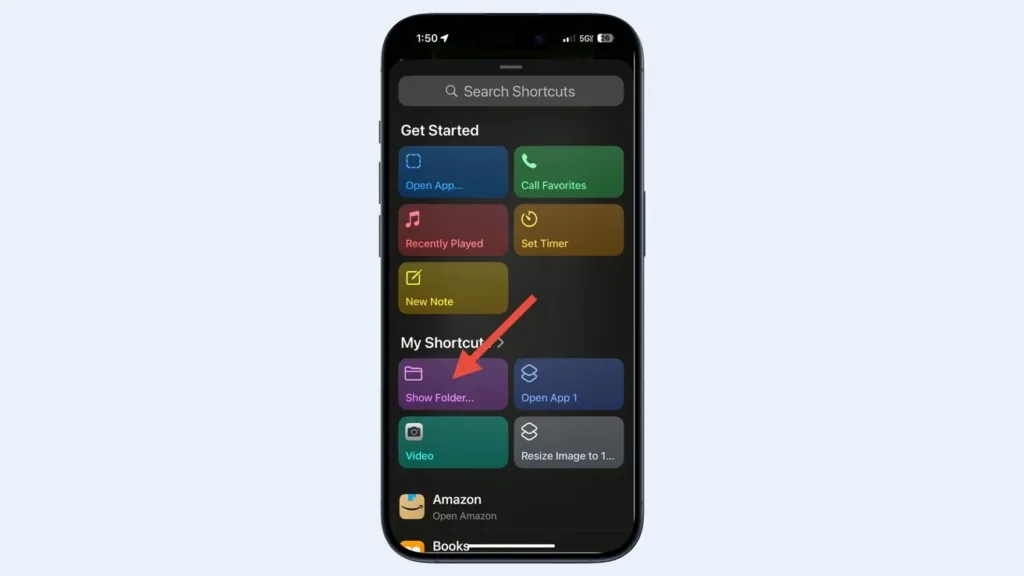

The workaround relies on a simple concept. Instead of assigning the iPhone Action Button to one shortcut, users assign it to a folder of shortcuts. When the button launches that folder, the phone displays a grid of selectable actions. Each shortcut can open an application or perform a specific automation.
Setting up the system begins inside the Shortcuts app. Users create a new folder and add shortcuts that perform tasks such as opening Mail, launching the camera, starting a playlist, or activating a focus mode. Each shortcut uses the Open App action or other built in commands. Once the folder contains several shortcuts, the final step takes place in the Action Button settings menu.
Inside the settings panel, users select the Shortcut option and choose the Show Folder action. The system then prompts the user to select the folder created earlier. After this assignment, pressing and holding the Action Button opens the folder interface. Each shortcut appears as a button that runs its action immediately when tapped.
From our analysis at SquaredTech.co, this simple configuration changes the role of the Action Button from a single trigger into a compact launcher for daily tasks. The near term outlook depends on Apple’s software decisions. If future updates add multi press behavior or built in shortcut menus, the iPhone Action Button could become one of the most efficient hardware controls on the device. Until then, Shortcuts provides a practical path to unlock the button’s full potential.
Stay Updated: Tech News

