

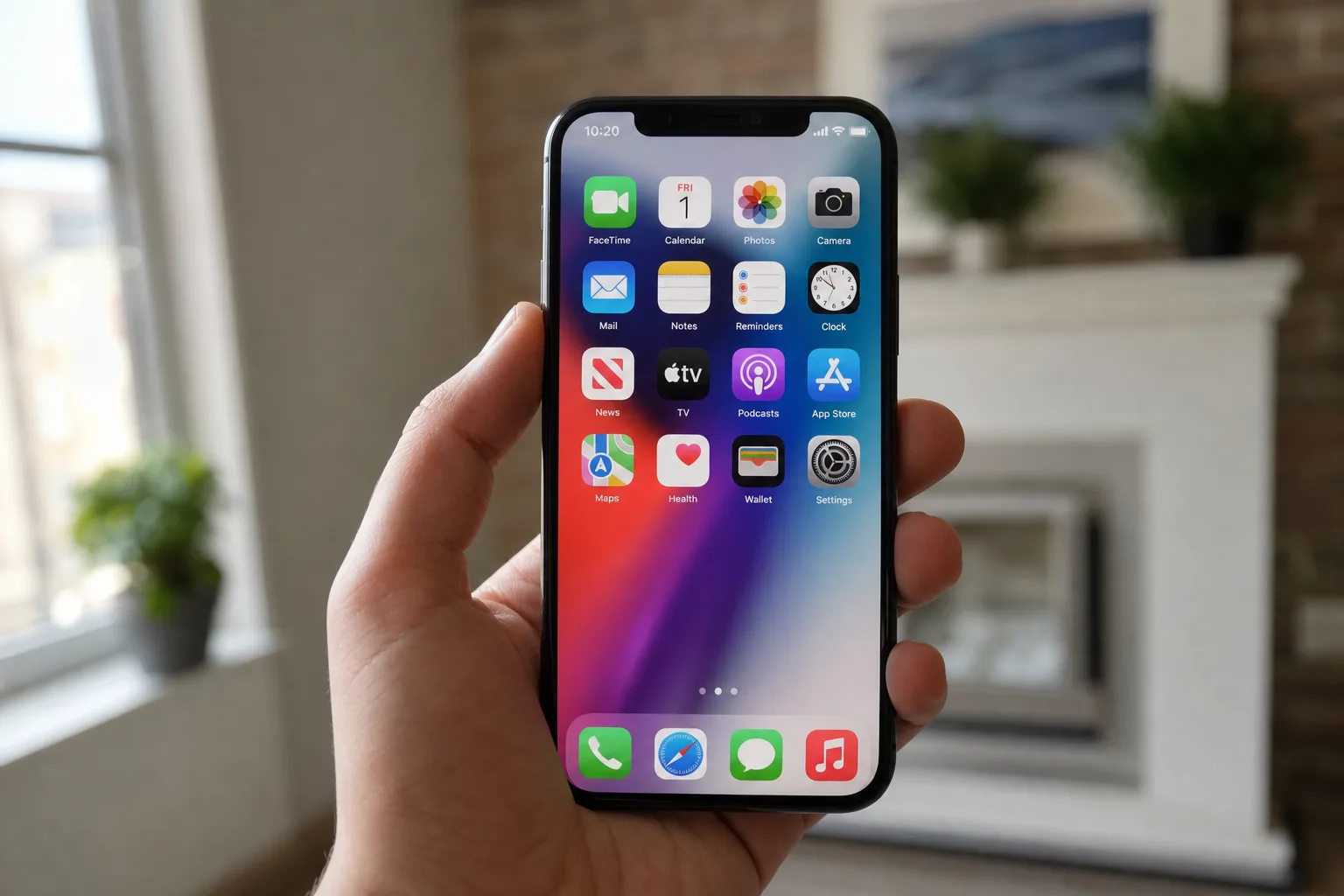
- iOS 27 Liquid Glass removes the specular highlights that made app icons appear to lean left on the home screen.
- The iOS 27 Liquid Glass update adds a new slider in Settings, letting users control how clear or tinted the effect looks.
- Apple dropped the first iOS 27 developer beta at WWDC 2026, with a full public release expected in autumn.
- The fix follows nearly nine months of user complaints on Reddit and elsewhere about the disorienting icon tilt effect.
Table of Contents
iOS 27 Liquid Glass Finally Kills the Icon That Wouldn’t Stop Leaning
If you’ve spent the better part of the last nine months side-eyeing your iPhone home screen, convinced that something looked slightly, inexplicably off — you weren’t imagining it. The iOS 27 Liquid Glass update, seeded to developers immediately after Apple’s WWDC 2026 keynote, has quietly solved one of the most maddening visual bugs the company has shipped in recent memory: an optical illusion baked directly into the design of every single app icon on your phone.
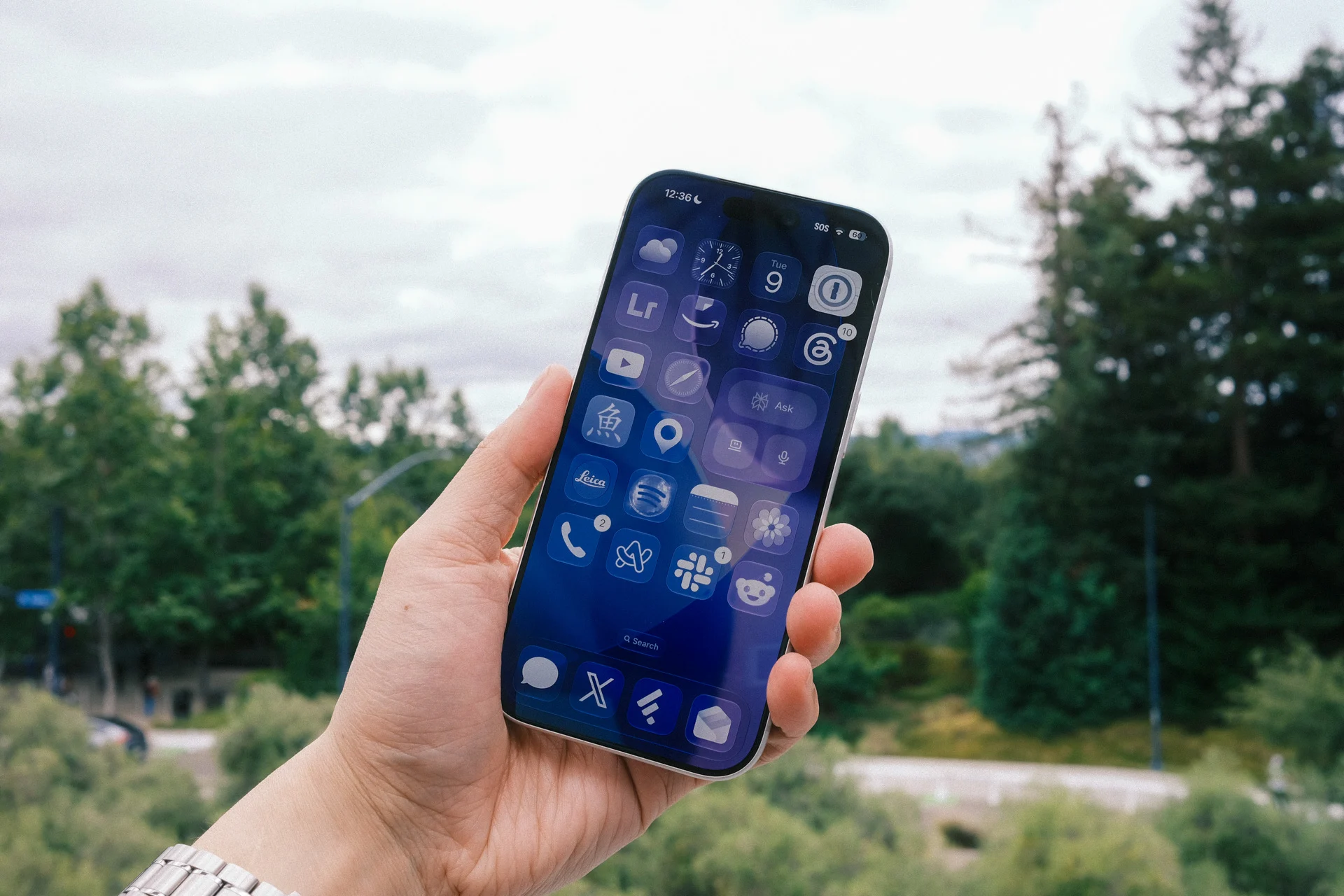
When Apple introduced its sweeping Liquid Glass design language with iOS 26 last September, the aesthetic ambition was obvious. Translucent, shimmering, dynamically reflective surfaces — it was Apple signalling that after years of relatively flat UI conservatism, it was willing to get theatrical again. What nobody quite anticipated was that the specular highlights Apple applied to icon corners would interact with human perception in a deeply irritating way. The glints caught light dynamically as you tilted and rotated your iPhone, and the asymmetry of those highlights — heavier in certain corners than others — tricked the visual cortex into reading the icons as slanted. Not subtly. Noticeably. Every single time you unlocked your phone.
What the Specular Highlight Problem Actually Was
To understand why the iOS 27 Liquid Glass fix matters, it helps to understand what was actually happening. Specular highlights are the bright reflections you see on a shiny surface when light hits it at a particular angle — think of the glint on a glass bottle or a polished metal surface. Apple’s Liquid Glass icons mimicked this property dynamically, meaning the highlights shifted in real time as you moved the device. That’s a technically impressive trick, and in isolation it looks genuinely beautiful. The problem is that your brain uses highlight position as a primary cue for understanding the shape and orientation of objects. When the highlights sat asymmetrically in the corners of square icons — skewing toward one side — your visual system concluded the icons themselves must be rotated. They looked like they were leaning left. You’d try to mentally ‘correct’ them, fail, and feel mildly unsettled every time you glanced at your home screen.
It’s a classic case of a design detail that works brilliantly in a controlled demo environment — on a fixed display, in a controlled lighting setup, viewed from a single angle — and falls apart in the variable, messy reality of actual phone use. Apple’s design team, brilliant as it is, appears to have missed this in testing. Or perhaps they saw it and judged it tolerable. Either way, users disagreed, loudly and at scale.
Nine Months of Reddit Complaints and the Power of Collective Feedback
What’s telling here isn’t just that a bug existed — it’s how long it persisted and how many people noticed it independently. Reddit threads flagging the leaning icon problem appeared within days of iOS 26’s release and kept accumulating comments well into 2026. Users weren’t sure whether it was a bug, an intentional design choice, or something wrong with their own vision. That uncertainty is itself a design failure. A UI element that leaves people questioning their own perception isn’t edgy or bold — it’s a problem.
Apple doesn’t typically respond to individual forum complaints, and it rarely acknowledges UI bugs publicly before patching them. But the cadence here — a persistent, high-visibility issue reported across multiple platforms for three-quarters of a year — makes it hard to believe the iOS 27 Liquid Glass changes are a coincidence. User feedback, even when it’s fragmented across Reddit threads and tech blogs, does filter back to Cupertino eventually. This is a decent example of that pipeline working.
What iOS 27 Liquid Glass Actually Changes
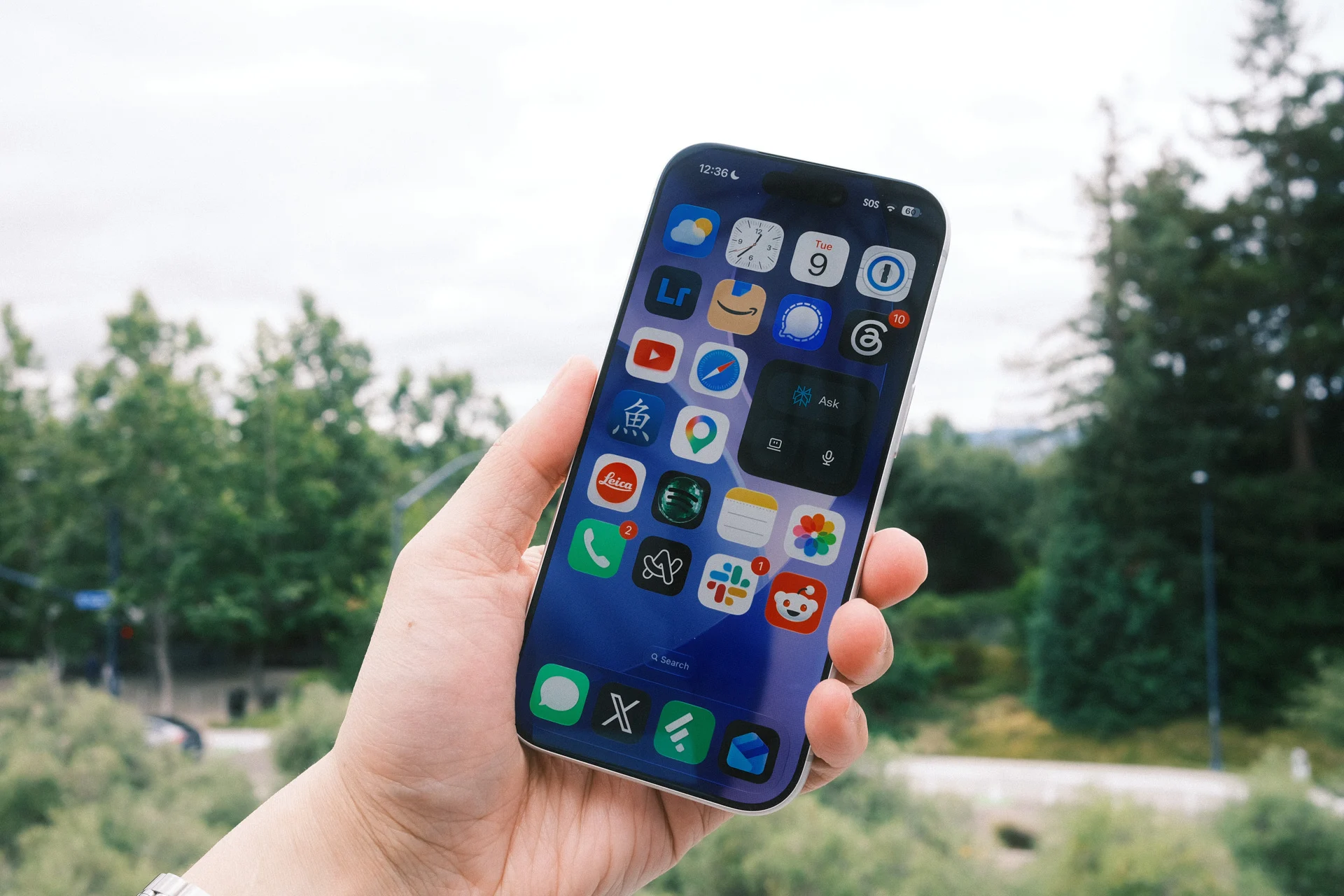
The first iOS 27 developer beta, dropped at WWDC 2026, makes two meaningful changes to the iOS 27 Liquid Glass system. The headline fix is the removal of those dynamic specular highlights from app icons. They no longer shimmer and shift as you rotate your phone. Icons still have subtle highlights — Apple hasn’t gone completely flat — but they’re now positioned at the top and bottom edges rather than in the corners, and they’re static. The optical illusion is gone. The icons sit level, the way icons are supposed to sit.
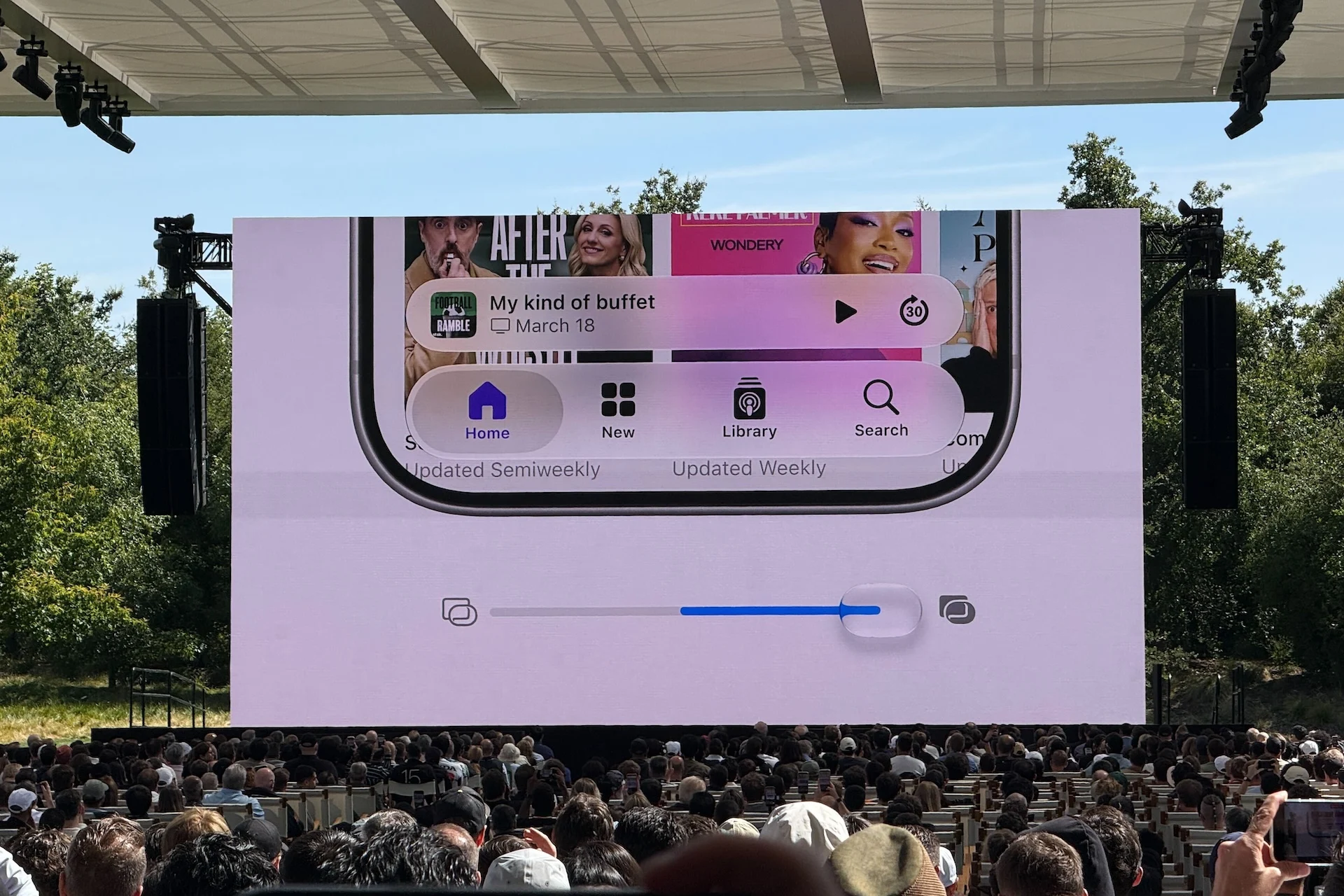
The second change is arguably just as significant for long-term user satisfaction: a new iOS 27 Liquid Glass slider inside the Settings app. It lets you dial in how clear or tinted you want the translucent effect to look across the interface. This is smart design policy. One of the persistent criticisms of Liquid Glass since its debut has been that it’s a system-wide aesthetic imposed uniformly on everyone, with no accommodation for users who find heavy translucency visually noisy or who simply prefer a more opaque look. A slider doesn’t fix every complaint, but it acknowledges that visual preference is personal — and that Apple’s job isn’t to make one choice for 1.5 billion iPhone users.
The account BetaProfiles on X shared a side-by-side video comparison between iOS 26.5 and the new iOS 27 Liquid Glass developer beta that makes the difference immediately apparent. In the iOS 26.5 footage, the highlight glinting across icon corners is visible and shifts noticeably with device movement. In the iOS 27 clip, the icons look settled, stable, and — frankly — more polished. It’s one of those situations where the correct fix is also the less flashy one, which is a harder call to make when you’ve already shipped a feature and publicly committed to its aesthetic.
Early Beta Caution: This Isn’t the Final Word Yet
It’s worth keeping a clear head about what stage we’re at. This is the first iOS 27 developer beta. Apple typically runs developer betas through the spring and summer, opens public betas a few weeks later, and ships the final release in September. That’s a long runway, and changes made in beta one don’t always survive to the final build. Apple could restore, modify, or entirely rethink the iOS 27 Liquid Glass specular highlight behaviour before iOS 27 ships publicly this autumn.
That said, the directional shift here looks deliberate rather than experimental. Removing a specific visual behaviour that generated widespread complaints, while simultaneously adding user controls for the broader effect, suggests Apple’s design team has genuinely reconsidered its approach rather than just patching a single rendering bug. These feel like considered decisions, not rushed placeholders.
What This Says About Apple’s Design Culture Right Now
The iOS 27 Liquid Glass episode — the original rollout, the months of complaints, and now the course correction — is a small but instructive window into how Apple navigates the gap between design vision and real-world reception. The company has always operated with a strong internal conviction that it knows what users need before users can articulate it themselves. That confidence has produced genuinely transformative products. It’s also produced the butterfly keyboard, the single-port MacBook, and now, a shimmering icon that made people feel like they needed new glasses.
The fact that Apple is fixing this, and adding user control over the broader effect, suggests the feedback loop between users and Cupertino is functioning — even if it sometimes takes longer than it should. iOS 27 won’t be remembered as the release that fixed a visual glitch. But if the new iOS 27 Liquid Glass slider proves popular and Apple expands the principle of user-adjustable aesthetics to other parts of the OS, this quiet little settings toggle could end up being more consequential than it looks right now.
Frequently Asked Questions
What does the iOS 27 Liquid Glass fix actually change?
Apple removed the dynamic specular highlights from app icons that previously shifted as you rotated your iPhone. The icons now have subtle static highlights at the top and bottom edges, but they no longer create an optical illusion that makes them appear tilted to the left.
When will iOS 27 be available to the public?
iOS 27 is currently in its first developer beta stage, released following the WWDC 2026 keynote. Apple is expected to ship the final version to all users in the fall, though things could change over the course of the beta period.
Can I adjust the Liquid Glass effect in iOS 27?
Yes. iOS 27 introduces a new Liquid Glass slider inside the Settings app that lets you dial in exactly how clear or tinted you want the translucent visual effect to appear across the interface.
Was the tilting icon bug widely reported by iPhone users?
Absolutely. Numerous Reddit users and readers independently flagged the same issue after iOS 26 launched, confirming it was a widespread perceptual problem rather than an isolated complaint. The fix in iOS 27 validates those concerns.

