

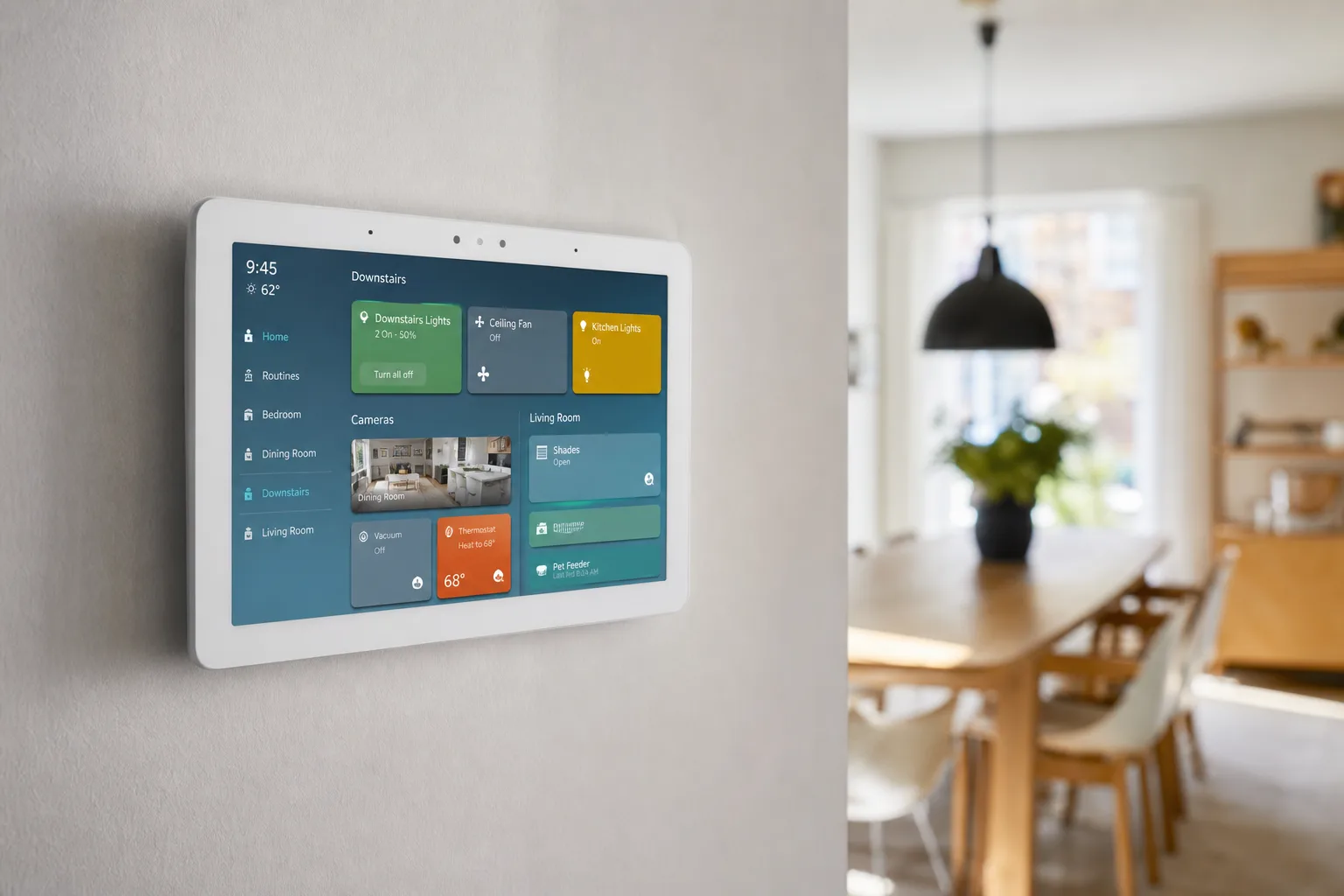
- The Echo Hub update delivers a fully redesigned home screen with drag-and-drop customization for devices, groups, and automations.
- With the Echo Hub update, users can now resize device tiles and sort dashboards by room or function like ‘Bedroom’ or ‘Climate.’
- Deeper AI-powered features — including camera event summaries and voice-built Routines — require an Alexa Plus subscription.
- The update rolls out automatically to existing Echo Hub owners, appearing as a one-tap notification on the device itself.
Table of Contents
The Echo Hub Update Amazon Should Have Shipped Two Years Ago
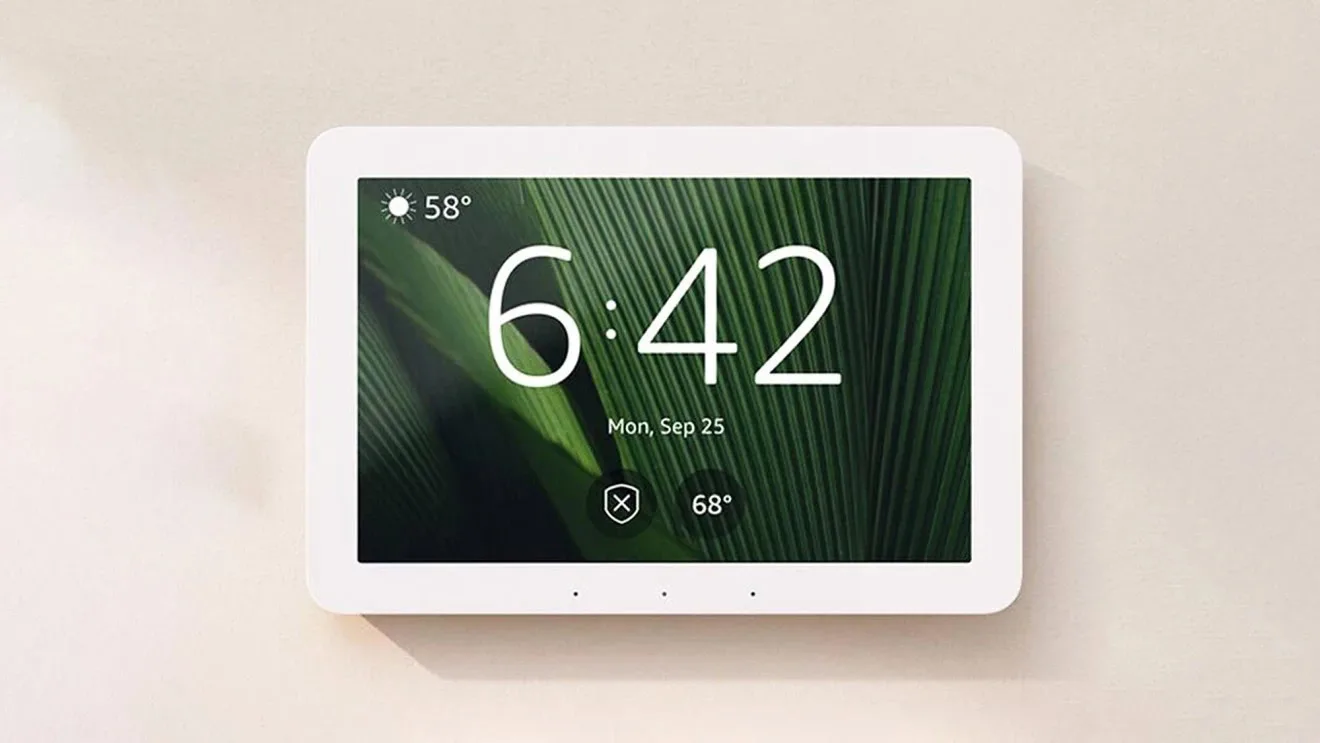
The Echo Hub update arriving on devices right now is one of those releases that makes you wonder why it took this long. Amazon’s 8-inch wall-mounted smart home controller launched in late 2023 with a clear purpose: give your home a dedicated control panel that isn’t just another Echo with a screen. The hardware was fine. The software? It was rigid, uninspiring, and frankly felt like a product that shipped before the UX team was done. That’s finally changing.
Amazon is rolling out a free software update to all existing Echo Hub owners that doesn’t just tweak a few menus — it rebuilds the dashboard experience from scratch. And if you’ve spent the past year looking at a static grid of tiles and wishing you could rearrange them, this Echo Hub update is for you.
A Dashboard You Actually Control
The headline feature of this Echo Hub update is straightforward: you’re now fully in charge of what appears on your home screen. Amazon has opened up the layout so you can choose exactly which devices, device groups, automations, weather data, and calendar info populate the display. That might sound basic — and honestly, it should have been there at launch — but it’s a meaningful shift from the old approach, where the hub largely decided what to show you.
The new interface uses drag-and-drop to let you rearrange sections, and you can resize individual device tiles. That second part matters more than it might seem. If your most-used switch is buried in a grid of identically sized tiles, it’s not much faster than pulling out your phone. Resize your front door lock, your living room lights, or your most-watched camera to dominate the screen, and suddenly the hub starts to feel like a control panel that was designed around your home, not a generic template.
Amazon has also overhauled the group management system. You can now sort your dashboard view by room — ‘Bedroom,’ ‘Downstairs,’ ‘Garage’ — or by function, like ‘Climate’ or ‘Security.’ Groups live in a bottom bar on the interface. Tap one to switch to that view instantly, or hold it down to enter edit mode, where you can add and remove devices, reorder tiles, and trigger everything in the group with a single tap. Creating a new group is just as quick: hit ‘Add group,’ name it, and populate it. Amazon says the group is immediately available through voice control and the mobile app, not just the hub.
Faster Device Control, Fewer Taps
The Echo Hub update also tightens up the moment-to-moment control experience. Every device tile now has a direct power button, so you can toggle something on or off without drilling into a sub-menu. For anything more involved — dimming a light, changing a bulb’s colour — you tap the three-dot menu on a tile to get granular options.
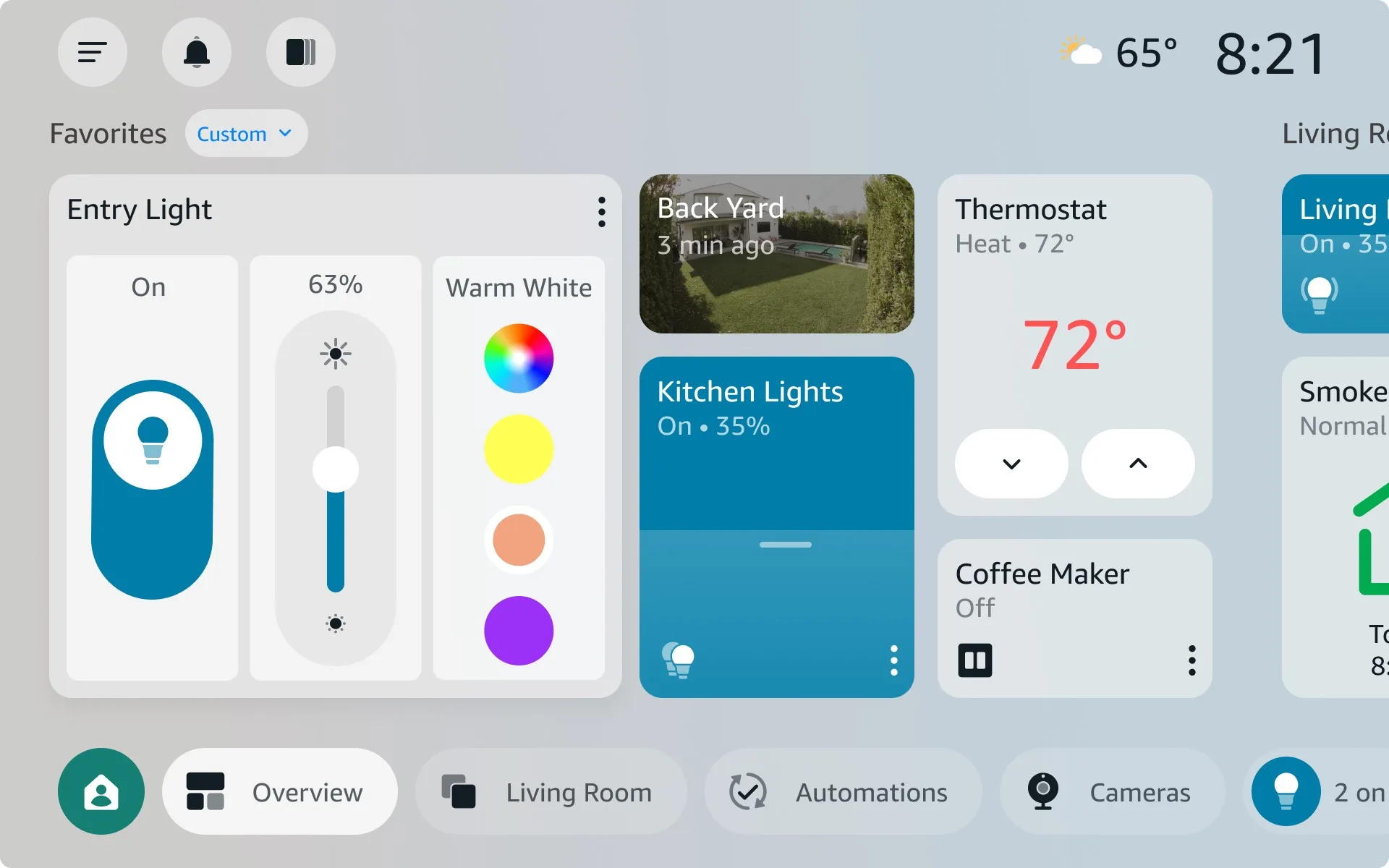
The dimming controls run a full 0–100% scale rather than the blunt presets some smart home apps still ship with in 2025. Colour-capable bulbs get a full colour wheel. It’s the kind of thing Amazon’s own product page has always implied the Echo Hub should handle, and now it actually does it cleanly. Routines — Amazon’s term for multi-step automations — are surfaced directly on the home screen and in a dedicated automations tab, so triggering your ‘Good Night’ or ‘Leaving Home’ macros doesn’t require a voice command or a trip into the Alexa app.
Where Alexa Plus Comes In
Not everything in this update is free. Amazon has used the Echo Hub update to deepen the integration between the hub and its Alexa Plus subscription tier — the paid layer that sits on top of the free Alexa experience and leans heavily on AI.
With Alexa Plus (accessed through a Ring AI Pro subscription), the hub gains smart summaries of camera events detected by connected Ring devices. Think automatic notifications on your home screen that tell you a package was delivered, a car parked in the driveway, or an unfamiliar face appeared at the door — without you having to scrub through footage manually. That ties into Ring’s Video Search feature, which lets you ask conversational questions: ‘Show me any wildlife in the backyard this week’ or ‘Did anyone come to the front door between noon and 2pm?’ It’s a practical use of AI in a home security context, and it actually makes sense here rather than feeling bolted on.
Alexa Plus also unlocks voice-built Routines — you can describe an automation in plain language and have Alexa construct it for you — and the ability to control multiple devices in a single conversational exchange. Tell Alexa to dim the bedroom lights, turn off the kitchen, and set the thermostat to 68°F all at once, and it handles the whole request.
It’s worth being clear-eyed about what this means, though. Amazon is using a solid free update as an on-ramp to a paid subscription. The base improvements in this Echo Hub update — the customizable layout, the group controls, the faster tile interactions — are genuinely good and they’re free. The AI layer is where the monetisation lives. That’s a reasonable trade-off, but buyers should know what they’re getting at each tier before they’re standing in a store comparing smart home panels.
How It Fits Into the Broader Smart Home Picture
Smart home control panels have had a complicated decade. Products like the Wink Hub, the SmartThings Hub, and various Z-Wave controllers built loyal followings and then stumbled — through shutdowns, pivots, or just failure to keep up with how people actually want to interact with their homes. The move toward touchscreen-first, wall-mounted hubs is real, but the category hasn’t had a breakout product.
Amazon’s Echo Hub was positioned as exactly that — a dedicated screen for your smart home that doesn’t double as a video calling device or a kids’ entertainment centre. But the original software undercut the hardware’s promise. Competitors like the Google Nest Hub and the recently expanded Matter ecosystem have kept pressure on Amazon to treat the interface as a product in itself, not just a wrapper for voice commands.
This Echo Hub update is the clearest sign yet that Amazon understands the gap it needed to close. The drag-and-drop customization, the resizable tiles, the room-and-function grouping — these are features that home automation enthusiasts have been asking for since the device launched. The Matter standard, which Amazon supports alongside Zigbee and Z-Wave on the Hub, means the device can already talk to a wide range of third-party products. The missing piece was always the software layer that makes all those devices feel coherent on a single screen.

Getting the Update
Amazon is pushing the Echo Hub update automatically. There’s no digging through settings menus or side-loading involved. When the Echo Hub update is available for your device, a notification appears at the top of the Hub’s screen. One tap installs it, and the device moves straight into the new interface. For a product category that has historically made updates feel like a chore, that frictionless delivery is a small but genuinely appreciated detail.
If you’ve had an Echo Hub sitting on your wall feeling like a slightly expensive light switch, this update is a meaningful reason to re-engage with it. And if you’ve been on the fence about whether a dedicated smart home panel makes sense at all, Amazon just made its best argument yet — though whether it’s enough to justify the hardware cost alongside an Alexa Plus subscription will depend entirely on how deep your smart home setup actually goes.
Frequently Asked Questions
What does the Echo Hub update actually change about the interface?
The Echo Hub update replaces the old static layout with a fully customizable home screen. Users can drag and drop widgets, resize device tiles, sort by room or function, and access Routines directly from the dashboard — all without digging through menus.
Do you need to pay for any features in the new Echo Hub update?
Most of the new interface features are free. However, AI-powered extras — like smart summaries of Ring camera events, voice-built Routines, and Video Search — require an Alexa Plus subscription, which is tied to a Ring AI Pro plan.
How do I get the Echo Hub update on my device?
You don’t need to manually search for it. Amazon pushes the update automatically, and a notification appears at the top of the Echo Hub screen when it’s ready. A single tap confirms the install and takes you straight into the new experience.
Can the Echo Hub control multiple devices at once after the update?
Yes. The updated group controls let you tap once to control every device in a room or functional group. Alexa Plus users can also chat with the assistant to control multiple devices simultaneously through natural conversation.

