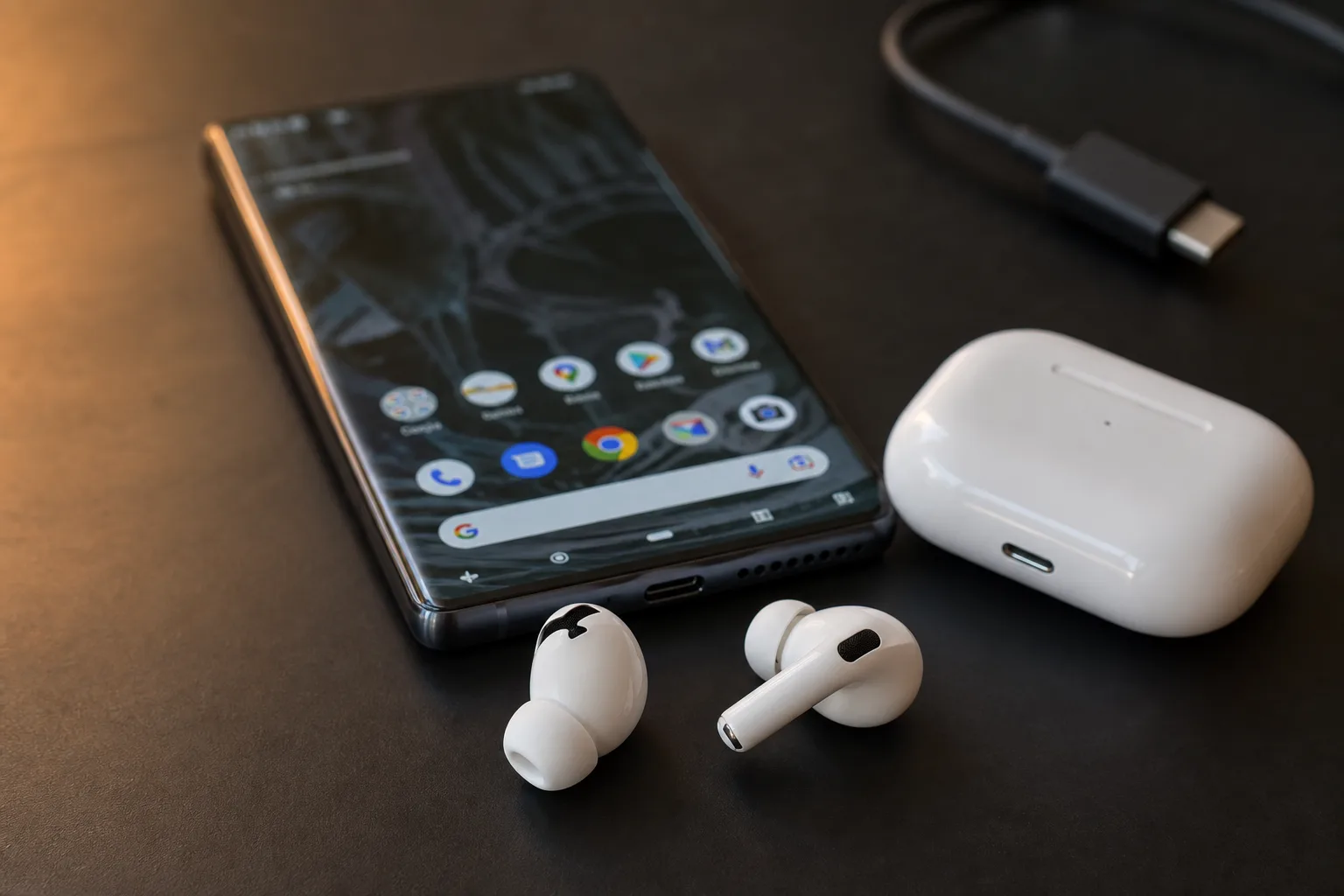
Apple makes exceptional hardware — and then does everything it can to make sure you only get the best of it if you’re living inside its walled garden. AirPods are a perfect example. Connect a pair to an Android phone or a Linux machine and you’ll get basic audio playback, but all the features that justify the price — automatic ear detection, precise battery levels, active noise control switching, head gestures — simply vanish. A developer going by Kavish has had enough of that, and the result is LibrePods, an open-source project that brings the full AirPods on Android experience (and Linux too) by building Apple’s proprietary protocol from the ground up.
- LibrePods makes AirPods on Android fully functional by reverse-engineering Apple’s proprietary AAP protocol from scratch.
- Using AirPods on Android with LibrePods unlocks noise control, ear detection, battery status, hearing aid settings, and head gestures.
- The project is open source under GPL v3 and actively developing Find My support, spatial audio, and two-way high-quality audio.
- A spoofed Apple Vendor ID in the Bluetooth config tricks AirPods into exposing exclusive features on non-Apple hardware.
Table of Contents
What LibrePods Actually Does
The headline feature is straightforward: LibrePods implements Apple’s AAP (Apple Audio Protocol), the proprietary communication layer that sits between AirPods and iOS or macOS. Running AirPods on Android through this implementation is not a wrapper around some leaked code or a fork of an existing tool — the protocol was reverse-engineered independently, with a Wireshark dissector plugin by researcher Nojus (@pabloaul) credited as not having been used for most of the implementation, though many future features would not have been possible without it. That dissector, which parses the raw Bluetooth traffic between AirPods and Apple devices, is now credited as essential for unlocking future features like two-way high-quality audio and spatial audio.
In practice, using AirPods on Android through LibrePods means you get noise control mode switching (between active noise cancellation, transparency, and off), fast ear detection so music pauses when you pull a bud out, accurate per-bud and case battery readings, conversational awareness, and customisable head gestures. These aren’t approximations — they’re the same feature set Apple exposes to its own apps, because LibrePods is speaking the same language.
The Clever Trick at the Heart of It
One of the more elegant discoveries in the project’s documentation is a Bluetooth identity spoof. AirPods, it turns out, gate a number of advanced features behind a check on the connected device’s vendor ID. If the device reports Apple’s Bluetooth vendor ID (0x004C), the earbuds open up capabilities that they otherwise withhold. On Linux, you can enable this by adding a single line to /etc/bluetooth/main.conf: DeviceID = bluetooth:004C:0000:0000. On Android, the app surfaces a toggle — available when the Xposed framework is installed — that makes the phone impersonate an Apple device at the protocol level.
This is a fascinating detail in its own right. Apple’s hardware is apparently designed to check who it’s talking to and adjust its behaviour accordingly. That’s less a security measure and more a market segmentation mechanism baked into firmware — a reminder that the limitations you experience when using AirPods on Android aren’t always about technical incompatibility. Sometimes they’re a deliberate choice.
AirPods on Android with Hearing Aid Features
Perhaps the most socially significant part of LibrePods is its hearing aid support. Apple’s AirPods Pro support a clinical-grade hearing aid mode in recent firmware, allowing users to configure an audiogram, adjust transparency amplification, tune balance and tone, reduce loud sounds, and boost conversational voices. These settings are locked to Apple devices under normal circumstances. LibrePods exposes all of them on Android — and Linux support is described as coming soon.
The one thing the app won’t do is administer a hearing test itself. Kavish is explicit about this: the precision required is beyond what a phone app can reliably deliver. Users are expected to bring their own audiogram results from a qualified source and enter them manually. That’s a reasonable constraint, and honestly it’s the correct call — consumer hearing tests on a smartphone are notoriously unreliable without controlled acoustic conditions.
For anyone who relies on AirPods Pro as a hearing assistance device but uses an Android phone, this is genuinely meaningful. Getting full AirPods on Android accessibility features was impossible until now — the alternative was either buying into Apple’s ecosystem or foregoing those settings entirely. LibrePods removes that binary choice.
Multi-Device Switching and Apple’s Own Handoff Logic
LibrePods also tackles AirPods’ multi-device connectivity, which allows up to two devices to be simultaneously connected for both audio and control. When an Android device running LibrePods takes over the AirPods from an Apple device, it triggers the same system notification Apple would — the one that reads ‘Move to iPhone’ on the Apple side. The Android device, in turn, shows its own popup acknowledging the switch. It’s seamless enough that an iPhone sitting nearby has no idea it’s handing off to a non-Apple device.
That level of protocol fidelity takes serious engineering effort. It also highlights how thoroughly Kavish has had to study Apple’s communication stack to make AirPods on Android behave correctly — not just the feature commands, but the session management, device identification, and handoff signalling that Apple has never publicly documented.
What’s Still Missing — and What’s Coming
LibrePods is honest about its gaps, which is refreshing. Find My integration — adding AirPods to Apple’s tracking network, playing sound through the case, and receiving left-behind alerts — is planned but requires further reverse engineering and will likely need root access on Android. Head tracking for Android’s HRTF (Head-Related Transfer Function) processing, which would enable proper spatial audio rendering by the OS, hasn’t been fully explored yet and is also likely to need root. Spatializing stereo sound is explicitly out of scope and will never be part of the project.
Two-way high-quality audio over AACP — essentially using AirPods’ microphone at full quality rather than the degraded SCO profile Bluetooth typically falls back to — is being worked on but will require deeper system access. Making this work for AirPods on Android is a genuinely difficult problem given the platform’s sandboxing model, whereas on Linux the more direct hardware access makes it less contentious.
The project is candid about AI-generated code too. Head gesture logic, parts of the reverse-engineering tooling using radare2, the troubleshooter, and the Rust translations of AACP and ATT protocol files all involved AI assistance. Everything else — the core Bluetooth manager, the background service, the UI — was written by hand. That’s a more honest accounting than most projects offer, and it’s worth understanding as you evaluate the codebase.
The Bigger Picture: Proprietary Protocols and Platform Lock-In
LibrePods sits within a long tradition of community-driven interoperability projects. From Samba reverse-engineering Windows networking protocols to PipeWire reshaping Linux audio, open-source developers have consistently filled gaps that vendors deliberately leave open. What makes LibrePods particularly pointed is that AirPods already use Bluetooth — a universal, open standard — for the actual audio transport. The proprietary layer is bolted on top purely to manage which features you’re allowed to access depending on what’s in your pocket.
There’s a regulatory dimension forming in the background too. The EU’s Digital Markets Act is increasingly focused on interoperability requirements for dominant platform vendors, and Apple’s accessory ecosystem is exactly the kind of vertical integration that regulators are scrutinising. Projects like LibrePods don’t wait for legislation — they route around the restriction entirely. But they also make the political case in concrete terms: yes, the features work on other platforms. Apple just doesn’t let them.
For Android users who own AirPods — whether inherited, purchased before switching platforms, or simply bought because they’re genuinely among the best earbuds available — LibrePods is the most complete solution for AirPods on Android available right now. CAPod remains a lighter alternative for Android 16 QPR3 and below, and MagicPods covers Windows and Steam Deck. But LibrePods is the one building toward full protocol parity, and getting AirPods on Android to match the Apple experience is clearly its north star. The gap between AirPods on Apple hardware and AirPods on Android is closing, one reverse-engineered packet at a time.
Frequently Asked Questions
How does LibrePods enable AirPods on Android without Apple’s software?
LibrePods reverse-engineers Apple’s proprietary AAP protocol, which governs communication between AirPods and Apple devices. By implementing this protocol independently, the app can send and receive the same commands Apple’s own software uses, enabling features like noise control, ear detection, and battery reporting on Android.
Does LibrePods require root access on Android?
Most core features work without root. However, some advanced capabilities — including Find My integration, head tracking for spatial audio, and two-way high-quality AACP audio — are expected to require root access because they need deeper integration with Android’s audio and Bluetooth subsystems.
Is LibrePods available for platforms other than Android?
Yes. A Linux app is in active development, with hearing aid customizations noted as ‘coming soon’ to that platform. For Windows users, the project points to MagicPods as an alternative, and a separate community project covers Steam Deck support.
What AirPods features does LibrePods not support?
Spatializing stereo sound is explicitly out of scope and will never be added. Head tracking for Android’s HRTF is unresolved and likely needs root. Taking an in-app hearing test is also unsupported — users must supply their own audiogram results from an external source.