


Gmail Live, Google’s voice-powered inbox assistant, is now in active testing on Android and iOS — and it’s a bigger shift in how we interact with email than the headline might suggest. Announced at Google I/O 2026 last month, the feature essentially plants a full Gemini Live session inside your Gmail app, trained specifically on your inbox. The pitch is simple: stop hunting through threads and just ask.
- Gmail Live brings conversational voice search to your inbox, launching this summer for Google AI Pro and Ultra subscribers.
- Gmail Live is built on Gemini Live and can answer questions about travel dates, orders, and more directly from your emails.
- Alongside Gmail Live, Google is also developing Docs Live and a voice-enabled creation tool for Keep.
- Testing is currently underway on both Android and iOS ahead of a broader rollout later in 2026.
Table of Contents
What Gmail Live Actually Does
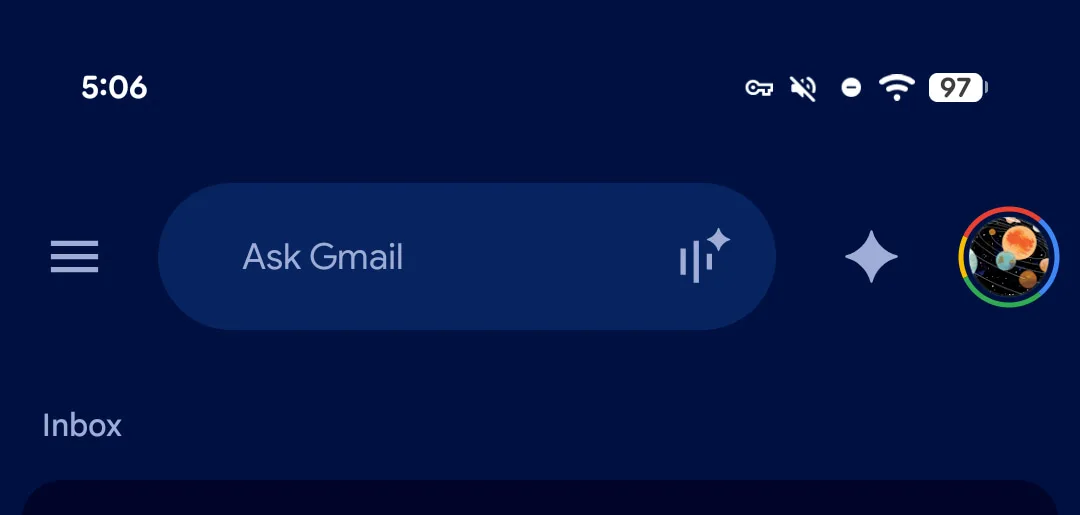
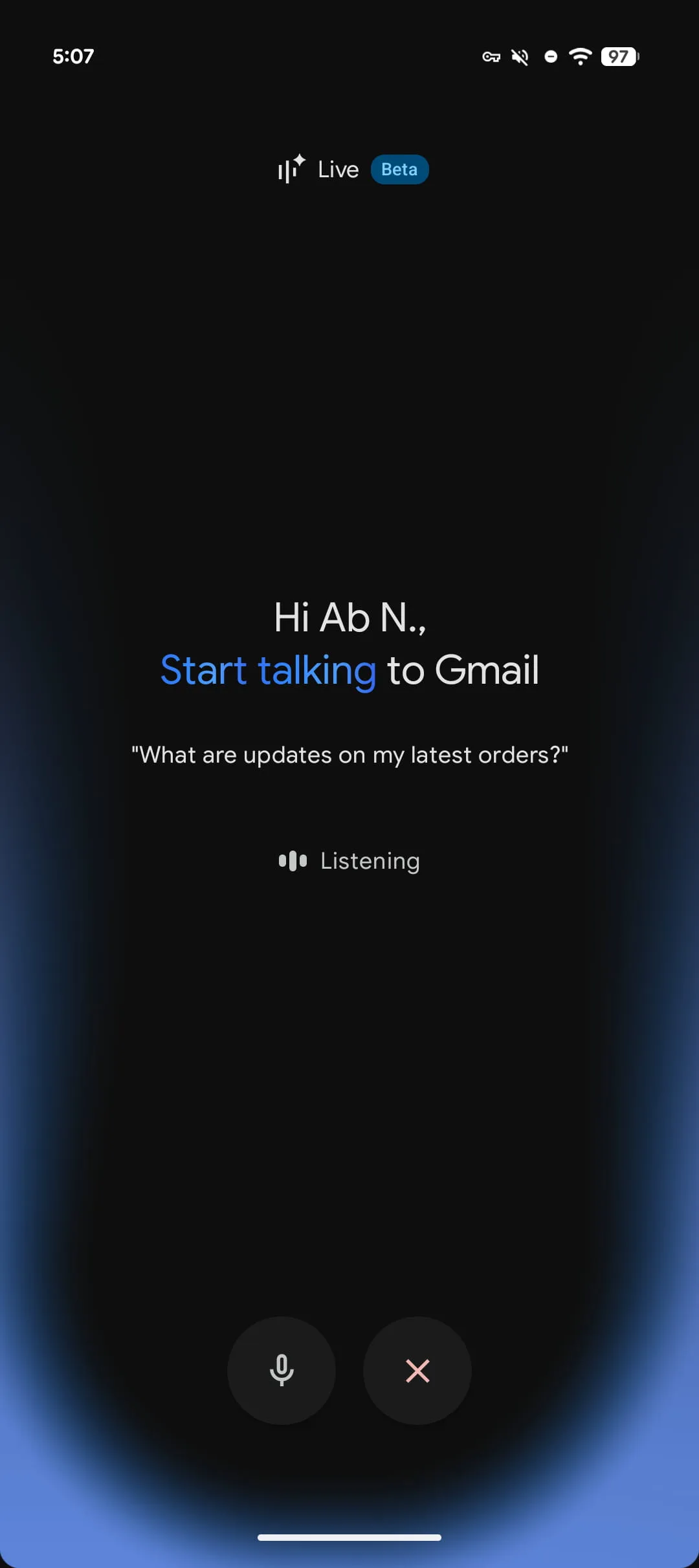
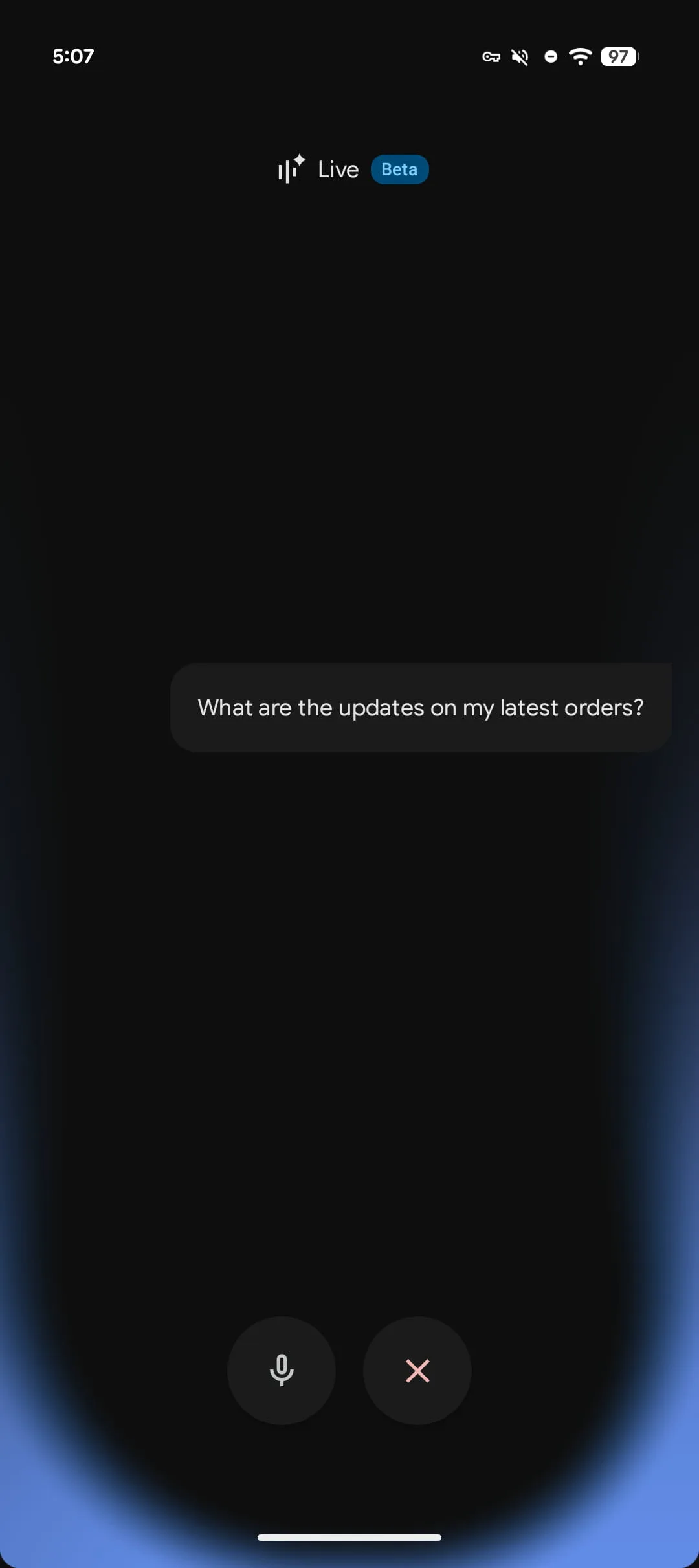
At its core, Gmail Live is a conversational voice interface for your email. You tap the Live icon inside the Gmail search bar, a fullscreen interface opens up, and you’re in what Google is calling a ‘Beta’ experience — the familiar Gemini Live setup, but scoped entirely to your messages. Commands are transcribed in real time as a blue glow pulses around the edge of your screen, which is a nice visual cue that the mic is active and something is happening.
Once you ask a question, there’s a brief processing pause — this isn’t instant, which is worth keeping in mind for anyone hoping to use it in a rapid back-and-forth way. The response is then both read aloud and displayed on screen, and critically, you can pull up the actual source email right there. That last detail matters: it means you’re not just trusting an AI summary, you can verify what it found.
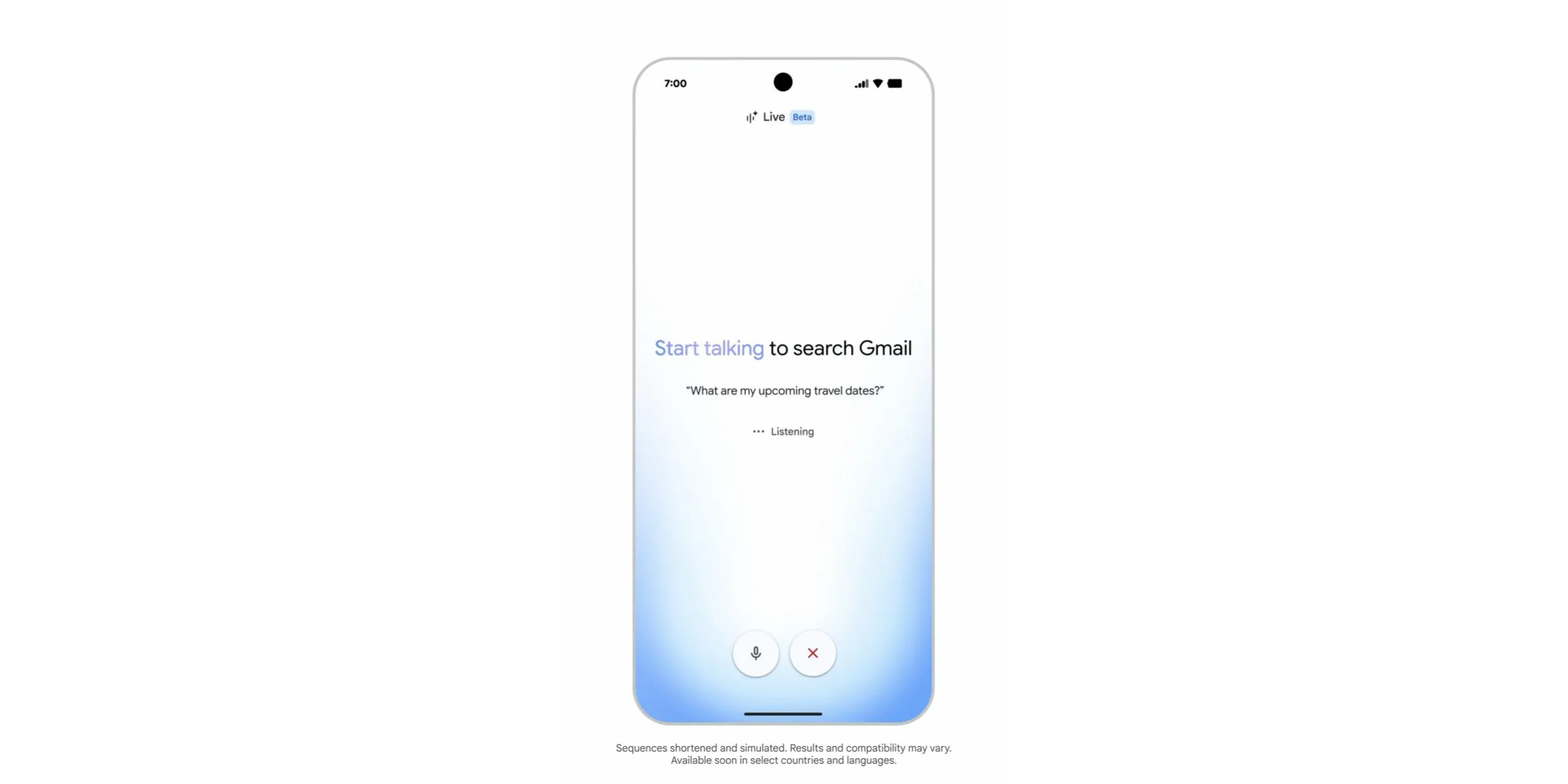
Google’s own suggested prompts give a good sense of the intended use cases: ‘What are my upcoming travel dates?’ and ‘What are updates on my latest orders?’ These are exactly the kinds of queries where email search has always been frustrating — you know the information is somewhere in your inbox, but finding it means remembering which retailer sent what, or digging through a confirmation buried weeks ago. Gmail Live short-circuits all of that.
How Gmail Live Fits into the Gemini Ecosystem
It’s important to understand that Gmail Live isn’t a standalone product — it’s an instance of Gemini Live pointed at your inbox. Google has been methodically expanding Gemini Live beyond its general assistant role, embedding it into specific apps with context-specific training. Gmail is just the most obvious target given how much personal and professional information people store there.
The broader strategy here is becoming clear. Google wants Gemini Live to be the interface layer across its entire productivity suite — not just a chatbot you open separately, but something woven into the apps you already use every day. The Gemini side panel button sitting just outside the Gmail search bar is a small but deliberate design choice: it keeps the full assistant one tap away even when you’re not using Live mode.
This also lines up with what Google announced for the rest of its workspace apps. Docs Live is coming, which would let you work on documents by voice. Keep is getting similar voice-first creation features. The pattern is consistent: take Gemini Live, give it the context of a specific app and its data, and let users interact naturally. It’s a more sophisticated approach than slapping a chatbot button on everything, because the context actually changes what the model can do.
Gmail Live vs. Ask Gmail — Two Tools, One Goal
Google has been careful not to position Gmail Live as a replacement for the text-based ‘Ask Gmail’ search bar that’s also rolling out. The two tools are clearly meant to serve different moments. Ask Gmail is for when you’re already at your phone or desktop, hands free, and you want to type a natural-language query and get an AI Overview-style summary. Gmail Live is for when your hands are busy — you’re in the car, you’re cooking, you’re between meetings — and you need an answer without looking at a screen.
That’s a genuinely useful distinction, and it reflects a broader truth about voice interfaces: they don’t win on precision, they win on convenience. Nobody is going to prefer dictating a complex query over typing it when they’re sitting at a desk. But when you’re walking to a gate at an airport and need to know your hotel check-in time without stopping to scroll, voice wins every time.
Who Gets Access — and When
Gmail Live is headed to Google AI Pro and Ultra subscribers first, with the rollout expected this summer. That’s a notable gating decision. Google AI Pro and Ultra are paid subscription tiers, with Ultra bundling the highest-tier Gemini model access, more storage, and a deeper integration across Workspace. Putting Gmail Live behind that paywall signals that Google views this as a premium productivity feature, not a free quality-of-life update.
It also reflects a broader trend across the industry. Microsoft’s most capable Copilot features in Outlook are similarly tiered. Apple Intelligence features are technically free but require newer hardware most users haven’t upgraded to yet. The most genuinely useful AI inbox features are, at least for now, a subscription line item. That might change as the costs of running these models come down, but don’t expect Gmail Live to hit free accounts anytime soon.
The Bigger Picture: Voice Is Making a Real Comeback
There’s a certain irony in voice interfaces having a second act. Google Assistant launched to enormous fanfare, became a fixture on Android, and then got quietly sidelined as Gemini took over. Amazon’s Alexa went through a similar arc — genuine excitement, widespread adoption, then a slow drift into irrelevance for anything beyond smart home commands. Voice search, broadly, failed to become the dominant interaction model that everyone predicted in the mid-2010s.
What’s different now is the quality of the underlying model. Early voice assistants were essentially command parsers — they worked if you phrased things exactly right, and fell apart the moment you spoke naturally. Gemini Live, by contrast, is a large language model that handles conversational ambiguity well. You don’t need to say ‘Gmail, search, flight confirmation, Delta, June 30th.’ You can say ‘when does my flight land on Thursday?’ and it figures out what you mean. That’s a meaningful capability gap, and it’s the reason Gmail Live has a shot at actually changing behaviour where earlier voice tools didn’t.
Gmail Live is still in testing, and beta labels have a way of sticking around longer than anyone expects. But the combination of a genuinely capable model, a high-value use case — your inbox contains an enormous amount of time-sensitive personal data — and Google’s scale of distribution makes this one to watch. If it works reliably, it could quietly become one of the most practical AI features Google has shipped in years.

