

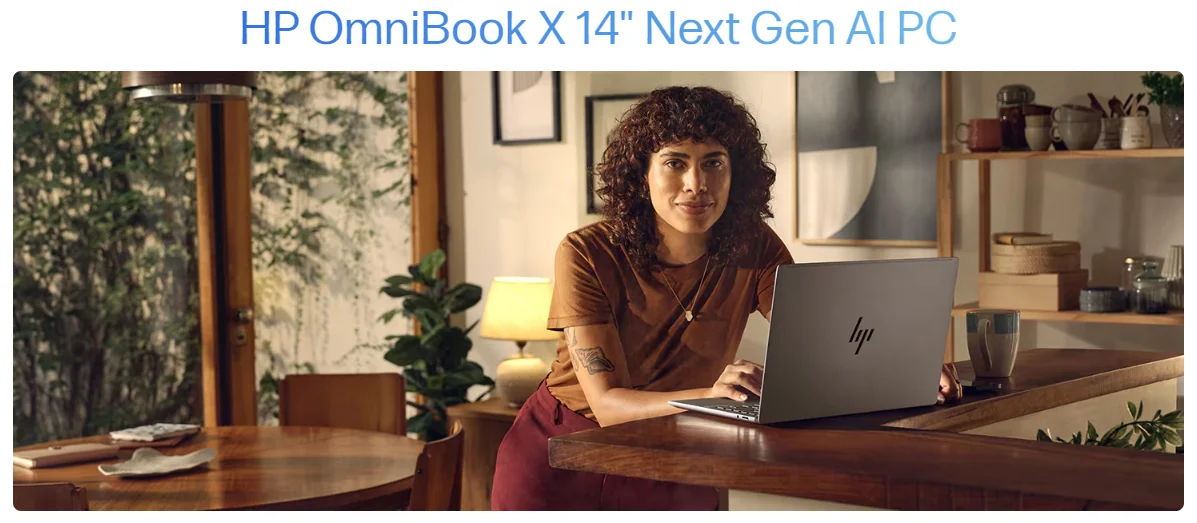
HP’s New Snapdragon OmniBook X 14: Business Laptop Review
HP’s new Snapdragon OmniBook X 14 is taking the market by storm with promises of extended battery life driven by Qualcomm’s Snapdragon X Elite processor. HP’s OmniBook X 14 is designed as a workhorse, emphasizing productivity, efficiency, and power for long working hours without needing a recharge. However, it may leave personal buyers questioning its value, especially given its somewhat limited screen and lacklustre trackpad.
The Battery Champion Among Windows Copilot Plus PCs
HP claims HP’s new Snapdragon OmniBook X 14 is the battery champion of the latest Windows Copilot Plus PCs, offering up to 15 hours of battery life depending on usage. This gives it a solid edge over Microsoft’s Surface Laptop, and it runs several hundred dollars less, starting at about $1,150. For someone working all day far from an outlet, this laptop lasts an extremely long time before running out — barely losing charge over an unplugged weekend.
However, if you are on the market for premium visuals and functionality, HP’s efficiency-first approach does come with a few sacrifices worth noting before purchase.
Snapdragon-Powered Performance and Business-Class Design
HP’s new Snapdragon OmniBook X 14 is among the first devices featuring Qualcomm’s Snapdragon X Elite processor, setting a precedent for battery-friendly, thin, and light laptops. It starts with a 14-inch LCD screen, a 12-core processor, 16GB of RAM, and a 512GB SSD expandable to 1TB, all in a slim design weighing just 2.97 pounds at 0.53 inch thick.
While most laptops with the Snapdragon X Elite boast bright displays and optimized visuals, HP’s new Snapdragon OmniBook X 14 feels more functional and utilitarian, borrowing heavily from HP’s EliteBook Ultra design — a staple in many corporate IT departments.
Display and Audio Quality: Function Over Form
The 14-inch LCD touchscreen display features 2240 x 1400 resolution and covers the full sRGB color space, but it is not as lively as many modern competitors. It peaks at just 337 nits brightness, making it acceptable indoors but struggling in bright outdoor settings. It lags behind rivals like the Surface Laptop in refresh rate (60Hz), color accuracy, and brightness.
The forward-tilted speakers work adequately for video calls but lack depth for media consumption. Anyone placing significant value on audio may find the OmniBook’s sound experience disappointing compared to upward-firing speaker setups on competing devices.
Port Options and Keyboard Quality
HP’s new Snapdragon OmniBook X 14 is practical for everyday connectivity, featuring two USB-C PD ports on the left and a USB-A port alongside a 3.5mm headphone jack on the right. The chiclet-style keyboard offers good tactile feedback, though the tall arrow keys may irritate navigation-heavy users.
The trackpad is functional but disappoints compared to newer haptic trackpads on MacBook or Surface laptops. A top-hinged clicking mechanism occasionally causes accidental double clicks during two-finger presses, interrupting workflow during intensive use.
HP’s New Snapdragon OmniBook X 14 vs. Surface Laptop: Key Trade-Offs
If you are considering HP’s new Snapdragon OmniBook X 14 primarily for its battery life, note the trade-offs carefully. At a similar price point, the Surface Laptop outperforms it visually with higher refresh rates, better color accuracy, and greater brightness — making it more suitable for creative work or long screen-intensive sessions.
The OmniBook X 14’s screen and audio are better suited for basic productivity than for immersive work or entertainment experiences. For business users whose primary concern is endurance through a full workday, however, the battery advantage is genuinely compelling and hard to match at this price.
AI Features and Software Compatibility
HP’s new Snapdragon OmniBook X 14 includes Windows Copilot Plus PC AI Experiences, though many feel superficial while features like Windows Recall are still pending full rollout. HP’s proprietary AI Companion can summarize documents and monitor system activity, but its functionality remains limited in everyday workflows.
As an Arm-based device, it faces software compatibility challenges. Apps like Adobe Premiere Pro, Illustrator, and Lightroom Classic are unavailable or require emulation. Creative professionals heavily reliant on Adobe’s ecosystem should weigh this limitation carefully before purchasing. According to Qualcomm’s official Snapdragon X Series page, Arm-native app support continues to expand, which may ease compatibility concerns over time.
Who Should Buy HP’s New Snapdragon OmniBook X 14?
HP’s new Snapdragon OmniBook X 14 delivers fantastic battery life, an above-average keyboard, and a solid build, making it a strong contender in the business laptop market. But if you need great display quality, high-end audio, and an advanced trackpad — especially purchasing out of pocket — this may not be the right choice.
With its enterprise-oriented design, the OmniBook X 14 prioritizes functionality and efficiency over multimedia performance. It excels for marathon work sessions but falls short for creative or entertainment-heavy use cases. The core question is simple: is exceptional battery life enough to justify the trade-offs compared to similarly priced alternatives like the Surface Laptop?
Stay updated: Gadgets

