

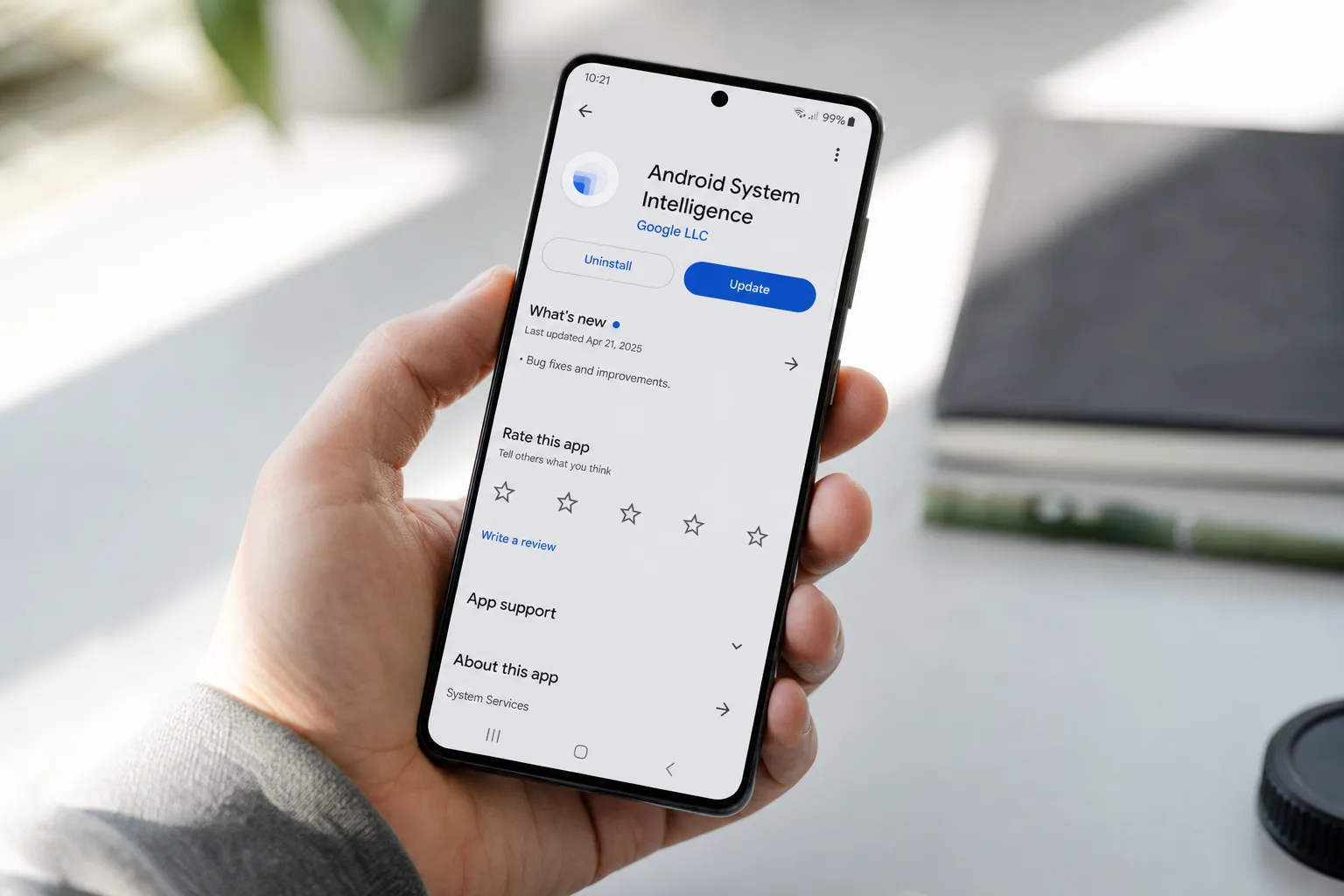
If you own a Samsung phone and you’ve been tapping ‘Update all’ in the Google Play Store thinking you’re fully covered — you might want to think again. A fresh batch of Google Play Services updates has just arrived for Samsung devices, and the catch is that these particular apps won’t show up in the place you’d normally look. You’ll have to go hunting for them yourself.
- Google Play Services updates for Samsung phones won’t appear in the standard Manage apps page — you have to install them manually.
- Three key system apps received new versions: Google Play Services (26.22.33), Android System WebView (149.0.7827.91), and SafetyCore.
- The updates are confirmed live for One UI 8.5 and One UI 9 devices in India, with broader rollout status still unclear.
- Keeping these background services current is one of the most effective ways to maintain Android security between OS updates.
Table of Contents
Three System Apps, Three New Versions
The trio in question — Google Play Services, Android System WebView, and Android System SafetyCore — are among the most consequential pieces of software running on your Android phone, even if they rarely get any attention. First reported by SamMobile, Google has pushed new versions of all three apps simultaneously. The version numbers break down like this: Google Play Services is now at 26.22.33, Android System WebView has moved to 149.0.7827.91, and Android System SafetyCore is sitting at 1.0.925574157.
None of these updates shipped with a public changelog, which is pretty standard for Google’s lower-level system components. These releases typically bundle security patches, under-the-hood performance work, and occasionally the scaffolding for features that won’t surface for weeks. The absence of release notes doesn’t mean nothing meaningful changed — it usually just means Google doesn’t want to itemise fixes that could double as an attack surface map for bad actors.
Why Google Play Services Updates Don’t Update Themselves
Here’s the part that genuinely trips people up. Most apps on Android — including the vast majority of Google’s own — update cleanly through the Play Store’s ‘Manage apps & device’ section, either automatically or with a single tap. But Google Play Services updates, along with WebView and SafetyCore, sit in a different category. They’re deeply embedded system components rather than conventional user-facing apps, and Google handles their distribution differently.
Because they don’t surface in the standard update queue, many users simply never apply Google Play Services updates manually, assuming the process is handled in the background. Sometimes it is — Google does push silent updates for Play Services under some configurations — but that’s clearly not what’s happening here for everyone. If you haven’t checked these three apps recently, there’s a reasonable chance they’re running old versions right now without you knowing.
This design quirk isn’t unique to Samsung. It affects Android broadly, though Samsung’s One UI layer and its own app management interface can make the situation feel even more opaque than it does on stock Android. Google’s approach makes more sense when you consider that Play Services is partly a security delivery mechanism itself — Google’s developer documentation describes it as the layer that keeps core APIs and security features current between full Android OS upgrades. Treating it like a regular app would actually be a security downgrade.
How to Update These Apps on Your Samsung Phone
The process is a little more involved than hitting ‘Update all,’ but it’s not complicated. You’ll need to do this for each of the three apps individually. Start by opening Settings on your Samsung device and navigating to Apps. From there, search for or scroll to each app — Google Play Services, Android System WebView, and Android System SafetyCore — open the listing, and tap ‘App details in store.’ That launches the app’s dedicated Play Store page, where a standard Update button will be waiting if a newer version is available for your device.
The confirmed availability right now is limited to One UI 8.5 and One UI 9 devices in India. If you’re in another region and don’t see an update prompt, that’s likely a staging decision rather than a sign your device isn’t eligible. Google Play Services updates are routinely rolled out in waves — a practice that limits the blast radius if something goes wrong in a particular version — so broader availability usually follows within days.
Why These Three Apps Actually Matter
It’s easy to dismiss system-level housekeeping as background noise, but understanding why Google Play Services updates matter puts the effort in proper perspective. These three apps carry a lot of weight in the Android ecosystem.
Google Play Services is arguably the most important non-OS software on any Android phone. It handles authentication, location services, push notifications, and device security APIs. Apps across the ecosystem depend on it for everything from ‘Sign in with Google’ to Find My Device functionality. When it’s out of date, you can end up with broken integrations, degraded performance in third-party apps, and — critically — gaps in security coverage that Google has already patched in newer versions.
Android System WebView is the rendering engine that powers web content inside apps. When you open a link inside a banking app, a news reader, or pretty much any app that isn’t a full browser, WebView is what’s doing the rendering. It has a history of being a meaningful attack vector — Google has patched actively exploited WebView vulnerabilities in the past — which makes keeping it current a practical security priority, not just a theoretical one.
Android System SafetyCore is the newest of the three and the least familiar to most users. Google introduced it as a privacy-preserving framework for on-device content safety classification, most visibly tied to features like the sensitive content warnings in Google Messages. It’s still relatively new infrastructure in the Android stack, which makes timely updates here particularly important as Google continues building functionality on top of it.
The Bigger Picture for Android Security
The fact that users have to chase down Google Play Services updates manually — even occasionally — highlights a tension that’s never fully resolved in the Android update model. Google has done an impressive job of decoupling critical security infrastructure from slow carrier and OEM update cycles, which is genuinely one of Android’s underrated strengths compared to the fragmented update landscape of a decade ago. But the system still has friction points, and these three apps represent some of the most consequential ones.
Samsung, to its credit, has improved considerably on software support commitments — its seven-year update pledge for flagship devices puts it ahead of most Android OEMs. But OS updates and Google Play Services updates are different pipelines, and the gap between them is where device security quietly erodes for users who aren’t paying close attention. Staying on top of Google Play Services updates alongside regular OS patches is the most complete approach to keeping your Samsung device secure. If you’re running One UI 8.5 or One UI 9, taking five minutes to manually push through these three updates is about as high a return-on-effort security action as you’ll find this week.

