

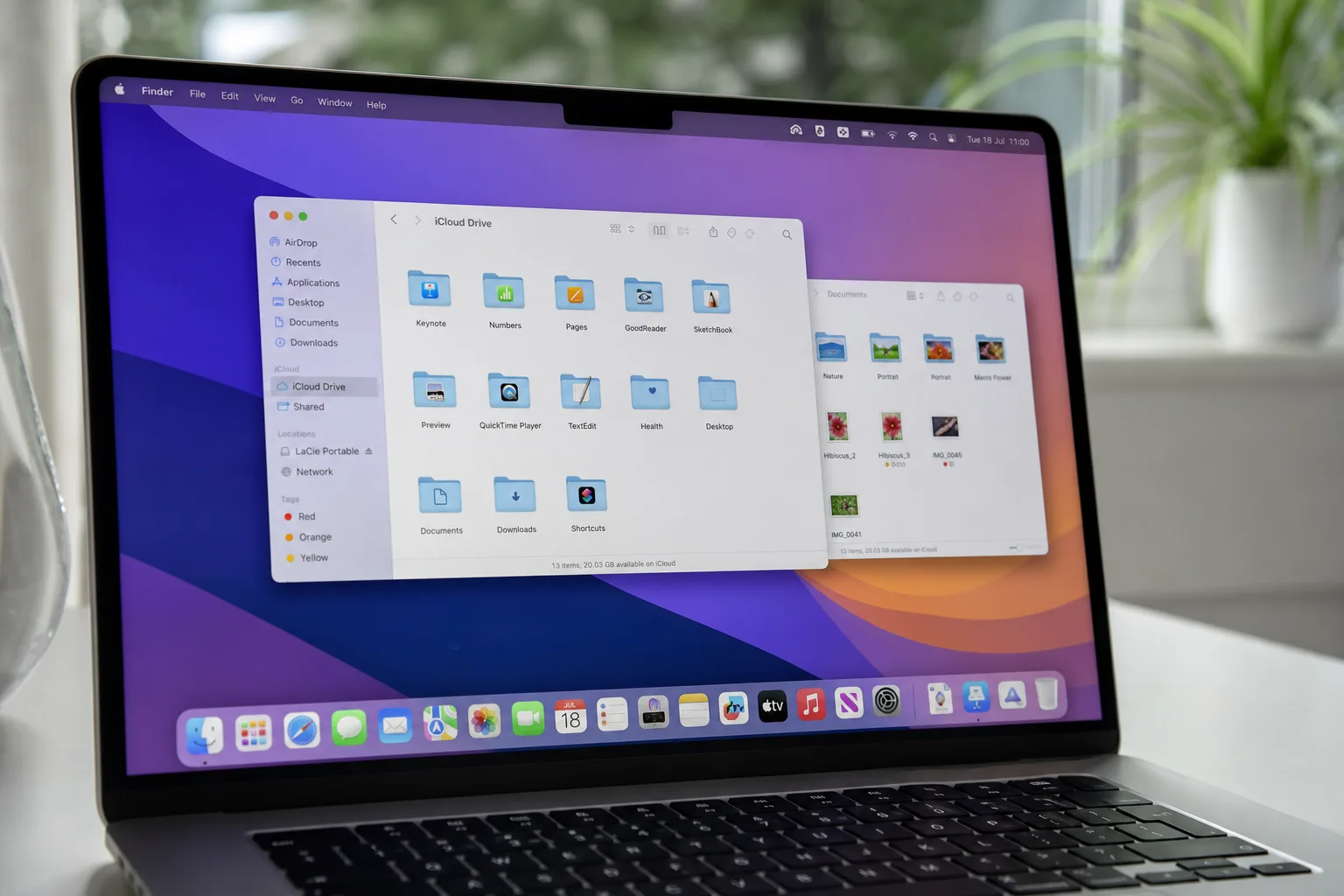
- The Liquid Glass changes in macOS Golden Gate include a new transparency slider giving users real control over UI opacity.
- Apple’s Liquid Glass changes address contrast and readability complaints that plagued macOS Tahoe since its launch.
- Sidebars are now edge-to-edge and icons have regained color, fixing two of the most-criticized elements of the Tahoe design.
- macOS Golden Gate is currently in developer beta, with a public beta expected in July and a full launch this fall.
- The Liquid Glass changes in macOS Golden Gate include a new transparency slider giving users real control over UI opacity.
- Apple’s Liquid Glass changes address contrast and readability complaints that plagued macOS Tahoe since its launch.
- Sidebars are now edge-to-edge and icons have regained color, fixing two of the most-criticized elements of the Tahoe design.
- macOS Golden Gate is currently in developer beta, with a public beta expected in July and a full launch this fall.
Table of Contents
Apple Responds to the Backlash
The Liquid Glass changes landing in macOS Golden Gate’s first developer beta are, in large part, Apple’s answer to a loud and sustained wave of criticism. When macOS Tahoe shipped with the Liquid Glass design language, the reaction on the Mac side of Apple’s ecosystem was far less enthusiastic than it was on iPhone. Forum threads on MacRumors and Reddit filled up with complaints about contrast, text legibility, over-rounded corners, and a general feeling that the new aesthetic had been ported to the Mac without much thought for how people actually use desktop software. Some users simply refused to update.
That kind of public dissatisfaction is rare enough that Apple tends to notice it. And with macOS Golden Gate, the company is making a series of targeted adjustments that, while not a wholesale rollback, suggest the design team has been paying attention. The Liquid Glass changes are mostly evolutionary — refinements rather than reversals — but several of them tackle the specific pain points that generated the most noise.
The New Transparency Slider and What It Actually Does
The headline Liquid Glass change is a new slider tucked inside System Settings under the Appearance section. It controls the translucency of Liquid Glass elements across the entire interface, letting users dial between a clearer version that lets more of the background bleed through and a more opaque, tinted version that prioritises text legibility. That’s a genuinely useful addition — the kind of granular control that power users have been asking for since day one of the Tahoe rollout.
There’s a catch, though. Even at its most transparent setting, the new slider doesn’t reproduce the crisp, almost window-glass look that Apple showed off in its original WWDC 2025 Liquid Glass reveal. The company has shifted the overall opacity baseline, and the clearest option available today still sits noticeably above that original showcase version. Whether that’s a deliberate choice for usability reasons or just an engineering constraint isn’t clear yet, but it’s worth keeping expectations in check.
Beyond the slider, Apple says it has improved how Liquid Glass handles complex content underneath it. The material now diffuses busy backgrounds more effectively, and a combination of a darkened edge treatment and brighter specular highlights is supposed to give UI elements more visual depth and separation. On paper, that should make overlapping windows and layered panels feel more intentional rather than visually muddy.
Liquid Glass Changes to Toolbars, Windows, and Corners
One of the more understated but practically meaningful Liquid Glass changes involves toolbars. Apps in Golden Gate now use uniform toolbar layouts, which means text headings and control groups sit in consistent positions regardless of which application you’re in. It sounds minor, but visual inconsistency between apps was a real frustration in Tahoe — the kind of thing that nags at you every day without you necessarily being able to articulate why.
Window corner radius has also been standardised. In macOS Tahoe, the aggressively rounded corners attracted a fair amount of mockery, and Golden Gate pulls them back to something less dramatic. All windows now share the same radius, which at least creates coherence even if the rounded aesthetic itself remains divisive. Active windows are also easier to identify, thanks to a combination of sidebar opacity changes, updated window shadows, and the overall recalibration of the Liquid Glass treatment.
Sidebars Get a Practical Redesign
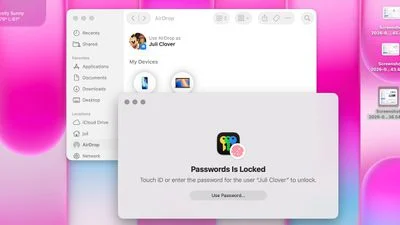
The sidebar redesign is probably the Liquid Glass change that will have the most immediate visual impact for everyday users. In macOS Tahoe, sidebars floated inside the window with their own drop shadows — a look that some found elegant and many found cluttered and inconsistent. Golden Gate moves sidebars back to edge-to-edge, flush with the window frame. The unnecessary shadow is gone, and the whole thing reads as cleaner and more purposeful.
More importantly, sidebar icons now have color again. Apple stripped color from sidebar icons in macOS Tahoe as part of the Liquid Glass aesthetic overhaul, replacing them with monochrome glyphs. It was one of the most complained-about decisions in the entire redesign — the loss of color made navigation noticeably harder in apps like Finder and Mail, where users rely on color as a quick visual cue. Bringing it back is a straightforward usability win, and it’s the kind of rollback that signals Apple heard the feedback clearly.
Icons, HDR, and the Squircle Debate
Apple isn’t budging on squircle icon shapes — that battle appears to be over, at least for now. But the company has reworked how icons are rendered within that shape. These Liquid Glass changes to icon rendering give Golden Gate icons additional Liquid Glass layers built into them, which Apple says improves detail and sharpness whether you’re running light mode, dark mode, a tinted display, or the new clear variant. It’s a subtle thing to notice at a glance, but icon quality is something that designers and power users clock quickly, and the Tahoe icons drew criticism for looking soft or inconsistent across different display conditions.
Apple is also using icons more aggressively in the menu bar to surface commonly used actions. It’s a small ergonomic tweak, but it acknowledges that the menu bar is prime real estate on a Mac and that clarity there matters.
Then there’s HDR. Apple is using high dynamic range rendering to add depth and dimension to the Golden Gate interface — specular highlights and glass-like refractions that are meant to look more convincing on the Pro Display XDR and other HDR-capable screens. It’s the kind of detail that only lands properly on the right hardware, but it signals where Apple sees the visual ceiling of this design language going.
What This All Means for macOS Going Forward
Taken together, the Liquid Glass changes in macOS Golden Gate paint a picture of a design team in active refinement mode. Apple rarely admits it got something wrong outright, but a new transparency slider, standardised window chrome, restored sidebar colors, and pulled-back corner radii are about as close to a public acknowledgement as the company tends to get. The original Liquid Glass rollout on Mac was clearly rushed relative to its iOS counterpart, and Golden Gate is doing the work of closing that gap. Collectively, these Liquid Glass changes represent the most substantial course correction Apple has made to the design system since its debut.
macOS Golden Gate also brings along all the new Siri AI features arriving with iOS 27 and promises general performance improvements. Developer betas are live now, with a public beta expected in July ahead of the full fall release.
The bigger question is whether these refinements are enough to win back the users who skipped Tahoe entirely. That cohort tends to be older, workflow-focused Mac users — people who don’t upgrade for aesthetics and actively resent when aesthetics get in the way of work. If the Liquid Glass changes can demonstrably improve legibility and reduce visual noise, Golden Gate has a shot. If it still feels like a design system optimised for iPhone that happens to run on a Mac, the complaints won’t stop here — they’ll just get quieter.
Source: MacRumors
Frequently Asked Questions
What are the main Liquid Glass changes in macOS Golden Gate?
The biggest Liquid Glass changes include a new transparency slider in System Settings, edge-to-edge sidebars that replace the floating design, restored color sidebar icons, more uniform toolbar layouts, a consistent window corner radius, and HDR-powered depth effects throughout the interface.
Does macOS Golden Gate fix the contrast and readability issues from Tahoe?
Apple has taken direct steps to address those complaints. The new opacity slider lets users choose a more tinted, opaque version of Liquid Glass for better text legibility. A darkened edge and brighter specular highlights also help separate UI elements more clearly.
When will macOS Golden Gate be available to the public?
macOS Golden Gate is currently limited to developers. Apple plans to release a public beta in July, with the full launch expected this fall.
Are Mac icon shapes changing in macOS Golden Gate?
Apple isn’t abandoning the squircle icon shape for Mac icons. However, icons now feature more layers of Liquid Glass to improve detail and sharpness across light, dark, tinted, and clear display modes.

