

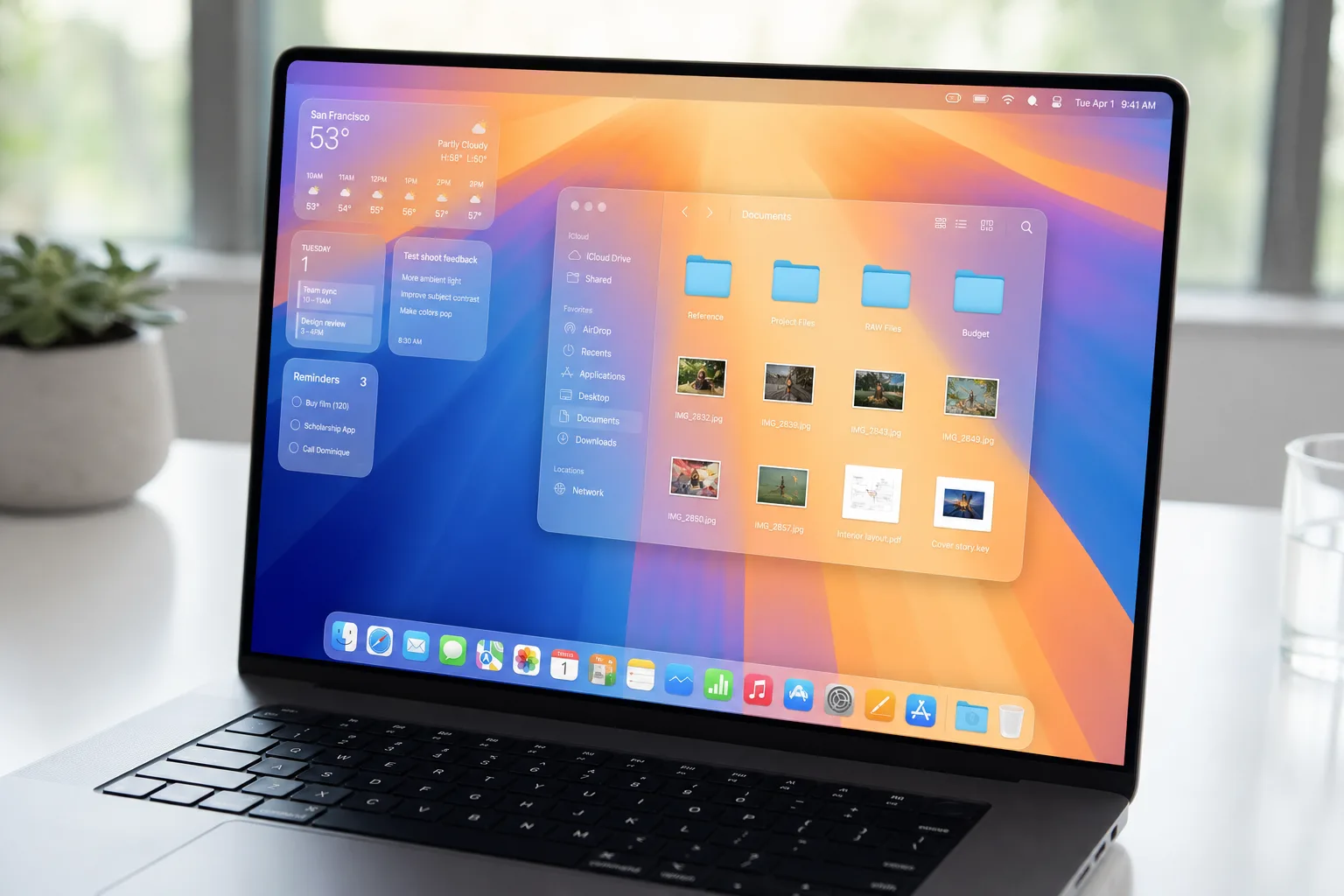
Apple is making a round of meaningful changes to Liquid Glass, the translucent, refractive design language it introduced last year — and the most telling part of the announcement isn’t the features themselves, it’s the tone Apple used to announce them.
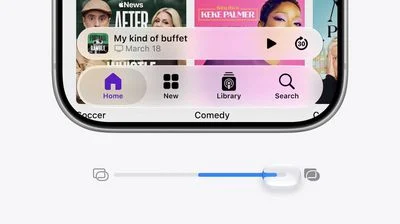
- Apple is updating Liquid Glass with a new transparency slider, letting users dial between fully opaque and completely clear.
- Liquid Glass sidebar behavior is being overhauled so refraction effects run edge-to-edge, and icons keep their original colors.
- Apple says it deeply appreciates user feedback — a rare public acknowledgment that the original rollout had real problems.
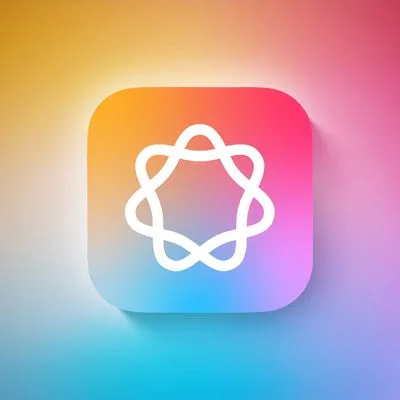
- First-party app icons are getting additional Liquid Glass layers baked directly into the artwork itself.
Table of Contents
Apple Admits, Quietly, That Liquid Glass Needed Work
Apple doesn’t typically walk back design decisions in public. The company has a long-standing reputation for committing hard to visual directions and letting users adapt — sometimes for years — before quietly iterating. So when Apple said it ‘deeply appreciates’ the feedback it received on Liquid Glass and is now making structural adjustments to how the design language is built, that’s worth pausing on. In corporate-Apple-speak, that’s about as close to ‘you told us it was a problem and you were right’ as you’re going to get.
The original Liquid Glass rollout was polarizing. Reactions ranged from genuine admiration for the depth and physicality it brought to Apple’s interfaces, to frustration over legibility issues, visual noise, and an overall sense that the translucency was more style exercise than practical improvement. Accessibility advocates raised concerns early. Power users complained about the loss of visual anchoring. And the sidebar behavior — which cut off refraction effects at the panel boundary — struck many as technically half-finished rather than intentional. Apple, it seems, has been listening.
The Transparency Slider: Small Feature, Big Statement
The headline addition is a Liquid Glass transparency slider. It’s a deceptively simple control: users can drag it from fully opaque to completely clear, choosing exactly how much of the glass effect they want in their interface. On the surface, that sounds like a minor accessibility accommodation. But think about what it actually represents.
Apple is acknowledging that Liquid Glass, as a single fixed visual mode, didn’t work for everyone. A slider isn’t a bug fix — it’s a philosophical concession. The company is building in optionality for a design system it spent considerable engineering and design resources developing. That’s not nothing. It also sets a precedent: if the transparency is adjustable, users will reasonably start asking whether other aspects of Liquid Glass — the refraction intensity, the blur radius, the color tinting — might eventually become tunable too. Apple hasn’t said anything about that, but the slider opens a door.
For context, Apple already has a ‘Reduce Transparency’ toggle buried in Accessibility settings on both macOS and iOS — a feature that’s existed for years and pre-dates Liquid Glass entirely. The new slider is different. It’s not an accessibility workaround; it’s a first-class design control. That distinction matters. It means Apple isn’t just accommodating edge cases — it’s recognizing that Liquid Glass at full intensity is too much for a significant portion of its mainstream user base.
Sidebar Fixes That Should Have Been There From Day One
Beyond the slider, Apple is fixing two specific Liquid Glass sidebar issues that drew consistent criticism after the original launch.
First, the refraction effect itself. Previously, Liquid Glass effects would stop at the sidebar boundary — as if someone had drawn a hard line where the physics engine just switched off. The update extends those effects all the way to the full edge of the window, so the visual continuity that Liquid Glass is supposed to create actually holds up. It’s the kind of thing that, once you noticed the original behavior, you couldn’t un-see.
Second — and perhaps more practically significant for everyday use — sidebar icons will now retain their color. The original implementation drained icon color in sidebars, which made apps feel visually flat and harder to parse quickly. Color is one of the fastest ways humans distinguish interface elements at a glance, and stripping it out in the name of visual coherence was a trade-off that clearly didn’t sit well with users. Apple’s reversal here suggests the data — whether from usage analytics, support contacts, or just the sheer volume of public complaints — made the case better than any internal design argument could.
App Icons Get Deeper Liquid Glass Integration
The third major announcement involves Apple’s first-party app icons. When Apple redesigned all of them last year as part of the Liquid Glass rollout, the goal was visual consistency — a unified aesthetic across iOS, iPadOS, and macOS that felt like it belonged to the same family. That work was largely successful, even if some individual icon choices were debated. Now Apple is taking that a step further.
Rather than treating Liquid Glass as a surface effect applied on top of icons, Apple is incorporating additional Liquid Glass layers directly into the icon artwork itself. The distinction is meaningful. A surface application treats the glass effect as a shell — the icon beneath is fundamentally unchanged. Building Liquid Glass into the artwork means the icons are designed from the ground up with the translucency and depth as intrinsic properties, not decorations. Think of it like the difference between frosting a window versus making the glass itself decorative. The end result should look significantly more intentional and polished than the first-generation icons, which occasionally felt like existing designs wearing a Liquid Glass costume.
What This Tells Us About Apple’s Design Direction
Zoom out and the pattern here is interesting. Apple’s platform design has historically moved in long, slow cycles — remember how long it took the company to introduce proper dark mode support, or how many years passed before widget customization became genuinely useful on iOS. Liquid Glass feels different. Apple introduced it, received substantial pushback, and is now iterating on the foundations within what appears to be a relatively short window. That’s a faster feedback loop than Apple usually operates on.
Some of that may be competitive pressure. Google’s Material You design language and Microsoft’s Fluent Design system have both made translucency and depth core parts of their visual identities, and both have had years to refine them. Apple came to the layered-glass aesthetic later than either, and it’s now doing in months what those platforms took release cycles to get right.
There’s also a broader question about where Liquid Glass goes from here. The transparency slider and sidebar fixes are clearly responses to specific complaints — they’re reactive improvements. But the icon artwork changes feel more proactive, suggesting Apple’s design team has a longer-term vision for how deeply Liquid Glass should be woven into the platform’s visual DNA. If the icon layer is just the start, expect to see Liquid Glass becoming more architecturally embedded across system UI in future releases, rather than something that can simply be dialed down with a slider. The tension between those two directions — more Liquid Glass baked in, but also more user control over it — will be one of the more interesting design stories to track going into Apple’s next major OS cycle.
Frequently Asked Questions
What is the Liquid Glass transparency slider in Apple’s update?
The transparency slider is a new user control Apple is adding to Liquid Glass that lets you adjust how see-through the interface elements are, ranging from fully opaque to completely clear. It directly responds to user complaints about the original Liquid Glass implementation being too visually intense.
Why did Apple change the Liquid Glass sidebar behavior?
The original Liquid Glass sidebars cut off refraction effects at the sidebar boundary, which looked visually abrupt. Apple’s update extends those effects all the way to the window edge for a more seamless appearance. Sidebar icons will also retain their color, addressing another frequently raised complaint.
Does the Liquid Glass update affect Apple’s app icons?
Yes. Apple redesigned its first-party icons last year for consistency across apps and platforms, and it’s now going further by incorporating additional Liquid Glass layers directly into the icon artwork itself, making the visual style more deeply integrated.
Is Apple admitting that Liquid Glass had problems?
Not in so many words, but the subtext is clear. Apple publicly said it ‘deeply appreciates’ user feedback and is adjusting the foundational construction of Liquid Glass — language that, coming from a company that rarely acknowledges design missteps mid-cycle, speaks volumes.

