

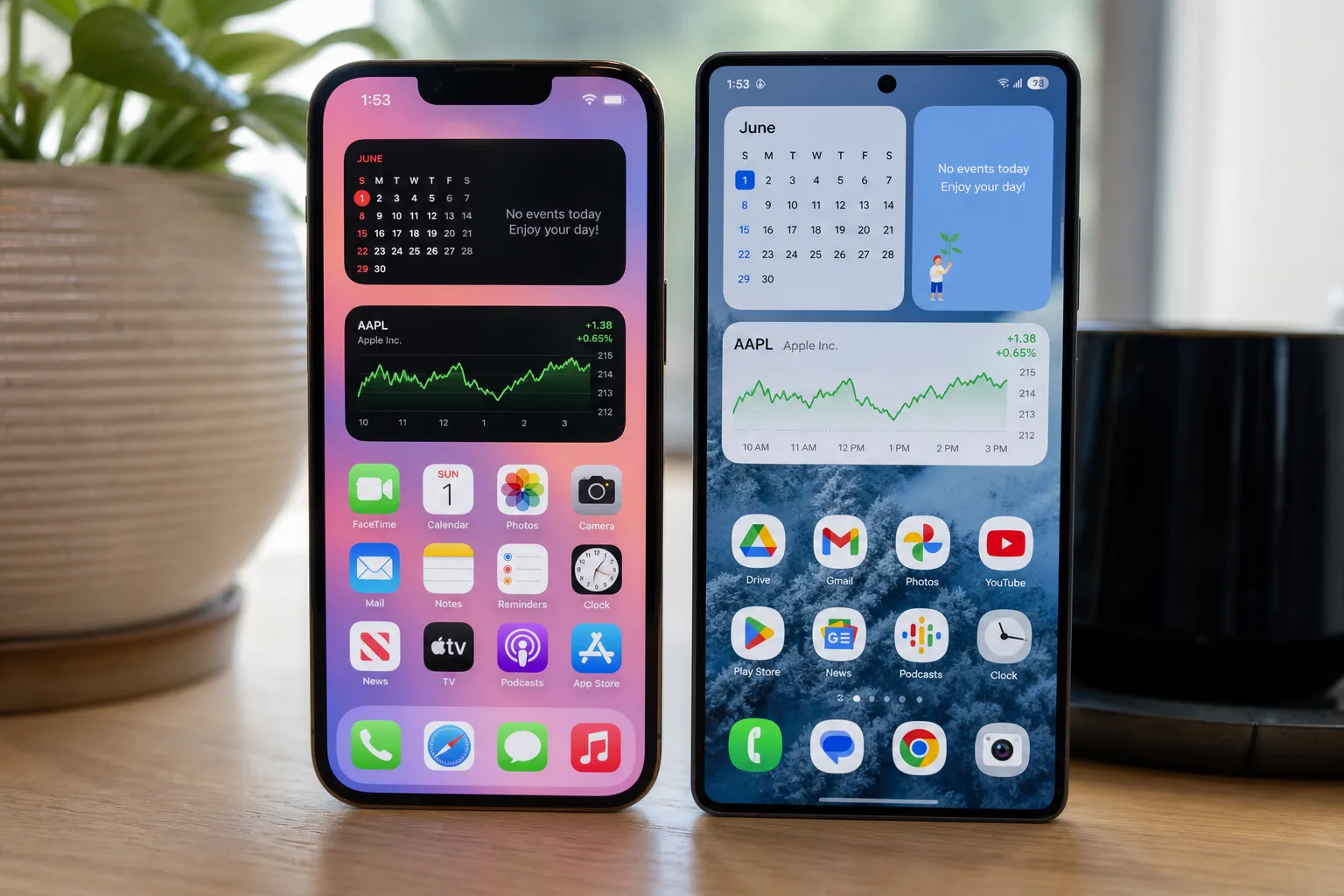
- iOS 27 extra large widgets introduce a 4×6 format that can fill an entire iPhone home screen pane.
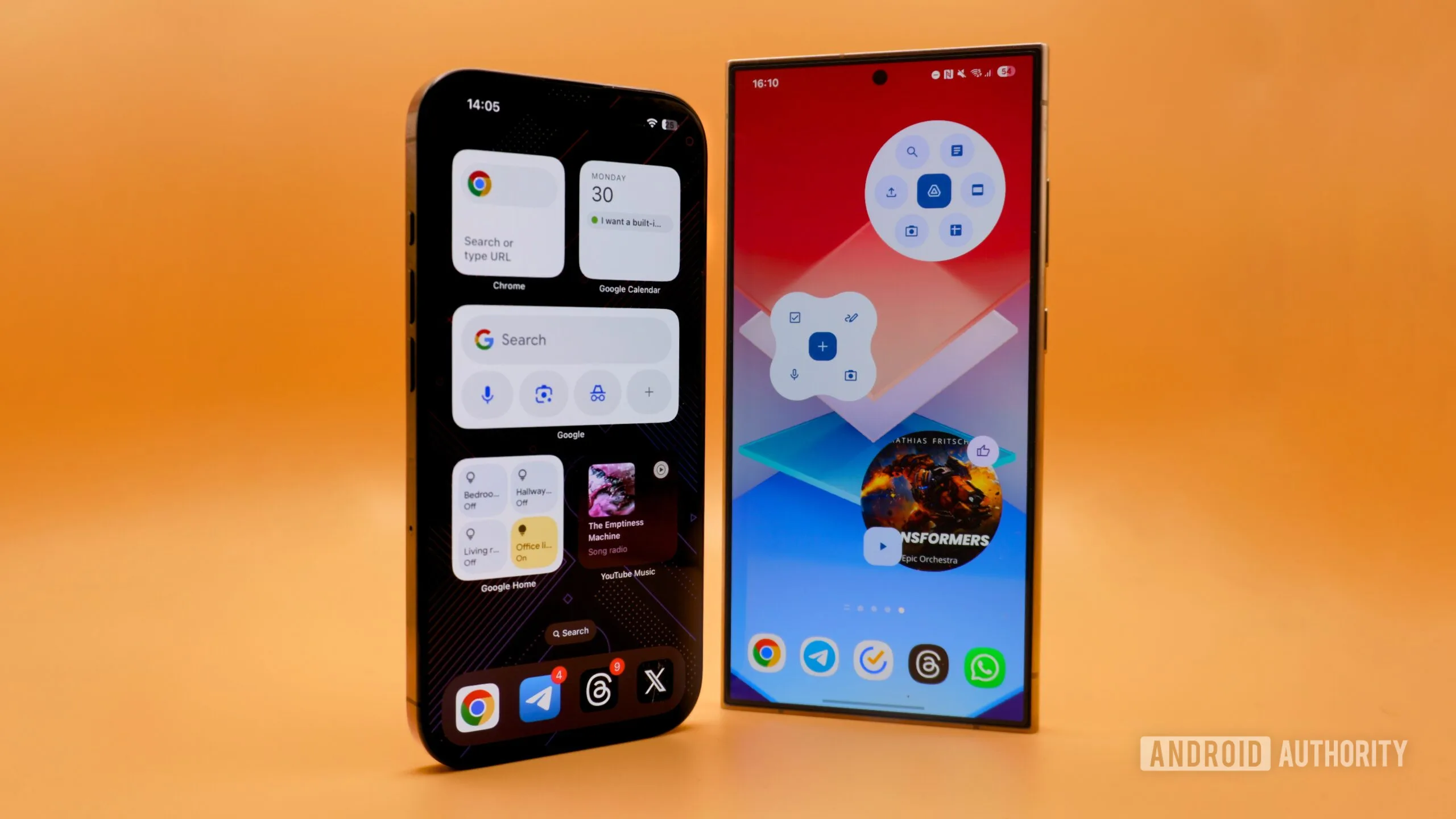
- iOS 27 extra large widgets arrive roughly 14 years after Android first pioneered the concept in 2009.
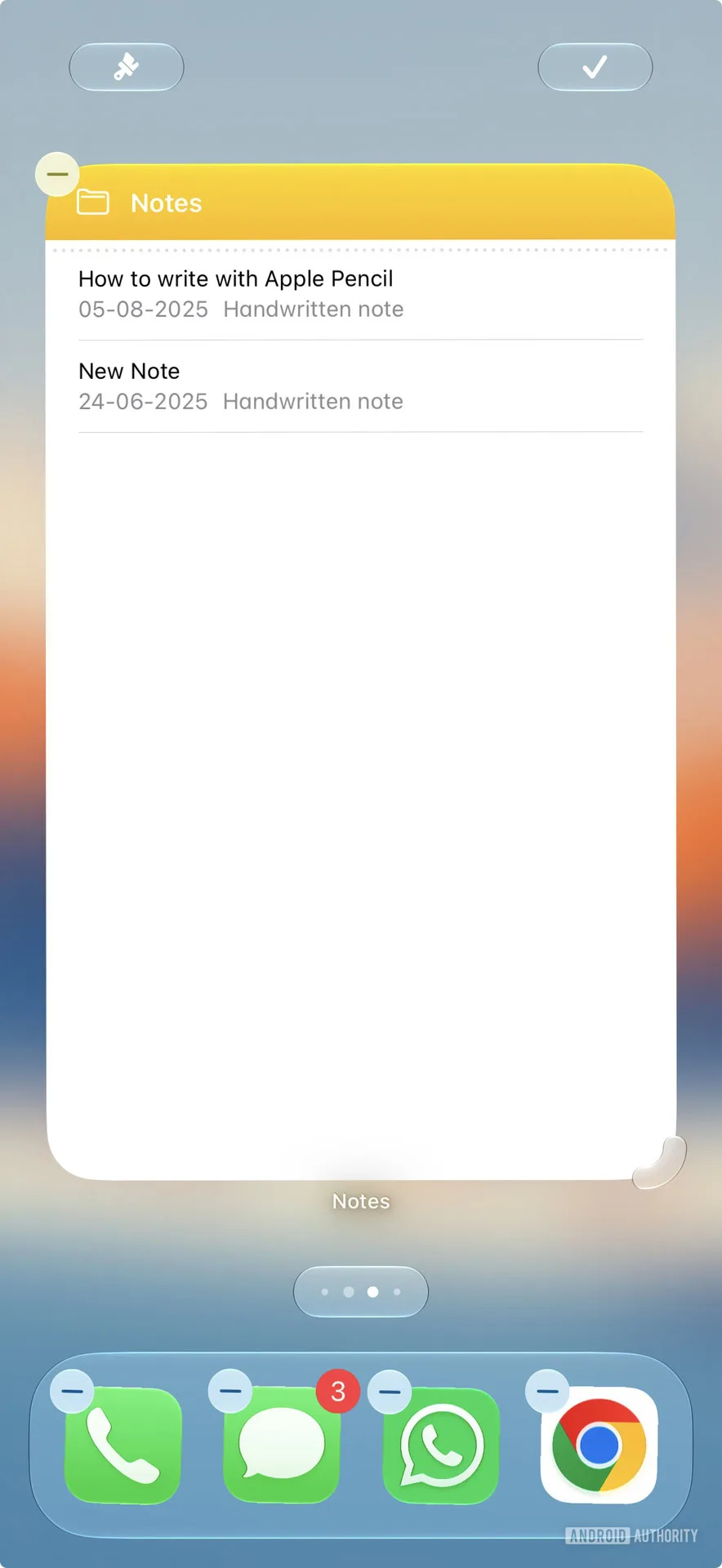
- Users can drop a full-size widget directly or long-press and stretch a smaller widget to expand it.
- The new format could be a preview of Apple’s rumoured foldable iPhone Ultra and its larger display canvas.
Table of Contents
Apple’s Biggest Home Screen Update in Years
At WWDC 2026, Apple quietly dropped one of the most practically useful iPhone features in recent memory: iOS 27 extra large widgets that can stretch across an entire home screen pane in a 4×6 grid format. It’s the kind of change that sounds modest in a keynote but makes a real difference the moment you actually use your phone.
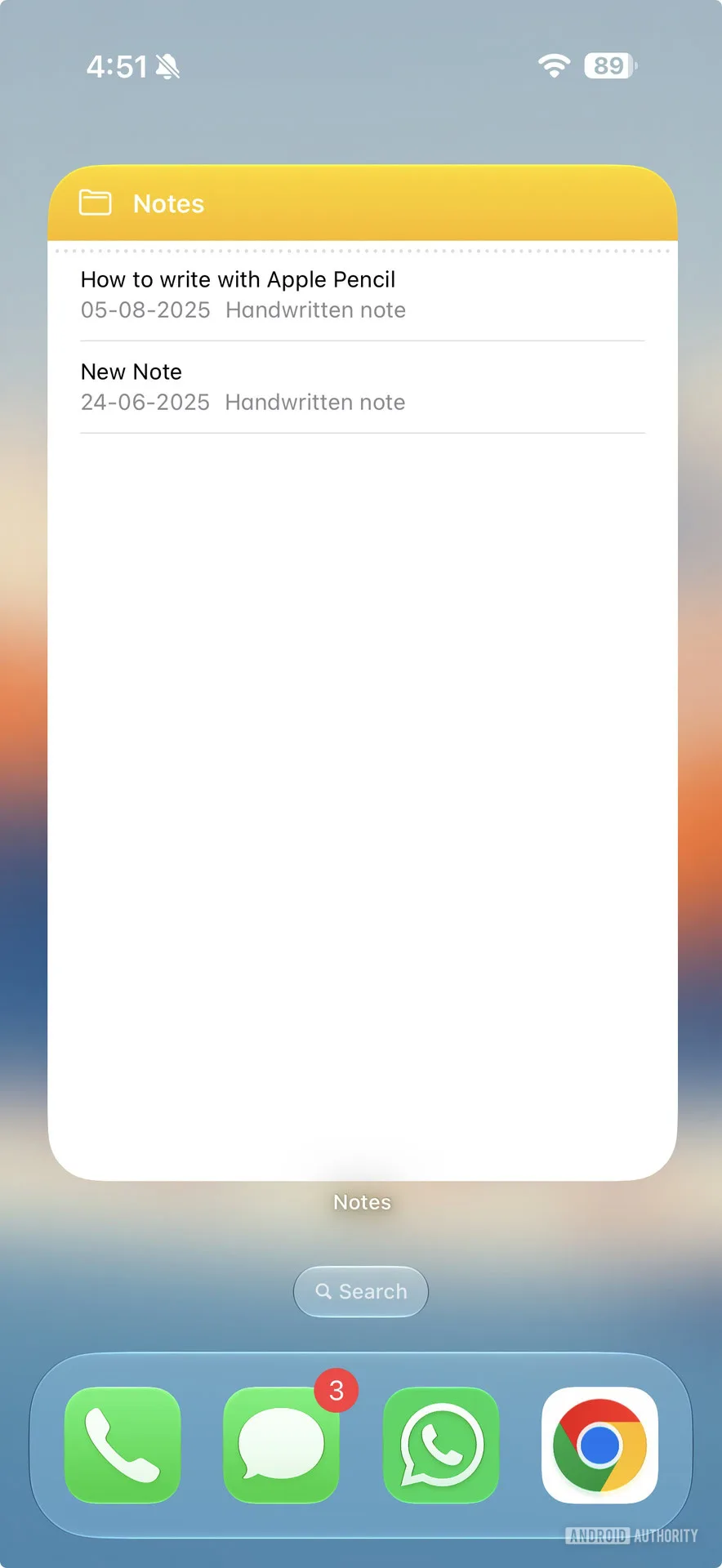
For stock watchers, calendar junkies, and anyone who’s ever wished their iPhone’s home screen could actually show them something useful at a glance, this is a genuine quality-of-life upgrade. A full-pane calendar widget. A live stock portfolio that doesn’t require you to squint. Note previews that actually show you a note. These aren’t trivial wins.
Still, it’s hard to write about this without acknowledging the elephant in the room. Android had widgets at launch in 2009 — specifically with Android 1.5 Cupcake — and the platform evolved them significantly over the years. Google’s App Widget documentation traces a long lineage of improvements, including the introduction of user-resizable widgets with Android 4.1 Jelly Bean in 2012 and the responsive layout system that arrived with Material You in Android 12 in 2021. Apple, by comparison, only introduced its widget system with iOS 14 in 2020 — more than a decade late to the party.
What iOS 27 Extra Large Widgets Actually Do
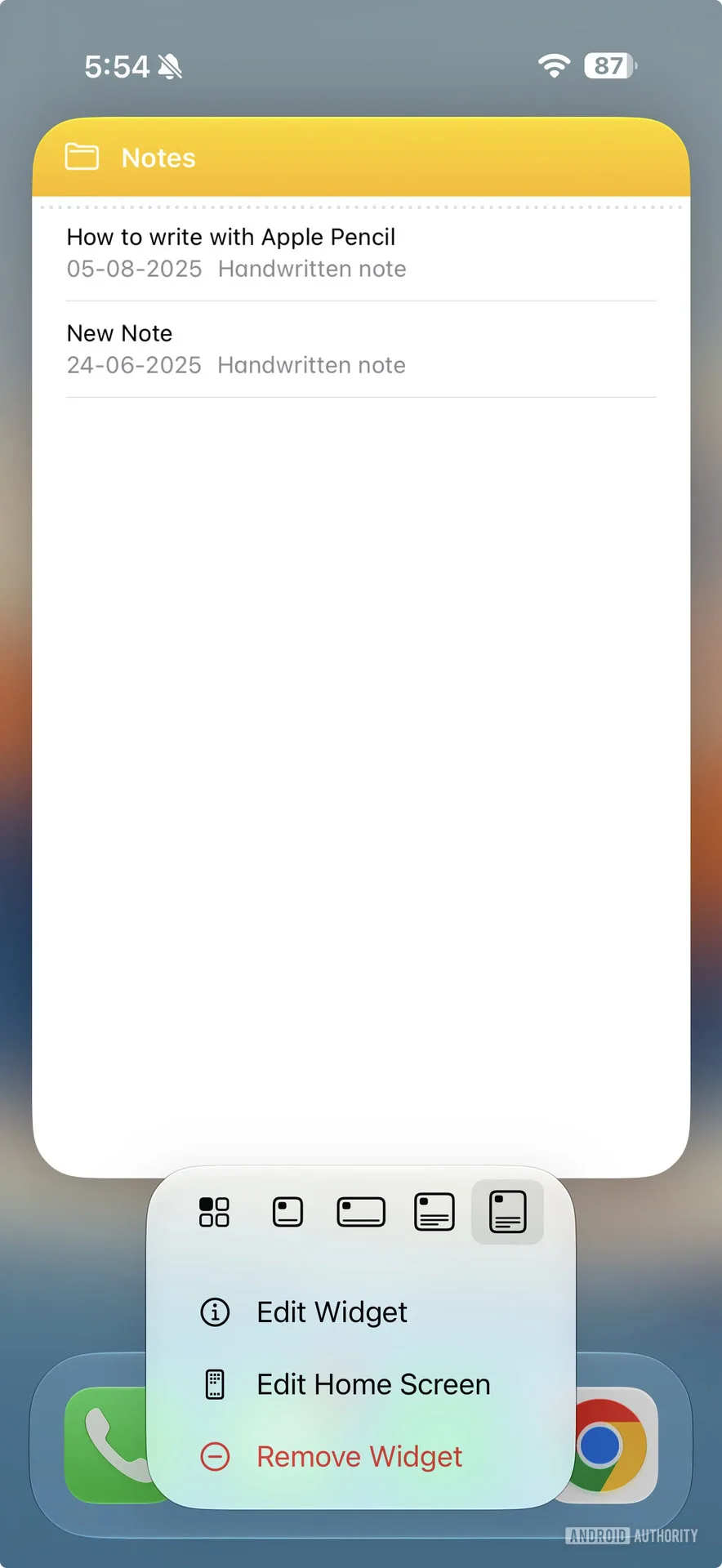
So how does the new system work in practice? There are two ways to get an iOS 27 extra large widget onto your home screen. You can either drop one directly onto an empty pane — for apps that already support the 4×6 size — or long-press an existing smaller widget and stretch it to expand it into the larger format. It’s an interaction pattern that feels intuitive, and it’s smart of Apple to give both entry points rather than forcing users to hunt for a specific widget size in a picker menu.
Currently, only a small number of Apple’s own first-party apps support the full 4×6 canvas. That’s no surprise given that iOS 27 just entered developer preview, and Apple typically seeds these previews months before a public release. Expect a significant wave of third-party support to land over the summer as developers rebuild their widget layouts ahead of the autumn stable release.
The apps that stand to benefit most are obvious: calendar apps get room for a real monthly view, finance apps can show live data across a dozen tickers simultaneously, and note-taking apps can finally surface enough text to be genuinely useful without a tap. These are use cases that power users have been asking about for years — and use cases Android users have been taking for granted since before the first iPad existed.
iOS 27 Extra Large Widgets and the Long Shadow of Android
Apple’s rigid widget history is worth unpacking because it tells you something about how the company approaches product design. When iOS 14 launched its widget system in 2020, the available sizes — roughly 2×2, 2×4, and 4×4 — were hardcoded. Developers had to design to fixed dimensions. Users had no ability to resize anything. It was clean, controlled, and predictably Apple.
Ironically, that approach mirrored where Android was back in the Cupcake era — blocky, fixed sizes that left developers with little flexibility. Android moved past that model over a decade ago. Jelly Bean’s resizable widgets let users drag a handle to make a widget any shape they wanted, within reason. Material You’s responsive layout buckets took that further, letting widgets intelligently reflow their content based on whatever space they were given.
iOS 27 extra large widgets take a step in that direction, but it’s still a step, not a leap. You can stretch a widget to the new 4×6 size, but you’re not getting freeform, drag-to-any-dimension resizing. Apple’s system remains defined by preset size buckets. That’s not the worst thing — consistency has real UX value — but it’s worth being honest that this isn’t the full Android widget experience. It’s a well-executed approximation of it.
The iPhone Ultra Connection
There’s a timing angle here that’s hard to ignore. Apple’s rumoured ‘iPhone Ultra’ — widely expected to be the company’s first foldable iPhone — would presumably arrive with a significantly larger display canvas than any current iPhone. A 4×6 widget that occupies one full pane on a standard iPhone would occupy roughly half the unfolded screen on a foldable device. That’s a genuinely compelling use of the format.
Apple hasn’t confirmed the iPhone Ultra exists, let alone what its display proportions might look like. But introducing an extra-large widget tier now, just as foldable iPhone rumours intensify, doesn’t feel like a coincidence. It feels like Apple laying groundwork — building developer and user familiarity with larger widget canvases before a device that really needs them arrives.
What This Tells Us About Apple’s Home Screen Strategy
iOS 18 finally brought free icon placement in 2024 — the ability to put icons wherever you want on the grid rather than having them snap to the top-left corner like it was 2007. That felt overdue too. iOS 27 extra large widgets are the next step in what is clearly a multi-year project to give the iPhone home screen the flexibility that Android users have expected as a baseline for over a decade.
The pace is deliberate, maybe frustratingly so if you’ve been waiting. But there’s a version of this story where Apple’s slower approach pays off: when features do arrive, they tend to be polished, consistent across hardware, and supported by a developer ecosystem that’s incentivised to adopt them quickly. The 4×6 widget format will likely have broad, high-quality third-party support within a year in a way that took Android’s widget ecosystem much longer to achieve.
Whether that trade-off is worth a 14-year wait is a fair question. What’s not in question is that iOS 27 extra large widgets are a meaningful improvement to an iPhone home screen that has historically punched well below its weight. If Apple keeps this momentum — and eventually delivers genuinely freeform resizing — it might close the gap entirely. For now, Android users can keep the bragging rights. iPhone users finally get the widget.

